Gitember
Gitember is a free, open-source desktop client for working with Git through a visual interface.
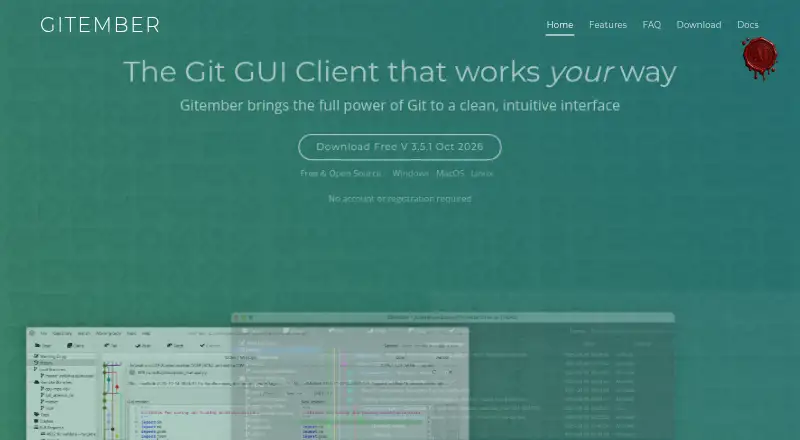
What Gitember is
Gitember is a free, open-source desktop client for working with Git through a visual interface. It supports clone, init, commit, push, pull, fetch, branching, merging, rebasing, stashing and tagging over SSH or HTTPS, and works offline with local repositories. Workspaces let you group separate repositories for shared operations and a combined working-copy view. For examining changes, it offers a commit graph, file history and unified, context or side-by-side diffs with syntax highlighting for more than 40 languages. A visual three-way merge editor helps resolve merge and rebase conflicts; folder comparison highlights added, removed and changed files. Search spans commit and branch information, paths, and indexed content from source files and several document formats. Gitember also supports pull request review for GitHub, GitLab, Bitbucket Cloud and Gitea, including self-hosted Gitea, plus Git LFS and submodules. Experimental local AI features use Ollama for secret detection and drafting branch descriptions or commit messages. It runs on Windows, macOS and Linux; the maker identifies its macOS DMG as an Apple Silicon build.
Good
- Free and open source, with no account required.
- Workspaces group repositories for combined operations.
- Offers several diff views and a visual conflict editor.
- Supports Git LFS, submodules and offline repositories.
- Pull request review covers GitHub, GitLab, Bitbucket Cloud and Gitea.
Watch out
- The macOS DMG is an Apple Silicon build.
- AI features are experimental and require Ollama.
Who it suits
Gitember suits developers who want a visual Git client across Windows, macOS or Linux, including those managing multiple repositories or working offline. Its review, diff and conflict tools may also help teams using supported hosting services.
Verdict
Gitember combines core Git operations with visual tools for history, comparison and conflict resolution. Check the macOS build and experimental AI requirements against your setup.
Plans and prices
From Gitember's own pricing page, checked 3 Oct 2026.
| Plan | Price | What it gives you |
|---|---|---|
| Gitember | Free | Free and open source · no paid Pro tier · all features included · no account required |
The facts
Each one read from Gitember's own pages, with the date it was checked.
What it does
- Accounts and tokens
- A Gitember account is not required; a hosting-provider token is optional and used for pull request review or authenticated remotes.checked 3 Oct 2026
- Folder comparison
- The folder comparison tool displays differences between directory trees, including files added, removed or changed.checked 3 Oct 2026
- Git LFS
- Gitember includes Git LFS support for tracking patterns, fetching objects and viewing LFS file status.checked 3 Oct 2026
- Git operations
- The client supports clone, init, commit, push, pull, fetch, branch, merge, rebase, stash and tag over SSH or HTTPS.checked 3 Oct 2026
- History and diffs
- Features include a visual commit graph, file-level history, and unified, context and side-by-side diff views with syntax highlighting for 40+ languages.checked 3 Oct 2026
- Integrations
- Pull request review is supported for GitHub, GitLab, Bitbucket Cloud and Gitea, including self-hosted Gitea.checked 3 Oct 2026
- Local AI
- Experimental AI features run locally through Ollama and include staged-file secret detection, branch descriptions and commit message generation.checked 3 Oct 2026
- Merge
- A visual three-way merge editor helps resolve merge and rebase conflicts by selecting, combining or editing changes.checked 3 Oct 2026
- Privacy
- The maker says local AI inference runs on the user's machine without sending source code or data to the cloud; the app also works offline with local repositories.checked 3 Oct 2026
- Product
- Gitember is a free, open-source desktop Git GUI client for visual Git workflows.checked 3 Oct 2026
- Search
- Search covers commit messages, tags, branch names, file paths and indexed content from source files, images, PDFs, Office documents and CAD formats.checked 3 Oct 2026
- Support
- The site directs questions to Igor Azarny by email at [email protected].checked 3 Oct 2026
- Workspaces
- Workspaces group independent repositories so users can perform operations across them and view their combined working copy.checked 3 Oct 2026
Where it runs
- Platform limit
- The maker says Gitember runs on Windows 8 and later and describes its macOS DMG as an Apple Silicon build.checked 3 Oct 2026
- Platforms
- The maker lists Windows, macOS and Linux builds, including Windows MSI and ZIP, an Apple Silicon DMG, and Linux DEB and fat JAR packages.checked 3 Oct 2026
The full review of Gitember
Overview
Gitember is a free, open-source desktop client for visual Git workflows. It suits developers who want repository management, detailed history and conflict tools in one desktop app, especially those who value offline work or local AI processing.
Its broad Git toolkit and included features make it a compelling no-cost option, though macOS users should check the Apple Silicon build and AI features require Ollama.
Key features
Gitember covers everyday Git work: clone and initialize repositories, commit, push, pull, fetch, and manage branches, merges, rebases, stashes and tags over SSH or HTTPS. Workspaces group independent repositories, making it possible to operate across them and see a combined working copy. That organization is useful for projects split across repositories, but it does not replace a hosted service or team workflow.
For reviewing changes, a visual commit graph and file-level history sit alongside unified, context and side-by-side diffs, with syntax highlighting for more than 40 languages. A folder comparison tool shows files added, removed or changed between directory trees. These views give users several ways to inspect a change rather than relying on a single diff format.
The three-way merge editor lets users select, combine or edit changes when resolving merge and rebase conflicts. Search reaches commit messages, tags, branch names and file paths, as well as indexed content in source files, images, PDFs, Office documents and CAD formats. Git LFS support covers tracking patterns, fetching objects and viewing file status; submodules and interactive rebase are also supported.
Pull request review works with GitHub, GitLab, Bitbucket Cloud and Gitea, including self-hosted Gitea. A provider token is optional and is used for pull request review or authenticated remotes; a Gitember account is not required. Experimental local AI features use Ollama for staged-file secret detection, branch descriptions and commit-message generation. The maker says inference stays on the user’s machine, without sending source code or data to the cloud. Since these features are experimental and depend on Ollama, they are a bonus rather than a reason to choose Gitember if you need a turnkey AI workflow.
Pricing
Gitember costs free. The free and open-source plan includes all features, with no paid Pro tier and no account requirement. It has no trial-to-paid decision or feature tiers to navigate, making it suitable for both personal and commercial use without an upgrade calculation. No seat or usage quota is stated.
Platforms
Gitember supports Windows, macOS and Linux, and can work offline with local repositories. Windows support begins at Windows 8. The macOS download is an Apple Silicon build, so users with other Mac hardware should verify compatibility before choosing it.
Who it's for
Gitember is a strong fit for developers who want a full desktop Git client without a subscription, including users who work offline, manage several repositories together, or need visual conflict resolution and broad search. Its provider integrations also make it useful for people reviewing pull requests across supported hosting services. Those who rely on a non-Apple-Silicon Mac build or want experimental AI without setting up Ollama should look elsewhere.
Pros and cons
- Pros: All features are free and open source, with no account requirement or paid Pro tier.
- Pros: History, multiple diff views, folder comparison and a three-way conflict editor support detailed review and resolution.
- Pros: Offline use, Git LFS, submodules and interactive rebase cover needs beyond basic commit and push workflows.
- Pros: Pull request review spans GitHub, GitLab, Bitbucket Cloud and Gitea, including self-hosted Gitea.
- Cons: The macOS build targets Apple Silicon, limiting its fit for users on other Mac hardware.
- Cons: Local AI features are experimental and require Ollama, so they are not a ready-made option for users who want AI features without additional setup.
Alternatives
For more Git GUI options, browse Git GUI Clients.
- GitKraken Desktop may suit open-source development: its free Community plan is limited to local repositories and public remotes, and public repositories only.
- platypusgit is another free, cross-platform choice, with no account, paywall or feature tiers.
- SmartGit offers a free Hobby plan for personal, non-commercial use, but requires free registration and excludes enterprise integrations.
- GitComet is a freemium, cross-platform alternative.
- Gitnuro is a free cross-platform option for personal and commercial use without limitations.
- Git Cola is a free software alternative available on Linux, macOS and Windows.
- GitButler offers a free, open-source client for standalone use, with an optional Supporter plan at $5 a month.
- Sourcetree is worth considering if you need a free Windows or Mac desktop client for Git and Mercurial.
Verdict
Choose Gitember if you want a capable, free Git desktop client with visual history, flexible diffs, conflict resolution and no account requirement. Its offline support and breadth of included tools are the strongest reasons to pick it. Look elsewhere if you need a macOS build for non-Apple-Silicon hardware or want local AI features that do not depend on Ollama.
Alternatives to Gitember
- 1

Unity
Free planAndroidiOSWebAPI8.4Free plan - 2

Unity Version Control
Free planWebAPILinuxmacOS8.1Free plan - 3

Perforce P4 (Helix Core)
Free planWebAPILinuxmacOS7.9From $39 a month - 4

Diversion
Free planWebAPILinuxmacOS7.8From $25 a month - 5

GitHub CodeQL
Free planWebExtensionLinuxmacOS7.5From $30 a month - 6
GitUI
Free planOpen sourceAndroidLinuxmacOSSelf-hosted7.5Free plan