
GitKraken Desktop
GitKraken Desktop is a Git client for Linux, macOS, and Windows.
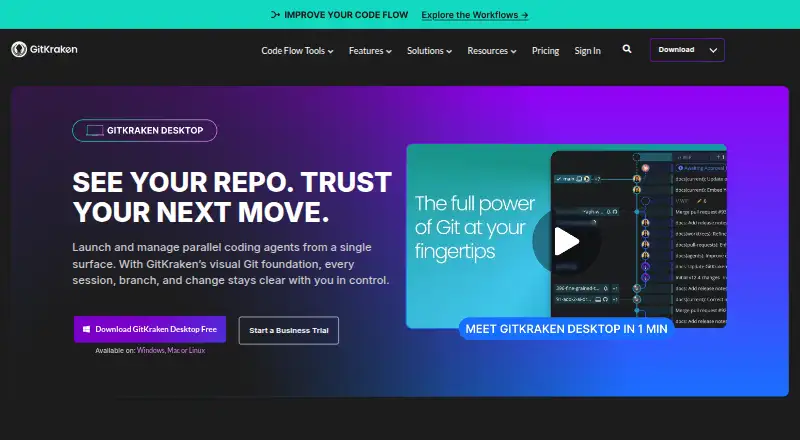
What GitKraken Desktop is
GitKraken Desktop is a Git client for Linux, macOS, and Windows. It provides visual history, conflict resolution, Gitflow support, submodules, offline mode, Git LFS, and interactive rebase. Repositories can be local or hosted on services including GitHub, GitLab, Bitbucket, and Azure DevOps, as well as supported self-hosted services. The free Community plan is limited to local repositories and public remotes, with its plan description specifying public repositories only. A 14-day Pro trial adds private repository access and premium features. Paid plans include GitKraken Desktop, GitLens, GitKraken CLI, Kepler, and GitKraken.dev. Pro supports up to two seats, Advanced up to 10, and Business up to 100; Business includes security, compliance, and administrative controls. On-Premise options can keep code inside a firewall. Desktop can create worktrees, install dependencies, and launch agents, with active sessions shown in one view. Pro, Advanced, and Business receive weekly AI credit limits that reset Sundays UTC; unused credits do not roll over.
Good
- Supports Linux, macOS, and Windows.
- Includes visual history and conflict resolution.
- Works offline and supports Git LFS.
- Integrates with GitHub, GitLab, Bitbucket, and Azure DevOps.
- Desktop can create worktrees and launch agents.
Watch out
- Community is limited to local repositories and public remotes.
- Private repositories require the Pro trial or a paid plan.
- AI credits reset weekly and unused credits do not roll over.
- Pro, Advanced, and Business seat limits are capped.
Who it suits
It suits developers who want a visual Git client across desktop operating systems, including those working with local, hosted, or self-hosted repositories. Teams can consider higher tiers for additional seats and business controls.
Verdict
GitKraken Desktop combines core Git workflows with visual history and broad repository-hosting support. The free tier is limited to local repositories and public remotes, while private-repository access is available through the Pro trial or paid plans.
Plans and prices
From GitKraken Desktop's own pricing page, checked 27 Sep 2026.
| Plan | Price | What it gives you |
|---|---|---|
| Community | Free | For OSS development; local repos and public remotes only · Public repositories only |
| Pro | — | For solo developers needing private repository access; up to 2 seats · Up to 2 seats · paid annually |
| Advanced | — | For developers and teams needing more integrations and enhanced AI; up to 10 seats · Up to 10 seats · paid annually |
| Business | — | For companies and engineering leaders; up to 100 seats · Security, compliance, and administrative controls · Custom quote available · paid annually |
| Enterprise | Priced on request | Custom integrations, contracts, procurement and security; 20+ seats |
The facts
Each one read from GitKraken Desktop's own pages, with the date it was checked.
What it does
- Agent Sessions
- Desktop can create worktrees, install dependencies, launch agents, and show active sessions in one view.checked 27 Sep 2026
- AI Credit Limits
- Weekly per-user credits are 1,000,000 for Pro, 2,000,000 for Advanced, and 3,000,000 for Business.checked 27 Sep 2026
- AI Reset Timing
- AI token usage resets weekly on Sundays UTC, and unused tokens do not roll over.checked 27 Sep 2026
- Cloud Workspaces
- Pro lets users create and share Cloud Workspaces with GitKraken Organization users.checked 27 Sep 2026
- Enterprise Support
- Enterprise includes a 6-hour customer support response time and a service SLA.checked 27 Sep 2026
- Identity Integration
- Self-Hosted GitKraken supports LDAP with group mapping, attributes, and optional automatic syncing.checked 27 Sep 2026
- Issue Trackers
- Issue tracker integrations include Jira Cloud, Jira Data Center, GitHub, GitLab, and Trello.checked 27 Sep 2026
- On-Premise Hosting
- On-Premise can use a self-hosted server or serverless license, with code kept inside the firewall.checked 27 Sep 2026
- Repository Integrations
- Integrations include GitHub, GitLab, Bitbucket, Azure DevOps, and several self-hosted services.checked 27 Sep 2026
- Security Controls
- Business includes security, compliance, admin controls, and security-related features.checked 27 Sep 2026
- Support Channels
- Community includes Slack and Help Center support.checked 27 Sep 2026
Money
- Business Trial
- The Business plan offers a 30-day trial.checked 27 Sep 2026
- Free plan
- Yeschecked 20 Sep 2026
- Free Plan Limits
- Community supports only local repositories and public remotes.checked 27 Sep 2026
- Free Usage
- Free with local and public cloud-hosted repositories.checked 27 Sep 2026
- Pro Trial
- The free experience includes a 14-day Pro trial for private repositories and premium features.checked 27 Sep 2026
The company
- Founded
- 2015checked 28 Sep 2026
- Headquarters
- Scottsdale, Arizona, United Stateschecked 28 Sep 2026
- Team Seat Limits
- Pro supports up to 2 seats, Advanced up to 10, and Business up to 100.checked 27 Sep 2026
Where it runs
- Included Apps
- Paid plans include GitKraken Desktop, GitLens, GitKraken CLI, Kepler, and GitKraken.dev.checked 27 Sep 2026
- Supported Platforms
- GitKraken Desktop supports Linux, Mac, and Windows.checked 27 Sep 2026
The full review of GitKraken Desktop
Overview
GitKraken Desktop is a cross-platform graphical Git client for developers who want repository history and everyday Git operations in one interface. It is best suited to people working across hosted repositories or collaborating with a team; the free Community tier is a narrower fit for open-source work because it excludes private remotes.
Key features
Visual Git workflow
Visual history, a conflict editor, interactive rebase, Gitflow, submodules, and Git LFS give GitKraken Desktop meaningful coverage beyond basic commits and branch changes. Offline mode is useful when connectivity drops, though it does not remove the need to connect when working with remote services.
Desktop can create worktrees, install dependencies, launch agents, and show active sessions in one view. That makes it a stronger fit for developers coordinating parallel work than a client limited to viewing repository history and making routine changes.
Repository and issue integrations
Repository connections span GitHub, GitLab, Bitbucket, Azure DevOps, and self-hosted services, including GitHub Enterprise Server, GitLab Self-Managed, and Bitbucket Data Center. Jira Cloud, Jira Data Center, GitHub, GitLab, and Trello integrations connect issues to development work. This breadth is useful for teams with mixed hosting, but the free tier's public-remote restriction prevents private-repository use without a trial or paid plan.
Pricing
Community costs nothing and is aimed at open-source development. It supports local repositories and public remotes only, so it is not a lasting free option for developers whose work depends on private repositories. The free experience includes a 14-day Pro trial with private-repository access and premium features.
Pro is billed annually at custom pricing and supports up to 2 seats. It suits solo developers who need private-repository access; its small seat cap makes it a poor fit for a larger team. Pro also includes Cloud Workspaces that can be created and shared with GitKraken Organization users, and 1,000,000 AI credits per user each week.
Advanced is billed annually at custom pricing for up to 10 seats, with more integrations and enhanced AI for developers and teams. Its weekly allowance is 2,000,000 AI credits per user. Business is also custom pricing, billed annually, and covers up to 100 seats for companies and engineering leaders; it adds security, compliance, and administrative controls. Its 30-day trial gives organizations time to assess that tier, and its weekly allowance is 3,000,000 AI credits per user.
Enterprise has custom pricing for organizations with 20 or more seats that need custom integrations, contracts, procurement, or security arrangements. Paid plans include GitKraken Desktop, GitLens, GitKraken CLI, Kepler, and GitKraken.dev. AI credits reset weekly on Sundays UTC, and unused credits do not roll over. The paid seat caps and weekly quotas are important constraints for teams planning broader deployment.
Platforms
GitKraken Desktop runs on Linux, macOS, and Windows. That coverage makes it viable for mixed operating-system teams without requiring everyone to use the same desktop platform.
Who it's for
Choose GitKraken Desktop if you want visual Git history alongside substantial Git workflow tools, need connections to several hosted or self-managed repository providers, or want team plans with administrative and security controls. It is less compelling if you need private repositories at no cost or want a free plan without repository restrictions.
Pros and cons
- Pros: Visual history is paired with conflict resolution, interactive rebase, Gitflow, submodules, and Git LFS, covering a broad range of day-to-day Git work.
- Pros: Support for major cloud hosts and self-managed services, plus issue-tracker integrations, suits teams with varied development tooling.
- Pros: Linux, macOS, and Windows support accommodates mixed-platform teams.
- Cons: Community is restricted to local repositories and public remotes, ruling it out as a permanent free choice for private projects.
- Cons: Paid plans use custom pricing, so individuals and teams cannot compare subscription costs from a published price.
- Cons: Pro is capped at 2 seats, while weekly AI credits expire at reset rather than carrying forward.
Alternatives
Git GUI Clients is a useful category page if you want to compare graphical Git tools before choosing one. Consider Game Version Control Software if your search is specifically for version control in game development.
SmartGit is another freemium option for Linux, macOS, and Windows; its Hobby plan offers the full feature set except enterprise integrations for personal, non-commercial use, with free registration required. Git Cola is a free cross-platform alternative. GitComet is a freemium cross-platform client with a free Open Source plan at no cost.
Gitember is free and open source, with all features included and no account required. GitButler offers a free, open-source standalone client, with a paid Supporter option. Gitnuro is a free cross-platform option for personal and commercial use without limitations. platypusgit is free, GPLv3, and has no account, paywall, or feature tiers. Sourcetree is free for Windows and Mac and supports Git and Mercurial.
Verdict
GitKraken Desktop is a strong choice for developers and teams who value visual history, broad repository-hosting support, and substantial Git workflow tools in a desktop client. Its main drawback is the sharp divide between Community's public-only remote access and custom-priced paid plans, so private-repository users who require a free tool should look elsewhere.
Getting started
- Visit https://gitkraken.com/git-client.
- Choose the Linux, macOS, or Windows version.
- Start with the Community plan for local repositories and public remotes.
- Use the included 14-day Pro trial to access private repositories and premium features.
Limits worth knowing
Community supports only local repositories and public remotes, and its plan description specifies public repositories only. The Pro trial lasts 14 days; weekly AI credits on Pro, Advanced, and Business reset on Sundays UTC, and unused credits do not roll over.
Questions
Can I use it with private repositories for free?
Community is limited to local repositories and public remotes. A 14-day Pro trial includes private repository access and premium features.
Which platforms does GitKraken Desktop support?
It supports Linux, macOS, and Windows.
Which repository hosts does it integrate with?
Listed options include GitHub, GitLab, Bitbucket, Azure DevOps, and several self-hosted services.
How many seats do the paid plans support?
Pro supports up to two seats, Advanced up to 10, and Business up to 100. Enterprise is described for 20 or more seats.
What does Business add?
Business includes security, compliance, and administrative controls. Its plan also offers a custom quote.
Alternatives to GitKraken Desktop
- 1

SmartGit
Free planLinuxmacOSWindows7.8From $5 a month - 2

Gitnuro
Free planOpen sourceLinuxmacOSWindows7.8Free plan - 3
Fork
Free planmacOSSelf-hostedWindows7.6Free plan - 4

GitHub CodeQL
Free planWebExtensionLinuxmacOS7.5From $30 a month - 5

GitButler
Free planLinuxmacOSWindows7.4Free plan - 6

Anchorpoint
Free planAPImacOSSelf-hostedWindows7.3From €240 a year