
Anchorpoint
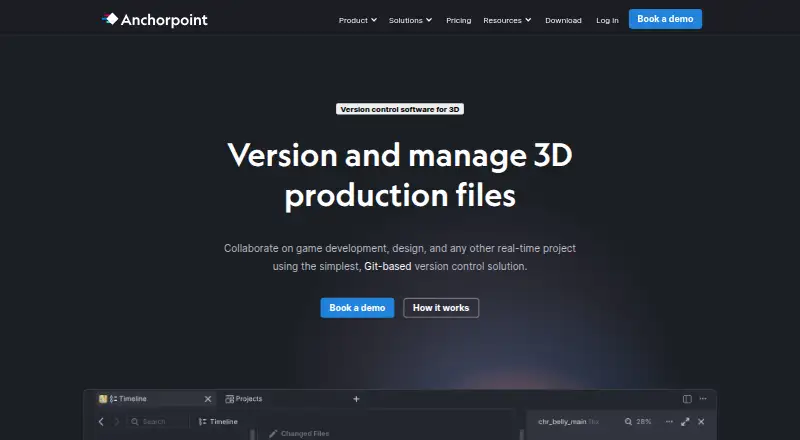
Anchorpoint combines version control and digital-asset management for teams working on video, real-time 3D graphics, animation, or still images.
What Anchorpoint is
Anchorpoint combines version control and digital-asset management for teams working on video, real-time 3D graphics, animation, or still images. Its desktop application connects projects to Git and synchronizes metadata for assets, file locks, reviews, and notifications. Production files stay in a Git repository or shared storage such as Dropbox, Google Drive, or NAS; the cloud service stores metadata instead. Anchorpoint supports visual review and approvals with tags, statuses, rich annotations, and frame-accurate notes. Its file-locking system is described as able to lock 1,000 files in under a second and prevent teammates from overwriting binary assets. Metadata is cached locally, allowing offline use and local version-control operations. Integrations include Git servers, creative applications, and game engines, with a Python API and CLI for custom actions and integrations. Organizations can self-host the metadata server. The Personal plan is free for non-commercial single users; Team is €25 per user per month, and a 14-day trial is listed. The desktop app runs on Windows and macOS.
Good
- Supports offline work with metadata cached locally.
- Protects binary assets with file locking.
- Offers visual reviews and frame-accurate annotations.
- Includes integrations for creative tools and game engines.
- Organizations can self-host the metadata server.
Watch out
- Desktop app runs only on Windows or macOS.
- macOS 12 or newer is required.
- Team costs €25 per user per month.
- Personal is limited to non-commercial single users.
Who it suits
It suits creative project teams that need Git-based asset management, file locking, and review workflows. Its documentation describes typical teams of 5–50 people, with artists using Anchorpoint and developers able to use other Git clients.
Verdict
Anchorpoint brings Git workflows and visual asset review into a desktop tool for creative projects. Check the platform and plan limits, and whether cloud metadata or self-hosting fits your organization.
Plans and prices
From Anchorpoint's own pricing page, checked 28 Sep 2026.
| Plan | Price | What it gives you |
|---|---|---|
| Personal | Free | Non-commercial use · Single user · GitHub Git · Local Git · Full-featured file browser · Python API |
| Team | €25 a month | Everything in Personal · Git with every provider · File locking · Selective checkout · Attributes · €25 per user per month |
| Education | €1,999 a year | Up to 100 students and teachers · Annual subscription |
| Team | €240 a year | Everything in Personal · Git with every provider · File locking · Selective checkout · Attributes · €240 per user, per year |
| Organization | — | Everything in Team · Self-hosting option for metadata · SSO with self-hosting · Security assessments · Custom payment · Onboarding and consulting · Custom integrations · Annual payment only |
The facts
Each one read from Anchorpoint's own pages, with the date it was checked.
What it does
- API and CLI
- Anchorpoint provides a Python API and CLI for custom UI actions, dialogs, game-engine or DCC integrations, metadata access and project-management integrations.checked 28 Sep 2026
- Asset reviews
- Anchorpoint supports visual reviews and approvals, notifications, tags, statuses, rich annotations and frame-accurate annotations.checked 28 Sep 2026
- Audience
- Anchorpoint’s quick-start documentation describes typical project teams as 5–50 people and says developers can use other Git clients while artists use Anchorpoint.checked 28 Sep 2026
- Authentication
- SSO and MFA are available only with a self-hosted metadata server, supporting OAuth2, OIDC, SAML and WS-FED.checked 28 Sep 2026
- Desktop limitation
- Anchorpoint is a desktop application that runs only on Windows or macOS, with downloads of approximately 350 MB and macOS 12 or newer required.checked 28 Sep 2026
- File locking
- Its file-locking system can lock 1,000 files in under a second and prevents other team members from overwriting binary assets.checked 28 Sep 2026
- Git-based workflow
- Anchorpoint integrates with Git, synchronizes metadata for file locks, assets, reviews and notifications, and is managed through a desktop application.checked 28 Sep 2026
- Integrations
- The product lists Git servers, Dropbox, Google Drive, NAS, Unreal, Unity, Godot, Blender, ZBrush, Photoshop and Substance integrations.checked 28 Sep 2026
- Large repositories
- The homepage says Anchorpoint has no repository limits and supports TB-sized projects.checked 28 Sep 2026
- Offline use
- Anchorpoint can be used offline without limitations because metadata is cached locally and local version-control operations remain available.checked 28 Sep 2026
- Product scope
- Anchorpoint is a version-control and digital-asset-management solution for projects creating video, real-time 3D graphics, animation, or still images.checked 28 Sep 2026
- Security
- Anchorpoint’s security page states that its AWS Frankfurt infrastructure uses HTTPS with 256-bit SSL and encrypts S3 data at rest.checked 28 Sep 2026
- Self-hosting
- Organizations can self-host the metadata server in their own environment instead of using Anchorpoint’s cloud metadata service.checked 28 Sep 2026
- Storage model
- Production files remain in a Git repository or shared storage such as Dropbox, Google Drive or NAS, while Anchorpoint’s cloud stores metadata rather than production files.checked 28 Sep 2026
- Support
- Documentation, Discord and email support are included in every pricing plan, while video-call support is available for Organization customers.checked 28 Sep 2026
Money
- Free plan
- Yeschecked 22 Sep 2026
The company
- Headquarters
- Koblenz, Germanychecked 23 Sep 2026
Where it runs
- Supported platforms
- Windows,macOSchecked 22 Sep 2026
The full review of Anchorpoint
Anchorpoint is a desktop version-control and asset-management tool for teams making video, 3D graphics, animation, or still images. It is best suited to mixed artist-and-developer teams coordinating large files through Git or shared storage. Its strongest case is pairing file locks and visual reviews with production-file storage that can stay outside Anchorpoint’s cloud.
Overview
Anchorpoint adds a visual production workflow to Git: artists can manage assets in its desktop app, while developers can continue using other Git clients. The service synchronizes project metadata for locks, reviews, assets, and notifications, but production files remain in a Git repository or shared storage such as Dropbox, Google Drive, or NAS. That separation suits teams already organized around those storage options, though it means Anchorpoint is not itself the place where production files are stored.
The maker says repositories have no size limits and supports projects measured in terabytes. That is relevant for media-heavy work, but does not remove the need to choose and manage storage for the files themselves. Teams can use Anchorpoint offline: locally cached metadata and local version-control operations remain available.
Key features
Git coordination for creative assets
File locking helps prevent teammates from overwriting binary assets that are difficult to merge. The maker says the system can lock 1,000 files in under a second. Team adds selective checkout and attributes, making it the more practical tier for teams that need those controls; Personal is limited to one user and GitHub Git or local Git.
Review and integration tools
Visual reviews and approvals include notifications, tags, statuses, rich annotations, and frame-accurate notes. These features give production teams a way to coordinate feedback around assets rather than relying only on Git operations. Integrations include Git servers, Dropbox, Google Drive, NAS, Unreal, Unity, Godot, Blender, ZBrush, Photoshop, and Substance. A Python API and CLI allow custom UI actions, dialogs, metadata access, and integrations with game-engine, DCC, or project-management tools.
Deployment and security
Organizations can host the metadata server in their own environment instead of using Anchorpoint’s cloud service. SSO and MFA are available only with self-hosting, with OAuth2, OIDC, SAML, and WS-FED support. Anchorpoint says its AWS Frankfurt infrastructure uses HTTPS with 256-bit SSL and encrypts S3 data at rest. Self-hosting is the relevant option for organizations that need those authentication controls or want metadata inside their own environment.
Pricing
Anchorpoint uses a freemium model, with a 14-day trial and paid plans from €20/user/mo (annual). Plan limits matter: the free tier is for non-commercial, single-user work, while team collaboration requires a paid plan.
| Plan | Price | What it includes and who it fits |
|---|---|---|
| Personal | free | Non-commercial use for one user, with GitHub Git, local Git, a full-featured file browser, and Python API. It fits individual experimentation or personal projects, not commercial team production. |
| Team | €25 a month | Billed €25 per user per month. Includes Personal features plus Git with every provider, file locking, selective checkout, and attributes. This is the core choice for commercial teams that need shared asset coordination. |
| Organization | Custom pricing | Offers metadata self-hosting, SSO with self-hosting, security assessments, custom payment options, onboarding and consulting, and custom integrations. It is aimed at organizations needing deployment or integration support beyond Team. |
| Education | €1,999 a year | Annual subscription for up to 100 students and teachers, making it the education-specific option for larger classes or programs. |
Documentation, Discord, and email support are included in every plan; video-call support is for Organization customers. The annual starting price and per-user Team billing should be weighed against team size, while Education has a distinct annual price and a 100-person cap.
Platforms
The desktop application runs on Windows and macOS, with macOS 12 or newer required and downloads of approximately 350 MB. There is no desktop support for Linux, so Linux-only teams should look elsewhere. The product also offers an API and self-hosted deployment, but its artist-facing application remains desktop software.
Who it's for
Anchorpoint is a strong fit for creative production teams coordinating binary assets, especially teams of 5–50 people with artists and developers working in different tools. Its storage separation and offline workflow suit teams that want to retain Git, shared-drive, or NAS arrangements. It is a weaker fit for solo commercial users, teams needing Linux desktops, or organizations that do not want to manage separate production-file storage.
Pros and cons
- Pros: File locking is built for preventing binary-asset overwrites, and the maker says it handles 1,000 locks in under a second.
- Pros: Frame-accurate visual annotations, tags, statuses, and approvals give production teams focused review tools.
- Pros: Production files can remain in Git or existing shared storage, while cached metadata and local version control support offline work.
- Pros: Self-hosting enables SSO and MFA, and the API and CLI support custom workflows.
- Cons: Personal is non-commercial and single-user; teams need paid seats for Team collaboration.
- Cons: The application is limited to Windows and macOS, and production files still need storage managed outside Anchorpoint’s cloud metadata service.
Alternatives
Game Version Control Software is a broader category guide for comparing tools in this space.
- Unity Version Control is worth considering if you want a freemium version-control option with a free tier offering unlimited cloud seats and 25 GB of storage; it also supports Linux and web platforms.
- Perforce P4 (Helix Core) may suit teams looking for a different version-control system, with a free tier capped at five users and 20 workspaces, plus a cloud plan for up to 100 users.
- GitKraken Desktop is a desktop Git client for Linux, macOS, and Windows; its free Community plan is for open-source development and public repositories.
- SmartGit is another freemium Git client, with a non-commercial Hobby plan that excludes enterprise integrations.
- Apache Subversion is a free, open-source version-control option for teams considering an alternative to Git-based workflows.
- Git is a free, open-source choice for readers who want Git itself rather than a production-focused asset-management layer.
- Sourcetree is a free Windows and Mac desktop client for Git and Mercurial.
- VisualSVN Server may fit Windows-based teams looking for a self-hosted SVN server; its Community plan allows unlimited repositories and up to 15 users, including commercial use.
Verdict
Choose Anchorpoint if a creative team needs Git-based coordination for large binary assets, especially file locking, visual reviews, and the option to keep production files in existing storage. The desktop-only reach and per-user Team pricing are the main reasons to look elsewhere; Personal is not a commercial team substitute.
Alternatives to Anchorpoint
- 1

SmartGit
Free planLinuxmacOSWindows7.8From $5 a month - 2

Gitnuro
Free planOpen sourceLinuxmacOSWindows7.8Free plan - 3
Fork
Free planmacOSSelf-hostedWindows7.6Free plan - 4

GitKraken Desktop
Free planLinuxmacOSWindows7.5Free plan - 5

GitHub CodeQL
Free planWebExtensionLinuxmacOS7.5From $30 a month - 6

GitButler
Free planLinuxmacOSWindows7.4Free plan