Fluent Search
Fluent Search is a free, keyboard-driven search and productivity tool for Windows.
What Fluent Search is
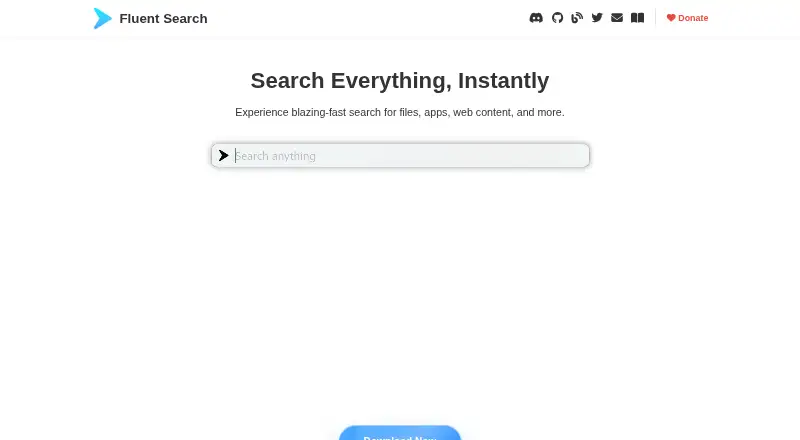
Fluent Search is a free, keyboard-driven search and productivity tool for Windows. It can find installed apps, files, browser history and bookmarks, commands, web results, open windows, settings, calculations, and on-screen interface elements. Its Screen Search feature places character labels over clickable items so you can navigate and interact with the screen by keyboard. A built-in indexer scans files with an emphasis on low CPU use; by default, the index stores file metadata rather than file contents, unless content indexing is enabled for selected paths. Optional semantic search and summarization run on the device and can be switched off in Settings. Community plugins can add search sources, previews, actions, and YAML-based task workflows. Search engines such as Google, Bing, and DuckDuckGo can be configured, and the web search feature supports inline previews and sending prompts to ChatGPT. The maker says most interactions and data are processed locally, though some settings, diagnostics, or third-party plugins may involve external communication. Windows 10 and 11 builds are available for x64 and ARM64; the maker describes ARM64 as newer and not yet battle-tested.
Good
- Searches apps, files, browser data, commands, and windows
- Screen Search supports keyboard navigation of interface elements
- Optional semantic search and summarization run locally
- Free on Windows 10 or 11
Watch out
- Available only for Windows
- Some diagnostics, suggestions, sync, or plugins may communicate externally
- Maker describes ARM64 build as newer and not yet battle-tested
Who it suits
Fluent Search suits Windows users who prefer keyboard navigation for finding apps, files, browser data, and other items. Its plugins, configurable web search, and local semantic search may appeal to users who want to adapt search to their workflow.
Verdict
Fluent Search brings broad keyboard-driven search together with screen navigation, plugins, and optional local semantic tools. Users who prioritize local processing should review settings and plugin choices, and ARM64 users should note the maker's caveat about that build.
Plans and prices
From Fluent Search's own pricing page, checked 3 Oct 2026.
| Plan | Price | What it gives you |
|---|---|---|
| Fluent Search | Free | Windows 10 or 11 · x64 and ARM64 builds · Free |
The facts
Each one read from Fluent Search's own pages, with the date it was checked.
What it does
- AI
- Optional semantic search and summarization run locally on the device and can be disabled in Settings.checked 3 Oct 2026
- ARM build status
- The maker describes the Windows ARM64 build as newer and not yet battle-tested.checked 3 Oct 2026
- Downloads
- The maker offers Windows x64 and ARM64 installer, APPX, and portable builds, plus Microsoft Store installation.checked 3 Oct 2026
- External data flows
- Depending on settings, crash diagnostics, web suggestions, Microsoft To Do, OneDrive settings sync, and third-party plugins may involve external communication.checked 3 Oct 2026
- File indexing
- Its built-in file indexer is designed to scan files quickly while keeping CPU usage low.checked 3 Oct 2026
- File index limits
- The index stores file metadata and does not store file contents unless content indexing is explicitly enabled for selected paths.checked 3 Oct 2026
- Plugins and automation
- Community plugins can add search sources, previews, actions, and YAML-based task workflows.checked 3 Oct 2026
- Privacy
- The maker says searches, file indexes, browser data, and most interactions are processed locally, and that local files, search queries, and searched content are not uploaded.checked 3 Oct 2026
- Purpose
- Fluent Search is a keyboard-driven Windows search and productivity tool for finding apps, files, browser data, commands, web results, windows, and more.checked 3 Oct 2026
- Screen navigation
- Screen Search overlays character labels on clickable screen elements so users can navigate and interact with the screen using the keyboard.checked 3 Oct 2026
- Support
- The plugin documentation lists GitHub, Discord, and [email protected] as community and support channels.checked 3 Oct 2026
- Web integrations
- The Web Search App supports configurable search engines such as Google, Bing, and DuckDuckGo, inline page previews, and sending prompts to ChatGPT.checked 3 Oct 2026
Where it runs
- Search apps
- Search Apps cover installed apps, files, browser history and bookmarks, commands, web searches, open windows, settings, calculations, and on-screen UI elements.checked 3 Oct 2026
The full review of Fluent Search
Fluent Search is a Windows launcher and search tool that brings apps, files, browser data, commands, and on-screen controls into a keyboard-driven workflow. It suits people who want one place to reach many kinds of items and actions, rather than a dedicated file finder. Its broad feature set is free, but users who need local-only behavior should review its settings and plugins.
Overview
Fluent Search is best understood as a keyboard-first starting point for work across Windows, not simply a way to locate files. Search Apps spans installed apps, files, browser history and bookmarks, commands, web searches, open windows, settings, calculations, and screen elements. That range can reduce the need to switch among separate search tools, though it may be more than users who only want app launching or file lookup require.
Key features
Search and indexing
The built-in indexer is designed to scan files quickly while keeping CPU use low. By default, it stores file metadata rather than file contents; content indexing can be enabled for selected paths. This gives users a narrower default indexing scope, while searches that depend on file contents require an explicit opt-in.
Screen navigation and extensions
Screen Search places character labels over clickable screen elements so users can navigate and interact with them using the keyboard. It makes Fluent Search useful beyond finding items: people who prefer keyboard control can also use it to reach controls on screen. If conventional searching is all you need, this capability may not add much to your choice.
Community plugins can add search sources, previews, actions, and YAML-based task workflows. The Web Search App supports configurable engines including Google, Bing, and DuckDuckGo, offers inline page previews, and can send prompts to ChatGPT. Plugins and configurable web search widen the tool's reach, but they also mean that users who want to limit external communication should choose integrations deliberately.
Local processing and privacy
Optional semantic search and summarization run locally and can be disabled in Settings. The maker says searches, file indexes, browser data, and most interactions are processed locally, and that local files, queries, and searched content are not uploaded. However, crash diagnostics, web suggestions, Microsoft To Do, OneDrive settings sync, and third-party plugins may communicate externally depending on settings. Users prioritizing local processing should review both settings and plugin choices rather than assume every connected feature stays on-device.
Pricing
Fluent Search is free: the Fluent Search plan costs nothing, billed Free. It supports Windows 10 or 11 on x64 and ARM64 builds. There is no paid tier or stated free-plan cap to weigh against its search and navigation features, making it a low-risk choice for users who want broad keyboard-driven search without a subscription.
Platforms
Fluent Search is for Windows, with Windows 10 and 11 support. The maker offers x64 and ARM64 installer, APPX, and portable builds, as well as installation through the Microsoft Store. The ARM64 build is newer and not yet battle-tested, so users who need a mature ARM experience should be cautious about choosing it.
Who it's for
Choose Fluent Search if you want to reach apps, files, browser data, settings, commands, and web results from a keyboard-driven interface, or if keyboard navigation of on-screen controls is part of your workflow. It is also a fit for users who want optional local semantic search and summarization, provided they are comfortable managing settings and plugins that may communicate externally. A focused file-search need, a requirement for a proven ARM64 build, or a preference to avoid configurable integrations may point elsewhere.
Pros and cons
- Pros: One search surface covers apps, files, browser data, commands, windows, settings, calculations, web search, and UI elements, which is useful for varied lookup tasks.
- Pros: Screen Search adds keyboard interaction with clickable on-screen elements, not just search results.
- Pros: File contents are not indexed by default, and optional semantic tools run locally and can be disabled.
- Cons: Some settings and third-party plugins may involve external communication, so local-processing preferences require attention.
- Cons: ARM64 is explicitly described as newer and not yet battle-tested.
- Cons: The breadth of search sources and plugin options may be unnecessary for someone who wants only a simple app launcher or file finder.
Alternatives
Start Menu Customization Software and Desktop Search Software are category directories for comparing tools in those areas.
- IObit Uninstaller is a freemium Windows alternative whose free version focuses on batch uninstalling, Windows app removal, drag-and-drop uninstall, and automatic leftover cleanup; choose it for app removal rather than broad search.
- Launchy is a free launcher for Android, Linux, macOS, and Windows, with a pay-what-you-want model; consider it if you want a launcher across those platforms.
- Parkdale is free to download and use on Android, macOS, and Windows.
- LaunchMenu is a free open-source application for macOS and Windows, with no plan limits stated.
- PExplorer is a freely available Windows and WinPE program.
- Dawn Launcher offers a free Windows 10-or-later 64-bit plan and a Pro plan for CN¥34, paid once; consider it if its launcher plans better fit your needs.
- Listary offers a free-forever plan for personal use with basic file search, app launch, filters, commands, and UI theme; its Pro plan costs $19.95, paid once. Choose it if those core file-search and launch features are the priority.
- Seelen UI is a free Windows desktop customization suite; its maker says 80% of the software is open-source and its tools are generally modular and open-source.
Verdict
Fluent Search is a strong fit for Windows users who want a free, keyboard-led hub for varied searches plus on-screen navigation. Its breadth and optional local semantic tools are the main reasons to choose it; users who need a battle-tested ARM64 build or want to avoid integrations that may communicate externally should look elsewhere or review those choices carefully.
Alternatives to Fluent Search
- 1
Recoll
Free planOpen sourceAndroidWebAPIExtension7.9Free plan - 2

GitHub CodeQL
Free planWebExtensionLinuxmacOS7.5From $30 a month - 3
Open Semantic Desktop Search
Free planOpen sourceWebAPIExtensionLinux7.5Free plan - 4

Agent Ransack
Free planWindows6.6$20 one-time - 5
Magpie
Free planWindows6.6Free plan - 6
WizFile
Free planWindows6.6$20 one-time