LaunchMenu
LaunchMenu is a free, open-source application that brings utilities called applets into a keyboard-focused interface.
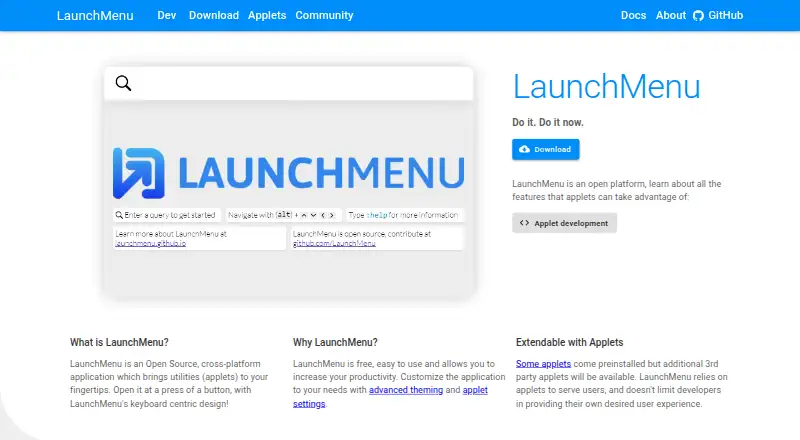
What LaunchMenu is
LaunchMenu is a free, open-source application that brings utilities called applets into a keyboard-focused interface. Its menus support recursive fuzzy search, pattern filters, and prioritization of frequently used items. Users can navigate with arrow keys, trigger primary actions with Enter, and open context menus with Tab; controls are customizable. Multi-select lets users apply compatible actions to several selected items together. Included applets cover a dictionary, notes, file management, internet search, calculator, translation, snippets, time tracking, and calendar. Users can customize applet settings and themes, and import or export settings. An applet manager handles installing and removing official and third-party applets. LaunchMenu is available for Windows and macOS. The site identifies Windows as its primary development and test platform; most features have also been tested and adjusted for Mac, with less extensive testing. Linux support is planned but has not yet been worked on. Developers can build applets with TypeScript and React and compile them into LaunchMenu-ready packages.
Good
- Includes applets for notes, search, calculations, and more.
- Supports fuzzy search, pattern filters, and frequent-item prioritization.
- Customizable keyboard controls and themes.
- Supports multi-select for compatible actions.
- Developers can create applets with TypeScript and React.
Watch out
- Linux support is planned but not yet worked on.
- Mac testing is less extensive than Windows testing.
- Some features are only partially supported.
Who it suits
LaunchMenu suits users who want keyboard-driven access to a set of small utilities on Windows or macOS. Developers familiar with TypeScript and React can also build applets for it.
Verdict
LaunchMenu combines a keyboard-centric launcher with a broad set of utility applets and options for customization. Windows is the primary development and test platform, while Mac testing is less extensive and Linux support remains planned.
Plans and prices
From LaunchMenu's own pricing page, checked 15 Oct 2026.
| Plan | Price | What it gives you |
|---|---|---|
| Free | Free | No paid tier or usage limits stated · free |
The facts
Each one read from LaunchMenu's own pages, with the date it was checked.
Where it runs
- Applet API
- The public applet API exposes settings, menus, menu items, context actions, search handlers, themed components, and related systems.checked 15 Oct 2026
- Applet distribution
- Completed applets can be published to npm with the keyword launchmenu-applet for ecosystem discovery.checked 15 Oct 2026
- Applet management
- An applet manager is intended to install and remove official and third-party applets.checked 15 Oct 2026
- Core applets
- Core applets handle help, settings, window management, sessions, recording, themes, undo-redo, and user scripts.checked 15 Oct 2026
What it does
- Build tooling
- The project provides a build utility that compiles TypeScript and resources into LaunchMenu packages and supports automatic reload during development.checked 15 Oct 2026
- Built-in utilities
- Listed utility applets include dictionary, notes, file management, internet search, calculator, translator, snippets, time tracking, and calendar tools.checked 15 Oct 2026
- Context menus
- Items can expose multiple actions, searchable context menus, nested submenus, and a visible UI path.checked 15 Oct 2026
- Custom controls
- Keyboard controls can be customized, and the project describes planned switchable layouts including a Vim-inspired mode.checked 15 Oct 2026
- Customization
- The site describes customizable applet settings and themes, and says settings can be imported and exported.checked 9 Oct 2026
- Developer languages
- Applet development uses TypeScript and React, with methods documented using TSDoc.checked 15 Oct 2026
- Developer tools
- The developer page says applets can be built with TypeScript and React and describes a build utility that compiles applets into LaunchMenu-ready packages.checked 9 Oct 2026
- Documentation
- The documentation includes an applet overview with TypeScript examples covering settings, search patterns, context actions, and UI components.checked 15 Oct 2026
- Electron
- LaunchMenu is built with Electron so applets can target multiple desktop platforms.checked 15 Oct 2026
- Extensibility
- An applet manager is described for installing and removing official and third-party applets.checked 9 Oct 2026
- Founders
- The about page names Sancarn as founder and Tar van Krieken as cofounder.checked 15 Oct 2026
- History
- The project began in 2017, moved from AutoHotkey to Electron, and formed the LaunchMenu GitHub organization in 2020.checked 15 Oct 2026
- Included utilities
- Listed utility applets include a dictionary, notes, file manager, internet search, calculator, translator, snippets, time tracker, and calendar.checked 9 Oct 2026
- Independent alternatives
- AlternativeTo lists more than 10 alternatives and names Listary, Alfred, Keypirinha, Wox Launcher, and Fluent Search among them.checked 15 Oct 2026
- Independent description
- AlternativeTo lists LaunchMenu as free, open source, cross-platform, search-based productivity software focused on customizability and extensibility.checked 15 Oct 2026
- Independent history
- Tar van Krieken's project page says the current downloadable version began development in mid-2020 after earlier iterations.checked 15 Oct 2026
- Integrations
- The developer page says completed applets can be uploaded to npm with the keyword launchmenu-applet to load into the applet ecosystem.checked 9 Oct 2026
- Keyboard controls
- Users can navigate with arrow keys, activate primary actions with Enter, and open context menus with Tab; controls are customizable.checked 9 Oct 2026
- Keyboard navigation
- Users navigate items with arrow keys, execute the primary action with Enter, and open context menus with Tab.checked 15 Oct 2026
The company
- Founded
- 2017checked 28 Sep 2026
The full review of LaunchMenu
LaunchMenu is a free, open-source launcher that gathers small utilities called applets behind a keyboard-focused search interface. It suits Windows users who want one configurable command point for everyday tools, especially those willing to extend it. The main reservation is platform maturity: Windows is the lead environment, Mac receives less extensive testing, and Linux support is still planned.
Overview
LaunchMenu replaces a collection of separate utility windows with a searchable menu. Its applet approach makes the product more than an application shortcut launcher: dictionary, notes, file management, web search, calculator, translation, snippets, time tracking and calendar functions are all part of the utility mix. That breadth is useful for people who regularly switch between small tasks and prefer invoking them from the keyboard.
The project has been available since 2017 and remains free as an open-source application. Its status model is candid about maturity, marking capabilities as supported, coming soon or long term; some features are only partially supported. Buyers are not paying for a finished commercial support promise, so LaunchMenu is a better fit for self-directed users than for organisations requiring formal assurances. No security certifications, compliance standards or security practices are stated.
Key features
Search and keyboard workflow
Recursive fuzzy search helps surface nested items even when the query is not an exact title, while pattern filters provide a more deliberate way to narrow results. Frequently used items are prioritised, reducing repeated navigation over time. This combination favours a keyboard-first routine and should feel more efficient than browsing a conventional menu; users who prefer mouse-led exploration may gain less.
Arrow keys move through results, Enter triggers the primary action and Tab opens context menus. Because controls are customizable, the interaction can be adapted to an existing shortcut style rather than forcing one layout. Multi-select extends the model beyond one-at-a-time launching: compatible actions can run on several selected items together, which is valuable for grouped utility work but applies only where an applet supports it.
Applets, settings and extensions
Applet settings and themes can be changed, then imported or exported. That makes it practical to carry a preferred setup between installations or preserve a carefully tuned workspace. An applet manager handles installation and removal of official and third-party applets, giving the free core a route to grow without waiting for every function to ship in the base package.
Developers can create applets with TypeScript and React. A build utility compiles those projects into LaunchMenu-ready packages, and finished applets can be uploaded to npm with the launchmenu-applet keyword so they can join the wider applet ecosystem. This is a meaningful advantage for technically inclined users; readers who want only a polished fixed toolset may not benefit from the added extensibility.
Pricing
LaunchMenu has one plan: Free at free. It is a free open-source application with no stated plan limits, seat restrictions, quotas, trial period or renewal terms. There is no cheaper tier to compare and no paid upgrade described. That makes the full product an easy choice for individuals and teams evaluating a launcher without a software budget, while those needing contractual support or defined service terms should look elsewhere.
Platforms
LaunchMenu is available on macOS and Windows. Windows is the primary development and test platform and is described as having the smallest chance of containing bugs, so it is the safest recommendation for a dependable experience. Most features have been tested and adjusted for Mac, but testing is less extensive. Linux support is planned and has not yet been worked on, ruling it out for Linux users today.
Who it's for
Choose LaunchMenu if you want keyboard-driven access to searches and a varied set of compact utilities, or if you value themes, portable settings and an applet ecosystem. It is particularly compelling for Windows users who are comfortable with an evolving open-source project and may build or install extensions. It is less suitable for Linux users, for anyone demanding equal platform maturity on Mac, or for organisations that require published security and compliance commitments.
Pros and cons
Pros
- Powerful discovery: fuzzy search, pattern filters and usage prioritisation offer more control than a basic launcher search.
- Keyboard depth: customizable navigation, primary actions and context menus support a fast, shortcut-led workflow.
- Broad utility coverage: core applets span notes, files, calculation, translation, tracking and scheduling in one interface.
- Extensible by design: official and third-party applet management, plus TypeScript/React tooling, let the product grow.
- No purchase barrier: the complete free plan has no stated quotas or seat caps.
Cons
- Uneven platform maturity: Windows is the reference platform, Mac testing is lighter and Linux is not yet supported.
- Evolving feature set: some capabilities are only partial or marked for future milestones.
- Limited assurance information: no security certifications, compliance standards or security practices are stated.
- Extension value depends on fit: multi-select actions and third-party applets only help where compatible applets are available.
Alternatives
For a wider comparison of launchers and shell tools, see Start Menu Customization Software.
- Starling is the better pick when Linux or web access matters alongside Windows and macOS; it is free, open source and Apache 2.0 licensed.
- Choose IObit Uninstaller instead when your priority is Windows software removal, batch uninstalling and automatic leftover cleanup rather than a general launcher.
- Launchy suits readers wanting a free launcher across Android, Linux, macOS and Windows, with a pay-what-you-want model.
- Parkdale is a free choice for readers specifically seeking a utility available on Android, macOS and Windows.
- MaxLauncher is a Windows-only free launcher with no paid plans listed.
- PExplorer is a freely available Windows and WinPE program.
- Pinpoint is an open-source keystroke launcher for Windows.
- SbieShell is a freely available Windows shell for isolated Sandboxie desktops.
Verdict
LaunchMenu is a strong recommendation for Windows users who want one keyboard-driven home for search, everyday applets and personal customization, with genuine room for community-built extensions. Its free, open-source model removes cost barriers and its search and control depth reward frequent use. Look elsewhere if you need Linux today, equal confidence on every desktop platform, or documented security and compliance commitments.
Alternatives to LaunchMenu
- 1
Launchy
Free planOpen sourceAndroidAPILinuxmacOS7.7Free plan - 2
Executor
Free planOpen sourceSelf-hostedWindows7.2Free plan - 3
Starling
Free planWebLinuxmacOSWindows6.7Free plan - 4

Dawn Launcher
Free planWindows6.5CN¥34 one-time - 5
Listary
Free planWindows6.5$19.95 one-time - 6
MaxLauncher
Free planWindows6.4Free plan