
Seelen UI
Seelen UI is a free customization layer for Windows 10 and Windows 11 that helps organize windows and reshape the desktop.
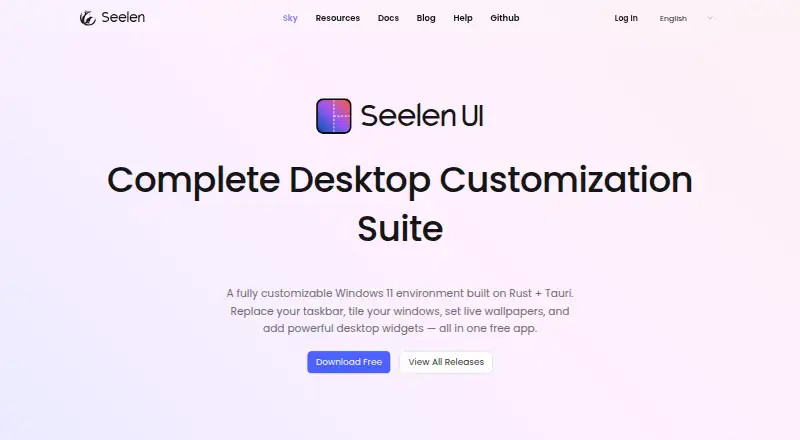
What Seelen UI is
Seelen UI is a free customization layer for Windows 10 and Windows 11 that helps organize windows and reshape the desktop. Its automatic tiling manager offers BSPWM, Tall, Wide, and Grid layouts, as well as float, stack, monocle, and per-app rules. The desktop shell includes a dock, scriptable toolbar, start menu, custom Alt+Tab switcher, and window previews. For backgrounds, it supports MP4 and WebM video, interactive HTML/CSS/JS, music-synced visuals, and collections assigned by monitor or workspace. Built-in widgets cover media, time and calendar, system and network monitoring, notifications, Wi-Fi, and Bluetooth. The media module supports pause, resume, and track skipping with most music players. Seelen says it adds a customization layer rather than replacing the Windows desktop or modifying system files. Documentation covers themes, widgets, plugins, and development, while community help is available through Discord, repositories, and other channels. Modified, debloated, or custom Windows versions are not recommended because disabled services or removed components can cause errors or malfunction.
Good
- Free desktop customization suite
- Four automatic tiling layouts
- Supports video and interactive wallpapers
- Widgets include system monitoring and notifications
- Does not modify Windows system files
Watch out
- Designed for Windows 10 and Windows 11
- Modified or debloated Windows versions are not recommended
Who it suits
Seelen UI suits Windows users who want to tailor window layouts, desktop controls, wallpapers, and widgets. Its stated audience includes artists, designers, professionals, and curious users.
Verdict
Seelen UI brings window management, desktop controls, wallpapers, and widgets into one customization layer. Avoid it on modified Windows setups where removed components or disabled services may cause problems.
Plans and prices
From Seelen UI's own pricing page, checked 1 Oct 2026.
| Plan | Price | What it gives you |
|---|---|---|
| Free | Free | complete desktop customization suite |
The facts
Each one read from Seelen UI's own pages, with the date it was checked.
What it does
- Community support
- Seelen directs users to its Discord community, repositories, and channels for support and shared solutions.checked 1 Oct 2026
- Desktop shell
- Seelen UI provides a dock, scriptable toolbar, start menu, custom Alt+Tab switcher, and window previews.checked 1 Oct 2026
- Extensibility
- The official documentation covers themes, widgets, plugins, resource guidelines, and a developer reference for building on Seelen UI.checked 1 Oct 2026
- Known limitation
- Modified, debloated, or custom Windows versions are not recommended because disabled services or removed components can cause errors or malfunction.checked 1 Oct 2026
- Live wallpapers
- It supports MP4 and WebM video wallpapers, interactive HTML/CSS/JS wallpapers, music-synced backgrounds, and per-monitor or per-workspace collections.checked 1 Oct 2026
- Media integration
- Its integrated media module is compatible with most music players and supports pause, resume, and track skipping.checked 1 Oct 2026
- Open source
- Seelen says 80% of its software is open-source and that its tools are generally modular and open-source.checked 1 Oct 2026
- Privacy commitment
- Seelen says it does not sell user data, does not use dark patterns, and designs privacy into its products.checked 1 Oct 2026
- Purpose
- Seelen UI is a customizable Windows desktop environment for organizing windows, customizing the interface, and optimizing workflow.checked 1 Oct 2026
- System changes
- Seelen UI does not modify Windows system files and adds a customization layer instead of fully replacing the Windows desktop.checked 1 Oct 2026
- Target users
- Seelen says its solutions are built for artists, designers, professionals, and curious users.checked 1 Oct 2026
- Widgets
- Built-in widgets include media controls, a clock and calendar, CPU/RAM/network/disk monitoring, notifications, Wi-Fi, and Bluetooth.checked 1 Oct 2026
- Window manager
- The automatic tiling window manager provides BSPWM, Tall, Wide, and Grid layouts plus float, stack, monocle, and per-app rules.checked 1 Oct 2026
Where it runs
- Windows compatibility
- Seelen UI is designed for Windows 10 and Windows 11.checked 1 Oct 2026
The full review of Seelen UI
Seelen UI is a Windows customization layer that combines window tiling, desktop controls, wallpapers, and widgets. It suits people who want to reshape several parts of their workspace rather than replace only the Start menu. Its broad free feature set makes it a compelling choice, provided Windows is not a modified build missing system components.
Overview
Seelen UI brings desktop organization and interface customization together: users can arrange windows, change the shell’s controls, and add widgets and wallpapers within one product. It adds a layer rather than modifying Windows system files, a more restrained approach than fully replacing the desktop. That breadth is useful for people who want one coherent workspace; it may be more than someone seeking only a classic Start menu needs.
Key features
Window and desktop controls
The automatic tiling manager offers BSPWM, Tall, Wide, and Grid layouts, along with float, stack, and monocle modes and per-app rules. That gives users control over both general layout and how individual applications behave. The dock, scriptable toolbar, Start menu, custom Alt+Tab switcher, and window previews extend customization beyond window placement, with extensive taskbar controls, Start button controls, and custom search.
Wallpapers and widgets
Wallpapers can be MP4 or WebM video, interactive HTML/CSS/JS, or synchronized to music, with collections assigned per monitor or workspace. This range is a strong fit for users who want the desktop to respond to their setup, though it also makes Seelen UI a more involved customization layer than a single-purpose utility.
Built-in widgets cover media controls, clock and calendar, CPU, RAM, network and disk monitoring, notifications, Wi-Fi, and Bluetooth. The integrated media module works with most music players and supports pausing, resuming, and skipping tracks, putting common status and playback controls on the desktop.
Extensibility and support
Documentation covers themes, widgets, plugins, resource guidelines, and a developer reference. That gives users and developers a route to extend the environment rather than rely only on built-in options. Seelen also points users to its Discord community, repositories, and channels for shared solutions and support.
Pricing
Free: free for a complete desktop customization suite. There is no paid tier to weigh against a reduced free edition in the plan provided. The price makes it accessible to experiment with broad desktop changes, but users should still account for the compatibility caveat: modified, debloated, or custom Windows versions are not recommended because removed components or disabled services can cause errors or malfunction.
Platforms
Seelen UI is designed for Windows 10 and Windows 11. It does not modify Windows system files; it adds a customization layer rather than fully replacing the desktop. That distinction suits users who want substantial interface changes while retaining the underlying Windows system, but it does not make the software a safe fit for every Windows configuration: modified builds may lack components it depends on.
Who it's for
Seelen UI is aimed at artists, designers, professionals, and curious users. Its combination of tiling, per-app rules, wallpapers, shell controls, and monitoring widgets best serves people who want to tailor their daily workspace in several ways. If the goal is simply to restore a familiar Start menu or add a launcher, a narrower alternative may be a better match.
Pros and cons
- Pros: A complete desktop customization suite is free, combining window layouts, shell controls, widgets, and varied wallpaper options without separate paid plans.
- Pros: Per-app window rules and per-monitor or per-workspace wallpaper collections let users tailor behavior and appearance to distinct parts of their setup.
- Pros: It adds a layer without modifying Windows system files, while documentation and community channels support further customization.
- Cons: Modified, debloated, or custom Windows installations are not recommended; missing components or disabled services can lead to errors or malfunction.
- Cons: Its wide scope is unnecessary overhead for someone who only wants a Start menu replacement or a simple launcher.
Alternatives
For a focused comparison of Start menu tools, see Start Menu Customization Software.
- Open-Shell Menu is a free Windows utility collection for bringing back classic features; choose it when that narrower goal matters more than a full desktop customization suite.
- Start Menu X has a free edition with virtual groups limited to five, while Start Menu X PRO costs $14.99, paid once with no subscription. Pick it if Start-menu-focused grouping and its PRO features are a better fit than Seelen UI’s broader desktop layer.
- StartIsBack costs $4.99, paid once for a license key that activates a limited number of computers, and offers a free trial. Consider it when a paid Start-menu license suits your needs better than a free, broader customization suite.
- ExplorerPatcher is free for Windows, though some features may be unavailable on some Windows versions. It is an option when you want a free Windows alternative and can accept version-dependent feature availability.
- Start Menu Reviver is free for Windows 7, 8, and 10 and specifies minimum hardware requirements of a 300MHz CPU, 256 MB RAM, and 22 MB disk space. Choose it if those supported versions and modest stated requirements match your situation.
- Cairo Desktop Environment is a free Windows desktop environment downloaded via GitHub; consider it when you want a desktop environment alternative.
- ViStart is free, requires no sign-up, and includes no bundled extras; it is a straightforward alternative to consider.
- Launchy is a free launcher for Android, Linux, macOS, and Windows, offered on a pay-what-you-want basis; choose it when a cross-platform launcher is the priority.
Verdict
Choose Seelen UI if you want a free, Windows-only workspace that brings window management, shell controls, widgets, and extensive wallpaper customization under one roof. Its breadth is the main reason to choose it, while compatibility with modified Windows builds is the key reason to look elsewhere. Users seeking only a Start menu or launcher should favor a more focused alternative.
Alternatives to Seelen UI
- 1
Launchy
Free planOpen sourceAndroidAPILinuxmacOS7.7Free plan - 2
Executor
Free planOpen sourceSelf-hostedWindows7.2Free plan - 3
LaunchMenu
Free planOpen sourceAPImacOSWindows7.0Free plan - 4
Starling
Free planWebLinuxmacOSWindows6.7Free plan - 5

Dawn Launcher
Free planWindows6.5CN¥34 one-time - 6
Listary
Free planWindows6.5$19.95 one-time