Open-Shell Menu
Open-Shell Menu is a free collection of utilities that restores classic Windows features.
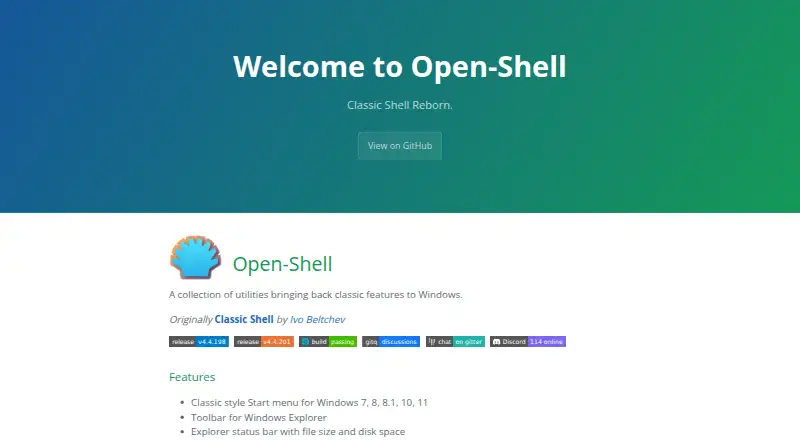
What Open-Shell Menu is
Open-Shell Menu is a free collection of utilities that restores classic Windows features. Its classic-style Start menu supports Windows 7, 8, 8.1, 10, and 11, with controls for the Start button and custom search. The utilities add a toolbar and status bar to Windows Explorer; the status bar can display file size and disk space. A classic copy interface is included for Windows 7 only. Open-Shell also adds title-bar and status-bar features to Internet Explorer. The project states compatibility with Windows for ARM from version 4.4.196 and warns that older versions may prevent account login after reboot. Originally known as Classic Shell, it was created by Ivo Beltchev. The project provides free code signing through SignPath.io with a certificate from SignPath Foundation. Users can report issues, ask in Discussions, or join its Gitter room or Discord. A temporary language option uses a downloaded language DLL placed in the install folder or Open-Shell Languages folder.
Good
- Classic Start menu supports Windows 7 through 11
- Explorer status bar shows file size and disk space
- Free to use
Watch out
- Classic copy interface is for Windows 7 only
- Older ARM-compatible versions may affect account login after reboot
- Internet Explorer features apply to that browser
Who it suits
Open-Shell suits Windows users who want a classic-style Start menu and additional Explorer controls. Windows for ARM users should pay attention to the project's version guidance.
Verdict
Open-Shell offers a free set of classic-style Windows utilities, including a configurable Start menu and Explorer additions. Check the version guidance if using Windows for ARM.
Plans and prices
From Open-Shell Menu's own pricing page, checked 30 Sep 2026.
| Plan | Price | What it gives you |
|---|---|---|
| Open-Shell | Free | A collection of utilities bringing back classic features to Windows |
The facts
Each one read from Open-Shell Menu's own pages, with the date it was checked.
What it does
- Classic copy interface
- It includes a classic copy UI for Windows 7 only.checked 30 Sep 2026
- Code signing
- The project says free code signing is provided by SignPath.io, with a certificate from SignPath Foundation.checked 30 Sep 2026
- Explorer status bar
- It adds an Explorer status bar showing file size and disk space.checked 30 Sep 2026
- Explorer toolbar
- It includes a toolbar for Windows Explorer.checked 30 Sep 2026
- Internet Explorer
- It provides title bar and status bar features for Internet Explorer.checked 30 Sep 2026
- Origin
- Open-Shell is described as originally being Classic Shell by Ivo Beltchev.checked 30 Sep 2026
- Purpose
- Open-Shell is a collection of utilities bringing back classic features to Windows.checked 30 Sep 2026
- Start menu
- It provides a classic-style Start menu for Windows 7, 8, 8.1, 10, and 11.checked 30 Sep 2026
- Support
- The project directs users to report issues, ask in Discussions, and join its Gitter room or Discord.checked 30 Sep 2026
- Translations
- The project describes a temporary language solution using a downloaded language DLL placed in the install folder or the Open-Shell Languages folder.checked 30 Sep 2026
Where it runs
- Windows on ARM
- The project says it is compatible with Windows for ARM since version 4.4.196 and warns that older versions may prevent account login after reboot.checked 30 Sep 2026
The full review of Open-Shell Menu
Overview
Open-Shell Menu is a Windows utility collection centered on a configurable classic-style Start menu, with additional tools for Explorer and Internet Explorer. It suits Windows users who want familiar controls back without paying for a replacement; its main caveat is that ARM users need a recent version.
Its appeal is practical rather than expansive: it restores several older Windows behaviors in one free package, but some additions are limited to particular Windows versions.
Key features
The Start menu supports Windows 7, 8, 8.1, 10, and 11, and includes start-button controls and custom search. That makes Open-Shell a focused choice for people who want to change how they open apps and search, rather than replace the whole desktop. Taskbar controls are basic, so it is less suited to anyone seeking broad taskbar customization.
Explorer additions include a toolbar and a status bar that shows file size and disk space. A classic copy interface is available for Windows 7 only, while Internet Explorer gains title-bar and status-bar features. These tools are useful for people who still rely on those older interfaces, but the version-specific copy UI narrows its relevance on newer Windows systems.
Open-Shell originated as Classic Shell by Ivo Beltchev. The project provides code signing through SignPath.io with a certificate from SignPath Foundation. It also directs users to issue reporting, Discussions, Gitter, and Discord for help. Its temporary translation approach requires downloading a language DLL and placing it in the installation folder or the Open-Shell Languages folder, which is less convenient than choosing a language within the app.
Pricing
Open-Shell is free: its Open-Shell plan costs nothing and includes the collection of utilities for bringing classic features back to Windows. There is no paid tier to unlock more controls, so it is a straightforward fit for users who want the included Start menu and Explorer features without a subscription or upfront charge.
Platforms
Open-Shell is for Windows. The project says Windows for ARM is supported from version 4.4.196; older versions may prevent account login after a reboot. ARM users should therefore check the installed version before relying on it.
Who it's for
Choose Open-Shell if you want a classic-style Start menu with search and start-button controls, plus a few legacy Explorer utilities, while keeping to a free Windows tool. Look elsewhere if your priority is extensive taskbar controls, a full desktop environment, or a classic copy interface on a Windows version newer than Windows 7.
Pros and cons
- Pros: The classic-style Start menu supports Windows 7 through 11, so it spans several generations of Windows.
- Pros: Explorer toolbar and status-bar additions extend the package beyond Start-menu replacement.
- Pros: The complete plan is free, with no paid tier required for its stated utilities.
- Cons: Taskbar controls are basic, limiting its usefulness for users seeking deeper taskbar changes.
- Cons: The classic copy interface is only for Windows 7, and the Internet Explorer features target a legacy browser.
- Cons: ARM compatibility depends on version 4.4.196 or newer, while translation setup requires manually placing a downloaded DLL.
Alternatives
Start Menu Customization Software is the broader category directory for comparing tools in this area.
Choose Seelen UI instead if you want a complete desktop customization suite rather than a focused classic Start menu and Explorer utility set; it is free, and says 80% of its software is open-source with generally modular, open-source tools.
Start Menu X is a fit if virtual groups matter and the free edition's limit of five is sufficient, or if you prefer a paid one-time PRO option at $14.99, paid once, billed with no subscription.
Consider StartIsBack if you are willing to pay for a license: it has a free trial and a $4.99, paid once license key that works with any StartIsBack version and activates a limited number of computers.
ExplorerPatcher is another free Windows option, though some features may be unavailable on some Windows versions.
Start Menu Reviver is free and supports Windows 7, 8, and 10, with stated minimum requirements of a 300MHz CPU, 256 MB RAM, and 22 MB disk space.
Choose Cairo Desktop Environment if you want a free Windows desktop environment rather than a collection of classic utilities.
ViStart is a free alternative with no sign-up and no bundled extras.
Launchy is worth considering if you want a free launcher that runs on Android, Linux, macOS, and Windows; its pay-what-you-want model has no fixed price, recommends $10 USD, and suggests considering $3.
Verdict
Open-Shell is a sensible free choice for Windows users who want a familiar Start menu and a handful of classic Explorer additions in one package. Its strongest reason to choose it is the combination of broad Start menu support and no cost; look elsewhere if you need more than basic taskbar controls or want a more complete desktop makeover.
Alternatives to Open-Shell Menu
- 1
Launchy
Free planOpen sourceAndroidAPILinuxmacOS7.7Free plan - 2
Executor
Free planOpen sourceSelf-hostedWindows7.2Free plan - 3
LaunchMenu
Free planOpen sourceAPImacOSWindows7.0Free plan - 4
Starling
Free planWebLinuxmacOSWindows6.7Free plan - 5

Dawn Launcher
Free planWindows6.5CN¥34 one-time - 6
Listary
Free planWindows6.5$19.95 one-time