ExplorerPatcher
ExplorerPatcher is a free Windows program for adjusting parts of the desktop working environment.
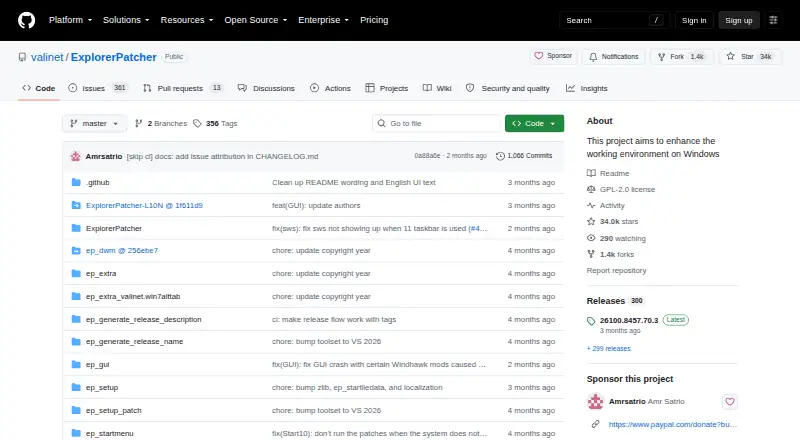
What ExplorerPatcher is
ExplorerPatcher is a free Windows program for adjusting parts of the desktop working environment. Its taskbar options include a Windows 10 style, and it can also configure the Windows 10-style Alt+Tab switcher. Users may choose a Windows 10 Start menu style, although release notes say that option was removed on some newer builds without required system components. The project offers separate setup programs for Intel or AMD processors and Snapdragon processors. Updates can be checked and installed in its Properties interface. The listed plan price is free, and the repository uses a GPL-2.0 license. Compatibility depends on Windows version, and the release page lists tested builds while noting that some features may not be available on some versions. The GitHub repository is identified as the sole official download channel; the release page warns that downloads elsewhere may contain malware. It also advises turning off Smart App Control before installation and cautions that SentinelOne may prevent uninstallation.
Good
- Offers a Windows 10-style taskbar option
- Can configure the Windows 10 Alt+Tab switcher
- Provides installers for Intel, AMD, and Snapdragon processors
- Built-in updates are managed in Properties
Watch out
- Some features may be unavailable on some Windows versions
- Start menu option is removed on some newer builds
- SentinelOne may prevent uninstallation
- Installation guidance advises turning off Smart App Control
Who it suits
ExplorerPatcher suits Windows users who want to change taskbar, Start menu, or Alt+Tab styling. It may also suit users looking for taskbar positioning, sizing, grouping, or multi-monitor controls, provided their Windows version supports the features they need.
Verdict
ExplorerPatcher provides several Windows interface adjustments, with feature availability depending on the Windows build. Use the official GitHub repository for downloads and review the installation cautions before proceeding.
Plans and prices
From ExplorerPatcher's own pricing page, checked 2 Oct 2026.
| Plan | Price | What it gives you |
|---|---|---|
| ExplorerPatcher | Free | Windows; some features may be unavailable on some Windows versions |
The facts
Each one read from ExplorerPatcher's own pages, with the date it was checked.
What it does
- Compatibility limits
- The release page lists tested Windows OS builds and cautions that some features may be unavailable on some Windows versions.checked 2 Oct 2026
- Distribution security
- The release page identifies this GitHub repository as the only official distribution channel and warns that downloads from other places may contain malware.checked 2 Oct 2026
- Installation cautions
- The release page advises turning off Smart App Control before installation and warns against installing on machines with SentinelOne because it may prevent uninstallation.checked 2 Oct 2026
- License
- The repository lists a GPL-2.0 license.checked 2 Oct 2026
- Purpose
- ExplorerPatcher aims to enhance the working environment on Windows.checked 2 Oct 2026
- Start menu
- Users can choose the Windows 10 Start menu style, though the release notes say this option was removed on some newer builds lacking required system components.checked 2 Oct 2026
- Support
- The project invites users needing support to join its Discord server.checked 2 Oct 2026
- Taskbar
- After installation, users can configure the taskbar style, including choosing the Windows 10 taskbar.checked 2 Oct 2026
- Updates
- The program has built-in updates that users can configure, check for, and install from its Properties interface.checked 2 Oct 2026
- Window switcher
- Users can configure the Windows 10 Alt+Tab window switcher style.checked 2 Oct 2026
Where it runs
- Platforms and processors
- The project provides setup programs for Intel or AMD processors and for Snapdragon processors.checked 2 Oct 2026
The full review of ExplorerPatcher
ExplorerPatcher is a free Windows utility for adjusting parts of the Windows interface, including the taskbar and Alt+Tab switcher. It suits people who want familiar Windows 10-style controls on a Windows system, provided their build supports the features they want.
Overview
ExplorerPatcher focuses on changing the working environment rather than adding a separate desktop. Its practical appeal is that taskbar, Start menu and window-switcher choices are configurable after installation. But those choices are not universal: Windows version and build can determine which options work, and the release notes say the Windows 10 Start menu option was removed on some newer builds that lack required system components.
Installation deserves care. The project names its GitHub repository as the only official distribution channel and warns that downloads elsewhere may contain malware. It also advises turning off Smart App Control before installation and warns that SentinelOne may prevent uninstallation. Those cautions make this a better fit for users comfortable checking compatibility and weighing system-level risks than for anyone seeking a casual, low-friction customization.
Key features
- Taskbar controls: Users can choose the Windows 10 taskbar style and adjust taskbar positioning, sizing, app grouping and multi-monitor behavior. That range makes ExplorerPatcher relevant to people whose main goal is reshaping how the taskbar works across one or more displays.
- Start menu and Alt+Tab: It offers a Windows 10 Start menu style where supported, plus a configurable Windows 10 Alt+Tab window switcher. The Start menu limitation matters: users on newer builds may not have the required system components, so this should not be the deciding feature without checking build compatibility.
- Built-in updates: Updates can be configured, checked for and installed through the program’s Properties interface, keeping update management within the utility.
- Processor-specific installers: Setup programs are provided for Intel or AMD processors and for Snapdragon processors, covering those processor families.
Pricing
ExplorerPatcher is free: its ExplorerPatcher plan costs nothing on Windows. There is no paid tier or trial to weigh against a limited free version; the plan includes the utility’s listed taskbar positioning, app grouping, multi-monitor and sizing controls. The trade-off is compatibility rather than a feature-gated subscription: some features may be unavailable on some Windows versions.
Platforms
ExplorerPatcher is for Windows. Its project lists tested Windows OS builds and cautions that feature availability varies across versions, so confirm that your build is among those supported before relying on a particular adjustment. The project invites users who need support to join its Discord server. Its repository lists a GPL-2.0 license.
Who it's for
Choose ExplorerPatcher if you want Windows 10-style taskbar or Alt+Tab behavior, need taskbar controls such as grouping or multi-monitor support, and are prepared to verify build compatibility and follow the installation cautions. Look elsewhere if you need a guaranteed Windows 10 Start menu on a newer build or prefer not to change installation security settings.
Pros and cons
- Pro: A free plan combines several taskbar adjustments with Windows 10-style taskbar and window-switcher options, giving customization-focused Windows users multiple controls in one utility.
- Pro: Built-in update controls let users check for and install updates from the Properties interface.
- Con: Some options depend on Windows build, and the Windows 10 Start menu has been removed on some newer builds lacking required components.
- Con: Smart App Control and SentinelOne cautions make installation and removal a more consequential choice than ordinary preference-setting.
Alternatives
For narrower taskbar-focused choices, compare Taskbar Customization Software and Start Menu Customization Software. Among individual tools, 7+ Taskbar Tweaker is another free Windows taskbar utility. YASB Reborn is a free, open-source option for Windows 10 and 11, while TaskbarX offers a free portable ZIP with the same features as its Microsoft Store version.
RetroBar is worth considering if your Windows version is 7 SP1, 8.1, 10 or 11. RainbowTaskbar is another free, open-source Windows taskbar customization option. For a dock rather than ExplorerPatcher’s interface adjustments, Winstep Nexus Dock has a free personal-use plan and paid business and Ultimate plans. Taskbar Groups is a free MIT-licensed Windows utility; MonitorDock is a free GPL-3.0 option for 64-bit Windows 10 and 11.
Verdict
ExplorerPatcher is a strong fit for Windows users who want several taskbar adjustments and Windows 10-style interface options without paying. Its breadth is the reason to choose it; build-dependent features and the installation cautions are the reasons to look elsewhere if you need predictable compatibility or a lower-risk setup.
Alternatives to ExplorerPatcher
- 1

DisplayFusion
Free planAndroidiOSAPIWindows7.9$34 one-time - 2

TaskbarX
Free planOpen sourceWindows7.6$1.09 one-time - 3

GitHub CodeQL
Free planWebExtensionLinuxmacOS7.5From $30 a month - 4
Winstep Nexus Dock
Free planWindows6.7$12.95 one-time - 5

Deskloom
Free planWindows6.4Free plan - 6
MyDockFinder
Windows6.4$4.99 one-time