
DisplayFusion
DisplayFusion adds controls for configuring and managing Windows multi-monitor setups.
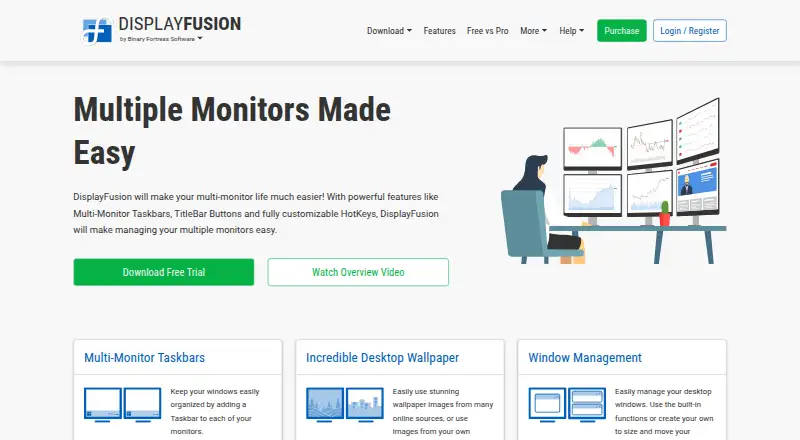
What DisplayFusion is
DisplayFusion adds controls for configuring and managing Windows multi-monitor setups. It can place a taskbar on each monitor and configure resolution, colour depth, refresh rate, orientation, profiles, and screen splitting. Window tools support snapping, sizing, and moving windows, with saved position profiles. Triggers can respond to events such as a window being created or focused, desktop unlock, or system idle, then run preset commands or custom scripts. A phone or tablet can be used for remote controls such as changing wallpaper or toggling monitors. Wallpaper sources include a personal collection, online sources, and a direct image URL. Corporate deployment options include silent installer settings and custom ADMX templates for Active Directory Group Policy. The current download page lists Windows 11, Windows 10 version 1607 or later, and Windows Server 2016, 2019, and 2022; x86, x64, and ARM64 are supported. A 30-day Pro trial is followed by a free version. Pro Standard costs $34.00 USD once per machine and includes a lifetime license and future versions.
Good
- Adds a taskbar to each monitor
- Saves window position profiles
- Runs commands or scripts from event triggers
- Supports x86, x64, and ARM64
Watch out
- Limited to Windows platforms
- Pro Standard costs $34.00 USD once per machine
- Telemetry includes operating system and screen details
Who it suits
DisplayFusion suits Windows users who want per-monitor taskbars, window controls, and configurable monitor layouts. Its triggers and deployment options may also fit users automating desktop actions or managing corporate installations.
Verdict
DisplayFusion offers monitor configuration, window management, and event-based automation, with a free version available after the Pro trial. Paid licenses start at $34.00 USD once per machine for Pro Standard.
Plans and prices
From DisplayFusion's own pricing page, checked 14 Oct 2026.
| Plan | Price | What it gives you |
|---|---|---|
| Free | Free | personal use only · fewer features than Pro · forever for personal use |
| DisplayFusion Free | Free | Free version available after trial |
| Pro Standard | $34, paid once | 1 computer · personal or company use · lifetime license |
| DisplayFusion Pro Standard | $34, paid once | Lifetime license · all future versions · per machine |
| DisplayFusion Pro on Steam | $39.99, paid once | Requires Steam desktop client for installation · lifetime license · use wherever you have Steam installed with your Steam account |
| DisplayFusion Pro Personal | $49, paid once | Personal use only · one company computer that only you use · lifetime license · for any number of computers in your house |
| Pro Personal | $49, paid once | unlimited personal computers · 1 company computer used only by purchaser · lifetime license |
| Pro Site | $899, paid once | unlimited computers · 1 physical site · lifetime license |
| DisplayFusion Pro Site | $899, paid once | One site · lifetime license · unlimited machines at your site |
| Pro Enterprise | $3,899, paid once | unlimited computers · unlimited company-owned physical sites · lifetime license |
| DisplayFusion Pro Enterprise | $3,899, paid once | Unlimited sites · lifetime license · unlimited computers at unlimited physical locations |
The facts
Each one read from DisplayFusion's own pages, with the date it was checked.
What it does
- Administration
- Corporate deployment is supported through silent installer options and custom ADMX templates for Active Directory Group Policy.checked 14 Oct 2026
- Automation
- Triggers respond to events such as window creation, focus, desktop unlock and system idle, and can run preset commands or custom scripts.checked 29 Sep 2026
- Command line
- The product includes displayfusioncommand.exe, including a command to load a monitor profile from a prompt.checked 14 Oct 2026
- Documentation
- The maker provides a beginner guide, extensive help manual, FAQ, administrative guides, trigger documentation and a community script library.checked 14 Oct 2026
- Download and deployment
- The maker supplies installer, ZIP and MSI packages, WinGet availability and SHA1 hashes for download verification.checked 14 Oct 2026
- Enterprise deployment
- Corporate deployment options include silent installer settings and custom ADMX templates for Active Directory Group Policy.checked 29 Sep 2026
- Integrations
- Online wallpaper providers listed in the EULA include Bing Desktop, Digital Blasphemy, NASA APOD and Wallpaper Abyss.checked 14 Oct 2026
- Legal entity
- The Google Play developer listing identifies the maker as Binary Fortress Software Ltd., at 500–1000 Innovation Drive, Kanata, Ontario, Canada.checked 14 Oct 2026
- Licence
- DisplayFusion is proprietary software licensed under an EULA; the software is licensed rather than sold and reverse engineering is restricted.checked 14 Oct 2026
- Limit: full-screen splitting
- A Steam reviewer says monitor splitting creates virtual zones for windowed applications but does not turn an ultrawide display into separate full-screen displays.checked 14 Oct 2026
- Limit: missing controls
- Google Play reviewers request precise mouse control and report occasional hangs while configuring the Remote app.checked 14 Oct 2026
- Limit: support and bugs
- Trustpilot reviewers report severe slowness, bugs and support follow-ups being ignored.checked 14 Oct 2026
- Mobile automation integration
- The Android Remote app supports Tasker and Locale automation applications.checked 14 Oct 2026
- Monitor configuration
- Monitor settings support profiles, monitor splitting and padding for bezel compensation.checked 14 Oct 2026
- Monitor setup
- Users can configure monitor resolution, colour depth, refresh rate, orientation, profiles and splitting.checked 29 Sep 2026
- Multi-monitor taskbars
- It can add a configurable taskbar to every monitor, showing all windows or only windows on that monitor.checked 14 Oct 2026
- Praise: customization
- Steam reviewers repeatedly praise the extensive customization, hotkeys, per-application overrides and taskbar behavior.checked 14 Oct 2026
- Praise: multi-monitor productivity
- Independent customer summaries highlight powerful multi-monitor support, configurable settings, ease of use and customer support.checked 14 Oct 2026
- Profiles
- Window-position and desktop-icon profiles save layouts so they can be restored after monitor changes.checked 14 Oct 2026
- Purpose
- DisplayFusion provides controls and customization for multi-monitor setups.checked 29 Sep 2026
- Rating on Google Play
- 3.8 out of 5 from 244 reviewschecked 14 Oct 2026
The company
- Company
- Binary Fortress Software describes its work as building software to make life easier, including display management and system enhancement utilities.checked 29 Sep 2026
- Company profile
- LinkedIn lists Binary Fortress Software as privately held, founded in 2007, headquartered in Kanata, Ontario, with 2–10 employees.checked 14 Oct 2026
- Headquarters
- Kanata, Ontario, Canadachecked 28 Sep 2026
The full review of DisplayFusion
Overview
DisplayFusion is a Windows utility for people who want finer control over multi-monitor layouts, windows and desktop behavior. Its mix of display configuration and event-based automation makes it more than a taskbar replacement, though the paid tiers are aimed at different household and organizational needs.
The free version remains usable after a 30-day Pro trial, and the Pro licenses are one-time purchases. Choose it for broad control over multiple screens; look elsewhere if virtual desktop controls are essential.
Key features
Displays and windows
DisplayFusion can put a taskbar on each monitor and configure resolution, colour depth, refresh rate, orientation, monitor profiles and screen splitting. That breadth suits users who regularly rearrange or tailor multi-screen workspaces, while a reader seeking only a modest taskbar change may find its wider toolkit unnecessary.
Window tools cover snapping, sizing and moving, with saved position profiles to restore arrangements. Layout presets and application rules help make repeatable desktop organization practical. There are no virtual desktop controls, so this is not a single utility for every aspect of Windows desktop management.
Automation and remote control
Triggers can respond to events including a window opening or gaining focus, desktop unlock, and system idle, then run a preset command or custom script. This is useful when a setup should react to routine events rather than require repeated manual adjustments, but the value depends on whether those automations suit the user’s workflow.
A phone or tablet can remotely change wallpaper, toggle monitors and perform other actions. Wallpaper can come from a personal collection, online sources or a direct image URL. Corporate deployment options include silent installer settings and custom ADMX templates for Active Directory Group Policy.
Privacy and support
The privacy policy says server transfers use HTTPS encryption, backups are encrypted, and passwords are salted and hashed. Desktop apps send anonymous telemetry about operating system version, screen resolution and enabled features; users can disable it in product settings. Customers with license questions can contact the company for help.
Pricing
DisplayFusion offers a free version after the 30-day Pro trial. The trial is a useful way to assess the paid toolset before settling on the free option or a license.
- DisplayFusion Free: free. Best for users who want to continue without paying after the trial.
- DisplayFusion Pro Standard: $34, paid once, billed per machine, with a lifetime license and all future versions. This is the entry paid choice for one machine.
- DisplayFusion Pro on Steam: $39.99, paid once, billed for use wherever Steam is installed with the user's Steam account. It requires the Steam desktop client for installation and includes a lifetime license.
- DisplayFusion Pro Personal: $49, paid once for any number of computers in your house. It is for personal use, with one company computer allowed only if it is used by you alone; it includes a lifetime license.
- DisplayFusion Pro Site: $899, paid once for unlimited machines at one site, with a lifetime license.
- DisplayFusion Pro Enterprise: $3,899, paid once for unlimited computers at unlimited physical locations, with unlimited sites.
The per-machine Standard license costs less than Steam or Personal but does not cover the broader use arrangements those tiers describe. Site and Enterprise are for organization-wide deployment rather than individual setups; Site is limited to one site, while Enterprise covers unlimited locations.
Platforms
DisplayFusion runs on Windows 11, Windows 10 version 1607 or higher, and Windows Server 2016, 2019 and 2022. Downloads support x86, x64 and ARM64. The phone or tablet remote-control feature does not change the fact that the desktop software is Windows-focused.
Who it's for
DisplayFusion is best suited to Windows users who depend on several monitors and want a combined toolkit for display settings, window placement and automation. Its deployment options also make it relevant to organizations managing installations through Active Directory Group Policy. It is less compelling for someone who only wants a free taskbar tweak or needs virtual desktop controls.
Pros and cons
- Pros: Extensive monitor settings, window-position profiles and per-monitor taskbars address several common multi-screen needs in one utility.
- Pros: Event triggers can run commands or scripts, making recurring desktop responses automatable.
- Pros: Lifetime one-time licenses range from a single machine to unlimited sites, with a free version after the trial.
- Cons: The Pro trial lasts 30 days; users who need paid features after that must choose a license.
- Cons: Standard is billed per machine, so it is not the household-wide option; the broader Personal, Site and Enterprise licenses cost more.
- Cons: No virtual desktop controls are included, and the desktop app is limited to Windows systems.
Alternatives
For a narrower taskbar focus, compare Taskbar Customization Software and Window Management Software for category options.
- Winstep Nexus Dock is a Windows freemium option with a free personal-use Nexus plan, a $12.95, paid once commercial license per user, and a 29.95 USD per Ultimate plan.
- 7+ Taskbar Tweaker is a free Windows taskbar utility for readers who want a free, focused alternative rather than DisplayFusion’s wider multi-monitor toolkit.
- GroupManager is a free, self-hosted option.
- RetroBar is free for Windows 7 SP1, Windows 8.1, Windows 10 or Windows 11.
- TaskbarX offers a free portable ZIP build with the same features as its Microsoft Store version.
- YASB Reborn is free and open-source for Windows 10 and 11.
- ExplorerPatcher is free for Windows, though some features may be unavailable on some Windows versions.
- RainbowTaskbar is a free Windows alternative.
Verdict
DisplayFusion is a strong choice for Windows users who want monitor configuration, window organization and event-driven automation together, especially when they need more than one machine covered by a suitable license. Its main drawback is scope: it lacks virtual desktop controls, and the broader toolkit may be unnecessary for users seeking only a simple taskbar adjustment.
Getting started
- Open the DisplayFusion website and download the software for a supported Windows system.
- Use the included free 30-day Pro trial.
- Configure monitor settings, taskbars, window tools, or triggers as needed.
- Continue with the free version after the trial, or choose a Pro license.
- For corporate deployment, use the silent installer settings or custom ADMX templates.
Limits worth knowing
The Pro trial lasts 30 days; users can then continue with the free version. Pro Standard costs $34.00 USD once per machine, while other paid licenses have different machine or site scopes.
Questions
Is DisplayFusion free?
Yes. A free version is available after the 30-day Pro trial.
What does DisplayFusion Pro Standard cost?
It costs $34.00 USD once per machine and includes a lifetime license and future versions.
Which operating systems are supported?
The supported list includes Windows 11, Windows 10 version 1607 or higher, and Windows Server 2016, 2019, and 2022.
Can I control DisplayFusion remotely?
Yes. A phone or tablet can control it remotely to change wallpaper, toggle monitors, and perform other actions.
Does DisplayFusion support corporate deployment?
Yes. Corporate deployment options include silent installer settings and custom ADMX templates for Active Directory Group Policy.
Can telemetry be disabled?
Yes. Desktop application telemetry can be turned off in product settings.
Alternatives to DisplayFusion
- 1
Avidemux
Free planOpen sourceWebLinuxmacOSWindows7.3Free plan - 2

Dexpot
Free planAPIWindows7.2€24.90 one-time - 3
spectrwm
Free planOpen sourceLinuxmacOSWindows7.1Free plan - 4

Launchpad
Free planWebAPILinuxSelf-hosted7.0Free plan - 5
Reloop
Free planSelf-hosted7.0From $10 a month - 6
4t Tray Minimizer
Free planWindows6.6$19.95 one-time