RainbowTaskbar
RainbowTaskbar is a free Windows app for customizing the taskbar with colors, animations, images, websites, and other effects.
What RainbowTaskbar is
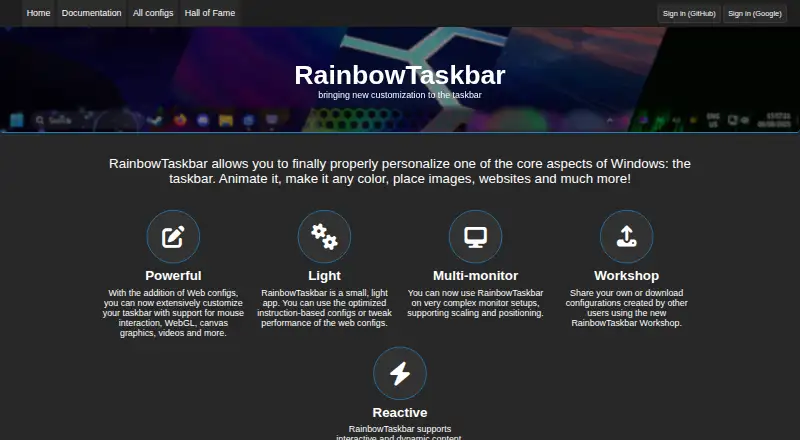
RainbowTaskbar is a free Windows app for customizing the taskbar with colors, animations, images, websites, and other effects. It supports web configurations as well as instruction-based configurations. Web configurations can respond to mouse interaction, use WebGL, canvas graphics, and video, and use the RainbowTaskbar API to adjust taskbar style and transparency. The app also supports taskbar positioning, transparency controls, and multi-monitor setups that may involve scaling and positioning. Its Workshop lets users download configurations without an account; uploading one requires signing in with Google or GitHub. RainbowTaskbar is portable, but it needs the .NET 8 runtime if that is not already installed. The maker warns that it conflicts with TranslucentTB, which should be closed before running RainbowTaskbar. First released in 2021, it is described by its maker as a passion project. The free and open-source app is available for Windows.
Good
- Free and open-source
- Supports web and instruction-based configurations
- Provides multi-monitor support
- Portable app
- Workshop downloads do not require an account
Watch out
- Windows only
- Requires .NET 8 if not installed
- Conflicts with TranslucentTB
- Uploading configurations requires Google or GitHub sign-in
Who it suits
RainbowTaskbar suits Windows users who want to customize taskbar appearance or use shared configurations. It may also suit people managing multiple monitors, provided they account for its runtime requirement and TranslucentTB conflict.
Verdict
RainbowTaskbar offers extensive taskbar customization through web or instruction-based configurations, with portable use and multi-monitor support. Before running it, check the .NET 8 requirement and close TranslucentTB.
Plans and prices
From RainbowTaskbar's own pricing page, checked 4 Oct 2026.
| Plan | Price | What it gives you |
|---|---|---|
| Free | Free | Free and open-source · Windows taskbar customization |
The facts
Each one read from RainbowTaskbar's own pages, with the date it was checked.
What it does
- About
- The maker describes RainbowTaskbar as a passion project first released in 2021.checked 4 Oct 2026
- API
- Web configurations can use the RainbowTaskbar API to change taskbar style and transparency, among other settings.checked 4 Oct 2026
- Community workshop
- Users can share or download configurations through the RainbowTaskbar Workshop.checked 4 Oct 2026
- Compatibility
- The maker warns that RainbowTaskbar conflicts with TranslucentTB and says to close TranslucentTB before running it.checked 4 Oct 2026
- Configuration types
- It supports web configurations and instruction-based configurations.checked 4 Oct 2026
- Multi-monitor
- The maker says it supports complex monitor setups, including scaling and positioning.checked 4 Oct 2026
- Purpose
- RainbowTaskbar personalizes the Windows taskbar with animations, colors, images, websites, and other effects.checked 4 Oct 2026
- Runtime
- The app is portable and requires the .NET 8 runtime if it is not already installed.checked 4 Oct 2026
- Support
- The maker says users can support future development by buying the Microsoft Store version or donating through PayPal.checked 4 Oct 2026
- Web features
- Web configurations support mouse interaction, WebGL, canvas graphics, and videos.checked 4 Oct 2026
- Workshop account
- Uploading a configuration requires signing in with Google or GitHub; downloading configurations does not require an account.checked 4 Oct 2026
The company
- Founded
- 2021checked 28 Sep 2026
Alternatives to RainbowTaskbar
- 1

DisplayFusion
Free planAndroidiOSAPIWindows7.9$34 one-time - 2

TaskbarX
Free planOpen sourceWindows7.6$1.09 one-time - 3

GitHub CodeQL
Free planWebExtensionLinuxmacOS7.5From $30 a month - 4
Winstep Nexus Dock
Free planWindows6.7$12.95 one-time - 5

Deskloom
Free planWindows6.4Free plan - 6
MyDockFinder
Windows6.4$4.99 one-time