Taskbar Groups
Taskbar Groups is a free Windows utility for arranging shortcut groups on the taskbar.
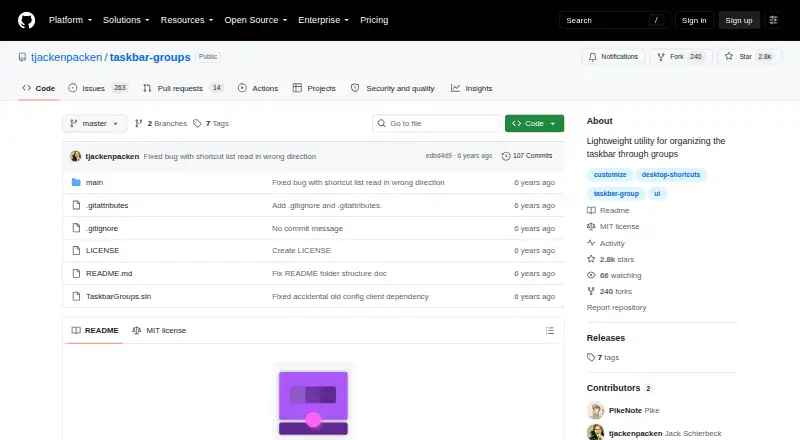
What Taskbar Groups is
Taskbar Groups is a free Windows utility for arranging shortcut groups on the taskbar. A group can contain executable files, .lnk shortcuts, folders, Windows Store apps, and Steam games or software. Users can choose group colors and opacity, pick an icon, rename shortcuts, and set the number of shortcuts shown on each row. Shortcuts can also have working directories and launch arguments. Ctrl+Enter can be enabled to start every shortcut in a group, while number keys 1–0 launch shortcuts in positions one through ten. The utility keeps shortcut icons in a local configuration folder for each group and can rebuild that cache when a group is saved. A release note lists support for multiple monitors, vertical and top taskbars, and hidden taskbars. Setup involves downloading the latest release ZIP, unpacking it, and running TaskbarGroups.exe. The project is MIT-licensed. Names have limits: group names allow up to 49 characters and no special characters, while shortcut entry names allow up to 27 characters.
Good
- Free Windows utility
- Groups support apps, folders, and Steam software
- Group color, opacity, and icon can be customized
- Ctrl+Enter can launch all shortcuts in a group
- Supports multiple monitors and vertical taskbars
Watch out
- Group names cannot contain special characters
- Group names are limited to 49 characters
- Shortcut entry names are limited to 27 characters
- Moved shortcuts may stop launching until the group is edited
Who it suits
Taskbar Groups suits Windows users who want to organize different kinds of shortcuts into taskbar groups. It may be useful to people who want configurable group appearance or optional bulk launching.
Verdict
Taskbar Groups organizes varied shortcuts and offers controls for group appearance and launching. Keep its name limits and the possibility of moved shortcuts needing an edit in mind.
Plans and prices
From Taskbar Groups's own pricing page, checked 4 Oct 2026.
| Plan | Price | What it gives you |
|---|---|---|
| Taskbar Groups | Free | Windows utility · MIT licensed |
The facts
Each one read from Taskbar Groups's own pages, with the date it was checked.
What it does
- Bulk launch
- An optional setting allows all shortcuts in a group to launch with Ctrl+Enter.checked 4 Oct 2026
- Compatibility limit
- If a shortcut is moved, the application may no longer launch it until the group is edited again.checked 4 Oct 2026
- Customization
- Users can customize group colors and opacity, choose an icon, and edit shortcut names.checked 4 Oct 2026
- Download
- The README says to download the latest release ZIP, unpack it, and run TaskbarGroups.exe.checked 4 Oct 2026
- Entry name limit
- Shortcut entry names have a maximum length of 27 characters.checked 4 Oct 2026
- Group layout
- Users can set how many shortcuts appear on each row of a group.checked 4 Oct 2026
- Group name limit
- Group names allow no special characters and have a maximum length of 49 characters.checked 4 Oct 2026
- Hotkeys
- The README says number keys 1–0 launch shortcuts in positions 1–10.checked 4 Oct 2026
- Icon caching
- The program stores shortcut icons locally in each group’s config folder and can regenerate the cache when the group is saved again.checked 4 Oct 2026
- Icon handling
- The application caches group and shortcut icons locally in each group's config folder.checked 4 Oct 2026
- Launch options
- Users can set working directories and launch arguments for shortcuts, and enable Ctrl+Enter to launch all shortcuts in a group.checked 4 Oct 2026
- License
- The repository says the project is licensed under the MIT License.checked 4 Oct 2026
- Moved shortcuts
- If a shortcut is moved, the README says the application may no longer launch it until the group is edited again.checked 4 Oct 2026
- Multi monitor support
- A release note says the app supports multiple monitors, vertical and top taskbars, and hidden taskbars.checked 4 Oct 2026
- Multiple monitors
- A release note lists support for multiple monitors, vertical and top taskbars, and hidden taskbars.checked 4 Oct 2026
- Notable limit
- Group names allow up to 49 characters and cannot contain special characters; shortcut entry names allow up to 27 characters.checked 4 Oct 2026
- Purpose
- Taskbar Groups is a lightweight Windows utility for creating groups of shortcuts in the taskbar.checked 4 Oct 2026
- Shortcut types
- Groups can contain .exe and .lnk shortcuts, folders, Windows Store apps, and Steam games or software.checked 4 Oct 2026
The company
- Maker
- The GitHub profile identifies the maker as Jack Schierbeck and lists Stockholm, Sweden.checked 4 Oct 2026
The full review of Taskbar Groups
Taskbar Groups is a free Windows utility for collecting apps, folders, and games into taskbar shortcut groups. It is best suited to people who want a more organized launch point without replacing the Windows taskbar. Its range of shortcut controls is useful, but short name limits and upkeep when shortcuts move make it less suitable for setups that change often.
Overview
Groups let you arrange shortcuts together and decide how many appear on each row, rather than spreading individual pins across the taskbar. That focused approach suits a crowded desktop, especially when you launch a mix of programs, folders, and games. The utility is portable: unpack the latest release ZIP and run TaskbarGroups.exe, with no conventional installation step.
Support for multiple monitors, vertical and top taskbars, and hidden taskbars makes it adaptable to different Windows layouts. It remains a shortcut organizer, not a broad taskbar replacement.
Key features
Groups with configurable launch behavior
Groups can hold .exe and .lnk shortcuts, folders, Windows Store apps, and Steam games or software. Users can set group colors and opacity, choose an icon, edit shortcut names, and control how many shortcuts appear per row. These options help distinguish and arrange groups, but naming rules are restrictive: group names are limited to 49 characters and cannot include special characters, while shortcut entry names top out at 27 characters.
Working directories and launch arguments can be set for shortcuts, and Ctrl+Enter can optionally launch every shortcut in a group. Number keys 1–0 launch shortcuts in positions one through ten. Bulk launching is useful for a set of tools routinely opened together, but it is less appropriate when a group contains apps you do not always want running simultaneously.
Local icon caching and shortcut maintenance
Group and shortcut icons are cached locally in each group’s configuration folder, and the cache can be regenerated by saving the group again. The more consequential maintenance issue is that a moved shortcut may stop launching until its group is edited. This is manageable for stable desktop layouts, but inconvenient for users who frequently reorganize files or applications.
Pricing
Taskbar Groups costs nothing. There is no paid tier or trial to weigh against the free version; the software is MIT licensed. Its free offering includes the shortcut-grouping and customization workflow, so the main tradeoff is not a feature gate but the naming and shortcut-maintenance limits.
Platforms
Taskbar Groups is for Windows. Its support for multi-monitor arrangements and top, vertical, and hidden taskbars is a practical advantage for people whose desktop does not use the standard single-monitor, bottom-taskbar layout.
Who it's for
Choose Taskbar Groups if you want to consolidate mixed app, folder, and game shortcuts into compact taskbar groups, with control over appearance and launch behavior. Look elsewhere if your labels need special characters or longer names, or if shortcuts move frequently and you want to avoid editing groups afterward.
Pros and cons
- Pros: Groups accept several shortcut types, including Windows Store apps and Steam software, so they can organize more than conventional desktop programs.
- Pros: Appearance controls, row layout, launch arguments, working directories, and optional group-wide launching give users meaningful control over how shortcuts are presented and started.
- Pros: Portable ZIP distribution and support for varied taskbar positions and monitor setups suit flexible Windows desktops.
- Cons: Group and entry name caps, plus the ban on special characters in group names, limit descriptive labels.
- Cons: Moving a shortcut can break its launch path until the group is edited, adding upkeep to frequently changing setups.
Alternatives
For a broader set of taskbar tools, browse Taskbar Customization Software. Choose DisplayFusion if a freemium Windows option with a free trial and a paid per-machine lifetime license is a better fit. Winstep Nexus Dock is another freemium Windows choice, with free personal use and paid business and Ultimate plans.
If you want a free Windows taskbar utility rather than shortcut groups, consider 7+ Taskbar Tweaker. GroupManager is a free self-hosted option. RainbowTaskbar is free, open-source Windows taskbar customization software, while RetroBar is a free option for Windows 7 SP1, 8.1, 10, or 11. TaskbarX offers a free portable ZIP build with the same features as its Microsoft Store version. YASB Reborn is free, open-source software for Windows 10 and 11.
Verdict
Taskbar Groups is a strong fit for Windows users who want a compact home for varied shortcuts and value control over group layout and launching. Its free, portable format keeps the commitment low; the main reason to look elsewhere is the combination of tight naming limits and the need to edit groups after shortcuts move.
Getting started
- Use a Windows device
- Download the latest release ZIP from the project website
- Unpack the ZIP archive
- Run TaskbarGroups.exe
Limits worth knowing
Group names are limited to 49 characters and cannot contain special characters. Shortcut entry names are limited to 27 characters, and moved shortcuts may stop launching until the group is edited again.
Questions
How much does Taskbar Groups cost?
It is free, with a listed price of no cost plan.
Which platforms does it support?
Windows is the listed platform.
What can a group contain?
Groups can contain .exe and .lnk shortcuts, folders, Windows Store apps, and Steam games or software.
Is Taskbar Groups open source?
The repository uses the MIT License.
How do I install it?
Download the latest release ZIP, unpack it, and run TaskbarGroups.exe.
Who makes it?
The maker is Jack Schierbeck, whose GitHub profile lists Stockholm, Sweden.
Alternatives to Taskbar Groups
- 1

DisplayFusion
Free planAndroidiOSAPIWindows7.9$34 one-time - 2

TaskbarX
Free planOpen sourceWindows7.6$1.09 one-time - 3

GitHub CodeQL
Free planWebExtensionLinuxmacOS7.5From $30 a month - 4
Winstep Nexus Dock
Free planWindows6.7$12.95 one-time - 5

Deskloom
Free planWindows6.4Free plan - 6
MyDockFinder
Windows6.4$4.99 one-time