DRS Softech Microsoft 365 Backup Tool
DRS Softech Microsoft 365 Backup Tool backs up Office 365 mailboxes, public and archive folders, email, contacts, calendars, tasks, and OneDrive files.
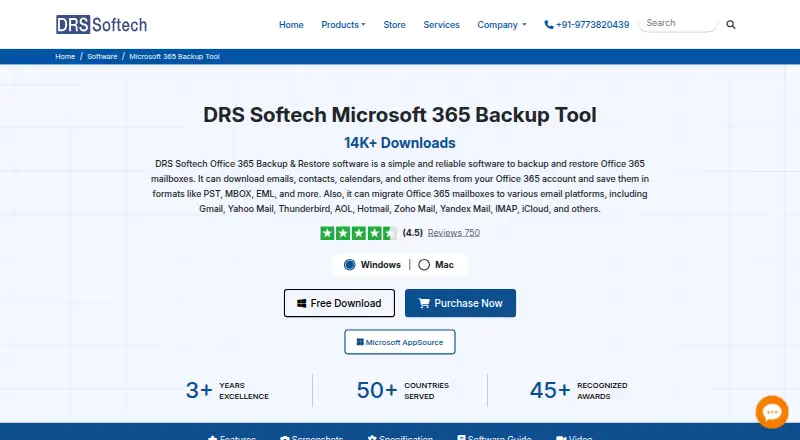
What DRS Softech Microsoft 365 Backup Tool is
DRS Softech Microsoft 365 Backup Tool backs up Office 365 mailboxes, public and archive folders, email, contacts, calendars, tasks, and OneDrive files. It can export mailbox data to more than 15 formats, including PST, EML, MBOX, PDF, CSV, JPG, PNG, DOC, MSG, and HTML. Migration destinations include Google Workspace, Office 365, IMAP, iCloud, Zoho Mail, Yahoo, Yandex Mail, Thunderbird, and other email clients. It restores OST and PST data to Office 365 administrator or user accounts and supports selective restoration of individual items. Administrators can use Impersonation Rights to access multiple mailboxes without separate login details. Other controls include date filtering, custom folder names, separate attachment saving, PST splitting, and duplicate-email removal. Backups can be saved to local or external drives, SAN, NAS, a computer, or supported cloud storage. The demo backs up 50 Office 365 mailbox items per folder for free. Linux, macOS, and Windows are listed platforms. A Microsoft 365 administrator may need to consent to organization-wide or multi-user permissions, and user sign-in must be enabled.
Good
- Backs up mail, calendars, contacts, tasks, and OneDrive files.
- Exports to more than 15 formats.
- Supports selective restoration of individual items.
- Backups can go to local, network, or cloud storage.
- Demo covers 50 mailbox items per folder free.
Watch out
- Administrator consent may be required for multi-user permissions.
- User sign-in must be enabled.
- The free demo is limited to 50 items per folder.
- Listed platforms are Linux, macOS, and Windows.
Who it suits
It may suit administrators who need to back up, export, migrate, or selectively restore Microsoft 365 mailbox data. Its listed destinations and storage options also serve teams moving data to other mail services or storage locations.
Verdict
The tool brings backup, export, migration, and selective restore options together for Office 365 data. Before using organization-wide permissions, account for the stated administrator-consent and sign-in requirements.
Plans and prices
From DRS Softech Microsoft 365 Backup Tool's own pricing page, checked 1 Oct 2026.
| Plan | Price | What it gives you |
|---|---|---|
| Home License | $15,999 a year | Single User · 25 user accounts · 1 Year |
| Administrator License | — | Administrator · 50 user accounts · 1 Year |
| Enterprise License | — | Enterprise · 300 user accounts · 3 Year |
| Technician License | — | Technician · 150 user accounts · 2 Year |
The facts
Each one read from DRS Softech Microsoft 365 Backup Tool's own pages, with the date it was checked.
What it does
- Authentication
- Modern Authentication may require Microsoft 365 administrator consent for organization-wide or multi-user permissions, and user sign-in must be enabled.checked 1 Oct 2026
- Backup scope
- The tool backs up Office 365 mailboxes, public folders, archive folders, emails, contacts, calendars, tasks, and OneDrive files.checked 1 Oct 2026
- Export formats
- It exports Office 365 mailbox data to 15+ formats, including PST, EML, MBOX, PDF, CSV, JPG, PNG, DOC, MSG, and HTML.checked 1 Oct 2026
- Filtering and deduplication
- It provides date-range filtering, custom folder names, attachment-separate saving, PST splitting, and duplicate-email removal based on To, From, Subject, Body, and Bcc.checked 1 Oct 2026
- Impersonation
- Assign Impersonation Rights lets an administrator access multiple mailboxes for backup or restore without separate login details.checked 1 Oct 2026
- Migration targets
- It migrates Office 365 data to Google Workspace, Office 365, IMAP, iCloud, Zoho Mail, Yahoo, Yandex Mail, Thunderbird, and other email clients.checked 1 Oct 2026
- Refund policy
- Purchases include a 30-day money-back policy if the product fails to perform as required, subject to technical review.checked 1 Oct 2026
- Restore
- The software restores OST and PST files into Office 365 administrator and user accounts and supports selective restoration of individual items.checked 1 Oct 2026
- Security and privacy
- DRS Softech says it follows EU GDPR, U.S. FTC guidelines, and India’s Digital Personal Data Protection Act, and uses administrative, technical, and physical safeguards.checked 1 Oct 2026
- Storage
- Backups can be saved to a computer, local or external drive, SAN, NAS, and supported cloud storage.checked 1 Oct 2026
- Support
- The company offers 24x7 assistance and support through chat, email, phone, and Skype.checked 1 Oct 2026
Money
- Free limitation
- The demo version backs up 50 Office 365 mailbox items per folder for free.checked 1 Oct 2026
The company
- Headquarters
- A-58, 2nd Floor, Sector-57, Noida, Uttar Pradesh 201301, Indiachecked 28 Sep 2026
The full review of DRS Softech Microsoft 365 Backup Tool
Overview
DRS Softech Microsoft 365 Backup Tool is a backup, export, migration, and restore utility for Microsoft 365 data. It is best suited to administrators and service providers managing several accounts, though its broad format and destination support may also suit individual mailbox users. Its main advantage is the range of data operations in one tool; organization-wide access requirements and steeply priced multi-account licenses call for care.
It covers mailboxes, public folders, archive folders, emails, contacts, calendars, tasks, and OneDrive files. Backups can go to a computer, local or external drive, SAN, NAS, or supported cloud storage. Exports span 15+ formats, including PST, EML, MBOX, PDF, CSV, JPG, PNG, DOC, MSG, and HTML. That flexibility helps when data needs to be retained or handed off in a format other than Microsoft 365.
Key features
Backup, export, and migration
The tool migrates Office 365 data to Google Workspace, Office 365, IMAP, iCloud, Zoho Mail, Yahoo, Yandex Mail, Thunderbird, and other email clients. Supported providers also include Hotmail. This breadth is useful for organizations moving between services or consolidating mail, but readers should choose it for these specific Microsoft 365 workflows rather than assume it is a general-purpose backup product.
Selective restore and mailbox access
It restores OST and PST files into Microsoft 365 administrator and user accounts, with selective restoration of individual items. An administrator can assign Impersonation Rights to access multiple mailboxes for backup or restore without separate login details. That can reduce account-by-account handling, but Modern Authentication may require administrator consent for organization-wide or multi-user permissions, and user sign-in must be enabled.
Filtering and file handling
Date-range filtering, custom folder names, attachment-separate saving, and PST splitting give administrators useful control over how data is organized and exported. Duplicate-email removal can match on To, From, Subject, Body, and Bcc, which is practical for reducing repeated messages in a backup or migration. These controls matter most when handling large or mixed mailboxes; they are less compelling if the need is only a simple one-time mailbox export.
Security and support
DRS Softech says it follows EU GDPR, U.S. FTC guidelines, and India’s Digital Personal Data Protection Act, and uses administrative, technical, and physical safeguards. It offers 24x7 assistance by chat, email, phone, and Skype. Purchases include a 30-day money-back policy if the product fails to perform as required, subject to technical review.
Pricing
The product is paid, with a stated starting price of From $149. The named annual and multi-year licenses carry substantially higher prices, so buyers should match account capacity and license type to their actual workload.
| Plan | Price and term | Stated capacity |
|---|---|---|
| Home License | $15,999 a year (billed 1 Year) | Single User · 25 user accounts |
| Administrator License | $299,199 a year (billed 1 Year) | Administrator · 50 user accounts |
| Technician License | $799,599 a year (billed 2 Year) | Technician · 150 user accounts |
| Enterprise License | $1,499,999 a year (billed 3 Year) | Enterprise · 300 user accounts |
The Home License is the smallest stated tier and may fit a single user responsible for up to 25 accounts. Administrator, Technician, and Enterprise tiers raise the account limit to 50, 150, and 300 respectively, with longer billing terms for the latter two. The capacities and license labels make the larger tiers relevant to managed environments, but their listed prices are a major commitment; buyers should not assume a cheaper tier will provide the same capacity or role fit.
A free plan and free trial are offered. The stated free demo backs up 50 Office 365 mailbox items per folder, making it useful for checking a limited workload rather than completing a full mailbox backup. The 30-day refund policy is conditional on the product failing to perform as required and a technical review, so it is not a substitute for checking permissions and workflow fit before a larger purchase.
Platforms
DRS Softech Microsoft 365 Backup Tool supports Linux, macOS, and Windows. Its multi-platform availability is useful where administrators work across different desktop environments; the supported platform list does not include a web client.
Who it's for
This is a strong fit for Microsoft 365 administrators and technicians who need to back up several kinds of tenant data, export to varied formats, migrate to another mail service, or restore selected items from OST and PST files. Its mailbox impersonation option is particularly relevant when managing multiple accounts, provided the organization can meet the consent and sign-in requirements.
It is a weaker fit for someone who only needs a modest, occasional backup: the demo cap is 50 items per folder, and the named licenses carry high prices relative to a narrow use case. Those who cannot enable the required sign-in or obtain administrator consent should also look elsewhere.
Pros and cons
- Broad Microsoft 365 coverage: backs up OneDrive files as well as mailbox, calendar, contact, task, public-folder, and archive data.
- Flexible output and destinations: offers 15+ export formats and backup storage across local, network, and supported cloud locations.
- Useful administrator controls: selective restore, impersonation rights, filtering, PST splitting, and duplicate removal support managed workflows.
- High commitment at named tiers: the listed licenses are costly and some require two- or three-year billing terms.
- Limited free use: the demo cap of 50 items per folder is not enough for a complete backup of larger mailboxes.
- Permissions can block rollout: organization-wide or multi-user access may require administrator consent, and user sign-in must be enabled.
Alternatives
For more choices in the same category, browse Email Backup Software.
- MSP360 Backup is a freemium option with a free personal-workstation backup plan for file- and image-based backup and forum support; choose it if workstation backup is the priority rather than Microsoft 365 mailbox migration and selective restore.
- VM Backup offers a free edition limited to two VMs per host and a 30-day fully featured trial; it is the alternative to consider for a virtual-machine backup need.
- GMvault is free and open source under the GNU Affero General Public License v3; choose it if that licensing and price model suit your email-backup needs.
- Veeam Agent for Mac has a free macOS edition limited to one backup job and no direct backup to object storage; it may suit a single-job Mac backup instead.
- Datto Endpoint Backup for Windows uses consumption-based pricing billed for storage used; consider it if that billing model better matches endpoint backup requirements.
- Synology Active Backup for SaaS is a free add-on for Synology NAS covering Microsoft 365 and Google Workspace; it is a natural alternative for NAS owners who want SaaS backup without a software license.
- Cohesity SiteContinuity is a paid product with customer-managed deployment options; consider it if those options better fit your environment.
- Druva Endpoint Data Protection is a paid endpoint data-protection product with a free trial; compare it if endpoint protection, rather than Microsoft 365 mailbox operations, is the need.
Verdict
Choose DRS Softech Microsoft 365 Backup Tool if you administer Microsoft 365 accounts and need backup, export, migration, and granular restoration across several data types in one package. Its format range and mailbox controls are the strongest reasons to buy. Look elsewhere if you need only a simple backup, cannot meet the consent and sign-in requirements, or do not want to commit to the listed license prices and terms.
Alternatives to DRS Softech Microsoft 365 Backup Tool
- 1

SpinOne
WebAPIExtensionLinux7.6From $3 a month - 2
Spanning Backup
AndroidiOSWebAPI7.3 - 3
Cove Data Protection
WebLinuxmacOSWindows6.9 - 4
Rubrik Security Cloud
WebAPILinuxmacOS6.9 - 5

Synology Active Backup for SaaS
Free planSelf-hosted6.7Free plan - 66.6From $18 a year