
Dialpad Meetings
Dialpad Meetings brings video conferencing, live AI transcription, automated notes, and meeting summaries into one service.
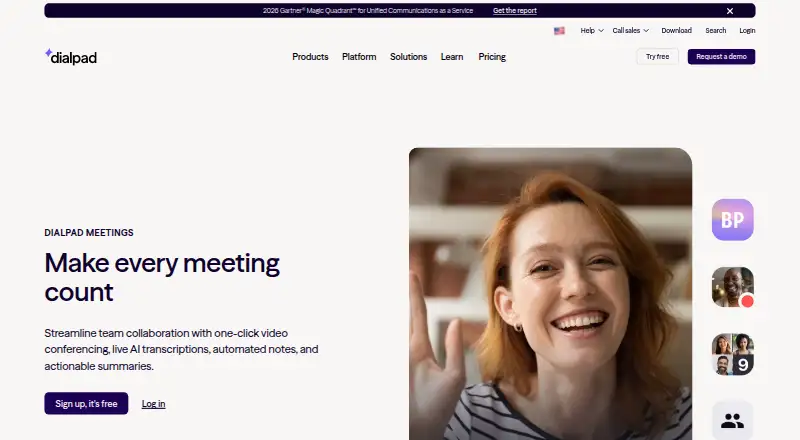
What Dialpad Meetings is
Dialpad Meetings brings video conferencing, live AI transcription, automated notes, and meeting summaries into one service. People can join through a browser or app without downloading software or entering a PIN. Meetings can generate real-time transcripts and email recaps containing transcripts, recordings, and action items. Screen sharing, whiteboards, and file collaboration support group work during calls. The listed participant ceiling is 1,500, available through the Large Meetings add-on, which also adds advanced moderator tools; a listed meeting duration limit is 300. The free option costs nothing and includes video meetings and core meeting features. Free accounts can record audio, while video recording requires Business. Business is described with recurring conferences, international dial-ins, dial-out, and Dialpad AI features; its FAQ describes conferences of up to 100 participants. Dialpad lists integrations with Salesforce, Slack, Google Calendar, Microsoft Teams, Outlook, Intercom, and Miro. The service works in browsers, Mac and Windows desktop apps, and mobile browsers on iOS and Android for audio and video. Computer-connected conference signaling and media use DTLS and SRTP encryption; PSTN-connected calls are not encrypted. Screen sharing is encrypted during the session, and Dialpad says shared information is not retained afterward.
Good
- Browser or app joining without downloads or PINs
- Live transcripts and automated email recaps
- Whiteboards, screen sharing, and file collaboration
- Free plan includes video meetings and core features
- Integrates with Salesforce, Slack, and Google Calendar
Watch out
- Free accounts record audio only
- International access numbers are unavailable on Free
- PSTN-connected calls are not encrypted
Who it suits
Dialpad Meetings suits hybrid and remote teams that need video calls, screen sharing, and automated meeting recaps. It can also serve teams collaborating with external customers or partners, with browser and app joining that does not require a PIN.
Verdict
Choose Dialpad Meetings if your team wants straightforward video calls with AI transcripts, recaps, and collaborative tools. The free plan covers core video meetings, but video recording, international dial-ins, and other Business capabilities require looking beyond Free.
Plans and prices
From Dialpad Meetings's own pricing page, checked 20 Sep 2026.
| Plan | Price | What it gives you |
|---|---|---|
| Free | Free | Video meetings · Core meeting features |
| Business | — | Up to 100 participants per conference according to the FAQ · Recurring conferences · International dial-ins · Dial-out to participants · Dialpad AI features |
| Dialpad Meetings Free | Free | basics included · audio-only recording · no international access numbers |
| Dialpad Meetings Business | Priced on request | co-hosts · custom action items · Dialpad AI · PIN-protected meetings |
The facts
Each one read from Dialpad Meetings's own pages, with the date it was checked.
What it does
- AI notes
- Meetings can produce real-time transcripts and automatic email recaps with transcripts, recordings, and action items.checked 9 Oct 2026
- Collaboration
- The product supports screen sharing, whiteboards, and collaboration on files.checked 9 Oct 2026
- Compliance
- Dialpad Meetings is HIPAA compliant after signing a Business Associate Agreement.checked 9 Oct 2026
- Integrations
- Supported integrations listed by Dialpad include Salesforce, Slack, Google Calendar, Microsoft Teams, Outlook, Intercom, and Miro.checked 9 Oct 2026
- Intended users
- Dialpad describes the product for hybrid and remote teams, including collaboration with external customers and partners.checked 9 Oct 2026
- International access
- International access numbers are unavailable to Dialpad Meetings Free account holders.checked 9 Oct 2026
- Joining
- Participants can join from a browser or app without downloading software or entering a PIN.checked 9 Oct 2026
- Key integrations
- Salesforce,Slack,Google Calendar,Microsoft Teams,Outlook,Intercom,Mirochecked 20 Sep 2026
- Large meetings
- The Large Meetings add-on raises the participant limit to 1,500 and adds advanced moderator tools.checked 9 Oct 2026
- Max participants
- 1500checked 20 Sep 2026
- Meeting duration limit
- 300checked 20 Sep 2026
- Meeting recording
- Yeschecked 20 Sep 2026
- Meeting security
- Computer-connected conference signaling and media use DTLS and SRTP encryption, while calls connected through PSTN are not encrypted.checked 9 Oct 2026
- Product
- Dialpad Meetings provides one-click video conferencing with live AI transcription, automated notes, and actionable summaries.checked 9 Oct 2026
- Recording limit
- Free accounts can record audio only, while video recording requires a Dialpad Meetings Business account.checked 9 Oct 2026
- Screen sharing
- Yeschecked 20 Sep 2026
- Screen sharing security
- Screen sharing is encrypted in transit and at rest during the session, and Dialpad says shared information is not stored after screen sharing ends.checked 9 Oct 2026
Money
- Free plan
- Yeschecked 20 Sep 2026
Where it runs
- Supported devices
- Dialpad Meetings works in web browsers, and its native desktop app is available for Mac and Windows; mobile browsers on iOS and Android support audio and video.checked 9 Oct 2026
- Supported platforms
- web,windows,macos,androidchecked 20 Sep 2026
The full review of Dialpad Meetings
Overview
Dialpad Meetings combines video calls with live transcription, automated notes, and follow-up summaries. It suits hybrid and remote teams meeting with colleagues or outside partners; its appeal is a low-friction way to capture what happened, while several practical capabilities sit behind Business.
Guests can join in a browser or app without downloading software or entering a PIN. Screen sharing, whiteboards, and file collaboration add ways to work together during calls, and integrations include Salesforce, Slack, Google Calendar, Microsoft Teams, Outlook, Intercom, and Miro. Meetings can run up to 300 minutes, enough for many sessions but a real constraint for teams that regularly hold longer calls.
Computer-connected conference signaling and media use DTLS and SRTP encryption. Screen sharing is encrypted in transit and at rest during a session, and Dialpad says shared information is not stored after sharing ends. PSTN-connected calls are not encrypted, so teams discussing sensitive material should distinguish computer audio from telephone dial-in. HIPAA compliance requires signing a Business Associate Agreement.
Key features
- Live transcripts and recaps: Meetings can produce real-time transcripts and automatic email recaps with transcripts, recordings, and action items. That gives distributed teams a follow-up record, though the Business plan is where Dialpad AI features are included.
- Collaboration tools: Screen sharing, whiteboards, and file collaboration support more than one-way presentations. The feature set is useful for working through material together, not just delivering a call.
- Browser and app access: Participants can join without installing software or entering a PIN, which reduces setup friction for customers and partners. Native desktop apps are available for Mac and Windows; mobile browsers on iOS and Android support audio and video.
- Large meetings: The Large Meetings add-on raises the participant limit to 1,500 and adds advanced moderator tools. That scale is valuable for larger events, but the standard Business plan is capped at 100 participants per conference.
- Recording: Free accounts can record audio only; video recording requires a Business account. Teams that need a visual record of presentations or demonstrations should not treat Free as a complete recording solution.
- International calling: International access numbers are unavailable on Free. Business adds international dial-ins and dial-out to participants, which matters for teams with attendees who cannot or do not want to join over the internet.
Pricing
Dialpad Meetings uses a freemium model. Free is free and covers video meetings and core meeting features. A separate Free plan description specifies basics, audio-only recording, and no international access numbers. It is a sensible starting point for teams that need core calls, but not for those requiring video recordings or international dial-in.
Business has custom pricing. It supports up to 100 participants per conference, recurring conferences, international dial-ins, dial-out to participants, and Dialpad AI features. The plan also includes co-hosts, custom action items, and PIN-protected meetings. Business is the more suitable choice when teams need AI capabilities, stronger meeting controls, or video recording; custom pricing means buyers should confirm cost and seat terms before committing.
The Large Meetings add-on increases the maximum to 1,500 participants and adds advanced moderator tools. No price or term is given for the add-on, so it is best viewed as a separate requirement to discuss rather than an assumed part of Business.
Platforms
Dialpad Meetings works in web browsers, with native desktop apps for Mac and Windows. Mobile browsers on iOS and Android support audio and video. This range makes it practical for teams whose participants join from different device types, although the stated native desktop app availability is limited to Mac and Windows.
Who it's for
Dialpad Meetings is strongest for hybrid and remote teams that want straightforward calls with transcripts, recaps, and collaborative tools, especially when they regularly invite customers or partners. Free can serve teams with basic meeting needs and no requirement for video recording or international access numbers. Teams needing those capabilities, AI features, or business controls should assess Business; organizations running meetings above 100 participants need the Large Meetings add-on.
Pros and cons
- Pro: Guests can join without a download or PIN. Browser and app access makes external meetings less cumbersome to start.
- Pro: Transcripts and recaps can keep follow-up work organized. Email summaries can include transcripts, recordings, and action items.
- Pro: Collaboration extends beyond screen sharing. Whiteboards and file collaboration support shared work during a call.
- Con: Free recording is audio-only. Teams needing video recordings must move to Business.
- Con: Free lacks international access numbers. International dial-ins and dial-out are Business capabilities.
- Con: PSTN-connected calls are not encrypted. Teams handling sensitive discussions need to consider the connection type.
- Con: Standard Business meetings top out at 100 participants. Larger gatherings require the Large Meetings add-on.
Alternatives
For a broader category comparison, browse Video Conferencing Software. Readers comparing adjacent calling or sales tools can also browse Voicemail Drop Software.
- Zoho Voice is another freemium option with a free plan and a free trial, and supports a broad range of platforms including Linux and browser extensions.
- Freshsales has a free plan for up to three users and a Growth plan priced at $9 a month, billed annually; it is an alternative to consider when evaluating a sales-focused product.
- Ring.io offers a Startup plan at $120 a month with monthly billing and an annual commitment; consider it when comparing a paid calling option.
- Agile CRM has a free plan for up to 10 users, with 1,000 contacts and companies plus unlimited deals, tasks, and documents; it may suit readers comparing CRM options.
- Zoom Scheduler has a Scheduler Basic plan with one personal booking page and one calendar connection, and a Scheduler plan at $4.99 a month billed annually; consider it for scheduling rather than video-meeting features.
- CloudTalk AI Voice Agent is a paid option with a free trial and an AI Receptionist plan that includes 50 minutes and inbound calls.
- Drop Cowboy is a paid service without a free plan or trial, with a Wholesale BYOC option priced at priced on request plus carrier fees.
- Salesforce Sales Cloud has a Free Suite at no cost and a Starter Suite at $25 a month, billed monthly; it is an alternative to evaluate when comparing sales software.
Verdict
Choose Dialpad Meetings if your team wants video calls that produce transcripts and useful follow-up, with low-friction guest access and collaboration tools. Free makes a reasonable entry point for core meetings, but video recording, international dial-ins, and Business controls make the paid tier necessary for more demanding workflows. Look elsewhere or budget for the add-on if your standard meetings need more than 100 participants.
Getting started
- Open the Dialpad Meetings website.
- Choose the Free plan or review the Business option.
- Use a browser or install the Mac or Windows desktop app; mobile browsers on iOS and Android support audio and video.
- Join a meeting through the browser or app without downloading software or entering a PIN.
- Connect supported services such as Google Calendar, Slack, or Salesforce if needed.
Limits worth knowing
The free plan includes core video meetings, but free accounts can record audio only and do not have international access numbers. Business enables video recording; a Large Meetings add-on raises the participant limit to 1,500, while the Business plan FAQ describes up to 100 participants per conference.
Questions
Is there a free plan?
Yes. Dialpad Meetings Free costs nothing and includes video meetings and core meeting features.
What can Free record?
Free accounts can record audio only. Video recording requires a Dialpad Meetings Business account.
Which platforms are supported?
It works in web browsers and has native desktop apps for Mac and Windows. Mobile browsers on iOS and Android support audio and video.
What integrations are available?
Listed integrations include Salesforce, Slack, Google Calendar, Microsoft Teams, Outlook, Intercom, and Miro.
What does Business add?
The described Business plan includes recurring conferences, international dial-ins, dial-out to participants, and Dialpad AI features. Dialpad Meetings Business also lists co-hosts, custom action items, and PIN-protected meetings.
How are calls and screen sharing protected?
Computer-connected conference signaling and media use DTLS and SRTP encryption, but PSTN-connected calls are not encrypted. Screen sharing is encrypted in transit and at rest during a session; Dialpad says shared information is not stored after sharing ends.
Alternatives to Dialpad Meetings
- 1
Nextiva
AndroidiOSWebAPI8.0From $15 a month - 2

Quo
AndroidiOSWebAPI7.8From $15 a month - 3
RingCentral RingEX
AndroidiOS7.1 - 4
SIP.US Cloud SIP Trunking
AndroidiOSWebAPI7.1 - 5

Grasshopper
AndroidiOSWebWindows6.6From $14 a month - 6
Ooma Office
AndroidiOSWebWindows6.2