
Cloudify
Cloudify is an open-source platform for orchestrating infrastructure, cloud-native services, and distributed edge resources across multiple clouds.
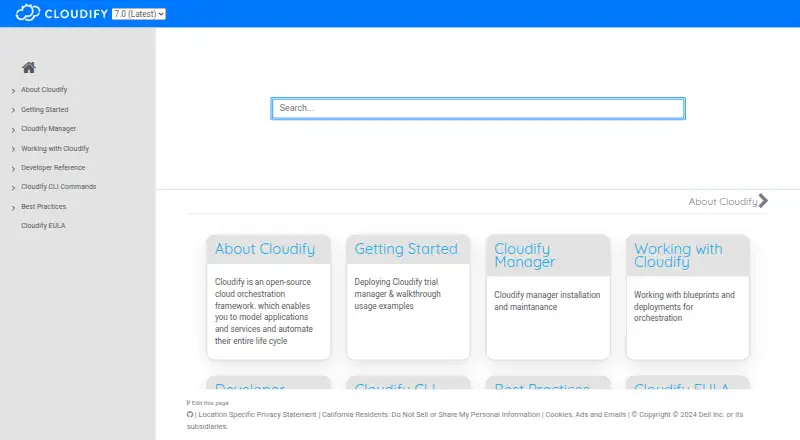
What Cloudify is
Cloudify is an open-source platform for orchestrating infrastructure, cloud-native services, and distributed edge resources across multiple clouds. Its service-composition DSL models combined services that span Cloudify and other orchestration domains. Cloudify Manager maintains blueprints and deployments, runs workflows, and presents application topology, metrics, and logs. Plugins cover Docker, Helm, Kubernetes, and Terraform, while documented integrations include AWS, Azure, Ansible, and Jenkins. CI/CD connections are documented for Jenkins, GitHub Actions, and CircleCI. Security features include secret storage, encrypted internal communication, multi-tenancy, and role-based access control; Cloudify 6.2 release notes state ISO 27001 and ISO 27701 certifications. Community and Premium support deployment by Docker container, VM, or Kubernetes with a Helm chart, while SaaS is hosted. Community is free without a time limit, but needs Docker or a VM and cloud-provider access to run workloads. Premium's free 60-day trial also needs Docker, cloud-provider access, and a valid activation license; trial functionality stops when that license expires.
Good
- Models services across orchestration domains
- Manager handles deployments and workflows
- Integrates with Docker, Kubernetes, and Terraform
- Free Community plan has no time limit
- Supports Docker, VM, or Kubernetes deployment
Watch out
- Community requires Docker or a VM setup
- Workloads require access to a cloud provider
- Premium trial requires a valid activation license
- Premium trial functionality ends when the license expires
Who it suits
Cloudify suits organizations moving to public cloud or cloud-native architecture and automating infrastructure alongside edge resources. It may fit teams that need to model services across orchestration domains and connect deployment workflows with CI/CD tools.
Verdict
Cloudify offers orchestration across cloud and edge resources, with deployment options and integrations for infrastructure and CI/CD. The free Community plan has setup requirements, while Premium's trial depends on a valid license.
Plans and prices
From Cloudify's own pricing page, checked 2 Oct 2026.
| Plan | Price | What it gives you |
|---|---|---|
| Cloudify Premium trial | Free | Free 60-day trial · requires Docker setup · access to a cloud provider is needed to run workloads |
| Premium trial | Free | Docker image · activation key required · AWS, Azure, GCP, OpenStack and Kubernetes tutorials · 60-day trial |
| Cloudify Community | Free | No time limit · requires Docker or VM setup · access to a cloud provider is needed to run workloads |
| Community Version | Free | fully functional engine and most Manager capabilities · RPM, OpenStack image or Docker deployment · free with no time limit |
| Cloudify listing | $395 a month | pricing shown by Capterra; vendor pricing details unavailable · per user per month |
| Basic | $12,000 a year | Software Advice lists one plan and no detailed limits · usage based per year |
| Cloudify as a Service trial | Priced on request | Trial account request required · hosted service · access to a cloud provider is needed to run workloads |
The facts
Each one read from Cloudify's own pages, with the date it was checked.
Where it runs
- App-store availability
- No Cloudify.co-branded Apple App Store, Google Play, Chrome Web Store or Microsoft Store application was identified; search results were unrelated products.checked 14 Oct 2026
- CLI platforms
- The Cloudify CLI installation page lists Linux and Mac binaries, a Windows EXE, a Python package, and Docker.checked 2 Oct 2026
What it does
- Certifications
- Cloudify 6.2 release notes state that Cloudify is ISO 27001 and ISO 27701 certified.checked 2 Oct 2026
- CI/CD
- Cloudify documents integrations with Jenkins, GitHub Actions, and CircleCI.checked 2 Oct 2026
- Compliance
- Cloudify release documentation states ISO 27001 security and ISO 27701 privacy certification.checked 14 Oct 2026
- Deployment modes
- Documented installations include single-box Community or Premium, three-node Premium clusters, nine-plus-node distributed clusters and Kubernetes Helm deployments.checked 14 Oct 2026
- Deployment options
- Cloudify Community and Premium can be deployed using a Docker container, a VM, or Kubernetes with a Helm chart; SaaS is hosted.checked 2 Oct 2026
- Documentation
- The documentation center covers Manager, CLI, Composer, APIs, plugins, blueprints, installation, operations, troubleshooting and best practices.checked 14 Oct 2026
- Feature: CI/CD
- Native integrations include Jenkins and other CI/CD platforms.checked 14 Oct 2026
- Feature: Composer
- Cloudify Composer supports both graphical and textual blueprint editing in the same session.checked 14 Oct 2026
- Feature: everything as code
- Its service-composition DSL models component relationships, cascading workflows, shared resources and distributed life-cycle management.checked 14 Oct 2026
- Feature: extensibility
- Plugins abstract external services and users can build plugins for clouds, Kubernetes, configuration tools, HTTP or SSH endpoints.checked 14 Oct 2026
- Feature: Kubernetes
- Cloudify can orchestrate OpenShift, GKE, EKS, AKS and KubeSpray clusters and includes a blueprint for cluster setup.checked 14 Oct 2026
- Feature: operations console
- The console provides topology views, dependency-graph troubleshooting, filtered workflow logs, metrics and event views.checked 14 Oct 2026
- Feature: orchestrator of orchestrators
- Built-in integrations cover AWS CloudFormation, Azure ARM, Ansible and Terraform.checked 14 Oct 2026
- Feature: portal and catalog
- A tenant-aware portal and catalog can be white-labeled with custom widgets, pages and role-based views.checked 14 Oct 2026
- Feature: Spire
- Spire uses a manager-of-managers design to operate large multi-site and edge deployments from one access point.checked 14 Oct 2026
- Feature: workflows
- Intent-based blueprints generate install, uninstall, heal and scale workflows, while users can add Python custom workflows and day-two operations.checked 14 Oct 2026
- Funding
- Startup Nation Central records a $7.9 million December 2018 funding round backed by BRM Group, KPN Ventures, VMware, Claridge Israel, CE Ventures and Intel Capital.checked 14 Oct 2026
- Integrations
- Documented official plugins include AWS, Azure, Google Cloud, vSphere, OpenStack, Docker, Helm, Kubernetes, Terraform, Ansible, Fabric and REST.checked 14 Oct 2026
- Intended users
- The product overview describes organizations transitioning to public cloud and cloud-native architecture, with automation across infrastructure and edge resources.checked 2 Oct 2026
The company
- Company founded
- Gartner lists Cloudify's founding year as 2012.checked 14 Oct 2026
- Company headquarters
- Gartner lists Cloudify's head office in Herzliya, Israel.checked 14 Oct 2026
- Company legal name
- Cloudify Platform Ltd. is identified as an Israeli private liability company in Dell's acquisition filing.checked 14 Oct 2026
The full review of Cloudify
Cloudify is an open-source platform for orchestrating infrastructure and distributed edge resources across cloud environments. It suits organizations shifting toward public cloud or cloud-native architecture and coordinating deployments across multiple systems. Its broad scope is useful for complex environments, but Community requires local setup and gives up several management controls.
Overview
Cloudify uses YAML or JSON to describe composite services spanning Cloudify and other orchestration domains. Cloudify Manager maintains blueprints and deployments, runs workflows, and displays application topology, metrics, and logs. That combination makes it a stronger fit for coordinating connected infrastructure than for teams seeking a narrow tool for one platform.
It supports AWS, Azure, Google Cloud, and OpenStack, alongside distributed edge resources. Policy as code, drift detection, resource import, and both state management modes extend its reach into infrastructure lifecycle work. These capabilities are most relevant when a team needs one orchestration approach across varied environments; they add less value to a small, single-cloud setup.
Key features
- Service composition and workflows: The DSL models services across Cloudify and other orchestration domains, while Manager runs workflows. This helps teams coordinate deployments whose components cross infrastructure boundaries.
- Integrations: Official plugins cover Docker, Helm, Kubernetes, and Terraform; documented integrations include AWS, Azure, Ansible, and Jenkins. Cloudify also documents CI/CD connections to Jenkins, GitHub Actions, and CircleCI. The range is useful for fitting orchestration into existing infrastructure and delivery processes, though the breadth means teams should be prepared to manage integrations across systems.
- Security and access: Cloudify describes secret storage, encrypted internal communications, multi-tenancy, and role-based access control. Its 6.2 release notes state ISO 27001 and ISO 27701 certification. These controls and certifications matter for organizations with formal security needs, but plan choice affects access features: the comparison matrix includes users, groups, tenants, RBAC, and directory or SAML integration for SaaS and Premium, not Community.
- Deployment options: Community and Premium can run in a Docker container, VM, or Kubernetes using a Helm chart; SaaS is hosted. The CLI has Linux and Mac binaries, a Windows EXE, a Python package, and Docker, giving teams several ways to fit command-line use into their environment.
Pricing
Cloudify Community: free, with no time limit. It requires Docker or VM setup and access to a cloud provider to run workloads. The permanent free tier is a practical way to evaluate self-hosted orchestration, but it lacks the users/groups/tenants, RBAC, directory and SAML integration, snapshots, and high availability listed for Premium and SaaS.
Cloudify Premium trial: free for a 60-day trial. It requires Docker setup and cloud-provider access for workloads, plus a valid activation license; trial functionality stops when that license expires. This is suited to a time-limited evaluation of Premium, not an ongoing free deployment.
Cloudify as a Service trial: custom pricing; a trial account request is required. It is hosted and still requires cloud-provider access to run workloads. SaaS is a fit for teams preferring a hosted deployment, but it does not have a stated trial price or duration.
Platforms
Cloudify is available across API, Linux, macOS, self-hosted, web, and Windows environments. Its deployment choices cover Docker, VMs, Kubernetes with Helm, or hosted SaaS, while CLI binaries are provided for Linux, Mac, and Windows. Teams should distinguish platform support from deployment effort: the free Community plan still requires Docker or a VM and a cloud provider for workloads.
Who it's for
Cloudify is aimed at organizations transitioning to public cloud and cloud-native architecture, especially those automating across infrastructure and edge resources. It is a credible option when teams need service composition across clouds, existing orchestration domains, and CI/CD tools. It is less compelling for a team that needs a focused Kubernetes platform or wants a free tier with the listed enterprise access and availability controls.
Pros and cons
- Pro: Supports AWS, Azure, Google Cloud, OpenStack, and edge resources, making it relevant to mixed-environment orchestration.
- Pro: Combines blueprints, deployments, workflows, topology, metrics, and logs in Cloudify Manager, giving teams a connected operational view.
- Pro: A no-time-limit free Community plan provides an entry point for self-hosted use.
- Con: Community requires Docker or VM setup and cloud-provider access, so it is not a frictionless hosted option.
- Con: Community omits users/groups/tenants, RBAC, directory and SAML integration, snapshots, and high availability compared with Premium and SaaS.
- Con: The Premium trial lasts 60 days and depends on a valid activation license, limiting how long it can serve as an evaluation environment.
Alternatives
For a wider comparison of adjacent products, browse Multi-Cloud Management Software, Cloud Management Software, Infrastructure as Code Tools, Cloud Automation Software, and Cloud Orchestration Software.
- Kubermatic Kubernetes Platform is worth considering for readers seeking an open-source community edition or a consumption-based enterprise option.
- Apache CloudStack is an open-source IaaS cloud software option with a free plan.
- KubeSphere may suit readers seeking an enterprise-grade open-source Kubernetes container platform.
- Google Config Sync is an alternative for GKE users, with Config Sync included at no charge for qualifying registered clusters.
- OpenNebula offers a community edition with the core platform and public open-source releases.
- Control Plane is a paid, usage-based alternative billed monthly, without contracts, minimums, or lock-ins.
- HPE Morpheus VM Essentials Software is another option with a free trial.
- Xynvera is another alternative for readers comparing cloud software.
Verdict
Cloudify is best for organizations coordinating infrastructure, cloud-native services, and edge resources across multiple environments. Its service composition, workflow management, and integrations are the main reasons to choose it. Look elsewhere if you need the Community plan to include role-based access and high availability, or want to avoid self-hosting setup and the Premium trial's license requirement.
Getting started
- Visit https://cloudify.co/
- Choose Community, Premium trial, or the hosted SaaS trial route.
- For Community, deploy with Docker, a VM, or Kubernetes and a Helm chart.
- For the Premium trial, use Docker and obtain a valid activation license.
- Provide access to a cloud provider to run workloads.
- Install the CLI using a Linux or Mac binary, Windows EXE, Python package, or Docker.
Limits worth knowing
Community is free with no time limit, but requires Docker or a VM and cloud-provider access for workloads. The Premium trial lasts 60 days, requires Docker and a valid activation license, and its functionality ceases when the license expires.
Questions
Is Cloudify free?
Cloudify Community costs nothing with no time limit. It requires Docker or a VM setup, and cloud-provider access is needed to run workloads.
How long is the Premium trial?
The Premium trial is 60 days and costs nothing. It requires Docker and a valid activation license; trial functionality stops when that license expires.
Does Cloudify offer a hosted option?
Yes. Cloudify as a Service is hosted, and a trial account request is required.
Which clouds does Cloudify support?
Supported clouds are AWS, Azure, Google Cloud, and OpenStack.
What integrations are available?
Official plugins cover Docker, Helm, Kubernetes, and Terraform. Documented integrations include AWS, Azure, Ansible, Jenkins, GitHub Actions, and CircleCI.
Is Cloudify open source?
Yes. Cloudify is described as an open-source orchestration platform, and Community is a free plan.
Alternatives to Cloudify
- 1

Terraform
Free planWebAPILinuxmacOS8.0Free plan - 2

Canonical OpenStack
Free planOpen sourceWebAPILinuxSelf-hosted7.7$75,000 one-time - 3

Cloudforet
Free planOpen sourceWebAPILinuxmacOS7.5Free plan - 4

Apache CloudStack
Free planOpen sourceWebAPILinuxSelf-hosted7.4Free plan - 5

Pulumi
Free planWebAPILinuxmacOS7.4From $40 a month - 6
HPE Morpheus VM Essentials Software
WebLinuxSelf-hosted7.0From $600 a year