
Kubermatic Kubernetes Platform
Kubermatic Kubernetes Platform (KKP) automates Kubernetes cluster deployment, scaling, and lifecycle management across hybrid cloud, multi-cloud, on-premises…
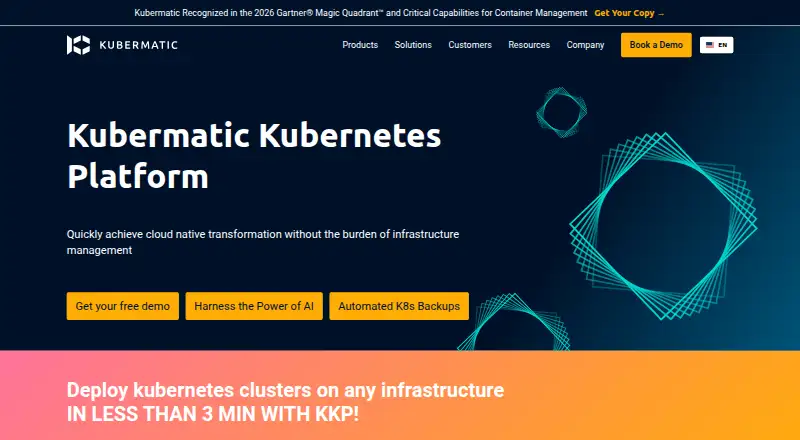
What Kubermatic Kubernetes Platform is
Kubermatic Kubernetes Platform (KKP) automates Kubernetes cluster deployment, scaling, and lifecycle management across hybrid cloud, multi-cloud, on-premises, and edge environments. Its control plane is designed to manage thousands of clusters across more than 20 public cloud providers and on-premises environments. Development teams can use a self-service portal to provision and deploy environments. KKP manages cluster upgrades and rollbacks, while an integrated add-on controller handles additional software, configuration, and policy. KubeVirt support lets teams operate virtual machines and containerized workloads through one interface. Security features include multi-tenancy, role-based access control, authentication and authorization, and policy blueprints and presets. The platform has native support for Prometheus, Grafana, and Loki, and can connect to CI/CD systems, Terraform providers, and Ansible playbooks. KKP is self-hosted and installed with the Kubermatic Installer; installation requires a Kubernetes master cluster. Community Edition is free and open source under Apache License 2.0. Enterprise Edition is billed by worker-node vCPU and memory consumption; no price is listed.
Good
- Manages clusters across cloud and on-premises environments.
- Supports upgrades and rollbacks.
- Includes KubeVirt for VMs and containers.
- Community Edition is free and open source.
- Connects with Prometheus, Grafana, and Loki.
Watch out
- Requires self-hosted deployment.
- Installation requires a Kubernetes master cluster.
- Enterprise Edition has no listed price.
Who it suits
KKP suits organizations operating Kubernetes across multiple clouds, on-premises infrastructure, or edge environments. Its self-service portal and multi-cluster controls are relevant to teams managing shared cluster environments.
Verdict
KKP offers centralized lifecycle management and self-service provisioning for distributed Kubernetes environments. Teams should account for the self-hosted installation requirement and the consumption-based, unpriced Enterprise Edition.
Plans and prices
From Kubermatic Kubernetes Platform's own pricing page, checked 30 Sep 2026.
| Plan | Price | What it gives you |
|---|---|---|
| Community Edition (CE) | Free | Open source · Apache License 2.0 |
| Enterprise Edition (EE) | Priced on request | Master Cluster nodes excluded from billing · Bare-metal billing uses physical CPU cores, with 1 core equal to 4 vCPU · Consumption-based subscription; each worker node vCPU and GB of memory is billed separately |
The facts
Each one read from Kubermatic Kubernetes Platform's own pages, with the date it was checked.
What it does
- Compliance
- Kubermatic says the company is ISO 27001 and ISO 9001 certified.checked 30 Sep 2026
- Installation
- KKP is installed using the Kubermatic Installer; the documentation describes Community Edition and Enterprise Edition installation paths.checked 30 Sep 2026
- Integrations
- The vendor lists native support for Prometheus, Grafana, and Loki, and says teams can connect their preferred CI/CD system, Terraform provider, or Ansible playbooks.checked 30 Sep 2026
- Lifecycle
- KKP supports full cluster lifecycle management, including upgrades and rollbacks, and an integrated add-on controller for additional software, configuration, and policy.checked 30 Sep 2026
- Purpose
- KKP automates deployment, scaling, and lifecycle management of Kubernetes clusters across hybrid cloud, multi-cloud, on-premises, and edge environments.checked 30 Sep 2026
- Scale
- The product page says KKP can manage thousands of clusters from a single control plane across 20+ public cloud providers and on-premises environments.checked 30 Sep 2026
- Security
- KKP includes multi-tenancy, role-based access control, cluster authentication and authorization, and policy blueprints and presets.checked 30 Sep 2026
- Self-service
- KKP provides a self-service portal for development teams to provision and deploy environments.checked 30 Sep 2026
- Support
- Kubermatic Kubernetes Subscription offers upstream Kubernetes support with 24x7 business-critical response and service-level agreements.checked 30 Sep 2026
- System requirements
- The installation guide requires a Kubernetes master cluster and documents downloading installer archives for Linux, macOS, and Windows.checked 30 Sep 2026
- VMs and containers
- KKP supports KubeVirt so teams can operate virtual machines and containerized workloads through one interface.checked 30 Sep 2026
The company
- Founded
- 2016checked 28 Sep 2026
- Headquarters
- Hamburg, Germanychecked 28 Sep 2026
The full review of Kubermatic Kubernetes Platform
Overview
Kubermatic Kubernetes Platform (KKP) is a self-hosted control plane for operating Kubernetes clusters across cloud, on-premises, hybrid, and edge environments. It is best suited to organizations that need to give teams a managed way to provision clusters without handing off central oversight. Its breadth is compelling, but customer-managed installation and consumption-based Enterprise Edition billing make it a poor fit for teams seeking a hosted, predictable-cost service.
KKP is designed to coordinate large fleets: its product page says one control plane can manage thousands of clusters across more than 20 public cloud providers and on-premises environments. Administrators retain control of the platform, while developers can provision and deploy environments through a self-service portal.
Founded in 2016 and headquartered in Hamburg, Germany, Kubermatic says it is ISO 27001 and ISO 9001 certified. Those company certifications are relevant context for buyers, but do not replace evaluating how a deployment will meet their own compliance requirements.
Key features
- Cluster lifecycle: KKP supports provisioning, upgrades, rollbacks, rolling updates, and autoscaling. The integrated add-on controller also manages additional software, configuration, and policy, reducing the need to treat cluster maintenance as a collection of separate tasks.
- Multi-environment operations: Supported environments include AWS, Azure, DigitalOcean, GCP, Hetzner Cloud, Nutanix, OpenStack, VMware Cloud Director, VMware vSphere, and other SSH-reachable infrastructure. That range is useful for teams consolidating mixed estates, though the platform remains self-hosted rather than a managed control plane.
- Self-service with guardrails: Development teams can provision and deploy environments through a portal, while multi-tenancy, role-based access control, authentication and authorization, and policy blueprints and presets give administrators ways to govern access and configuration.
- VMs alongside containers: KubeVirt support lets teams operate virtual machines and containerized workloads through one interface, a practical bridge for organizations that have not moved every workload to containers.
- Integrations and visibility: Kubermatic lists native Prometheus, Grafana, and Loki support, and says teams can connect their preferred CI/CD system, Terraform provider, or Ansible playbooks. This leaves room to keep existing automation choices rather than requiring a single toolchain.
- Secrets and auditing: KKP supports secret rotation, dynamic secrets, and audit logs, useful capabilities for centrally governed cluster operations.
- Support option: Kubermatic Kubernetes Subscription offers upstream Kubernetes support with 24x7 business-critical response and service-level agreements. It is relevant to teams that need a formal support route beyond the open-source platform.
Pricing
KKP has an open-source Community Edition (CE) at free under Apache License 2.0. It suits organizations able to install and operate the platform themselves and that want to evaluate or run the open-source edition without a subscription charge.
The Enterprise Edition (EE) is a consumption-based subscription with custom pricing. Each worker node's vCPU and memory in GB are billed separately; master cluster nodes are excluded. Bare-metal billing is based on physical CPU cores, with one core counted as four vCPU. This model ties charges to deployed worker capacity, but makes forecasting more involved than a flat per-seat fee. CE is the clearer fit for cost-conscious teams comfortable with self-support; teams needing Enterprise Edition should budget around their worker footprint and bare-metal configuration.
Both editions require a self-hosted installation using the Kubermatic Installer, and the installation guide requires a Kubernetes master cluster. The documentation provides separate CE and EE installation paths, so free software does not mean a hosted or zero-operations deployment.
Platforms
KKP is listed for API, Linux, macOS, self-hosted, web, and Windows. The installer documentation describes downloading archives for Linux, macOS, and Windows, while the product itself is deployed self-hosted on a Kubernetes master cluster. Customers manage the control plane rather than relying on Kubermatic to host it.
Who it's for
KKP is a strong candidate for platform engineering and infrastructure teams running Kubernetes across multiple providers or on-premises environments, especially where self-service, policy controls, lifecycle management, and mixed VM/container workloads matter. Its central management model can suit organizations coordinating many clusters while keeping infrastructure and control-plane ownership in-house.
It is less suitable for small teams looking for a turnkey hosted Kubernetes service, or buyers who need a simple fixed subscription price. The installer and master-cluster prerequisite require operational capacity, and EE consumption billing depends on worker resources.
Pros and cons
- Pro: Broad cloud and on-premises coverage gives mixed-infrastructure teams one stated management scope rather than separate tools for each environment.
- Pro: Self-service provisioning sits alongside access controls and policy presets, balancing developer autonomy with central governance.
- Pro: KubeVirt support accommodates virtual machines and containers in one interface, which can help teams with mixed workload estates.
- Pro: The Apache-licensed CE costs nothing, giving self-operating teams an open-source route.
- Con: Self-hosting and the required Kubernetes master cluster add deployment and operations work; this is not a hosted control plane.
- Con: EE charges separately for worker vCPU and memory, with a distinct physical-core conversion for bare metal, so resource growth can complicate budgeting.
Alternatives
Choose vCluster Platform if virtual clusters and a defined free allowance are a better fit: its free plan includes unlimited virtual clusters up to 64 CPUs or 32 GPUs and a maximum of one HA vCluster. Choose Portainer if a no-time-limit free tier capped at three nodes better matches a smaller deployment; its Business Edition free tier includes full features and requires no credit card.
Rancher is another free, open-source platform with community support, while its Rancher Prime option is paid. KubeSphere is worth considering if an enterprise-grade open-source Kubernetes container platform is the desired starting point. openCenter offers a self-supported Community plan aimed at builders and proofs of concept. Kamaji is a free Apache 2.0 open-source option.
Omni starts with a paid Hobby plan at $10 a month for up to 10 nodes and two users, so it suits buyers willing to pay for that stated node-and-user allowance. ACK One offers free capabilities for registered clusters, multi-cluster management, and a backup center, making it a fit when those functions are the priority.
Compare more options in Kubernetes Management Platforms, Container Management Software, Multi-Cloud Management Software, Container Orchestration Software, Cloud Automation Software, and Secrets Management Tools.
Verdict
Choose KKP if your organization needs centralized lifecycle management and developer self-service across a distributed Kubernetes estate, and has the staff to own a self-hosted control plane. Its open-source CE and broad environment support are strong reasons to shortlist it; look elsewhere if you need hosted operations or predictable, flat-priced Enterprise licensing.
Getting started
- Choose the Community Edition or Enterprise Edition installation path.
- Prepare a Kubernetes master cluster.
- Download the Kubermatic Installer archive for Linux, macOS, or Windows.
- Use the Kubermatic Installer to install KKP.
Limits worth knowing
Community Edition is free and open source. Enterprise Edition bills worker-node vCPU and memory separately; master-cluster nodes are excluded, and bare-metal billing counts each physical CPU core as four vCPU.
Questions
Is Kubermatic Kubernetes Platform open source?
Community Edition is open source under Apache License 2.0.
What does Community Edition cost?
Community Edition costs nothing.
How is Enterprise Edition billed?
It uses consumption-based billing, with each worker node’s vCPU and memory billed separately. Master Cluster nodes are excluded; for bare metal, one physical CPU core equals four vCPU for billing.
What does KKP manage?
KKP automates Kubernetes cluster deployment, scaling, and lifecycle management across hybrid cloud, multi-cloud, on-premises, and edge environments.
What is required to install KKP?
Installation uses the Kubermatic Installer and requires a Kubernetes master cluster.
Which platforms are listed?
KKP lists API, Linux, macOS, self-hosted, web, and Windows.
Alternatives to Kubermatic Kubernetes Platform
- 1

Portainer
Free planOpen sourceAndroidiOSWebAPI8.6Free plan - 2

KubeSphere
Free planOpen sourceWebAPILinuxSelf-hosted8.1From $65 a month - 3

Omni
Free planWebAPILinuxmacOS7.7From $25 a month - 4

vCluster Platform
Free planOpen sourceWebAPILinuxmacOS7.7Free plan - 5
Rancher
Free planWebAPILinuxSelf-hosted6.5Free plan - 6
Cluster API
Free planAPILinuxmacOSSelf-hosted6.4Free plan