BuildKit
BuildKit is a free toolkit for converting source code into build artifacts efficiently and repeatably.
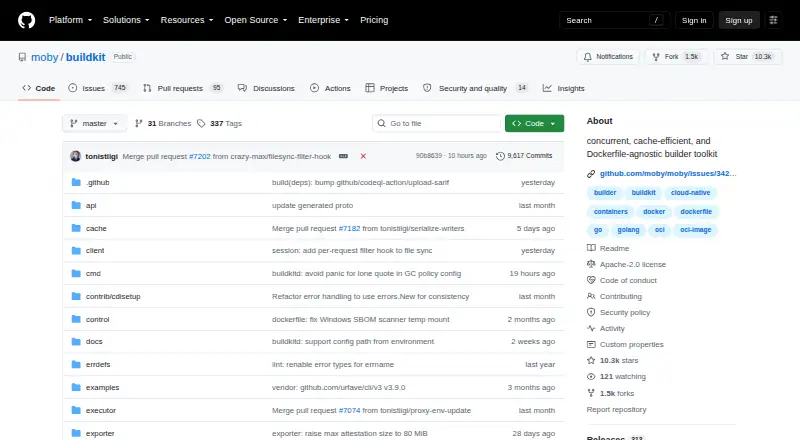
What BuildKit is
BuildKit is a free toolkit for converting source code into build artifacts efficiently and repeatably. It consists of the buildkitd daemon and buildctl client, and uses LLB, a binary format for representing process dependency graphs. Build definitions can use Dockerfiles or other LLB-compatible frontends. BuildKit supports concurrent dependency resolution, instruction caching, nested jobs, cache import and export, multiple output formats, and automatic garbage collection. It can execute builds without root privileges and use OCI (runc) or containerd worker backends. Results can be exported as images, local directories, tarballs, Docker tarballs, or OCI tarballs. The daemon exposes a gRPC API, using a Unix socket by default or TCP sockets. Binaries are available for Linux, macOS, and Windows. The unofficial Homebrew formula for macOS does not include buildkitd; the project describes running it through Lima in a Linux virtual machine as one option. The project is licensed under Apache-2.0. Its listed users include Moby and Docker, Tekton Pipelines, Docker buildx, Gitpod, and Dagger.
Good
- Supports concurrent dependency resolution and instruction caching.
- Can execute builds without root privileges.
- Exports images, directories, and several tarball formats.
- Available binaries for Linux, macOS, and Windows.
Watch out
- The unofficial macOS Homebrew formula omits buildkitd.
- Some listed cache options are experimental.
- No paid security bounty program is offered.
Who it suits
BuildKit suits developers and teams who need configurable, cache-aware builds and multiple artifact formats. It also fits users who want rootless execution or integration with Docker and other listed projects.
Verdict
BuildKit offers extensible build definitions, cache management, and several output formats, with rootless execution as an option. macOS users relying on the unofficial Homebrew formula need another way to run the daemon.
Plans and prices
From BuildKit's own pricing page, checked 30 Sep 2026.
| Plan | Price | What it gives you |
|---|---|---|
| BuildKit (Apache License 2.0) | Free | perpetual · worldwide · non-exclusive · no-charge · royalty-free |
The facts
Each one read from BuildKit's own pages, with the date it was checked.
What it does
- Adopters
- The project lists Moby and Docker, img, OpenFaaS Cloud, Tekton Pipelines, Docker buildx, Gitpod, Dagger, Depot, and other projects as users.checked 30 Sep 2026
- API
- The daemon listens on a gRPC API at /run/buildkit/buildkitd.sock by default and can also use TCP sockets.checked 30 Sep 2026
- Architecture
- BuildKit is composed of the buildkitd daemon and the buildctl client.checked 30 Sep 2026
- Binaries
- The latest BuildKit binaries are available for Linux, macOS, and Windows.checked 30 Sep 2026
- Build features
- Features include concurrent dependency resolution, instruction caching, cache import and export, multiple output formats, and automatic garbage collection.checked 30 Sep 2026
- Cache backends
- Cache exporters include inline, registry, local directory, and GitHub Actions cache; the README marks GitHub Actions, S3, and Azure Blob cache options experimental in its contents list.checked 30 Sep 2026
- Core features
- Key features include automatic garbage collection, extendable frontend formats, concurrent dependency resolution, instruction caching, cache import/export, nested build jobs, distributable workers, multiple output formats, pluggable architecture, and execution without root privileges.checked 30 Sep 2026
- Docker availability
- The README says Docker Engine 23.0 and later use Buildx and BuildKit by default for docker build.checked 30 Sep 2026
- Execution
- BuildKit supports execution without root privileges.checked 30 Sep 2026
- Extensible builds
- BuildKit uses frontends to convert build definitions into LLB, and supports Dockerfiles and other LLB languages.checked 30 Sep 2026
- Host isolation
- With the default daemon configuration, the BuildKit API does not allow access to the host filesystem outside the BuildKit state directory, and application and frontend containers cannot access the host system, run privileged system calls, or access external devices directly.checked 30 Sep 2026
- Integrations
- The repository lists Moby and Docker, Tekton Pipelines, Docker buildx, Gitpod, Dagger, and other projects as BuildKit users.checked 30 Sep 2026
- Latest release
- The repository’s releases page lists v0.33.1 as the latest release dated September 30, 2026.checked 30 Sep 2026
- License
- The repository identifies its license as Apache-2.0.checked 30 Sep 2026
- LLB
- BuildKit builds use a binary intermediate format called LLB for defining process dependency graphs, and LLB is concurrently executable, efficiently cacheable, and vendor-neutral.checked 30 Sep 2026
- Outputs
- Build results can be exported as images, local directories, tarballs, Docker tarballs, or OCI tarballs.checked 30 Sep 2026
- Purpose
- BuildKit converts source code into build artifacts efficiently and repeatably.checked 30 Sep 2026
- Security model
- BuildKit describes itself as secure by default and usable with untrusted sources.checked 30 Sep 2026
- Security reporting
- Security issues should be reported privately to [email protected], and the project currently does not offer a paid security bounty program.checked 30 Sep 2026
- Support
- The README directs users to the #buildkit channel on Docker Community Slack.checked 30 Sep 2026
- Workers
- The daemon supports OCI (runc) and containerd worker backends.checked 30 Sep 2026
Where it runs
- macOS limitation
- The README says the unofficial Homebrew formula for macOS does not include the buildkitd daemon and gives Lima in a Linux VM as an example way to run it.checked 30 Sep 2026
- Platforms
- The buildctl client is available for Linux, macOS, and Windows, while the buildkitd daemon is available for Linux and Windows.checked 30 Sep 2026
The full review of BuildKit
BuildKit is a build system for turning source code into repeatable artifacts, aimed at developers and teams who need control over build definitions, execution, and caching. It suits infrastructure-minded users better than people looking for a turnkey desktop app.
Overview
BuildKit separates its daemon, buildkitd, from the buildctl client. Its LLB intermediate format represents process dependency graphs, allowing builds to run concurrently and reuse cached work. The project identifies Moby, Docker, Tekton Pipelines, Gitpod, Dagger, and others as users, and its code is licensed under Apache-2.0.
Docker Engine 23.0 and later use Buildx and BuildKit by default for docker build. That makes BuildKit relevant even to developers who encounter it through Docker rather than adopt it as a separate build system.
Key features
Flexible, cache-aware builds
Frontends translate build definitions into LLB; Dockerfiles and other LLB languages are supported. Concurrent dependency resolution and instruction caching can reduce repeated work, while cache import and export let teams carry reusable results between environments. Exporters include inline, registry, local-directory, and GitHub Actions cache options. GitHub Actions, S3, and Azure Blob cache options are marked experimental, so they are a less settled choice for workflows that depend on them.
Build results can be exported as images, local directories, tarballs, Docker tarballs, or OCI tarballs. Automatic garbage collection helps manage accumulated cache, and nested build jobs, distributable workers, and pluggable architecture give operators room to shape more complex build setups. That flexibility is valuable when a team needs tailored pipelines; it also means BuildKit is a building block, not a complete guided workflow.
Execution and security
BuildKit supports rootless execution and OCI (runc) and containerd worker backends. Its default daemon configuration restricts API access to the BuildKit state directory rather than the rest of the host filesystem; application and frontend containers cannot directly access the host system, use privileged system calls, or reach external devices. Those boundaries make it a credible option for builds involving untrusted sources, while operators still need to understand and configure the daemon that controls the build environment.
The daemon exposes a gRPC API, using /run/buildkit/buildkitd.sock by default, and can also use TCP sockets. Support is directed to the #buildkit channel on Docker Community Slack.
Pricing
BuildKit is free under the Apache License 2.0. The perpetual plan costs nothing, with worldwide, non-exclusive, no-charge, royalty-free terms. There is no paid tier described; the trade-off is that users should expect to operate the build tooling themselves rather than buy a bundled commercial service.
Platforms
BuildKit supports Linux, macOS, and Windows, with API and self-hosted deployment options. Binaries are available for all three desktop operating systems. macOS has an important catch: the unofficial Homebrew formula does not include the buildkitd daemon. The project points to running the daemon in a Linux VM with Lima as one route, so Mac users should plan for that extra setup rather than expect a native, all-in-one installation.
Who it's for
BuildKit is best for developers and platform teams who want reusable build caches, multiple output formats, extensible definitions, or rootless execution and are comfortable managing build infrastructure. It is also a natural fit for Docker users whose builds already use Buildx. Those seeking a simple desktop interface or a managed, end-to-end container workflow should look at alternatives instead.
Pros and cons
- Pro: Cache import/export, concurrent resolution, and several output formats support efficient pipelines that need to produce artifacts for different destinations.
- Pro: Extensible frontends and LLB let teams go beyond Dockerfiles without giving up a shared build graph.
- Pro: Rootless execution and default host-access restrictions are useful safeguards when building untrusted inputs.
- Con: The daemon-and-client architecture asks users to operate infrastructure, which is a poor fit for those seeking a turnkey app.
- Con: The unofficial macOS Homebrew formula omits the daemon, adding a Linux VM or another daemon setup to Mac workflows.
- Con: Several cache options are experimental, making them a riskier foundation for workflows that need stable integrations.
Alternatives
Choose Docker Desktop if you want a freemium Docker-oriented option across desktop platforms; its free Personal plan has limits of one user, one Docker Scout-enabled repository, 100 Docker Hub pulls per hour, and one private Docker Hub repository.
Apptainer is a free open-source container platform, with commercial support available through partners. Incus is free Apache 2-licensed software. Moby is another free option in this category. Podman offers free container, pod, and image management, including Podman Desktop. For a container runtime rather than a build system, consider containerd or crun. LXD is an alternative for KVM-based virtual machines and system containers with self-hosted deployment.
Browse Container Build Tools for more build-focused options, or Container Engines for software aimed at running containers.
Verdict
BuildKit is a strong choice for teams that want precise control over repeatable builds, cache reuse, execution security, and artifact outputs without paying for a license. Its flexibility is the main reason to choose it; the need to manage the daemon, particularly on macOS, is the main reason to look elsewhere.
Getting started
- Open the BuildKit GitHub repository.
- Choose a binary for Linux, macOS or Windows, or use it through Docker Buildx and Docker Engine 23.0 or later.
- On macOS, account for the Homebrew formula's missing buildkitd; Lima in a Linux VM is one stated option.
- Use buildkitd with the buildctl client and configure a frontend such as Dockerfile or another LLB language.
- Connect through the default gRPC Unix socket or use TCP sockets.
Questions
How much does BuildKit cost?
BuildKit is free. Its listed plan is free.
Which platforms are supported?
Binaries are available for Linux, macOS and Windows. The listed platforms also include API and self-hosted.
Is BuildKit open source?
The repository identifies its license as Apache-2.0.
What can BuildKit export?
Build results can be exported as images, local directories, tarballs, Docker tarballs or OCI tarballs.
Does BuildKit work with Docker?
BuildKit supports Dockerfiles, and the project lists Moby, Docker and Docker buildx among its users. Docker Engine 23.0 and later use Buildx and BuildKit by default for docker build.
What is the macOS daemon limitation?
The unofficial Homebrew formula does not include buildkitd. The project gives Lima in a Linux virtual machine as an example way to run it.
Alternatives to BuildKit
- 1

LXD
Free planWebAPILinuxSelf-hosted7.0From $25 a year - 2
Incus
Free planAPILinuxmacOSSelf-hosted6.8Free plan - 3
Apptainer
Free planAPILinuxmacOSSelf-hosted6.7Free plan - 4
crun
Free planLinuxSelf-hosted6.5Free plan - 5

Buildah
Free planAPILinuxSelf-hosted6.4Free plan - 6

Podman
Free planAPILinuxmacOSSelf-hosted6.4Free plan