
Podman
Podman manages containers, pods, and images, with workflows for finding, running, building, and sharing container workloads.
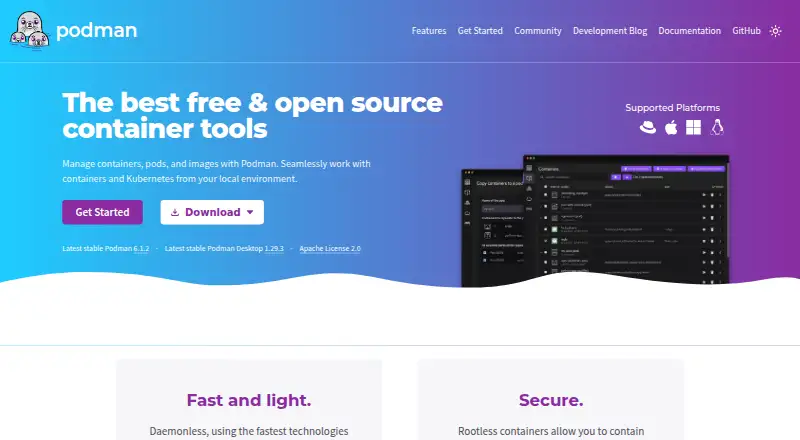
What Podman is
Podman manages containers, pods, and images, with workflows for finding, running, building, and sharing container workloads. It is a free, daemonless container engine with a command line comparable to Docker’s CLI; most commands can run as a regular user without extra privileges. Podman Desktop adds a graphical way to install and work with Podman and other container engines on Windows, macOS, and Linux. It can build images from Dockerfiles or Containerfiles, pull from remote repositories, and manage registry accounts for pushing images. Podman can run Kubernetes YAML locally, generate YAML from pods, and deploy to existing Kubernetes environments. It can find and pull containers from Docker Hub, Quay.io, internal registries, or vendors. On macOS and Windows, it listens for Docker API clients. The project lists integrations including Visual Studio Code, Cirrus CLI, GitHub Actions, and kind. Its security foundations include daemonless and rootless containers, SELinux support, network policy enforcement, and immutable containers. Podman is licensed under Apache License 2.0.
Good
- Most commands can run without additional privileges.
- Desktop supports Windows, macOS, and Linux.
- Supports local Kubernetes YAML workflows.
- Free and open source under Apache License 2.0.
Watch out
- Windows containers are not supported.
- Podman Desktop is listed for Windows, macOS, and Linux.
Who it suits
Podman suits developers and teams managing container workloads across supported host systems. Podman Desktop may suit users who prefer a graphical interface for container engines and image workflows.
Verdict
Podman offers free container management with rootless operation and Kubernetes workflows. Check that its host and container support fit your environment before adopting it.
Plans and prices
From Podman's own pricing page, checked 30 Sep 2026.
| Plan | Price | What it gives you |
|---|---|---|
| Free and open source | Free | Container, pod, and image management · Podman Desktop |
The facts
Each one read from Podman's own pages, with the date it was checked.
What it does
- API
- Podman on macOS and Windows listens for Docker API clients, and its installation page describes programmatic access from a language of the user’s choice.checked 30 Sep 2026
- Container security
- Podman Desktop describes Podman’s security foundations as including daemonless and rootless containers, SELinux support, network policy enforcement, and immutable containers.checked 30 Sep 2026
- Daemonless
- Podman is a daemonless container engine with a command line comparable to Docker’s CLI.checked 30 Sep 2026
- Engine integrations
- Podman Desktop lists Podman, Docker, Lima, kind, Red Hat OpenShift, and Red Hat OpenShift Developer Sandbox as supported engines and orchestrators.checked 30 Sep 2026
- Image workflows
- Podman Desktop can build images from Dockerfiles or Containerfiles, pull images from remote repositories, and manage accounts for pushing images to registries.checked 30 Sep 2026
- Integrations
- The Podman site lists support in Visual Studio Code, Cirrus CLI, GitHub Actions, and kind.checked 30 Sep 2026
- Kubernetes
- Podman can play Kubernetes YAML locally, generate Kubernetes YAML from pods, and deploy to existing Kubernetes environments.checked 30 Sep 2026
- License
- The Podman homepage identifies the project as Apache License 2.0.checked 30 Sep 2026
- Purpose
- Podman manages containers, pods, and images and supports finding, running, building, and sharing containers.checked 30 Sep 2026
- Registry compatibility
- Podman can find and pull containers from Docker Hub, Quay.io, internal registries, or directly from vendors.checked 30 Sep 2026
- Rootless use
- Most Podman commands can run as a regular user without additional privileges.checked 30 Sep 2026
- Support
- The project points users to its troubleshooting guide, documentation, issue tracker, Matrix, Discord, IRC, mailing list, and community meetings.checked 30 Sep 2026
Where it runs
- Desktop app
- Podman Desktop is a graphical application for installing and working with Podman and other container engines on Windows, macOS, and Linux.checked 30 Sep 2026
- Platforms
- Podman runs on macOS and Windows using a guest Linux system managed as a Podman machine, and the installation page lists Linux distributions including Debian, Ubuntu, Fedora, and CentOS Stream.checked 30 Sep 2026
The full review of Podman
Overview
Podman is a free, open-source engine for working with containers, pods, and images. It suits developers and operators who want rootless container workflows or a path between local container work and Kubernetes.
Its daemonless design and Docker-comparable command line make it a strong fit for users who value running most commands without extra privileges. It is less compelling if you need Windows containers: Podman does not support them.
Podman is licensed under Apache License 2.0. It fits the Container Engines, Container Runtime Software, and Container Management Software categories.
Key features
Daemonless, rootless operation
Podman does not depend on a central daemon, and most commands can run as a regular user without additional privileges. That is a meaningful advantage for users who want to avoid routine privileged access. Its security foundations also include SELinux support, network policy enforcement, and immutable containers.
Images and registries
Podman can find and pull containers from Docker Hub, Quay.io, internal registries, or vendors. Podman Desktop adds image-building from Dockerfiles or Containerfiles, remote pulls, and account management for pushing images to registries. That covers common build-and-publish steps without requiring a separate command-line-only workflow.
Desktop app and integrations
Podman Desktop is a graphical application for installing and working with Podman and other container engines on Windows, macOS, and Linux. It supports Podman, Docker, Lima, kind, Red Hat OpenShift, and Red Hat OpenShift Developer Sandbox. The project also lists integrations with Visual Studio Code, Cirrus CLI, GitHub Actions, and kind.
Kubernetes and API workflows
Podman can run Kubernetes YAML locally, generate YAML from pods, and deploy to existing Kubernetes environments. On macOS and Windows, it listens for Docker API clients; programmatic access is also available from a language of the user's choice. These options help connect local container work with existing tools and Kubernetes environments.
Community support
Users can turn to documentation, troubleshooting guidance, the issue tracker, Matrix, Discord, IRC, a mailing list, and community meetings. That range offers several routes for getting help, though it is community-oriented rather than a paid support tier.
Pricing
Podman is free and open source, with a listed price of no cost. The plan includes container, pod, and image management, along with Podman Desktop. There is no free trial to weigh against a paid tier; the project itself is the free offering.
This is a straightforward choice for individual developers and teams able to rely on the project’s documentation and community support. No paid plan or seat-based pricing is part of the offer.
Platforms
Podman supports Linux, macOS, Windows, and self-hosted use, with API access available. The supported host operating systems also include FreeBSD. Windows support does not extend to Windows containers, so users who need those should choose another fit.
Podman Desktop runs on Windows, macOS, and Linux and can work with several container engines and orchestrators. The image format support is both, while its runtime interface is categorized as other.
Who it's for
Podman is a strong choice for developers and operators who want free container management, rootless operation, and Kubernetes workflows in one project. It is particularly suitable when local pods and images need to move into an existing Kubernetes environment, or when Docker API client compatibility matters on macOS or Windows.
It is a weaker match for teams that require Windows containers or expect a paid support plan. Its community channels and documentation suit users comfortable seeking help through project resources.
Pros and cons
- Pro: Daemonless operation and rootless use for most commands reduce dependence on a central service and extra privileges.
- Pro: Local Kubernetes YAML workflows, generation from pods, and deployment to existing Kubernetes environments bridge development and deployment tasks.
- Pro: Podman Desktop supports image building, registry pulls and pushes, and multiple container engines and orchestrators.
- Pro: Free, Apache-licensed software keeps the core offer open and avoids per-seat plan decisions.
- Con: Windows containers are not supported, a decisive gap for workloads that depend on them.
- Con: The support routes are project documentation and community channels, not a paid support plan.
Alternatives
Choose containerd for a free, Apache 2.0-licensed open-source container runtime if a runtime rather than Podman's broader container, pod, image, and desktop workflows is the priority.
Incus is another free Apache 2-licensed option for readers comparing container software across Linux, macOS, Windows, and self-hosted environments.
LXD offers a free open-source plan for KVM-based virtual machines, system containers, and self-hosted deployment, making it the alternative to consider when those capabilities are the target.
Apptainer is a free, open-source container platform with commercial support available through partners, worth considering if partner-backed support is important.
BuildKit is a free Apache License 2.0 option to consider when the focus is image building rather than Podman's wider management workflows.
Moby is another free option for readers comparing container software across API, Linux, macOS, self-hosted, and Windows environments.
Buildah is a free open-source command-line tool with no paid tiers or stated usage limits, a narrower alternative to consider for command-line container work.
gVisor is a free, open-source Linux-compatible sandbox requiring Linux 5.6 or later and x86_64 or ARM64; consider it when that sandbox role and host requirement fit.
Verdict
Choose Podman if you want free, rootless container management with practical Kubernetes and image workflows. Its strongest reason to stand out is daemonless operation paired with a broad desktop and integration layer; its clearest reason to look elsewhere is the lack of Windows container support.
Alternatives to Podman
- 1

LXD
Free planWebAPILinuxSelf-hosted7.0From $25 a year - 2
BuildKit
Free planAPILinuxmacOSSelf-hosted6.8Free plan - 3
Incus
Free planAPILinuxmacOSSelf-hosted6.8Free plan - 4
Apptainer
Free planAPILinuxmacOSSelf-hosted6.7Free plan - 5
crun
Free planLinuxSelf-hosted6.5Free plan - 6

Buildah
Free planAPILinuxSelf-hosted6.4Free plan