BRAT
brat is a free, open-source tool for structured text annotation, designed for annotations in fixed forms that computers can process.
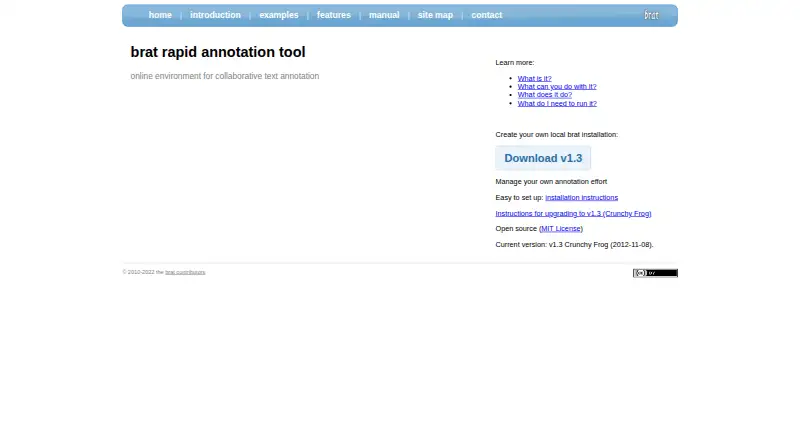
What BRAT is
brat is a free, open-source tool for structured text annotation, designed for annotations in fixed forms that computers can process. It supports text spans, binary relations, n-ary associations, attributes, normalization annotations, and freeform notes. Teams can configure annotation categories, types, and constraints for different tasks. Multiple annotators can work simultaneously on a document or collection and see one another’s edits nearly as they occur. Normalization can link annotations to external resources such as Freebase, Wikipedia, and Open Biomedical Ontologies, and the tool can incorporate output from automatic annotation services available as web services. The server and client support Unicode across nearly 100 scripts. brat checks edits against configured constraints and can search documents or collections, including keyword-in-context concordancing. Annotations export in brat stand-off format, while visualizations can be saved as SVG, PNG, PDF, or EPS. The v1.3 release is self-hosted under the MIT License. New server installations assume a UNIX-like environment; Windows users can run one in a UNIX-like virtual machine. Its experimental standalone server is not security-hardened and is not recommended for sensitive data or internet-accessible systems.
Good
- Free and open source under the MIT License.
- Supports configurable annotation types and constraints.
- Multiple annotators can edit shared documents simultaneously.
- Exports annotations and visualizations in listed formats.
- Supports Unicode across nearly 100 scripts.
Watch out
- New installations assume a UNIX-like environment.
- Standalone server is not security-hardened.
- Standalone server is not recommended for sensitive or internet-accessible systems.
Who it suits
brat suits research and annotation teams that need configurable structured text labeling and collaboration. It is intended for users able to work with a self-hosted installation in a UNIX-like environment.
Verdict
brat provides configurable, collaborative text annotation with validation and several export options. Plan for self-hosting and use a full web server for production rather than its experimental standalone server.
Plans and prices
From BRAT's own pricing page, checked 2 Oct 2026.
| Plan | Price | What it gives you |
|---|---|---|
| brat v1.3 (Crunchy Frog) | Free | Open source · MIT License · Self-hosted installation |
The facts
Each one read from BRAT's own pages, with the date it was checked.
What it does
- Annotation types
- It supports text spans, binary relations, n-ary associations, attributes, normalization annotations, and freeform notes.checked 2 Oct 2026
- Automatic annotation
- The tool can integrate output from automatic text annotation services accessible as web services.checked 2 Oct 2026
- Collaboration
- Multiple annotators can work simultaneously on the same collection or document and see each other’s edits nearly as they are made.checked 2 Oct 2026
- Configurable
- Annotation categories, types, and constraints are configurable for different text annotation tasks.checked 2 Oct 2026
- Exports
- Annotations can be exported in brat stand-off format, and visualizations in SVG, PNG, PDF, or EPS.checked 2 Oct 2026
- External resources
- Normalization can associate annotations with external resources such as Freebase, Wikipedia, and Open Biomedical Ontologies.checked 2 Oct 2026
- Hosting requirements
- A new server installation assumes a UNIX-like environment; the installation guide says Windows users can run it in a virtual machine with a UNIX-like operating system.checked 2 Oct 2026
- Languages
- The server and client support Unicode, including nearly 100 different scripts.checked 2 Oct 2026
- Project origin
- The project says it was developed collaboratively by researchers from several groups interested in text annotation.checked 2 Oct 2026
- Purpose
- brat is a web-based tool for structured text annotation, where annotations have fixed forms that computers can process.checked 2 Oct 2026
- Security limitation
- The experimental standalone server is not security-hardened and is not recommended for sensitive data or systems accessible from the internet; the guide recommends a full web server for production.checked 2 Oct 2026
- Support
- The project directs usage questions to its mailing list and bug reports or feature requests to its GitHub issue tracker.checked 2 Oct 2026
- Validation and search
- brat validates annotations against configured constraints after edits and supports searches across documents or collections, including key-word-in-context concordancing.checked 2 Oct 2026
The full review of BRAT
BRAT is a free, open-source tool for structured text annotation, best suited to research groups and teams working to a shared labeling scheme. Its configurable annotations and near-live collaboration are compelling for text projects, but self-hosting and production security need careful handling.
Overview
BRAT represents annotations in fixed forms that computers can process, rather than leaving labels as informal notes. Teams can define categories, annotation types, and constraints for a particular task, then apply that schema across documents or collections. It is a focused choice for text work, not a general-purpose media-labeling platform.
Its annotation vocabulary includes text spans, binary relations, n-ary associations, attributes, normalization annotations, and freeform notes. Unicode support across nearly 100 scripts gives multilingual projects broad coverage. BRAT handles text only, so teams labeling images, audio, or video should choose another tool.
Key features
Configurable schemes with validation
Categories, types, and constraints can be tailored to a project, and BRAT validates edits against those constraints. That can help a team catch inconsistent annotations while work is underway; the payoff depends on defining a sound scheme for annotators to follow. Search across documents and collections, including keyword-in-context concordancing, helps locate examples and relevant passages.
Collaborative annotation
Multiple annotators can work on the same document or collection and see one another’s edits nearly as they happen. This supports shared review without relying solely on separate annotation files, though it does not remove the need to manage the installation and data environment.
Normalization, automation, and output
Normalization can link annotations to external resources such as Freebase, Wikipedia, and Open Biomedical Ontologies. BRAT can also integrate results from automatic text-annotation services exposed as web services, allowing machine-generated annotations to enter a project’s workflow. Teams can export annotations in brat stand-off format and visualizations as SVG, PNG, PDF, or EPS, which provides both structured data and shareable visual output.
Pricing
BRAT v1.3 (Crunchy Frog) costs nothing. The plan is open-source software under the MIT License, installed on infrastructure the user hosts. There is no software charge, but the self-hosted model means the team must provide and maintain its own deployment.
This plan fits research teams and other groups able to manage hosting and seeking configurable text annotation without a license fee. The trade-off is operational rather than a paid-tier feature cap: BRAT’s installation assumes a UNIX-like environment, and its experimental standalone server is not security-hardened. The project recommends a full web server for production and warns against using the standalone server with sensitive data or internet-accessible systems.
Platforms
BRAT is a web-based tool with Linux, macOS, and self-hosted deployment support. A new server installation assumes a UNIX-like environment; Windows users can run it in a virtual machine with a UNIX-like operating system. The experimental standalone server is not a safe production shortcut: use a full web server for production deployment.
Who it's for
BRAT is a strong fit for research groups and teams that need structured, machine-readable text labels, a configurable schema, and shared annotation across a collection. Its Unicode support and external-resource normalization suit projects spanning scripts or linking labels to reference resources. It is a poor fit for multimodal labeling or teams that cannot take responsibility for self-hosting and production deployment.
Pros and cons
- Pro: Configurable annotation types and constraints, plus validation, help teams apply a consistent scheme across documents.
- Pro: Near-live shared editing, document and collection search, and keyword-in-context concordancing support collaborative corpus work.
- Pro: Stand-off annotation export and visualization in four formats provide useful routes for structured data and visual output.
- Con: The text-only scope rules it out for projects labeling images, audio, or video.
- Con: Installation assumes a UNIX-like environment, and production use calls for a full web server rather than the experimental standalone server.
- Con: The standalone server is not security-hardened, making it unsuitable for sensitive data or systems exposed to the internet.
Alternatives
For other tools in the category, browse AI Data Labeling Tools.
- doccano is another free, MIT-licensed option with Linux, macOS, Windows, mobile, web, and API platform support; consider it if those platform options matter more than BRAT’s documented text-annotation schema and workflows.
- Label Studio has a freemium model, a free plan, and a free trial, with Linux, macOS, Windows, web, and API support; choose it if you prefer that pricing structure or platform mix.
- Roboflow offers a free tier with 10 credits a month, enough for about 30 model trainings or 80,000 inferences, plus a $39 a month Core plan; consider it when those model-training or inference allowances match the project better than BRAT’s text-focused annotation.
- VGG Image Annotator is a free tool released under a two-clause BSD license with no paid tiers or usage limits stated; choose it when image annotation is the priority rather than text.
- Alibaba Cloud PAI iTAG has a free manual-labeling option, while OSS storage and data transfer are billed separately; consider it if manual labeling fits the workflow and separate cloud charges are acceptable.
- CVAT offers a free, MIT-licensed Community plan for personal use and small teams, as well as a free online plan limited to one member, one project, three tasks, and 1 GB; choose it if those small-team or online limits fit the work better.
- Amazon SageMaker Autopilot uses paid, pay-as-you-go pricing without minimum fees or upfront commitments and has no free plan; it is an option for teams that prefer that usage-based model.
- Argilla is free, open-source software deployable on Hugging Face Spaces or a team’s own infrastructure; consider it if those deployment options suit the project.
Verdict
Choose BRAT for collaborative, configurable text annotation when validation, structured exports, and a broad range of annotation types matter more than turnkey hosting. Its central drawback is the deployment burden: teams must manage a UNIX-like installation and use a full web server for production. If the project is multimodal or the team cannot own that hosting and security work, look elsewhere.
Alternatives to BRAT
- 1

Roboflow
Free planAndroidiOSWebAPI8.3From $39 a month - 2

Label Studio
Free planOpen sourceWebAPILinuxmacOS8.2From $99 a month - 3
doccano
Free planOpen sourceAndroidiOSWebAPI7.9Free plan - 4
VGG Image Annotator
Free planOpen sourceWebLinuxmacOSSelf-hosted7.7Free plan - 5
Prodigy
WebAPILinuxmacOS7.0$390 one-time - 6

CVAT
Free planWebAPISelf-hosted6.9Free plan