doccano
doccano is a free, open-source tool for labeling text and other data for human review and machine-learning work.
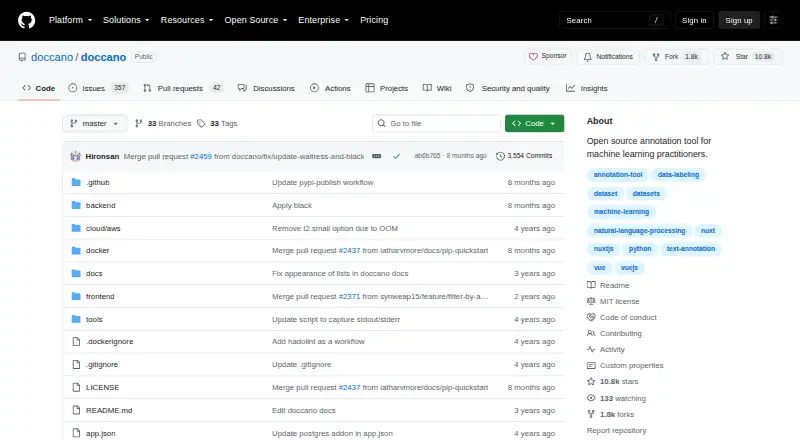
What doccano is
doccano is a free, open-source tool for labeling text and other data for human review and machine-learning work. It supports text classification, sequence labeling, and sequence-to-sequence tasks, with examples such as sentiment analysis, named-entity recognition, and summarization. A project workflow lets users create projects, import datasets, add collaborators, set guidelines, annotate, and export labeled results. Collaboration features include multi-language and mobile support, emoji support, and a dark theme. doccano provides REST APIs for connecting scripts and machine-learning models, and supports text, image, and audio modalities, model-assisted labeling, human review workflows, and custom ontologies. It can be self-hosted, with installation documented through pip, Docker, or Docker Compose on Linux, Windows, and macOS machines running Python 3.8 or newer. Deployment options include AWS, Heroku, or Docker elsewhere. Imported datasets can use Amazon S3 or Google Cloud Storage. SQLite 3 is the default database, and PostgreSQL and other systems are also documented. Celery handles long-running imports and exports. The installation guide warns that upgrading a SQLite3 installation can result in database loss.
Good
- Free, open-source software under the MIT license.
- Supports text, image, and audio modalities.
- Collaborative annotation with mobile and multi-language support.
- REST APIs integrate with scripts and machine-learning models.
- Self-hosted installation options include pip, Docker, and Compose.
Watch out
- SQLite upgrades can result in database loss.
- Requires Python 3.8 or newer on Linux, Windows, or macOS.
Who it suits
doccano suits teams and practitioners who need to label datasets collaboratively, including for classification, entity recognition, or summarization. It also fits users who want self-hosting and API-based integration with scripts or models.
Verdict
doccano brings annotation, review workflows, and dataset export together in a free, self-hosted tool. Check the SQLite upgrade warning before choosing its default database.
Plans and prices
From doccano's own pricing page, checked 15 Oct 2026.
| Plan | Price | What it gives you |
|---|---|---|
| doccano open-source self-hosted | Free | text annotation · self-managed infrastructure · pip, Docker or Docker Compose |
| MIT-licensed software | Free | free of charge · use, copy, modify, publish, distribute, sublicense, sell |
The facts
Each one read from doccano's own pages, with the date it was checked.
What it does
- API
- doccano provides REST APIs for integrating it with scripts and machine-learning models.checked 30 Sep 2026
- Auto labeling
- The developer documentation includes a dedicated auto-labeling application and configuration area.checked 15 Oct 2026
- Background processing
- Celery handles long-running dataset import and export jobs, with RabbitMQ or Redis available as message brokers.checked 15 Oct 2026
- Cloud deployment
- The project documents one-click deployment options for AWS and Heroku and deployment anywhere by Docker.checked 30 Sep 2026
- Cloud storage integrations
- Official documentation describes storing imported datasets in Amazon S3 or Google Cloud Storage.checked 15 Oct 2026
- Collaboration
- Multiple users can collaborate on annotation projects.checked 15 Oct 2026
- Dark theme
- The interface includes a dark theme.checked 15 Oct 2026
- Database options
- SQLite 3 is the default database, and the documentation also describes PostgreSQL and other database systems.checked 30 Sep 2026
- Default port
- The web server uses port 8000 unless another port is specified.checked 15 Oct 2026
- Deployment options
- Installation is documented through pip, Docker, Docker Compose, source checkout and one-click AWS or Heroku deployment.checked 15 Oct 2026
- Documentation depth
- The documentation covers installation, tutorials, cloud storage, OAuth, auto labeling, developer structure, FAQs, roadmap and contribution guidance.checked 15 Oct 2026
- Emoji support
- The feature list states that emoji characters are supported.checked 15 Oct 2026
- Installation
- The official project documents installation with pip, Docker, and Docker Compose.checked 30 Sep 2026
- Latest release
- Version 1.8.5 was released on January 11, 2026 and included dependency, Docker, assignment and filtering changes.checked 15 Oct 2026
- Licence
- The software is distributed under the MIT licence, allowing use, modification, redistribution and commercial sale subject to licence notices.checked 15 Oct 2026
- Limit: maintenance cadence
- An independent review highlights the long gap between the July 2023 1.8.4 release and the January 2026 1.8.5 release.checked 15 Oct 2026
- Limit: operational overhead
- An independent review notes that the pip deployment requires both a web server and a separate task-queue process.checked 15 Oct 2026
- Limit: pre-labeling fit
- That Reddit user said doccano's built-in pre-labeling did not work for their spaCy NER use case and they uploaded prelabels through the API instead.checked 15 Oct 2026
- Limit: text-focused scope
- An independent technical review characterizes doccano as text-focused and unsuitable when image, audio or video annotation is required.checked 15 Oct 2026
- Mobile support
- The project lists mobile support for its web interface.checked 15 Oct 2026
- Multilingual support
- The feature list states that annotation can be performed in multiple languages.checked 15 Oct 2026
Where it runs
- Browser requirements
- The project tests the latest Chrome and expects current Chrome and Safari versions to work.checked 15 Oct 2026
The company
- Maker announcement
- TIS announced doccano's open-source release on November 6, 2018 for producing labeled NLP and machine-learning data.checked 15 Oct 2026
- Maker background
- TIS describes itself as an IT services company serving more than 3,000 business customers and belonging to a group of about 60 companies with roughly 20,000 people.checked 15 Oct 2026
The full review of doccano
Overview
doccano is an open-source annotation platform for turning datasets into labeled material for machine-learning work. It is best suited to teams that want control over deployment and a direct path from project setup to dataset export.
Its strongest case is a flexible, free workflow with APIs and several deployment routes; its clearest operational caution is the risk of losing a SQLite database during an upgrade.
Key features
doccano covers text classification, sequence labeling, and sequence-to-sequence tasks, with examples such as sentiment analysis, named-entity recognition, and text summarization. These task types make it a focused choice for structuring text labels rather than a general-purpose project suite.
A typical workflow moves from project creation and dataset import through adding users, defining annotation guidelines, labeling, and exporting the finished dataset. Collaborative annotation and human review workflows give teams a way to coordinate and check labeling, while custom ontologies and model-assisted labeling support more tailored projects.
The platform supports text, image, and audio modalities, alongside multi-language and mobile support, emoji support, and a dark theme. REST APIs connect it to scripts and machine-learning models. The API is useful for fitting annotation into an existing pipeline, though doccano's documented task types are specifically text-oriented.
Installation is documented through pip, Docker, and Docker Compose. The documented machine requirement is Python 3.8 or newer on Linux, Windows, or macOS; deployment options include Docker and one-click AWS and Heroku routes. Imported datasets can use Amazon S3 or Google Cloud Storage. Celery handles long-running import and export work, with SQLite3, RabbitMQ, and Redis documented as broker options.
SQLite 3 is the default database, and PostgreSQL and other database systems are also described. The upgrade warning matters: an upgrade of a SQLite installation can lose its database, so teams should treat database choice and upgrade planning as operational decisions, not afterthoughts.
Pricing
doccano is free, open-source software under the MIT license. Its listed plan costs nothing, and the license permits use, copying, modification, publication, distribution, sublicensing, and sale. That makes it an unusually permissive option for individuals and organizations that can manage their own deployment.
There are no paid tiers or plan-based seat and usage caps in the pricing model. The tradeoff is that self-hosting places setup, deployment, and database upkeep with the user rather than bundling them into a paid hosted plan.
Platforms
doccano is available for web and self-hosted use, with support across Linux, macOS, Windows, Android, and iOS, as well as API access. The documented installation routes and Python requirement make it practical for teams with a suitable machine or container environment; cloud deployment is documented for AWS and Heroku.
Who it's for
Choose doccano if you need collaborative dataset annotation, human review, and export in a free tool you can deploy and integrate yourself. It fits machine-learning practitioners and teams that value open licensing, custom label structures, and API-based workflows.
It is a weaker fit for teams that want a managed service or cannot take responsibility for database upgrades and deployment. The SQLite warning is particularly relevant for small installations that might otherwise accept the default without planning how to protect data.
Pros and cons
- Pro: The MIT license and free plan allow broad use, including modification and redistribution, without a paid tier.
- Pro: Projects, guidelines, collaborative annotation, review, and export form a complete labeling workflow rather than a standalone labeling screen.
- Pro: REST APIs, Docker deployment, and S3 and Google Cloud Storage import backends help connect it to data and model workflows.
- Con: Self-hosted deployment means the team owns installation and database decisions instead of relying on a bundled hosted service.
- Con: Upgrading a SQLite installation can lose its database, making the default choice risky without an upgrade and backup plan.
- Con: The documented task types are text-focused, even though the supported modalities also include image and audio.
Alternatives
For a broader comparison, browse AI Data Labeling Tools.
- LabelU is another free option with API, macOS, self-hosted, web, and Windows platforms; consider it if that platform mix better fits your environment.
- Label Studio has a free plan and free trial, with API, Linux, macOS, self-hosted, web, and Windows support. Its freemium model may suit readers who want to consider more than a free-only offering.
- Alibaba Cloud PAI iTAG offers manual labeling free, while OSS storage and data transfer are billed separately; choose it if that distinction fits your team's cost model.
- BRAT is a free, MIT-licensed, self-hosted option for Linux, macOS, and web; it is worth considering when that platform set meets your needs.
- Roboflow has a free tier with 10 monthly credits, enough for about 30 model trainings or 80,000 inferences, and a Core plan at $39 a month. Consider it if those model and inference allowances suit your workload.
- CVAT offers a free MIT-licensed Community plan for personal use and small teams, plus an online free plan limited to 1 member, 1 project, 3 tasks, and 1 GB. Its online limits may fit a small trial, while doccano has no plan-based caps in its free model.
- Argilla is free, open-source software deployable on Hugging Face Spaces or your own infrastructure; consider it if either deployment route is preferable.
- BasicAI offers private-cloud deployment starting at $6,600 a year, with customizable payment cycles, seats, storage, model calls, and on-premise options. It suits readers specifically seeking configurable private-cloud deployment and prepared for that starting price.
Verdict
doccano is a strong choice for machine-learning teams that want free, permissively licensed annotation with collaboration, review, and export under their own deployment control. Its APIs and infrastructure options add practical flexibility. Look elsewhere if you need a managed service, and do not rely on the default SQLite setup without accounting for the documented upgrade data-loss risk.
Getting started
- Choose a Linux, Windows, or macOS machine running Python 3.8 or newer, or a documented cloud deployment option.
- Install doccano with pip, Docker, or Docker Compose.
- Create a project and import a dataset.
- Add users and define annotation guidelines.
- Annotate the data and export the labeled dataset.
Questions
Does doccano cost anything?
doccano is free of charge and MIT-licensed. The license permits use, copying, modification, publication, distribution, sublicensing, and sale.
What tasks does it support?
It supports text classification, sequence labeling, and sequence-to-sequence tasks. Listed examples include sentiment analysis, named-entity recognition, and text summarization.
Can doccano be self-hosted?
Yes. Installation is documented with pip, Docker, and Docker Compose, and the project also describes AWS and Heroku deployment options.
Which operating systems can run it?
The documentation describes installation on Linux, Windows, or macOS machines running Python 3.8 or newer.
Does it provide an API?
Yes. doccano provides REST APIs for integration with scripts and machine-learning models.
Which storage and database options are documented?
Imported datasets can use Amazon S3 or Google Cloud Storage. SQLite 3 is the default database, and PostgreSQL and other systems are also described.
Alternatives to doccano
- 1

Roboflow
Free planAndroidiOSWebAPI8.3From $39 a month - 2

Label Studio
Free planOpen sourceWebAPILinuxmacOS8.2From $99 a month - 3
VGG Image Annotator
Free planOpen sourceWebLinuxmacOSSelf-hosted7.7Free plan - 4
Prodigy
WebAPILinuxmacOS7.0$390 one-time - 5

CVAT
Free planWebAPISelf-hosted6.9Free plan - 6
Supervisely
Free planWebAPISelf-hosted6.9From €199 a month