Apache Answer
Apache Answer is an open-source Q&A platform for communities, help centers, and knowledge management.
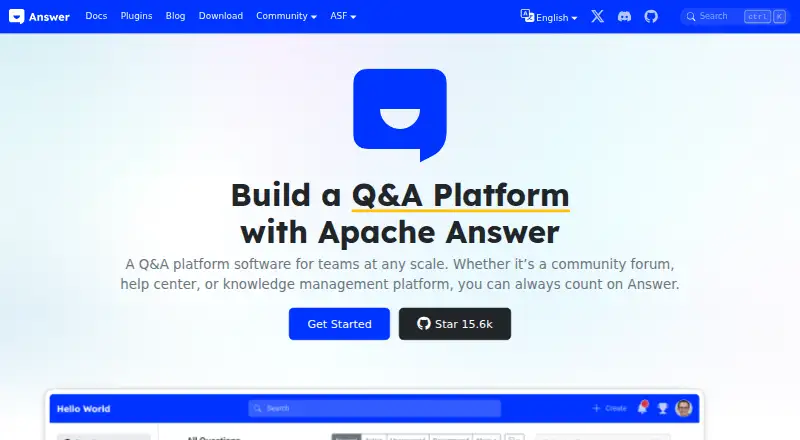
What Apache Answer is
Apache Answer is an open-source Q&A platform for communities, help centers, and knowledge management. Members can ask and answer questions, comment, vote, and earn reputation and badges. Tags, advanced search filters, and real-time suggestions help organize and find discussions. Administrators can assign admin, moderator, and user roles, add users in bulk, and review edits through revision history. Themes and layouts can be customized, and plugins extend the platform. Listed plugins include Google and generic OAuth2 login, Slack notifications, Redis cache, Algolia and Elasticsearch search, and S3 storage. Installation options include Docker Compose, Docker, binaries, and aaPanel. The project lists binaries for Darwin ARM64, Linux AMD64 and ARM64, and Windows AMD64, and supports MySQL, PostgreSQL, and SQLite databases. Documentation describes controls for registration, login methods, allowed email domains, and member access to content. Apache Answer is licensed under Apache License, Version 2.0, and is free self-hosted software. The project guarantees the security of official repository plugins only; it takes no responsibility for third-party plugin security. Support includes documentation, community discussions, issues, mailing lists, and Discord.
Good
- Free, Apache-licensed self-hosted software
- Members can ask, answer, comment, and vote
- Includes roles, bulk user addition, and revision history
- Supports MySQL, PostgreSQL, and SQLite
- Installation options include Docker and binaries
Watch out
- Third-party plugin security is not covered by the project guarantee
- Discord support has no guarantee of an instant response
- Self-hosted deployment requires installation
Who it suits
Apache Answer suits teams and communities that want to host their own Q&A site, help center, or knowledge platform. It is aimed at administrators who need role management and customizable community tools.
Verdict
Apache Answer provides Q&A, moderation, and customization tools for self-hosted communities. Check plugin security and deployment requirements when planning an installation.
Plans and prices
From Apache Answer's own pricing page, checked 15 Oct 2026.
| Plan | Price | What it gives you |
|---|---|---|
| Apache Answer | Free | open-source core · self-hosted deployment · no paid tier stated |
The facts
Each one read from Apache Answer's own pages, with the date it was checked.
What it does
- API keys and MCP
- Version 2.0.0 added API-key management, an MCP server, an AI assistant, and editor-plugin support.checked 15 Oct 2026
- Bulk user management
- Administrators can add multiple users in one operation.checked 15 Oct 2026
- Community management
- Admins can manage admin, moderator, and user roles, add users in bulk, and track edits through revision history.checked 5 Oct 2026
- Customization
- Themes and layouts can be customized, and the interface supports dark mode and responsive layouts.checked 15 Oct 2026
- Database support
- Installation supports MySQL, PostgreSQL, and SQLite backends.checked 15 Oct 2026
- Data stores
- The installation guide says Apache Answer supports MySQL, PostgreSQL, and SQLite databases.checked 5 Oct 2026
- Deployment
- Installation options include Docker Compose, Docker, binaries, and aaPanel, and the project provides a Docker image for each release.checked 5 Oct 2026
- Deployment methods
- The project documents Docker Compose, Docker, downloadable binaries, and aaPanel installation.checked 15 Oct 2026
- Docker images
- Docker Hub lists official Apache Answer images for linux/amd64 and linux/arm64, including the latest and versioned tags.checked 15 Oct 2026
- Documentation depth
- Documentation includes introduction, installation, upgrades, command-line use, configuration, environment variables, plugins, user guides, developer guides, API documentation, FAQ, and security material.checked 15 Oct 2026
- Editing and revisions
- Members can edit questions, answers, and tags, while revision history records changes.checked 15 Oct 2026
- Expert notifications
- Users can ping relevant community members to request answers.checked 15 Oct 2026
- Independent comparison: hosting
- A Scoold comparison describes Apache Answer as self-hosted only, without an official hosted SaaS option.checked 15 Oct 2026
- Independent comparison: trade-offs
- The same comparison praises Answer’s free Apache-licensed software, plugins, APIs, roles, and audit controls, while citing maintenance needs, more involved setup, and fewer built-in integrations as drawbacks.checked 15 Oct 2026
- Independent deployment evidence
- A DEV Community deployment guide demonstrates running Answer in Docker on port 9080 with MariaDB and scheduled S3 backups.checked 15 Oct 2026
- Integrations
- Official plugins connect services including Google, DingTalk, Slack, WeCom, Redis, Algolia, Elasticsearch, Meilisearch, S3, and Tencent COS.checked 15 Oct 2026
- Languages
- The project supports multilingual communities through community-maintained translations.checked 15 Oct 2026
- Latest release
- The download page lists Apache Answer 2.0.3 dated 2026-10-09, with source, Linux, macOS, and Windows archives.checked 15 Oct 2026
- License
- Apache Answer is released under the Apache License 2.0.checked 15 Oct 2026
- Limit: customization and analytics
- G2 reviewers mention limited customization or themes, missing analytics, and a desire for AI search.checked 15 Oct 2026
- Limit: formatting and links
- G2 reviewers report editor-formatting problems and occasional broken links.checked 15 Oct 2026
- Limit: integration complexity
- G2’s review summary says some users find the integration process confusing.checked 15 Oct 2026
The company
- Company listing
- LinkedIn describes Apache Answer as a privately held software-development organization with 2–10 employees, headquartered in Hangzhou, China, and founded in 2022.checked 15 Oct 2026
- Founded
- 2022checked 28 Sep 2026
The full review of Apache Answer
Overview
Apache Answer is a self-hosted Q&A platform for organizations building community forums, help centers, or knowledge-management spaces. It suits teams that want to shape a question-and-answer community around their own needs; its strongest appeal is the mix of participation and moderation tools without a software fee.
That autonomy comes with deployment and extension responsibilities. Teams need to choose and manage an installation, and should treat third-party plugins as a security decision rather than a routine add-on.
Key features
Members can ask and answer questions, comment, vote, and earn reputation and badges. Those mechanics make Answer a better fit for ongoing peer participation than a static help center, while giving users ways to surface useful contributions.
Tags, advanced search filters, and real-time suggestions help members locate relevant questions as content accumulates. Admins can assign admin, moderator, and user roles, add users in bulk, and use revision history to track edits. Together, these tools support a community that needs active oversight, though they also make Answer more than a plug-and-play hosted service.
Themes and layouts can be customized, and plugins extend the platform. Integrations include Google and generic OAuth2 login, Slack notifications, Redis cache, Algolia and Elasticsearch search, and S3 storage. Login controls cover registration, available login methods, and allowed email domains; separate content-access controls let teams restrict access to community members. Plugin choice deserves particular care: Apache Answer guarantees the security of official repository plugins, but disclaims responsibility for third-party plugin security issues.
Installation options include Docker Compose, Docker, binaries, and aaPanel, with a Docker image for each release. The installation guide supports MySQL, PostgreSQL, and SQLite. For release integrity, the download page recommends verifying releases with OpenPGP signatures or SHA-512 checksums.
Pricing
Apache Answer costs nothing. The Apache-licensed open-source software is self-hosted, so it avoids a per-seat subscription while leaving deployment and operation with the organization. That trade-off suits teams able to manage their own installation; it is less suited to buyers seeking a paid hosted service with less infrastructure responsibility.
Platforms
Apache Answer supports Linux, macOS, Windows, web, and self-hosted use. Download binaries are listed for Darwin ARM64, Linux AMD64 and ARM64, and Windows AMD64. The combination gives teams several server and deployment routes, but the self-hosted model means platform support does not remove the need to plan installation and database choices.
Who it's for
Answer is a strong fit for teams that want a branded, managed Q&A community, help center, or knowledge base and can take responsibility for hosting it. Role management, access controls, revision history, and bulk user addition suit communities that need moderation and administration rather than open-ended discussion alone.
It is a weaker fit for organizations that want a ready-hosted support desk or do not want to assess plugin security and deployment. Support runs through community discussions, documentation, issues, mailing lists, and Discord; Discord does not guarantee an instant response, so teams needing assured immediate assistance should look elsewhere.
Pros and cons
- Pros: The free, Apache-licensed self-hosted model avoids recurring software charges and gives teams control over deployment.
- Pros: Questions, answers, comments, votes, reputation, and badges encourage member participation rather than limiting the product to a document repository.
- Pros: Moderation roles, access controls, bulk user addition, and edit history give administrators practical tools to manage a growing community.
- Cons: Self-hosting places installation and database decisions on the organization, which is a poor match for teams seeking a managed service.
- Cons: Third-party plugin security is the team's responsibility, limiting how casually it can extend the platform.
- Cons: Community-based support channels do not promise an immediate Discord response, which may not meet urgent support needs.
Alternatives
For a broader shortlist, see Customer Community Software.
- Sugester is worth considering for teams that want a freemium service with a free plan capped at 3 users, 100 monthly email sends, 100 clients/email lists, 2 email boxes, 3 projects, and 1 GB storage, rather than a self-hosted Q&A platform.
- Freshdesk is an option for teams considering a support-focused paid product: its free program covers 1–2 agents for 6 months, and Growth is $19 a month billed annually.
- Discourse suits communities that prefer its freely available open-source codebase and self-hosted model; its free plan includes unlimited members, 2 staff seats, and 500k monthly page views.
- Circle may suit organizations seeking a paid community service across web and desktop or mobile platforms; its Professional plan is $89 a month with annual billing, unlimited members, 3 admins, 10 moderators, and 20 spaces.
- Zoho Desk is an alternative for teams considering a freemium help-desk product, with a free plan for 3 users and paid plans priced in INR.
- Zapnito may suit organizations interested in its Starter option, which includes free platform access, unlimited data, email automation, and 24/7 customer support.
- Forums.net is a paid forum alternative with an Essential plan at $49.99 a month, covering 100,000 pageviews and unlimited staff and members.
- Hivebrite is another paid community platform, with Core and Flex plans offering unlimited users and different global administrator seat counts.
Verdict
Choose Apache Answer if your team wants a configurable Q&A community, can self-host it, and values moderation and access controls without a software subscription. Its participation tools and deployment flexibility are compelling; look elsewhere if you need managed hosting, guaranteed rapid support, or freedom from plugin-security decisions.
Getting started
- Visit https://answer.apache.org/.
- Choose an installation route: Docker Compose, Docker, binaries or aaPanel.
- Set up a supported MySQL, PostgreSQL or SQLite database.
- Configure registration, login methods, allowed email domains and content access controls.
- Customize themes or layouts and add plugins as needed.
Questions
Does Apache Answer cost anything?
Apache Answer is free, open-source software for self-hosted deployment.
What license does Apache Answer use?
It is licensed under the Apache License, Version 2.0.
Which operating systems have listed binaries?
The download page lists Darwin ARM64, Linux AMD64 and ARM64, and Windows AMD64.
Which databases does it support?
The installation guide lists MySQL, PostgreSQL and SQLite.
What installation methods are available?
Options include Docker Compose, Docker, binaries and aaPanel.
What support channels are available?
Support is offered through community discussions, documentation, issues, mailing lists and Discord. The project does not guarantee an instant Discord response.
Alternatives to Apache Answer
- 1

Zendesk Guide
AndroidiOSWebAPI7.9From $19 a month - 2

Forumbee
AndroidiOSWebAPI7.7From $50 a month - 3

Circle
AndroidiOSWebAPI7.5From $89 a month - 4
Salesforce Experience Cloud
AndroidiOSWebAPI7.5 - 5
Sugester
Free planAndroidiOSWebAPI7.5From $12 a month - 6

Freshdesk
Free planAPI7.4From $19 a month