
Adventure Game Studio
Adventure Game Studio (AGS) is an IDE and engine for creating and running point-and-click adventure games in the style of classic Sierra and LucasArts games.
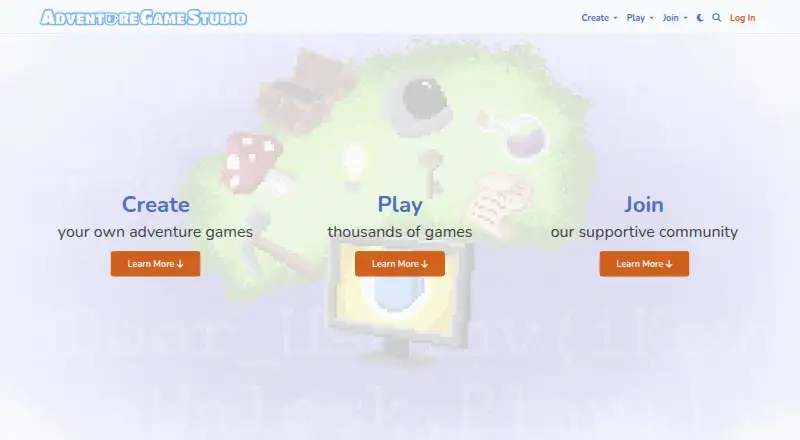
What Adventure Game Studio is
Adventure Game Studio (AGS) is an IDE and engine for creating and running point-and-click adventure games in the style of classic Sierra and LucasArts games. Its editor is supported only on Microsoft Windows and Windows emulators such as WINE, while games can target Windows, Linux, macOS, and Android. The Editor includes a component for preparing Android builds, and AGS Player runs compatible games on Android. The runtime engine also has ports for iOS and a web version that runs in a browser when served from a web server. Development uses AGS Script; visual scripting and multiplayer tools are not included. Plugins can add game functionality, but a compatible build is needed for each target platform. AGS began in 1999, became open source in 2011, and is developed by contributors. The Editor and Engine use the Artistic License 2.0. The terms prohibit charging money for AGS without written permission from its authors and provide the software as-is without warranty. The manual recommends community forums for development help.
Good
- Free and open source under Artistic License 2.0.
- Targets Windows, Linux, macOS, and Android.
- Editor includes a component for Android builds.
- Web runtime can run games in a browser.
- Contributors can submit code through GitHub pull requests.
Watch out
- Editor requires Windows or a Windows emulator.
- No visual scripting or multiplayer tools are listed.
- Console export is not available.
- Charging for AGS requires written permission.
Who it suits
AGS suits creators making point-and-click adventure games for desktop or Android platforms. Its Windows-only editor and AGS Script workflow are important considerations for prospective users.
Verdict
AGS is a focused choice for making classic-style point-and-click adventures, with several desktop and mobile targets. Check the editor requirement and plugin availability for every target platform you plan to use.
Plans and prices
From Adventure Game Studio's own pricing page, checked 8 Oct 2026.
| Plan | Price | What it gives you |
|---|---|---|
| Adventure Game Studio | Free | Free and open source; no listed paid plans |
The facts
Each one read from Adventure Game Studio's own pages, with the date it was checked.
Where it runs
- Android builds
- The Editor includes an Android build component for preparing games for Android.checked 8 Oct 2026
- Android player
- AGS Player is available for running compatible AGS games on Android.checked 8 Oct 2026
- Editor platform
- The AGS Editor is supported only on Microsoft Windows and Windows emulators such as WINE.checked 8 Oct 2026
- Runtime platforms
- The runtime engine has ports for Android, iOS, Linux, macOS, and Windows; the project also documents a web port.checked 8 Oct 2026
What it does
- Console export
- Nochecked 24 Sep 2026
- Editor features
- AGS 3.6.1 added a log panel, script-name navigation, and improved room-editor panning and zoom controls.checked 8 Oct 2026
- Engine performance
- The 3.6.1 release reports improved script, overlay, and graphics-rendering performance.checked 8 Oct 2026
- Engine plugins
- AGS supports plugins that add functionality to games, and plugins may need separate builds for each target platform.checked 8 Oct 2026
- Game compatibility
- AGS 3 supports importing and running games made with AGS 2.50 and later, with possible compatibility issues in very old games.checked 8 Oct 2026
- Game style
- AGS is intended for creating point-and-click adventure games like classic Sierra and LucasArts games.checked 8 Oct 2026
- License
- The Editor and Engine are licensed under Artistic License 2.0.checked 8 Oct 2026
- Mobile export
- Yeschecked 24 Sep 2026
- Multiplayer tools
- Nochecked 24 Sep 2026
- No software charge
- The terms state that no money may be charged for Adventure Game Studio without written permission from its authors.checked 8 Oct 2026
- Open source
- AGS was open-sourced in 2011 and is developed by contributors.checked 8 Oct 2026
- Origin
- Chris Jones created AGS in 1999, and it became open source in 2011.checked 8 Oct 2026
- Plugin limitation
- A game that requires an engine plugin may not load on a platform without that plugin or a platform-independent replacement.checked 8 Oct 2026
- Purpose
- Adventure Game Studio is an IDE and engine for creating and running adventure games.checked 8 Oct 2026
- Scripting languages
- AGS Scriptchecked 24 Sep 2026
- Security
- The software terms provide it as-is without warranty.checked 8 Oct 2026
- Source code model
- open_sourcechecked 24 Sep 2026
- Source control
- The 3.6.1 release discontinued the editor's source-control integration functionality.checked 8 Oct 2026
The company
- Founded
- 1999checked 28 Sep 2026
Money
- Free plan
- Yeschecked 24 Sep 2026
The full review of Adventure Game Studio
Adventure Game Studio (AGS) is a Windows-based editor and engine for building and running point-and-click adventures. It suits creators who want to work in the classic adventure format and are comfortable scripting in AGS Script. Its free, open-source tools support multiple runtime targets, though selling an AGS game requires written permission from the authors.
Overview
AGS has focused on adventure games since Chris Jones created it in 1999; it became open source in 2011 and is now developed by contributors. That long-standing genre focus gives developers a defined workflow for Sierra- and LucasArts-style games. It also narrows the engine’s appeal: projects that depend on visual scripting, multiplayer tools, or console releases will need a different toolset.
The Editor and Engine use the Artistic License 2.0. The terms provide the software as-is without warranty and say users may not charge money for an AGS game without written permission from the authors. That condition is central to release planning: the free price of the tools does not itself authorize a paid game.
Key features
- Code-based game logic: AGS uses its own language, AGS Script, and has no visual-scripting option. This is a natural fit for developers who prefer scripting, but a meaningful barrier for visual-first creators.
- Android build path: The Editor includes a component for preparing Android builds, while AGS Player runs compatible games on Android. This gives projects a route to Android within the AGS ecosystem.
- Plugin support with a portability cost: Plugins can add game functionality, but a game needs a compatible plugin build for each target platform. A plugin that works on one system therefore does not guarantee a working build on Linux or another target.
- Browser runtime: The Emscripten engine port can run a game in a browser when served from a web server, offering a web-play option alongside desktop and mobile runtimes.
- Editor and engine updates: Version 3.6.1 added a log panel, script-name navigation, and improved room-editor panning and zoom. The release also reports faster script, overlay, and graphics rendering, while discontinuing the editor’s source-control integration.
- Legacy project support: AGS 3 can import and run games made with AGS 2.50 and later, though very old projects may still encounter compatibility issues. Since version 3.6.0, the Windows engine no longer plays AVI or MPG video; the project recommends converting those files to OGV.
Pricing
AGS is free and open source, with a listed price of no cost and no paid plans. There is no free-trial term to weigh because the software itself is free. The practical limit is commercial use: the authors’ written permission is required before charging for a game, so developers planning a paid release should settle that requirement before building around AGS.
Platforms
The runtime has ports for Windows, Linux, macOS, Android, and iOS, and the project documents a web port that runs when served from a web server. The editor has a narrower reach: AGS Editor is supported on Microsoft Windows and Windows emulators such as WINE. Mac and Linux users can target their platforms, but need Windows or an emulator to use the editor.
There is no console export. Plugin-dependent games also need compatible plugin builds for each intended target, making platform support something to check at the project level rather than assume from the engine’s runtime ports alone.
Who it's for
AGS is best suited to independent creators making classic-style point-and-click adventures who are happy to script and can work in a Windows editor. Its mobile and browser runtimes broaden where compatible games can be played. It is a weaker choice for visual-first teams, multiplayer projects, console releases, or commercial games whose authors have not secured permission to charge.
Pros and cons
- Pro — Focused adventure-game workflow: The engine is purpose-built for point-and-click games, making it a coherent choice when that is the intended format.
- Pro — Free, open-source tools: There is no software price or paid tier to budget for, and contributors can propose code changes through GitHub pull requests.
- Pro — Several runtime targets: Desktop and mobile ports plus a browser runtime give compatible games multiple release paths.
- Con — Windows editor requirement: Developers on other systems need Windows or a Windows emulator for the supported editor workflow.
- Con — Commercial release permission: Charging for a game requires written permission from the authors, a material constraint for revenue-driven projects.
- Con — Limited workflow and export options: AGS has no visual scripting, multiplayer tools, or console export, which rules it out for some teams and genres.
- Con — Compatibility work can follow the project: Plugins need builds for each target, old games can have compatibility issues, and Windows builds since 3.6.0 require OGV instead of AVI or MPG video.
Alternatives
Construct 3 is worth considering for individuals and hobbyists who want all features unlocked under a personal license, plus a free plan and trial. Godot Engine and Defold are free, open-source choices for readers seeking a different game-engine option; Defold also states that it has no licensing, royalty, or runtime fees. For a free engine tied to a Blender add-on and external SDK, consider Armory3D. Flax Engine is free for non-commercial or educational use, with a 4% royalty on earnings above $250,000 per calendar year for commercial releases. GDevelop offers a free starting plan and paid Silver tier, while Stencyl has a free web-publishing Starter plan and a $99 a year Indie plan for web and desktop publishing. CRYENGINE is another free-to-download option under royalty-based licensing terms.
For broader comparisons, browse Game Development Software and Game Engine Software.
Verdict
Choose Adventure Game Studio for a code-driven, classic point-and-click adventure when its focused workflow and broad runtime ports fit the project. Its strongest case is a free, open-source toolkit built around that genre. Look elsewhere if the team needs a non-Windows editor, visual scripting, multiplayer, or console export—and resolve written permission before planning to sell an AGS game.
Getting started
- Visit the Adventure Game Studio website.
- Use Microsoft Windows or a Windows emulator such as WINE for the Editor.
- Create a point-and-click adventure using AGS Script.
- Use the Editor's Android build component when preparing an Android game.
- Consult the community forums for additional development help.
Limits worth knowing
The Editor is limited to Microsoft Windows and Windows emulators. A game using plugins needs a compatible plugin build for each target platform; the terms also prohibit charging for AGS without written permission from its authors.
Questions
Is Adventure Game Studio free?
Yes. It is free and open source, with no listed paid plans. Its terms prohibit charging money for AGS without written permission from its authors.
Is AGS open source?
Yes. It became open source in 2011 and is developed by contributors. The Editor and Engine use Artistic License 2.0.
Which platforms can games target?
The listed targets are Windows, Linux, macOS, and Android. Runtime ports also include iOS and a web version.
What platform does the Editor run on?
The AGS Editor is supported on Microsoft Windows and Windows emulators such as WINE.
What language does AGS use?
AGS uses AGS Script. Visual scripting is not included.
Can AGS games run in a browser?
The web engine can run games in a browser when the game is served by a web server.
Alternatives to Adventure Game Studio
- 1

Felgo
Free planAndroidiOSWebAPI8.7Free plan - 2

Construct 3
Free planAndroidiOSWebLinux8.6Free plan - 3

Ren'Py
Free planOpen sourceAndroidiOSWebAPI8.6Free plan - 4
Bevy
Free planAndroidiOSWebLinux8.6From $5 a month - 5

Unity
Free planAndroidiOSWebAPI8.5Free plan - 6

Godot Engine
Free planAndroidiOSWebAPI8.3Free plan