The Tool Desk
Outbyte Driver Updater FREEScan for outdated or missing drivers - takes under a minuteDriver Scan →Outbyte PC Repair FREERepair Windows errors before they cause bigger problemsFix Now →Everything Xiaomi is reader-supported. When you buy through links on our site, we may earn an affiliate commission. As an Amazon Associate I earn from qualifying purchases. Learn more
Xiaomi Air Purifiers are among the most popular smart air cleaning devices used in homes and offices, especially in areas with poor air quality. While these purifiers come with smart app connectivity via Mi Home, many users prefer or sometimes need to operate the air purifier manually—without relying on a smartphone, Wi-Fi, or the mobile app. I’ve personally used the Xiaomi Air Purifier 3 and 4 series during air pollution spikes, and often had to control it manually when Wi-Fi was unstable. This article will guide you through how to use your Xiaomi Air Purifier manually, covering all the essential functions and controls step by step.
Why Use Xiaomi Air Purifier Manually?
While app control is convenient, manual operation is essential when:
As an Amazon Associate I earn from qualifying purchases.
What’s actually slowing this PC down?
Pick the symptom - the matching free tool is one click away.
- The Wi-Fi connection is down
- You don’t want to use the Mi Home app
- You want quick control without reaching for your phone
- You’re setting it up in a guest room or temporary location
Fortunately, Xiaomi has made its air purifiers simple to control manually using the OLED touch button or physical control panel.
Step-by-Step Guide to Manually Use Xiaomi Air Purifier
Shopping ad

- Low energy consumption and fast purification: At maximum output, the power can be as low as 27W. 24-hour purification consumes only 0.7kWh. Cleans 517 square feet in 30 minutes.
- 20dB ultra-quiet: In sleep mode, the noise is as low as 20 decibels, and the noise level is 33% lower than ordinary air purifiers. The screen can be dimmed or turned off for better sleep quality.
- Longer filter life and easy replacement: The filter lasts up to 12 months, 2x longer than other air purifiers. Rotate and pull out from the bottom to replace the filter.
- Smart Control: Alexa and Google Assistant voice control functions require the use of a smart voice device. Supports Mi Home App for wireless control. The control device can be turned on/off remotely, which is very convenient to control. and know your filter life
Step 1: Plug in and Power On the Device
Start by plugging your air purifier into a power outlet.
- Locate the power cable at the back or base of the unit.
- Plug it into a reliable outlet.
- Press the Power/Touch Button on the OLED display (front/top side depending on the model) to turn it on.
You’ll hear a soft beep and the display will light up.
Step 2: Understand the Manual Control Interface
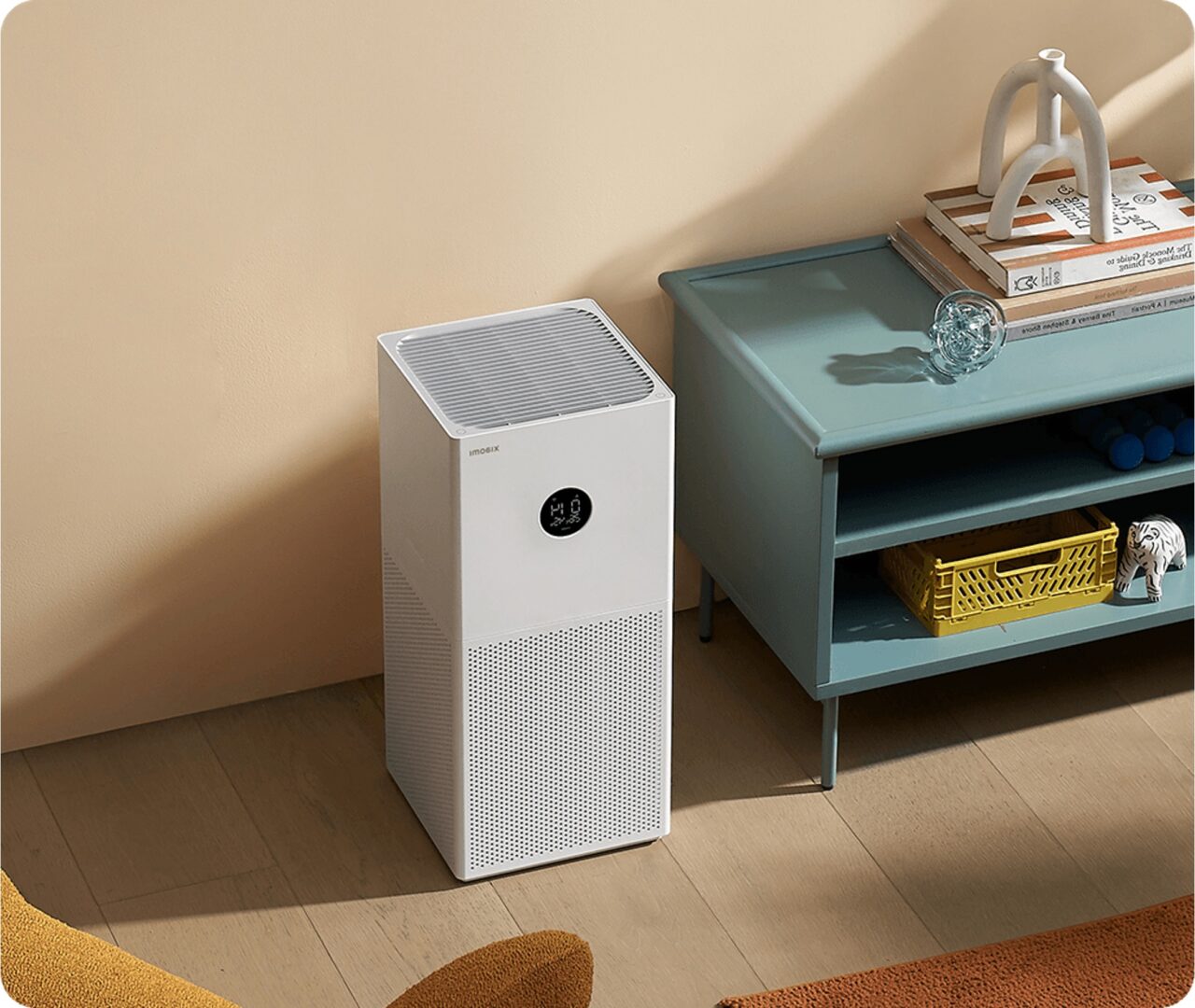
Most Xiaomi models from Mi Air Purifier 2C, 3, 3H, 4, and 4 Pro have a similar touch button or control panel.
- Single button: Power and mode selection
- OLED display: Shows PM2.5 reading, temperature, humidity, and mode
- Indicator light: Color-coded for air quality (green, orange, red)
The touch button is used for all manual operations—no separate remote is needed.
Shopping ad

- 【Authoritative TÜV Rheinland Allergy Care Certified】This air purifier is proven to effectively filter out allergens, pet hair, dust, smoke and etc
- 【Integrated Filter, Up to 99.97% Filtration】This home air purifier removes at least 99.97% allergens, owing to its integrated electrostatic and activated carbon filter
- 【Very Poweful & Fast Purification】This air purifier cleans a small room in only 12 minutes & 517 sq ft in 30 minutes. Its adjustable speed allows you to clean the air as fast as you'd like
- 【Air Quality Sensor & 20dB Ultra-Quiet】You can see your air quality index in the app. You can actually feel a noticeable difference in the air quality when the purifier is on. The noise level is 33% lower than regular air purifiers. You can dim or turn off the screen for better sleep quality
- Compact & Stylish Design: 4 compact air purifies are lightweight and easy to place on a desk or hidden on the room floor. Packages are exquisite.
Step 3: Switch Between Modes
You can manually change the operating mode by tapping the control button.
For OLED models:
- Short Press the button once:
- Cycles between modes: Auto → Sleep → Favorite → Auto
- Watch the display:
- Auto Mode: Adjusts fan speed automatically based on PM2.5 levels.
- Sleep Mode: Runs silently at low speed. Ideal for night use.
- Favorite Mode: Customizable via app, but runs at fixed speed if used without app.
Even if you haven’t configured “Favorite Mode” in the app, you can still use it manually as a medium-to-high speed mode.
Step 4: Adjust Fan Speed Without App
Some models (like Mi Air Purifier 4 Pro) allow manual fan speed adjustment through Favorite Mode only.
Without the app, you cannot customize Favorite Mode speed levels, but you can still toggle modes to increase air output:
Shopping ad

- WHY CHOOSE AHAM VERIFIDE AIR PURIFIERS: AHAM (Association of Home Appliance Manufacturers) is an ANSI-accredited organization that sets strict standards for appliance performance. Air purifiers with the AHAM VERIFIDE seal have been independently tested for air cleaning performance and energy efficiency. When you choose an AHAM certified air purifier, you're choosing a product trusted for reliable and effective indoor air quality improvement
- HIGH-PERFORMANCE AIR PURIFICATION: A powerful 56W high-torque motor and 143 CFM CADR delivers fast, effective cleaning. The Levoit Original Filter is HEPA-grade while operating in Sleep Mode (Based on IEST RP C001.7). Ideal for home, bedroom, or office
- AHAM VERIFIDE, PROVEN PERFORMANCE: AHAM VERIFIDE with a CADR (Clean Air Delivery Rate) rating of 143 CFM for smoke, 153 CFM for dust, and 167 CFM for pollen—refreshing air in a 222 ft² room 4.8 times per hour and a 1,073 ft² room once per hour
- GENUINE REPLACEMENT FILTERS: For the best performance and longest lifespan, use official Levoit filters designed specifically for Levoit air purifiers. Levoit replacement filters ensure the best fit and high-efficiency filtration, while off-brand filters may be unreliable and may damage your Levoit air purifier
- FIND COMFORT: Our filter has strong filtration performance of fine particles. 99.97% filtration efficiency for 0.1 to 0.3μm airborne particulates, including pollen, dust, and animal dander allergens. Tested by an independent lab
- Use Auto for balanced automatic operation
- Use Favorite for higher output
- Use Sleep for quiet, low-speed operation
If you need stronger filtration during cooking or when air quality worsens, manually cycle to Favorite Mode for max effect.
Step 5: Interpret the Display and Air Quality Lights
Do these 3 things before closing this tab:
1Fix the driver behind crashes, sound loss and screen glitches2Repair Windows errors before they cause bigger problems3Scan for outdated or missing drivers - takes under a minuteXiaomi air purifiers provide instant air quality feedback using colored ring indicators or the OLED display.
Common indicator meanings:
- Green: Good air quality (PM2.5 < 35 µg/m³)
- Orange: Moderate pollution (PM2.5 between 36–75 µg/m³)
- Red: Poor air quality (PM2.5 > 76 µg/m³)
You can check:
- PM2.5 reading: Displayed in large numbers
- Temperature and humidity: Shown below PM2.5 (on newer models)
This helps you decide whether to leave it on Auto or switch to a more aggressive mode manually.
Shopping ad

- 𝐖𝐇𝐘 𝐂𝐇𝐎𝐎𝐒𝐄 𝐀𝐇𝐀𝐌 𝐕𝐄𝐑𝐈𝐅𝐈𝐃𝐄 𝐏𝐑𝐎𝐃𝐔𝐂𝐓𝐒: AHAM (Association of Home Appliance Manufacturers) is an ANSI-accredited organization that sets strict standards for appliance performance. Air purifiers with the AHAM VERIFIDE seal have been independently tested for air cleaning performance, safety, and energy efficiency. When you choose an AHAM certified air purifier, you're choosing a product trusted for reliable and effective indoor air quality improvement.
- 𝐀𝐇𝐀𝐌 𝐕𝐄𝐑𝐈𝐅𝐈𝐃𝐄 & 𝐓𝐑𝐔𝐒𝐓𝐄𝐃 𝐁𝐘 𝐄𝐗𝐏𝐄𝐑𝐓𝐒: Certified by the Association of Home Appliance Manufacturers (AHAM), the Vital 200S-P has been independently tested to meet strict air purification and safety standards. CADR ratings include: Smoke: 250 CFM Dust: 254 CFM Pollen: 289 CFM
- 𝐀𝐈𝐑 𝐏𝐔𝐑𝐈𝐅𝐈𝐄𝐑 𝐃𝐄𝐒𝐈𝐆𝐍𝐄𝐃 𝐅𝐎𝐑 𝐀𝐋𝐋𝐄𝐑𝐆𝐘 𝐆𝐑𝐎𝐔𝐏𝐒:The Vital 200S-P is designed specifically for allergy groups, effectively preventing allergens such as pollen, pet hair, dander, and dust from the air. Its efficient filtration system captures tiny particles, significantly improving indoor air quality and helping you and your family enjoy fresher air.
- 𝐏𝐎𝐖𝐄𝐑𝐅𝐔𝐋 𝐖𝐇𝐎𝐋𝐄-𝐑𝐎𝐎𝐌 𝐀𝐈𝐑 𝐂𝐋𝐄𝐀𝐍𝐈𝐍𝐆: The LEVOIT Vital 200S-P Air Purifier delivers advanced air purification for large rooms up to 1875 sq ft. Ideal for living rooms, bedrooms, basements, and open-concept homes, it’s built to handle high traffic spaces and pet households.
- 𝐇𝐈𝐆𝐇𝐄𝐑 𝐀𝐈𝐑 𝐈?𝐓𝐀𝐊𝐄: Purify your air quickly. With a traditional air inlet and the additional U-shaped air inlet, airborne pet hairs and odors can easily be trapped without causing clogs
Step 6: Reset Filter Indicator After Replacing Filter
Xiaomi air purifiers have a filter replacement reminder. After replacing the filter, you must reset the indicator manually.
PC Slower Than It Used to Be?
A free scan shows the junk files, broken settings and background clutter dragging Windows down - then fixes them in one click.Free scan · Windows 10 & 11Outdated Drivers Are Slowing You Down
One free scan finds every outdated or missing driver and matches the right update for your exact hardware.Free scan · exact hardware matchSteps to reset (without app):
- Press and hold the Power/Touch Button for 7 seconds
- Wait for a beep or confirmation on the screen
- The filter indicator resets and usage hours return to zero
I once forgot this step after replacing my filter and was confused why the alert remained. Always reset it manually if you’re not using the app.
Step 7: Cleaning and Maintenance (Manually)
To maintain good performance:
- Wipe the outer body weekly with a dry or slightly damp cloth.
- Clean the sensor once a month:
- Open the sensor cover on the side/back.
- Use a cotton swab or soft brush to remove dust.
- Check the filter every 2–3 months for visible dirt or odor.
The app gives reminders, but manually, you can follow a calendar-based schedule.
Shopping ad
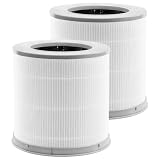
- Perfect Compatibility:Replacement filters is compatible with xiaomi 4 compact filter air pburifier.Not applicable 4lite 4pro,Please check your required model and size again before placing an order to avoid making a wrong purchase
- 3-In-1 Efficient Filtration System: High-Efficiency filter/Activated Carbon Filter/pre-Filter, as small as 0.3 microns. for dust, pollen, smoke, odors and pet dander
- Professional Production Factory:From raw material selection to professional production operations, ensures the quality of the filter element and thereby provides health protection for you and your family
- Value Pack:2 Pack Combo Filters,for optimum performance,it is recommended to replace the filter once every 6-12 months or more often depending on air quality & environmental factors
- Buy with Confidence:PZHARQG has been committed to providing all customers with high-quality and cost-effective air purifier filters, and help customers build a better living environment
Step 8: Turn Off the Air Purifier Manually
To power off the unit:
- Press and hold the Power button for 2–3 seconds
- The display will turn off and the unit will stop operating
You can also unplug the unit if you won’t be using it for a while.
Tips for Best Manual Operation
- Place the purifier in a central open space, away from walls and curtains
- Avoid blocking the air inlet and outlet
- Run in Auto or Favorite Mode during high pollution or allergy season
- Run in Sleep Mode at night for quiet operation
- Do not place the unit near windows, or it may read external PM2.5 incorrectly
Limitations of Manual Use
While Xiaomi air purifiers can be fully used without the app, here’s what you can’t do manually:
Recommended Free Tools
- Set specific fan speed levels
- Track filter lifespan in hours
- Schedule on/off timings
- Receive AQI notifications or voice assistant controls
That said, for regular daily use, manual controls cover all basic needs effectively.
Conclusion
Using a Xiaomi Air Purifier manually is simple, efficient, and often more convenient than relying on Wi-Fi and app connectivity—especially if you’re looking for a plug-and-play air purification experience. By learning how to switch between modes, interpret the display, clean the sensor, and reset the filter manually, you can fully operate the device with just a few touches. From my own usage during Delhi’s winter smog season, I found that switching between Auto and Favorite modes manually kept indoor air quality stable, even when I wasn’t using the app. So if you’re ever without internet or simply want a quick way to manage your air purifier, the manual control functions are more than capable of keeping your air clean.
Quick Recap
Product prices and availability are accurate as of the date/time indicated and are subject to change. Any price and availability information displayed on Amazon at the time of purchase will apply.
Independent reader supportYour contribution helps us test, update, and keep practical guides available for everyone.



