Zno
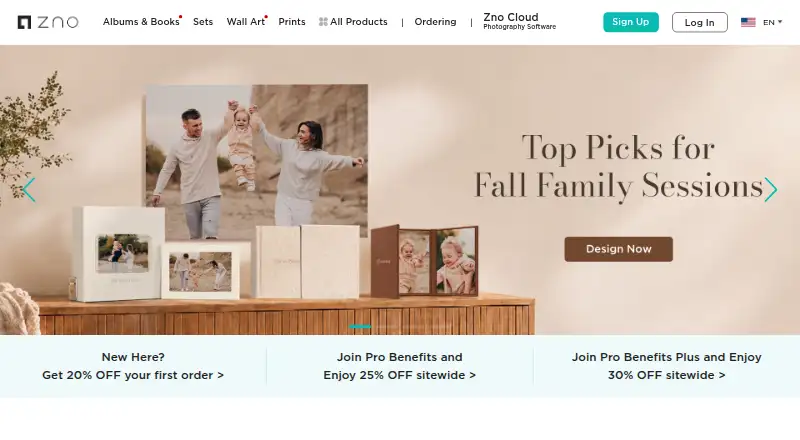
Zno combines cloud-based photography software with a print lab for professional photographers.
What Zno is
Zno combines cloud-based photography software with a print lab for professional photographers. Its tools cover client galleries, studio management, album design, instant event sharing, and AI-assisted editing. Zno Gallery handles photo delivery, proofing, favorites, comments, downloads, and activity tracking; its eStore sells digital downloads and prints with 0% commission according to the product page. Zno Website offers photographer templates, a drag-and-drop builder, custom domains, hosting, and SSL certificates. Zno Manager includes booking and scheduling, payment collection, branded invoices, e-signatures, and client records. Zno Instant can upload photos from a camera connected through a Mobile Tethering Kit to a shareable event gallery, with QR-code access and optional watermarks. Zno Pixel provides AI culling, image scoring, face indexing, editing profiles, and crop and straighten tools. Pixel currently integrates with Lightroom Classic; Lightroom, Capture One, and Photoshop are described as future integrations. Zno offers a free start and lists software options from $8. Uploaded images and projects remain saved until deleted, but ordered projects cannot be deleted.
Good
- Gallery supports proofing, comments, and downloads.
- Website builder includes custom domains and hosting.
- Manager includes bookings, payments, and e-signatures.
- Instant galleries support QR-code access.
- Pixel offers AI culling and image scoring.
Watch out
- Pixel currently integrates only with Lightroom Classic.
- Ordered projects cannot be deleted.
- Instant gallery package prices are not listed.
Who it suits
Zno suits professional photographers seeking client delivery, business management, album design, and print fulfillment tools. Its Instant features also address event, sports, headshot, and wedding use cases.
Verdict
Zno spans gallery delivery, studio management, editing, and print products for professional photographers. Check Pixel's current integration scope and project deletion limits before adopting it.
Plans and prices
From Zno's own pricing page, checked 3 Oct 2026.
| Plan | Price | What it gives you |
|---|---|---|
| Zno software free start | Free | Get started for free; upgrade when needed |
| Zno Instant gallery packages | — | Buy one or multiple galleries; larger packs save more; package prices were not displayed in the opened page |
The facts
Each one read from Zno's own pages, with the date it was checked.
What it does
- AI editing
- Zno Pixel offers AI culling, image scoring, face indexing, editing profiles, and crop and straighten tools.checked 2 Oct 2026
- AI tools
- Zno Instant offers optional AI culling to identify closed eyes, blur, duplicates, and exposure problems, while AI retouching is a paid add-on.checked 3 Oct 2026
- Album design
- Zno Designer provides cloud album design with Auto Fill, proofing and client comments, slideshow creation, and one-click ordering from Zno or export to other labs.checked 2 Oct 2026
- Audience
- Zno markets its software and print lab to professional photographers and describes Instant use cases including events, sports, headshots, and weddings.checked 3 Oct 2026
- Gallery delivery
- Zno Gallery provides customizable online client galleries with proofing, favorites, comments, full-resolution downloads, and download activity tracking.checked 3 Oct 2026
- Gallery limits
- Zno Gallery advertises a free start with no credit card required, but the page does not state storage or usage limits for that offer.checked 2 Oct 2026
- Gallery sales
- Zno Gallery’s built-in eStore supports digital downloads and prints, lets photographers set prices, and states that Zno takes 0% commission.checked 3 Oct 2026
- Instant delivery
- Zno Instant connects a camera to its mobile app through a Mobile Tethering Kit and uploads photos to a shareable event gallery.checked 2 Oct 2026
- Instant gallery access
- Instant Gallery access options include public, password, Face Match, and Selfie Access; with Selfie Access, guests see only photos matched to their selfie.checked 3 Oct 2026
- Instant gallery commerce
- Zno Instant includes a zero-commission eStore for digital downloads or print products, and Zno says it automatically fulfills print orders.checked 3 Oct 2026
- Instant gallery limits
- The opened Instant page says galleries have no expiration, but its package prices and photo limits were not displayed there.checked 3 Oct 2026
- Instant sharing
- Zno Instant uploads photos to an event gallery as they are taken and lets guests access it through a QR code.checked 3 Oct 2026
- Integrations
- Zno Gallery advertises Lightroom integration and supports print fulfillment through Zno or a preferred third-party lab.checked 3 Oct 2026
- Privacy controls
- Gallery owners can set passwords, download PINs, size limits, and watermarks.checked 2 Oct 2026
- Product
- Zno offers cloud-based, AI-powered software and premium print lab products for professional photographers.checked 3 Oct 2026
- Security and data
- Zno says its sign-in, sign-up, and payment data are encrypted; uploaded images and projects are saved until the user deletes them, while ordered projects cannot be deleted.checked 2 Oct 2026
- Studio management
- Zno Manager includes online booking and scheduling, deposits or full session payments, branded invoices, e-signatures, and client records.checked 2 Oct 2026
- Support
- Zno lists weekday phone support for US/Canada/Mexico and UK/EU/Australia/New Zealand, plus support by email and a Help Center.checked 3 Oct 2026
- Website builder
- Zno Website offers photographer templates, a drag-and-drop builder, custom domains, free hosting with unlimited bandwidth, and SSL certificates.checked 2 Oct 2026
The company
- Company
- Zno says it was founded in San Jose, California, in 2012 and lists its address in San Jose, California.checked 3 Oct 2026
- Founded
- 2012checked 28 Sep 2026
- Headquarters
- San Jose, California, USAchecked 28 Sep 2026
Where it runs
- Platform and integration limits
- Zno Pixel supports recent Windows and macOS versions and currently integrates with Lightroom Classic; Lightroom, Capture One, and Photoshop are described as future integrations.checked 2 Oct 2026
The full review of Zno
Overview
Zno is a broad photography workflow suite for professionals who want client delivery, business tools, editing, and print ordering under one roof. Its range is a strength, but photographers who mainly need one focused tool may prefer a specialist.
Key features
Client galleries and sales
Zno Gallery combines proofing and delivery with a storefront. Clients can select favorites, comment, and download images, while photographers can track download activity. Passwords, download PINs, size limits, and watermarks give owners useful control over access and file sharing.
The built-in eStore sells digital downloads and prints with 0% commission, and can fulfill through Zno or a preferred lab. Lightroom integration and third-party lab support make it more flexible than a print-only storefront. Zno advertises a free start without a credit card, but does not state storage or usage caps for that offer, so photographers with sizable galleries should confirm capacity before relying on it.
Tools across the workflow
Zno Manager handles online booking and scheduling, deposits or full session payments, branded invoices, e-signatures, and client records. That makes the suite relevant beyond image delivery, especially for studios that want client administration alongside galleries.
Zno Website supplies photographer templates, drag-and-drop editing, custom domains, hosting with unlimited bandwidth, and SSL certificates. Zno Designer supports cloud album creation, automatic layout filling, client proofing and comments, slideshows, and ordering from Zno or exporting to another lab. These tools connect presentation and print production, though they are most useful to photographers who expect to use several parts of the suite.
Zno Instant is built for event sharing: a camera connects to its mobile app through a Mobile Tethering Kit, and images upload as they are taken to a shareable gallery. Guests can enter through a QR code, with public, password, face-match, or selfie access options and optional watermarking. Its zero-commission eStore sells downloads and prints, with Zno automatically fulfilling print orders. Optional AI culling flags closed eyes, blur, duplicates, and exposure problems; AI retouching costs extra.
AI editing and data controls
Zno Pixel adds AI culling, image scoring, face indexing, editing profiles, and crop and straighten tools. Its current integration is Lightroom Classic; Lightroom, Capture One, and Photoshop are future integrations, not current options. Pixel supports recent Windows and macOS versions. Zno says sign-in, sign-up, and payment data are encrypted. Uploaded images and projects remain saved until deleted, but ordered projects cannot be deleted, a meaningful constraint for photographers with strict retention requirements.
Pricing
Zno uses a freemium model. The software free start costs free, with the option to upgrade when needed; the free gallery offer does not state storage or usage limits. Paid plans start at $8, and a free trial is available. Zno Instant gallery packages have custom pricing: photographers can buy one or multiple galleries, with larger packs saving more, but should confirm the package cost and photo allowance before committing.
The free start suits photographers evaluating the workflow or beginning with modest needs, but undisclosed gallery caps make it difficult to judge whether it can support ongoing client delivery. The broader paid suite may suit studios using several tools, while Instant users should budget around gallery packages rather than assume the general starting price covers event galleries.
Platforms
Zno supports web, iOS, Android, macOS, and Windows. Pixel specifically supports recent Windows and macOS releases, while Instant connects a camera to its mobile app through the Mobile Tethering Kit. Support includes weekday phone service in regional hours, 24/7 email availability, live chat, and support articles.
Who it's for
Zno is best suited to professional photographers who need a combination of client proofing, sales, booking, album design, and print fulfillment. Instant is particularly relevant to event, sports, headshot, and wedding photographers who want guests to see images during an event. It is a weaker fit for photographers who require confirmed storage quotas, broad current editing integrations, or deletion of ordered projects.
Pros and cons
- Pros: Gallery proofing, client management, website creation, album design, AI tools, and print products cover multiple stages of a professional workflow.
- Pros: Gallery and Instant stores charge 0% commission, and Instant print orders are automatically fulfilled by Zno.
- Pros: Instant offers QR access and multiple privacy settings, useful for sharing at live events.
- Cons: Free-gallery storage and usage caps are unstated, and Instant package prices and photo limits are not displayed, complicating capacity and cost planning.
- Cons: Pixel currently integrates only with Lightroom Classic, limiting photographers whose editing workflow depends on other named applications.
- Cons: Ordered projects cannot be deleted, which may conflict with retention or data-management policies.
Alternatives
Pic-Time is another freemium choice with client galleries and a print store; its free plan includes 10GB photo storage, reduced to 3GB after 6 months, plus 1GB video storage. Picflow may suit collaborative review workflows, with 2 GB storage, 50 workflow credits, and one seat on its free plan. Pixieset Website is a more focused option for a free portfolio site, offering 15 pages, 100 photos, five blog posts, unlimited bandwidth, SSL security, and mobile optimization.
N-Vu is an alternative for photographers comparing event sales plans: N-Vu Two costs $9.99 a month for 3,000 images and unlimited events, with a 9% commission. Pelli offers a free tier with three galleries and 1 GB storage, while its Lite plan costs $9 a month for 15 galleries, 10 GB storage, and one hour of video. PhotoProofPro has a free Starter plan with 250 MB storage and 30 clients. AfterGather is a free web option with two active projects and 5 GB pooled storage, with a 30-day storage term on the first project.
For narrower needs, compare photo proofing software, photo slideshow makers, AI photo culling software, or photo printing software.
Verdict
Choose Zno if you are a professional photographer who values a connected path from client galleries and studio administration to album design and print fulfillment. Its breadth and zero-commission stores are compelling; look elsewhere if fixed gallery capacity, broader current editing integrations, or deletion of ordered work is essential.
Getting started
- Visit https://www.zno.com/ to get started.
- Begin with Zno's free software start; no credit card is required for the Gallery free start.
- Choose the relevant tool, such as Gallery, Website, Manager, Instant, Designer, or Pixel.
- For Zno Instant, connect a camera to its mobile app through a Mobile Tethering Kit to upload photos to an event gallery.
- Upgrade when needed; paid options start at $8.
Limits worth knowing
Zno offers a free start, but the Gallery free offer does not state storage or usage limits. Pixel currently integrates with Lightroom Classic; Lightroom, Capture One, and Photoshop are described as future integrations.
Questions
Does Zno have a free plan?
Zno offers a free software start, and Zno Gallery advertises a free start without requiring a credit card.
What does Zno cost?
Paid options start at $8. Zno Instant gallery package prices are not provided in the listed facts.
Which platforms does Zno support?
The listed platforms include Android, iOS, macOS, web, and Windows.
Which editing software does Zno Pixel integrate with?
Pixel currently integrates with Lightroom Classic. Lightroom, Capture One, and Photoshop are described as future integrations.
Can ordered projects be deleted?
Uploaded images and projects remain saved until the user deletes them, but ordered projects cannot be deleted.
Alternatives to Zno
- 1

Selekt
Free planWebmacOSWindows7.7From A$16 a month - 2

AccioPix Photo Culling
Free planWebAPImacOSWindows7.5₹0.20 one-time - 3

Facet
Free planOpen sourceWebAPILinuxmacOS7.5Free plan - 4
Memory Ease
AndroidiOSWebmacOS7.0From $7.50 a month - 5

Cull AI Studio
macOSWindows6.9From $159 a year - 6
Optyx
Free planAPImacOSWindows6.7From $6.99 a month