
Picflow
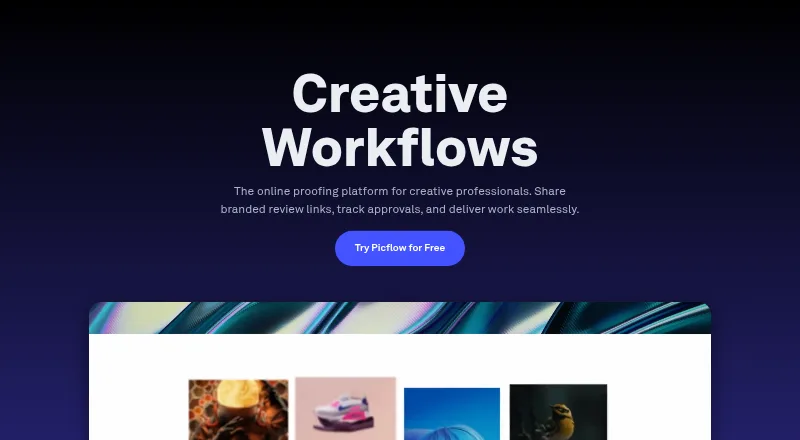
Picflow is a platform for sharing image and video galleries and collecting visual feedback in context.
What Picflow is
Picflow is a platform for sharing image and video galleries and collecting visual feedback in context. Reviewers can mark favorites, comment, annotate, set approval statuses and color labels, and use version control. Gallery owners can customize layouts, add content sections, and embed galleries on websites. Sharing controls include password protection, visitor identification, and custom watermarks. Picflow integrates with Lightroom Classic, Capture One, Zapier, Dropbox, Google Drive, Box, Google Analytics, and Google Tag Manager. Its Chrome extension saves images to a gallery while browsing; iOS and Android apps provide gallery access, sharing, and feedback review. The macOS app accepts folders dragged from Finder, with large uploads continuing in the background. The Free plan costs nothing and includes 2 GB of storage, 50 workflow credits, and one seat, with unlimited galleries and collaborators. Reviewers and guests are unlimited on every plan, but creating and managing projects requires a user license. Picflow states that data is encrypted in transit and at rest, and its platform runs on AWS.
Good
- Reviewers can comment, annotate, and set approval statuses.
- Galleries support password protection and custom watermarks.
- Free plan includes 2 GB storage and unlimited collaborators.
- Apps are available for iOS, Android, and macOS.
Watch out
- Free plan includes only one seat.
- Free plan storage is limited to 2 GB.
- Creating and managing projects requires a user license.
Who it suits
Picflow suits teams or individuals who need to share image and video galleries and gather structured feedback. It may also fit workflows that use its listed creative, storage, and analytics integrations.
Verdict
Picflow combines gallery presentation with detailed feedback and sharing controls across web, desktop, browser, and mobile access. The Free plan offers unlimited galleries and collaborators, but its storage and seat allowance are limited.
Plans and prices
From Picflow's own pricing page, checked 29 Sep 2026.
| Plan | Price | What it gives you |
|---|---|---|
| Free | Free | 2 GB storage · 50 workflow credits · 1 included seat · unlimited galleries and collaborators |
| Biz | — | 5 TB storage · 5,000 workflow credits · 10 included seats · unlimited galleries and collaborators · Monthly or annual billing options shown |
| Enterprise | Priced on request | Custom storage and users · 20+ included seats · unlimited galleries and collaborators · Contact Picflow |
| Plus | — | 100 GB storage · 400 workflow credits · 1 included seat · unlimited galleries and collaborators · Monthly or annual billing options shown |
| Pro | — | 1 TB storage · 1,000 workflow credits · 2 included seats · unlimited galleries and collaborators · Monthly or annual billing options shown |
The facts
Each one read from Picflow's own pages, with the date it was checked.
Where it runs
- Browser extension
- The Chrome extension saves images to a Picflow gallery while browsing the web.checked 29 Sep 2026
- macOS app
- The macOS app supports dragging folders from Finder into Picflow, with large uploads running in the background.checked 29 Sep 2026
- Mobile apps
- Picflow says its mobile app is available for iOS and Android for gallery access, sharing, and feedback review.checked 29 Sep 2026
What it does
- Enterprise security
- Enterprise security features include SSO, enforced 2FA, IP whitelisting, activity logs, and SCIM provisioning.checked 29 Sep 2026
- Gallery design
- Users can customize gallery layouts, add content sections, and embed galleries on websites.checked 29 Sep 2026
- Guests and seats
- Reviewers or guests are unlimited on every plan, while a user license is needed to create and manage projects.checked 29 Sep 2026
- Integrations
- Picflow lists Lightroom Classic, Capture One, Zapier, Dropbox, Google Drive, Box, Google Analytics, and Google Tag Manager integrations.checked 29 Sep 2026
- Product
- Picflow is a platform for sharing galleries and collaborating on images and videos through contextual visual feedback.checked 29 Sep 2026
- Review features
- The feature list includes favorites, comments, annotations, approval statuses, color labels, and version control.checked 29 Sep 2026
- Security
- Picflow states that data is encrypted in transit with TLS/SSL and at rest with AES256, and that its platform runs on AWS.checked 29 Sep 2026
- Sharing and protection
- Gallery options include password protection, visitor identification, and custom watermarks.checked 29 Sep 2026
- Storage limit
- Images can be uploaded up to the storage limit of the selected plan; the Free plan includes 2 GB.checked 29 Sep 2026
- Support
- The feature list describes weekday live chat during office hours, email support, and priority support for paid plans.checked 29 Sep 2026
Money
- Free trial
- Picflow says paid plans include a 7-day free trial and its Free plan has no time limit.checked 29 Sep 2026
The company
- Headquarters
- Zürich, Switzerlandchecked 23 Sep 2026
The full review of Picflow
Picflow is a gallery platform for sharing images and video while gathering feedback in context. It suits photographers and creative teams that need review controls across devices, with unlimited guests but paid seats for project managers. Its strongest case is the breadth of feedback and sharing tools; its main constraint is that storage and workflow credits vary sharply by plan.
Overview
Picflow brings presentation, review, and collaboration into the same gallery. Reviewers can leave comments and annotations, mark favorites, use approval statuses and color labels, and track versions. That makes it a stronger fit for structured image and video review than a simple file-sharing gallery.
Gallery layouts can be customized with content sections, and galleries can be embedded on websites. Password protection, visitor identification, private links, public galleries, and custom watermarks give teams options for sharing work with different audiences. The trade-off is that managing projects requires user licenses even though reviewers and guests are unlimited.
Key features
- Contextual feedback: Comments, annotations, favorites, approvals, color labels, and version control help teams keep decisions attached to the work. This is useful when feedback needs more structure than a general discussion thread.
- Gallery presentation: Custom layouts, content sections, and website embeds make galleries more than review queues. Passwords, visitor identification, and watermarks add control over how shared work is presented.
- Connected workflows: Integrations include Lightroom Classic, Capture One, Zapier, Dropbox, Google Drive, Box, Google Analytics, and Google Tag Manager. The range spans creative tools, storage, automation, and analytics.
- Browser capture: The Chrome extension saves images from web browsing to a Picflow gallery, a practical route for collecting visual references.
- Security and support: Picflow says data is encrypted in transit with TLS/SSL and at rest with AES256, and that the platform runs on AWS. Enterprise adds SSO, enforced 2FA, IP whitelisting, activity logs, and SCIM provisioning. Support includes weekday live chat during office hours and email, with priority support for paid plans.
Pricing
Picflow is freemium, with a free plan and a 7-day trial. The free tier costs nothing and includes 2 GB storage, 50 workflow credits, one seat, unlimited galleries, and unlimited collaborators. That is a useful way to run small projects, but the storage and single manager seat make it a limited base for ongoing team work.
Paid plans have monthly or annual billing options, but prices are custom pricing. Plus includes 100 GB storage, 400 workflow credits, and one seat, so it increases capacity without adding another project manager. Pro raises that to 1 TB and 1,000 workflow credits, with two seats. Biz provides 5 TB, 5,000 credits, and 10 seats for larger teams. All three include unlimited galleries and collaborators; the meaningful differences are storage, credits, and licensed users.
Enterprise uses custom storage and users, includes 20+ seats, and is billed by contacting Picflow. It is the plan aligned with larger organizations and enterprise security requirements. On every plan, unlimited reviewers do not mean unlimited internal project managers: each user who creates and manages projects needs a seat.
Platforms
Picflow supports web, macOS, iOS, Android, and a Chrome extension. Its iOS and Android apps provide gallery access, sharing, and feedback review, while the macOS app accepts folders dragged from Finder and can run large uploads in the background. That gives contributors several ways to reach galleries, though the browser extension is specifically for Chrome.
Who it's for
Picflow is best suited to photographers and creative teams that need client or colleague feedback alongside polished gallery sharing. Unlimited guests make it easier to involve many reviewers without buying a seat for each one; the seat count instead matters to the people who create and manage projects. Smaller users with modest storage needs can start free, while teams handling more material should weigh the storage and workflow-credit allowance against the seats included in each paid tier.
Pros and cons
- Pro: Feedback tools combine annotations, approvals, labels, favorites, and version control, giving teams several ways to resolve review decisions in context.
- Pro: Unlimited galleries and collaborators on every plan make guest participation less restrictive than the licensed-seat count might suggest.
- Pro: Web, desktop, mobile, and Chrome access support different points in a visual workflow, including background uploads from Finder.
- Con: The free plan's 2 GB and 50 workflow credits are modest, and its single seat limits how many people can manage projects.
- Con: Paid plan prices are custom pricing, so comparing the cost of higher storage and additional seats requires a quote.
Alternatives
For a broader comparison, browse Photo Proofing Software or Photo Sharing Software.
- Pic-Time is a freemium option with apps for Android, iOS, macOS, and Windows as well as web access. Its free plan offers 10GB photo storage, reduced to 3GB after 6 months, plus 1GB video storage, client galleries, a print store, and basic design tools; consider it when those gallery and print-store inclusions matter more than Picflow's feedback controls.
- picdrop has a free web plan with 1 GB storage, three galleries, and basic collaboration features. It may suit someone who needs a small web-based gallery setup rather than Picflow's broader device coverage and review feature set.
- Lightfolio offers Linux, macOS, web, and Windows access, with Lite at 30 GB photo storage and 3 GB video storage, and Starter at 100 GB photo storage and 10 GB video storage. Consider it when those stated storage allowances are the priority.
- PhotoGlacier has a free web plan with 5 GB storage, up to three published galleries, one video per gallery, and a Photoglacier mark. It is a possible fit for a small published-gallery footprint.
- Pelli is a web-based freemium alternative with a free tier of three galleries and 1 GB storage, and a Lite plan at $9 a month with 15 galleries, 10 GB storage, and one hour of video. It may suit users who want those gallery and video limits at a stated monthly price.
- N-Vu is a web-based freemium alternative.
- Handover.photo is a web-based freemium option described as built and used by a working retouching studio in Kavala, Greece.
- StudioFolio is a web-based freemium alternative whose Starter plan is free forever and includes every feature, one storage connection, three active projects, and unlimited clients and galleries. It is worth considering when those project and client terms fit better than Picflow's seat-and-credit structure.
Verdict
Choose Picflow if your work depends on organized visual feedback, flexible gallery sharing, and involving unlimited reviewers across devices. The combination of detailed review controls and guest access is its clearest advantage. Look elsewhere if you need predictable published pricing, more free storage, or several project managers without moving to a higher-seat plan.
Alternatives to Picflow
- 1
Lychee
Free planOpen sourceAndroidiOSWebAPI8.5Free plan - 2

Flickr
Free planAndroidiOSWebAPI8.2From $82 a year - 3
ShootProof Portfolio Website
Free planAndroidiOSWebAPI8.1From $8.33 a month - 4

EventPics
Free planAndroidiOSWebAPI8.0From €4.99 a month - 5

SmugMug
AndroidiOSWebAPI7.8From $20 a month - 6

Zenfolio
iOSWebmacOSWindows7.7From $84 a year