Yoink
Yoink is a free, open-source screenshot tool for Windows that captures, annotates and shares images with a hotkey.
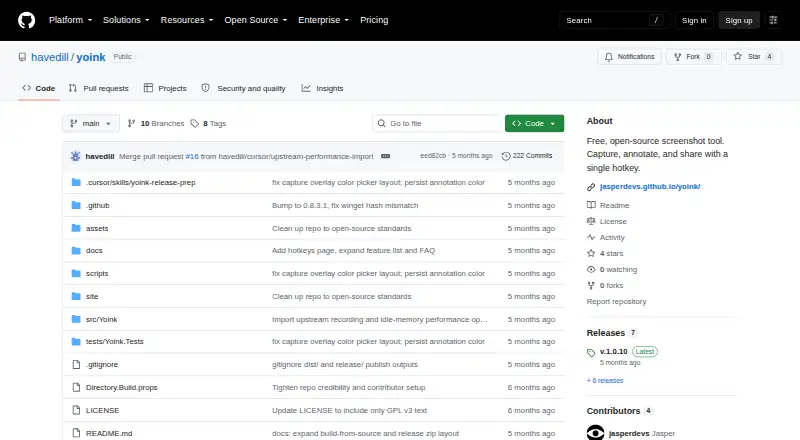
What Yoink is
Yoink is a free, open-source screenshot tool for Windows that captures, annotates and shares images with a hotkey. Capture options include a selected region, fullscreen, the active window and scrolling content. Built-in annotations cover arrows, text, shapes, blur and freehand drawing. Tesseract OCR extracts text from screen regions; translation can use Argos Translate offline or the Google Translate API. Yoink can download language packs for more than 100 OCR languages. It also records GIF, MP4, WebM and MKV video with microphone and desktop audio. Image history is stored locally and searchable by filename, OCR text or semantic similarity. Upload destinations include Imgur, Dropbox, Google Drive, OneDrive, Azure Blob, S3-compatible storage, GitHub, Immich, FTP, SFTP, WebDAV and Custom HTTP. Uploads are started from the preview toast, and availability depends on the destination and user credentials. The project is licensed under GPL-3.0. The self-contained build is for Windows x64, with x86 and ARM64 builds described as optional.
Good
- Captures regions, fullscreen, active windows and scrolling content
- Includes blur, arrows, text and freehand annotations
- Records four listed video formats with microphone and desktop audio
- Image history supports OCR-text and semantic search
Watch out
- Windows x64 is the self-contained build
- Upload availability depends on destination and credentials
- Public Imgur Client-ID allowance is shared across Yoink users
- No paid support terms are listed
Who it suits
Yoink suits Windows users who want screenshot capture, annotation, OCR, translation and screen recording in one tool. It may also suit people who need to send captures to a supported destination, subject to credentials and service availability.
Verdict
Yoink combines screenshot tools with OCR, translation, recording and multiple upload destinations in a free, open-source Windows app. Uploads require an explicit action, and destination access depends on credentials and service availability.
Plans and prices
From Yoink's own pricing page, checked 11 Oct 2026.
| Plan | Price | What it gives you |
|---|---|---|
| Free, open-source | Free | Free screenshot tool; no paid tiers or usage limits stated |
The facts
Each one read from Yoink's own pages, with the date it was checked.
What it does
- Annotations
- Built-in annotation tools include arrows, text, shapes, blur, and freehand drawing.checked 11 Oct 2026
- Capture
- Capture modes include region, fullscreen, active window, and scrolling capture.checked 11 Oct 2026
- Image search
- Yoink saves local image history and supports searching by filename, OCR text, and semantic similarity.checked 11 Oct 2026
- Imgur limit
- The repository says Yoink's built-in public Imgur Client-ID has a shared allowance of about 1,250 uploads per day across Yoink users.checked 11 Oct 2026
- Language packs
- The app can automatically download language packs for more than 100 OCR languages.checked 11 Oct 2026
- License and support
- The project identifies itself as a free, open-source fork licensed under GPL-3.0; the page gives no paid support terms.checked 11 Oct 2026
- Measurement tools
- Yeschecked 20 Sep 2026
- OCR and translation
- Yoink extracts text from screen regions with Tesseract OCR and supports offline Argos Translate or the Google Translate API.checked 11 Oct 2026
- Redaction tools
- Yeschecked 20 Sep 2026
- Screen recording
- Yoink records GIF, MP4, WebM, and MKV video with microphone and desktop audio.checked 11 Oct 2026
- Sticker creation
- Yoink can remove image backgrounds using cloud providers remove.bg or Photoroom, or local U2Netp and BRIA RMBG models.checked 11 Oct 2026
- Upload availability
- Upload availability depends on the target service and the user's credentials.checked 11 Oct 2026
- Upload control
- Uploads are triggered explicitly from the preview toast; automatic uploads were removed because they could send sensitive content unintentionally.checked 11 Oct 2026
- Upload integrations
- Upload destinations include Imgur, Dropbox, Google Drive, OneDrive, Azure Blob, S3-compatible storage, GitHub, Immich, FTP, SFTP, WebDAV, and Custom HTTP.checked 11 Oct 2026
- What it does
- Yoink is an open-source screenshot tool for capturing, annotating, and sharing with a hotkey.checked 11 Oct 2026
Money
- Free plan
- Yeschecked 20 Sep 2026
Where it runs
- Windows builds
- The source build instructions publish a self-contained Windows x64 app and mention optional Windows x86 and ARM64 builds.checked 11 Oct 2026
Alternatives to Yoink
- 1

Awesome Screenshot
Free planiOSWebExtensionmacOS8.3From $5 a month - 2

Monosnap
Free planWebExtensionLinuxmacOS8.1From $2.50 a month - 3
Usersnap
AndroidiOSWebAPI7.9From €49 a month - 4

Greenshot
Free planWindows7.8$1.99 one-time - 5
ShareX
Free planOpen sourceWindows7.6Free plan - 6
Markup Hero
Free planExtensionmacOSWindows7.6From $3 a month