
Yazi
Yazi is a free terminal file manager for Linux, macOS, and Windows.
What Yazi is
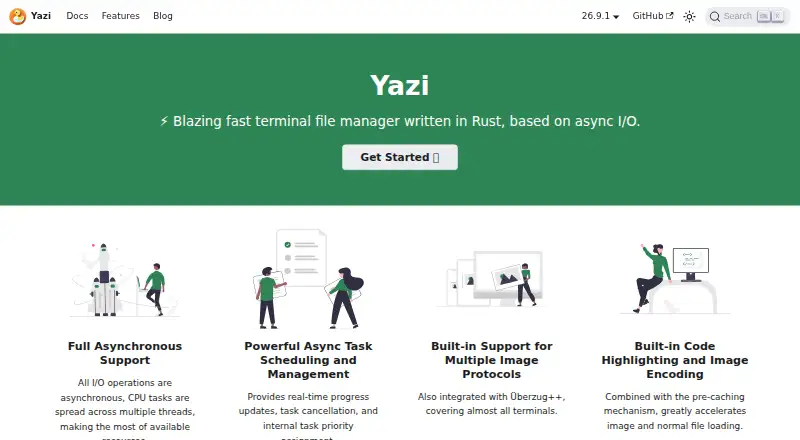
Yazi is a free terminal file manager for Linux, macOS, and Windows. Written in Rust and based on asynchronous I/O, it provides a tabbed workspace for navigating and managing files. Users can select multiple files for copy or cut operations, with the task system scheduling work and showing real-time progress; tasks can also be cancelled or prioritized. Searches can use fd for file names and rg for file contents, and users can operate on search results. Navigation includes fzf and zoxide. Yazi also supports archives, batch renaming, and cloud storage access. Image previews use built-in support for several terminal image protocols, with Überzug++ available for X11 or Wayland. Preview support is guaranteed only for the latest versions of terminals and multiplexers such as tmux and Zellij, and some terminals have limitations. Lua plugins can add functions, previewers, and preloaders, though the plugin feature is in beta. A required file utility detects file types; optional tools enable capabilities such as video thumbnails, archive and PDF previews, and file searching. Drag and drop requires a terminal that supports the protocol. The Flatpak edition has limitations due to sandboxing.
Good
- Free and supports Linux, macOS, and Windows.
- Task system shows progress and supports cancellation.
- Searches file names and file contents.
- Supports archives, batch renaming, and cloud storage.
- Tabs support multiple locations.
Watch out
- Lua plugin feature is in beta.
- Image preview support depends on terminal compatibility.
- Flatpak edition has sandboxing limitations.
- Some features require optional command-line tools.
Who it suits
Yazi suits people comfortable working in a terminal who want file operations, search, tabs, and previews across Linux, macOS, or Windows. It may also fit users who want to extend the manager with Lua plugins.
Verdict
Yazi offers a broad set of file-management tools in a terminal interface, with task controls and configurable extensions. Check terminal preview compatibility and installation limitations if those features are important to your workflow.
Plans and prices
From Yazi's own pricing page, checked 8 Oct 2026.
| Plan | Price | What it gives you |
|---|---|---|
| Yazi | Free | Open-source terminal file manager · some features require optional command-line tools |
The facts
Each one read from Yazi's own pages, with the date it was checked.
What it does
- Archive support
- Yeschecked 20 Sep 2026
- Batch rename
- Yeschecked 20 Sep 2026
- Cloud storage access
- Yeschecked 20 Sep 2026
- Community support
- The official site links to Discord, described as mainly English-speaking, and Telegram, described as mainly Chinese-speaking.checked 8 Oct 2026
- Dependencies
- The required file utility detects file types; optional tools add capabilities such as video thumbnails, archive preview, PDF preview, and file searching.checked 8 Oct 2026
- Drag and drop
- Built-in drag-and-drop support lets users move files between Yazi and other apps, but it requires a terminal that supports the Drag and Drop protocol.checked 8 Oct 2026
- File operations
- Users can select multiple files and perform operations such as copy and cut, with tasks scheduled by the task system.checked 8 Oct 2026
- Flatpak limitation
- The documentation warns that the Flatpak edition has many limitations due to sandboxing and recommends power users consider an alternative installation.checked 8 Oct 2026
- Image previews
- Image previews use built-in support for multiple terminal image protocols, with Überzug++ available for X11 or Wayland.checked 8 Oct 2026
- Navigation
- Yazi supports multiple tabs and quick navigation with fzf and zoxide.checked 8 Oct 2026
- Plugins
- Yazi can be extended with Lua plugins, including functional plugins and custom previewers or preloaders; the plugin feature is marked beta.checked 8 Oct 2026
- Product
- Yazi is a blazing-fast terminal file manager written in Rust and based on asynchronous I/O.checked 8 Oct 2026
- Search
- Yazi supports searching by file name with fd and by file content with rg, then performing operations on search results.checked 8 Oct 2026
- Supported systems
- The installation guide documents packages or binaries for Windows, macOS, and Linux distributions, along with source builds for Windows and Unix-like systems.checked 8 Oct 2026
- Tabbed interface
- Yeschecked 20 Sep 2026
- Task management
- Its task system provides real-time progress updates, task cancellation, and task priority assignment.checked 8 Oct 2026
- Terminal compatibility
- Yazi guarantees image preview support only for the latest versions of terminals and multiplexers such as tmux and Zellij; some listed terminals have preview limitations.checked 8 Oct 2026
Money
- Free plan
- Yeschecked 20 Sep 2026
Where it runs
- Supported platforms
- linux,windows,macoschecked 20 Sep 2026
Alternatives to Yazi
- 1

Filestash
Free planOpen sourceAndroidiOSWebAPI9.2From $50 a month - 2

Owlfiles
Free planAndroidiOSExtensionmacOS8.7From $12.99 a year - 3

WinSCP
Free planOpen sourceWindows7.9Free plan - 4

Dolphin
Free planOpen sourceLinuxWindows7.8Free plan - 5
FileRun
AndroidiOSWebAPI7.8From €9.90 a year - 6

OneCommander
Free planWindows7.8$30 one-time