Yandex Disk
Yandex Disk is a cloud storage service for storing files online and managing them from internet-connected devices.
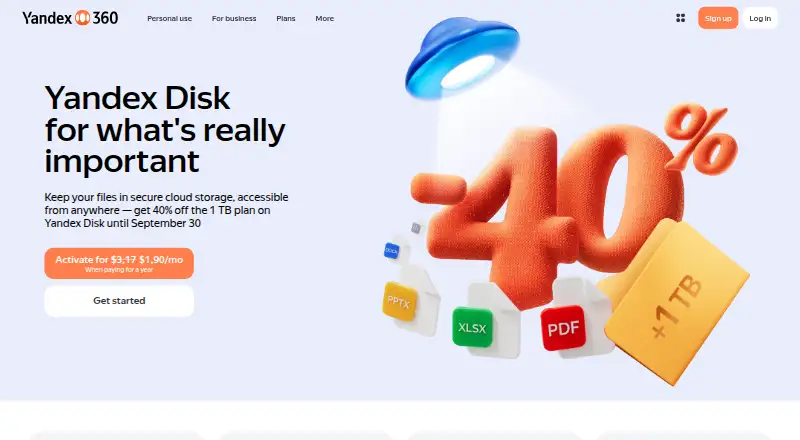
What Yandex Disk is
Yandex Disk is a cloud storage service for storing files online and managing them from internet-connected devices. Its free plan includes 5 GB of storage, and file versioning is available. The service supports web access and Windows, macOS, Linux, iOS, and Android. Its desktop application can sync selected files and folders, but desktop syncing requires a Yandex 360 plan. In the web interface, supported documents, images, archives, ebooks, audio, and video can be previewed. Files and folders can be shared through public links with configurable access settings. Mobile apps can automatically upload photos and videos; paid plans offer unlimited storage for eligible phone media. Yandex says files are scanned by antivirus software and transfers through its app or site are encrypted. Personal 1 TB costs $3.17 a month or $22.75 a year; Pro 3 TB costs $12.50 a month or $75 a year. Family plans are also available, and Yandex Disk supports business admin controls and WebDAV access on a Yandex 360 plan.
Good
- Free plan includes 5 GB storage
- File versioning is available
- Previews documents, images, audio, and video
- Link sharing includes configurable access settings
- Supports Windows, macOS, Linux, iOS, and Android
Watch out
- Desktop sync requires a Yandex 360 plan
- WebDAV requires a Yandex 360 plan
- Yandex Mail shares storage quota with Disk files
Who it suits
Yandex Disk suits people who want cloud storage across desktop and mobile platforms, with web previews and link sharing. Families and businesses may also find its family storage arrangements and admin controls relevant.
Verdict
Yandex Disk covers cloud storage, previews, sharing, and mobile media uploads across several platforms. Check the storage quota and plan requirements for desktop sync or WebDAV before choosing it.
Plans and prices
From Yandex Disk's own pricing page, checked 20 Sep 2026.
| Plan | Price | What it gives you |
|---|---|---|
| Personal 1 TB annual | $22.75 a year | 1 TB storage · When paying for a year |
| Family 1 TB annual | $31.89 a year | 1 TB per member · 8 members · When paying for a year |
| Pro 3 TB annual | $75 a year | 3 TB storage · 100 GB file uploads · When paying for a year |
| Free | Free | 5 GB storage |
| Personal 200 GB | $2.11 a month | 200 GB Disk · unlimited phone photo/video uploads · files up to 50 GB · monthly |
| Family 200 GB | $2.53 a month | 200 GB per family member · up to 8 people · unlimited phone photo/video uploads · monthly |
| Personal 1 TB | $3.17 a month | 1 TB Disk · unlimited phone photo/video uploads · files up to 50 GB · monthly |
| Family 1 TB | $3.80 a month | 1 TB per family member · up to 8 people · family album and folder · monthly |
| Business Basic | $3.99 a month | 100 GB per employee · 100 meeting participants · per employee |
| Family 2 TB | $5.07 a month | 2 TB per family member · up to 8 people · family album and folder · monthly |
| Pro 3 TB | $12.50 a month | 3 TB Disk · files up to 100 GB · higher upload limit · Wfolio galleries · monthly |
| Pro | $12.50 a month | 3 TB, 5 TB, 10 TB, 20 TB, or 30 TB · Upload files up to 100 GB · Monthly upload limit up to 3× storage capacity · Wfolio · Page shows $6.25/mon. when paying for a year. |
| Pro 5 TB | $21.25 a month | 5 TB Disk · files up to 100 GB · higher upload limit · Wfolio galleries · monthly |
| Personal | $211 a month | 200 GB or 1 TB storage · Unlimited photo and video uploads from phone · Upload files up to 50 GB · Monthly; page also shows annual discount pricing for 1 TB: $1,90/mo when paying for a year. |
| Family | $253 a month | 200 GB per member, 1 TB, or 2 TB · Up to 8 people · Family album and folder · Monthly; page also shows annual discount pricing for 1 TB: $2,66/mo when paying for a year. |
| Business Optimal | $6.49 a month | 1 TB per employee · 300 meeting participants · per employee |
| Business Advanced | $16.99 a month | 3 TB per employee · 500 meeting participants · per employee |
The facts
Each one read from Yandex Disk's own pages, with the date it was checked.
What it does
- API
- The REST API uses HTTP requests and OAuth tokens to let applications manage user files and save app data to Disk.checked 15 Oct 2026
- Business admin controls
- Yeschecked 20 Sep 2026
- Cloud storage
- Yandex Disk stores files in the cloud and lets users manage them from internet-connected devices.checked 8 Oct 2026
- Desktop clients
- Official help lists desktop applications for Windows, macOS and Linux.checked 15 Oct 2026
- Document editing
- Yandex 360 includes browser-based creation, editing and viewing of text documents, spreadsheets and presentations.checked 15 Oct 2026
- File preview
- The web interface supports viewing documents, images, archives, ebooks, audio, and video in supported formats.checked 8 Oct 2026
- File sharing
- Users can share files and folders through links, including password protection, expiration dates and download disabling on paid plans.checked 15 Oct 2026
- File size limit
- 1checked 20 Sep 2026
- File synchronization
- Desktop, mobile and web changes synchronize so files remain available across devices.checked 15 Oct 2026
- File versioning
- Yeschecked 20 Sep 2026
- Independent security criticism
- Cloudwards rated security 40% and criticized the lack of zero-knowledge or end-to-end encryption and limited transparency.checked 15 Oct 2026
- Independent support finding
- Cloudwards found email-only support, with paid users promised responses within three hours and free users told to expect 12 hours or longer.checked 15 Oct 2026
- Independent sync criticism
- Cloudwards reported no selective or block-level sync and observed edited Word files producing duplicate versions instead of updating automatically.checked 15 Oct 2026
- Integrations
- The Pro plan includes Wfolio features for client photo galleries and portfolio websites.checked 8 Oct 2026
- Licence
- The desktop program is distributed under a non-transferable proprietary licence; the agreement reserves exclusive rights to Yandex and restricts modification or decompilation.checked 15 Oct 2026
- Limit: Google Play reviewers
- A repeated complaint is that downloads stop when the app is backgrounded unless battery or traffic-saving restrictions are changed.checked 15 Oct 2026
The company
- Company database facts
- Crunchbase lists YANDEX LLC, Moscow headquarters, 10,001+ employees and seven funding rounds, with amounts obscured on the public page.checked 15 Oct 2026
- Company founded
- LinkedIn states that Yandex has delivered search and information services since 1997.checked 15 Oct 2026
- Company identity
- The desktop licence identifies the rights holder as YANDEX LLC at 16 Leo Tolstoy Street, Moscow 119021, Russia.checked 15 Oct 2026
- Company size
- LinkedIn lists Yandex as having 10,001+ employees and headquarters in Moscow.checked 15 Oct 2026
Where it runs
- Device platforms
- Windows,macOS,Linux,iOS,Androidchecked 20 Sep 2026
- Limit: Apple reviewers
- Complaints include missing batch-select-all upload, reports of disappeared photos and difficulty obtaining paid storage after payment.checked 15 Oct 2026
Money
- Free plan
- Yeschecked 20 Sep 2026
- Free storage
- The standard free version provides 5 GB of storage.checked 15 Oct 2026
The full review of Yandex Disk
Yandex Disk is cloud storage with file previews, link sharing, and mobile photo and video uploads. It suits people who want access across desktop and mobile platforms, especially those who can use Yandex 360 plans for desktop sync or WebDAV. Its free 5 GB is a useful starting point, but the shared mail quota and plan-dependent features make the storage terms important.
Overview
Files stored in Yandex Disk can be managed from internet-connected devices. The web interface previews documents, images, archives, ebooks, audio, and video in supported formats, while public links let users share files or folders with configurable access. These features make it useful for more than a backup folder, though the 5 GB free allowance is shared with Yandex Mail emails and attachments.
Desktop sync can keep selected files and folders in the cloud, but it requires a Yandex 360 plan. The same plan requirement applies to WebDAV access, which has required a Yandex 360 plan since June 22, 2026. Those restrictions are central to the choice: Yandex Disk is less compelling for users who expect unrestricted desktop synchronization on the free tier.
Key features
Previewing and sharing
Supported web previews cover a broad mix of common media and document types, including archives and ebooks. Public links and configurable access settings offer a straightforward way to share files and folders without making every item public by default.
Mobile uploads and security
Mobile apps can automatically upload photos and videos. Paid plans add unlimited storage for eligible phone media, a useful benefit for people who primarily need a mobile camera backup. Yandex says files are scanned by antivirus software and information transferred through the app or site is encrypted.
Sync, WebDAV, and Linux
Selected-file and folder sync is available through the desktop application on a Yandex 360 plan. WebDAV access also requires a plan. Linux users can manage files with a console client, and desktop app guidance covers Linux; this gives Linux users a path to the service, but the plan gate on sync still matters.
Monthly upload limits are twice storage capacity for Personal and Family plans and three times storage capacity for Work plans. Yandex Mail messages and attachments also draw from the Disk storage quota, so the nominal storage allowance may not all be available for files.
Pricing
Yandex Disk uses a freemium model. Free includes 5 GB at no cost. It is appropriate for light storage and previews, but the shared mail quota can shrink that space, and desktop sync and WebDAV require a Yandex 360 plan.
Personal 200 GB has custom pricing. Personal 1 TB costs $3.17 a month, billed monthly, and includes 1 TB storage and 50 GB file uploads; its annual option is $22.75 a year for 1 TB. The 1 TB tier is a practical fit for an individual who needs more room and paid-plan access, while the annual price reduces the listed total for those willing to pay for a year.
Family 200 GB has custom pricing and provides 200 GB per member for 8 members. Family 1 TB costs $3.80 a month, billed monthly, with 1 TB per member for 8 members; the annual option is $31.89 a year with the same per-member allowance. This is the clearest fit for a household sharing a plan, since capacity is allocated per member rather than as one stated pool.
Pro 3 TB costs $12.50 a month, billed monthly, or $75 a year when paying for a year. Both include 3 TB storage and 100 GB file uploads. Pro is aimed at heavier storage needs, and includes Wfolio features for client photo galleries and portfolio websites. Subscribers to Yandex 360 plans receive support responses within three hours, an added service benefit for people who value faster help.
Platforms
Yandex Disk supports Android, iOS, Linux, macOS, web, and Windows. Mobile apps cover automatic media uploads, the web interface provides previews and sharing, and Linux users have a console client for file management.
Who it's for
Choose Yandex Disk if you want cloud storage across these platforms, useful web previews, configurable sharing, or mobile photo and video uploads. A Personal plan suits individual storage needs; Family plans provide per-member capacity for up to eight members; and Pro adds 3 TB plus Wfolio features. It is a weaker fit if you need desktop sync or WebDAV without subscribing, or if your free quota must remain fully available for files despite mail sharing.
Pros and cons
- Pro: Web previews span documents, images, archives, ebooks, audio, and video, reducing the need to download files just to inspect them.
- Pro: Public links include configurable access settings, giving users control over how shared files and folders are reached.
- Pro: Paid mobile plans offer unlimited storage for eligible phone media, making the service more attractive as a camera backup.
- Con: Free storage is only 5 GB and is shared with Yandex Mail, so email can consume space intended for files.
- Con: Desktop sync and WebDAV require a Yandex 360 plan, limiting what free users can do with desktop workflows.
- Con: Monthly upload caps apply even on paid storage plans: twice capacity for Personal and Family, three times for Work.
Alternatives
For a broader comparison, browse Cloud Storage Services.
- IDrive is worth considering if a 10 GB free Basic plan or its 100 GB, one-user IDrive Mini plan at $0.25 a month better fits your storage needs.
- Blomp offers 40 GB free, or 500 GB for $0.99 a month, so it may suit users prioritizing a larger stated free quota or a lower-priced paid tier.
- CloudMe is another freemium cloud storage option with a free trial and plans including 50 GB and 200 GB tiers.
- Jottacloud offers a 5 GB free plan and an Unlimited plan, making it an alternative for users who prefer an unlimited-storage option.
- Koofr provides 10 GB free forever, with up to 10 public links and seven days of deleted-file retention, useful if those free-tier terms matter more.
- Microsoft PowerPoint is a presentation app with a free 5 GB cloud storage plan, rather than a direct choice for users seeking a dedicated storage service.
- Nutstore may suit teams, with paid plans that have a five-member minimum and per-member storage allowances.
- ownCloud is an alternative for users looking for self-hosted storage or an unlimited-user Community plan.
Verdict
Yandex Disk is a sound choice for people who want cross-platform storage with capable web previews, configurable sharing, and mobile media uploads. Its strongest case is a paid Personal or Family plan that unlocks desktop sync and WebDAV while adding meaningful storage. Look elsewhere if you need free desktop sync, want all free quota reserved for files, or need a storage plan without monthly upload caps.
Getting started
- Visit https://360.yandex.com/disk/.
- Choose web access or a supported platform: Windows, macOS, Linux, iOS or Android.
- Select the Free plan for 5 GB, or choose a paid personal, family or Pro plan.
- Install or open the relevant app; Linux users can manage files with a console client.
- For desktop sync or WebDAV access, use a Yandex 360 plan.
Limits worth knowing
The Free plan provides 5 GB of storage. Monthly uploads are limited to twice storage capacity for Personal and Family plans and three times storage capacity for the Work plan; Yandex Mail emails and attachments also use the Disk quota. Desktop syncing and WebDAV access require a Yandex 360 plan.
Questions
Is Yandex Disk free?
Yes. Its Free plan is listed at 0.00 USD and provides 5 GB of storage.
What platforms does Yandex Disk support?
It supports web, Windows, macOS, Linux, iOS and Android.
Does desktop syncing work on the Free plan?
Desktop sync requires a Yandex 360 plan.
Can I share files with other people?
Yes. Files and folders can be shared through public links, with configurable access settings.
How much do the listed 1 TB and 3 TB plans cost?
Personal 1 TB costs $3.17 a month or $22.75 a year. Family 1 TB costs $3.80 a month or $31.89 a year, while Pro 3 TB costs $12.50 a month or $75 a year.
Does it support WebDAV?
Yes, but WebDAV access requires a Yandex 360 plan.
Alternatives to Yandex Disk
- 1

Seafile
Free planOpen sourceAndroidiOSWebAPI9.2Free plan - 2

Box
Free planAndroidiOSWebAPI9.1From $5 a month - 3

Internxt Drive
Free planOpen sourceAndroidiOSWebAPI9.1Free plan - 4

Filen
Free planOpen sourceAndroidiOSWebAPI9.1From €1.99 a month - 5

Google Cloud Storage
Free planAndroidiOSWebAPI9.0From $0.01 a month - 6
Google Drive
Free planAndroidiOSmacOSWindows9.0Free plan