Blomp
Blomp is a cloud storage and backup service for photos, videos, audio files, and documents.
What Blomp is
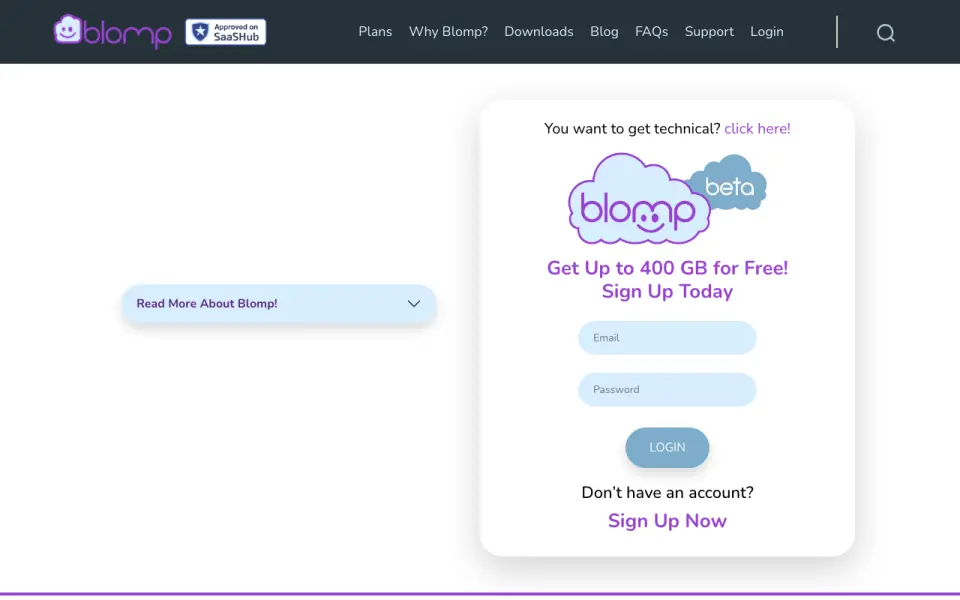
Blomp is a cloud storage and backup service for photos, videos, audio files, and documents. Its free plan starts with 40 GB and can reach 400 GB by adding 40 GB for each friend who joins and stays active. Free users can upload unlimited videos and multiple files at once. Blomp supports saving, syncing, organizing, copying, renaming, creating folders, and downloading files. Users can connect Google Drive to select and import files or folders, and the service describes an open-standards interface and use with rclone. Browser access and apps or downloads are listed for Windows, Mac, Ubuntu Linux, iPhone, and Android. Blomp says it encrypts stored content and sensitive data in transit, offers two-factor authentication, and keeps three copies across three availability zones. Free accounts require a yearly login to retain files; paid plans do not. Listed prices include 500 GB for $0.99 a month and 2 TB for $2.99 a month.
Good
- Free storage starts at 40 GB.
- Free storage can reach 400 GB with referrals.
- Free users can upload unlimited videos.
- Supports Google Drive imports and rclone use.
- Offers two-factor authentication.
Watch out
- Free accounts require a yearly login to retain files.
- The free plan starts at 40 GB.
- Paid plans do not require yearly logins, unlike free accounts.
Who it suits
Blomp may suit people who want cloud backup across desktop and mobile platforms, with a free tier that can grow through referrals. It also supports Google Drive imports and rclone use.
Verdict
Blomp offers file management, backup, and a referral-based path to more free storage. Review the yearly login requirement for free accounts and compare the listed storage plans with your needs.
Plans and prices
From Blomp's own pricing page, checked 15 Oct 2026.
| Plan | Price | What it gives you |
|---|---|---|
| Free | Free | 40 GB included · up to 400 GB · 40 GB per active referral |
| 40–400 GB | Free | 40 GB included · up to 400 GB with referrals |
| 500 GB (Rclone page) | $0.99 a month | 500 GB · no transfer fees · $0.99 / Month |
| 2 TB | $2.99 a month | 2 TB · includes 500 GB-plan features · no yearly login required · $2.99/Month |
| 10 TB | $9.99 a month | 10 TB · includes 2 TB-plan features · no yearly login required · $9.99/Month |
| 500 GB | $11.88 a year | 500 GB · includes free-plan features · no yearly login required · $11.88/Year |
| 100,000 GB | $99.99 a month | 100,000 GB · no transfer fees · $99.99 / Month |
| 250,000 GB | $249.99 a month | 250,000 GB · no transfer fees · $249.99 / Month |
| 500,000 GB | $499.99 a month | 500,000 GB · no transfer fees · $499.99 / Month |
The facts
Each one read from Blomp's own pages, with the date it was checked.
What it does
- API
- Blomp support says its storage uses the OpenStack Swift API and points users to authenticate.blomp.com for access.checked 15 Oct 2026
- Data location
- Blomp's privacy policy says the company is based in the United States.checked 11 Oct 2026
- Developer access
- Blomp describes an open standards interface and its cloud-storage page promotes use with rclone.checked 11 Oct 2026
- Developer documentation
- A public GitHub repository documents rclone configuration, Swift authentication, chunking, compression, encryption, mounts and systemd examples.checked 15 Oct 2026
- Feature: file-size policy
- Blomp's comparison page advertises no file-size limit for its standard service.checked 15 Oct 2026
- Feature: organization
- Users can create folders, copy files, rename files and organize cloud content.checked 15 Oct 2026
- Feature: previews
- The service offers photo previews through file icons and the Android listing says video preview was added.checked 15 Oct 2026
- Feature: redundancy
- Blomp says data is kept as three copies across three availability zones.checked 15 Oct 2026
- Feature: uploads
- The website supports uploading multiple files and folders and downloading folders as ZIP archives.checked 15 Oct 2026
- File management
- Users can save, sync, organize, copy, rename, create folders, and download files.checked 11 Oct 2026
- Google-data handling
- Blomp says Google Drive data is used only for requested import and backup, is not sold or shared for unrelated purposes, and access is revoked when disconnected.checked 15 Oct 2026
- Google Drive integration
- Blomp lets users connect Google Drive to select and import files or folders into Blomp.checked 11 Oct 2026
- Google Play complaint
- Reviewers report crashes, failed registration, files landing in the wrong folder and poor app usability.checked 15 Oct 2026
- Independent review: CloudStorageInfo
- CloudStorageInfo's review reports missing file versioning, no trash bin, limited support, desktop-client bugs and concerns about encryption transparency.checked 15 Oct 2026
- Independent review: TechRadar
- TechRadar lists Blomp as an honorable mention for free storage and highlights its 20 GB starting allowance.checked 15 Oct 2026
- Integration: AWS S3
- Blomp support says AWS S3 bucket integration is available from the dashboard's Integrations menu.checked 15 Oct 2026
- Integration: Google Drive
- Google Drive can be connected through OAuth so users can browse, select and import files and metadata into Blomp.checked 15 Oct 2026
The company
- Company facts
- Crunchbase lists Blomp as a private for-profit company in Beltsville, Maryland, with 11–50 employees and founder/president Deepak Jain.checked 15 Oct 2026
- Headquarters
- United Stateschecked 4 Oct 2026
Where it runs
- Device platforms
- Windows,macOS,Linux,iOS,Androidchecked 25 Sep 2026
- Feature: devices
- The company advertises unlimited devices and access from Windows, macOS, Ubuntu Linux, iPhone and Android.checked 15 Oct 2026
Money
- Free-account activity
- Blomp says free accounts require a yearly login to keep files, while paid plans do not require yearly logins.checked 11 Oct 2026
- Free plan
- Yeschecked 25 Sep 2026
- Free storage
- The free plan starts with 40 GB and can reach 400 GB by adding 40 GB for each friend who joins and stays active.checked 11 Oct 2026
The full review of Blomp
Overview
Blomp is a cloud storage and backup service for photos, videos, audio, and documents. It suits people who want room to organize personal files across desktop and mobile devices, especially if referrals can grow their free allowance. The low monthly prices make larger quotas accessible, but the free account’s yearly login rule matters for files you expect to leave untouched.
Key features
Blomp handles everyday file management: users can save, sync, organize, copy, rename, create folders, and download files. That makes it useful for keeping a browsable collection as well as storing backups. Free users can upload multiple files at once and have unlimited video uploads, though the storage quota still limits how much they can retain.
The free tier starts at 40 GB and adds 40 GB for each friend who joins and stays active, up to 400 GB. That is a meaningful allowance for users with a referral network; without referrals, the base quota is less distinctive. Free accounts require a login once a year to keep their files, while paid plans remove that requirement.
Google Drive import lets users select files or folders to bring into Blomp, a practical option when consolidating a collection. Blomp says it uses Google Drive data only for the requested import and backup functions and does not share it with third parties. An open-standards interface and rclone support provide another route for managing stored files.
Blomp says it encrypts stored content and sensitive data in transit, offers two-factor authentication, and keeps three copies across three availability zones. Those protections address security and redundancy, but they do not replace keeping an independent copy of important files. The company is based in the United States. Questions and troubleshooting go through a support forum.
Pricing
The free plan provides 40 GB, with referrals able to raise the allowance to 400 GB. It is the best fit for a cost-conscious user whose needs fit the quota and who will log in at least annually. Its activity rule makes it less suitable for long-term, rarely accessed archives.
The 500 GB plan costs $0.99 a month, billed monthly. It offers a modest paid step up from the free tier at a low monthly price. The 2 TB plan costs $2.99 a month, and the 10 TB plan costs $9.99 a month; both are billed monthly and do not require yearly logins. These are the more practical choices for users who need substantial capacity or want files to remain in a paid account without annual sign-ins.
For very large collections, Blomp also offers 100,000 GB for $99.99 a month, 250,000 GB for $249.99 a month, and 500,000 GB for $499.99 a month, each billed monthly. These tiers target storage needs far beyond ordinary personal use. The published plans describe storage quotas; no seat counts are given.
Platforms
Blomp supports browser access and apps or downloads for Windows, macOS, Linux, iOS, and Android. That broad coverage suits people who move files between computers and phones, while the browser option provides access without relying on a desktop app.
Who it's for
Blomp is a sensible choice for individuals who want a large free starting quota, a low-priced route to more space, or a place to import and organize files from Google Drive. It is less compelling for anyone who will not maintain the free account with a yearly login, or whose needs call for a service with clearly defined team seats.
Pros and cons
- Pros: The free plan starts at 40 GB and can reach 400 GB through active referrals, giving engaged users room to grow without paying.
- Pros: Monthly plans range from 500 GB at $0.99 a month to 10 TB at $9.99 a month, with no yearly login requirement on the 2 TB and 10 TB plans.
- Pros: File organization, Google Drive import, browser access, and support across desktop and mobile platforms cover useful everyday workflows.
- Cons: Free accounts require a yearly login to keep files, which makes the free tier a poor fit for unattended archives.
- Cons: Free storage beyond 40 GB depends on friends joining and remaining active, so the maximum is not available to every user by default.
Alternatives
Consider IDrive if you want to compare another freemium service with a free plan, free trial, and a 100 GB one-user monthly tier at $0.25 a month. Yandex Disk is another freemium option, with a 5 GB free plan and a 1 TB plan at $3.17 a month. CloudMe offers a free plan and free trial, with listed vault options of 50 GB and 200 GB. Jottacloud has a 5 GB free plan for one user and a free trial, so it is worth comparing if a smaller free allowance is sufficient. Koofr provides 10 GB free forever, plus seven-day deleted-file retention and public-link features. Microsoft PowerPoint includes 5 GB of cloud storage in its free plan, making it a related option to consider if that allowance meets your needs. Nutstore has plans with five-member minimums and per-member storage, which may suit a group comparing team-oriented quotas. ownCloud offers a community plan with unlimited users, making it an option to compare when user capacity is central. Browse the Cloud Storage Services directory for more choices.
Verdict
Choose Blomp if you want a generous, referral-grown free allowance or inexpensive monthly storage with broad device support and useful file organization. Its strongest case is the combination of low-cost larger plans and a clear path from 40 GB to as much as 400 GB free. Look elsewhere if you need a free archive that can remain dormant: Blomp’s yearly login requirement makes that a poor match.
Getting started
- Open https://blomp.com/ in a browser or choose an app or download for a supported platform.
- Create a free account to start with 40 GB, or choose a listed paid storage plan.
- Upload files, or connect Google Drive to select files or folders for import.
- Use the available save, sync, organize, folder, and download tools.
- Log in at least once a year on a free account to keep its files.
Limits worth knowing
The free plan starts with 40 GB and can reach 400 GB through active referrals; free accounts require a yearly login to keep files. The listed paid plans range from 500 GB for $0.99 a month to 500,000 GB for $499.99 a month; paid plans do not require yearly logins.
Questions
Is there a free plan?
Yes. The free plan starts with 40 GB and can reach 400 GB by adding 40 GB for each friend who joins and stays active.
How much do paid plans cost?
Listed monthly plans include 500 GB for 0.99 USD, 2 TB for 2.99 USD, and 10 TB for 9.99 USD. Larger plans are listed at 100,000 GB for 99.99 USD, 250,000 GB for 249.99 USD, and 500,000 GB for $499.99 a month.
Which platforms are supported?
Blomp lists browser access and apps or downloads for Windows, Mac, Ubuntu Linux, iPhone, and Android.
Can it import from Google Drive?
Yes. You can connect Google Drive and select files or folders to import into Blomp.
Does a free account have an activity requirement?
Yes. Blomp says free accounts need a login each year to keep files; paid plans do not require yearly logins.
Who makes Blomp?
The maker is Blomp, and its headquarters are in the United States.
Alternatives to Blomp
- 1

Filen
Free planOpen sourceAndroidiOSWebAPI8.6From €1.99 a month - 2

Internxt Drive
Free planOpen sourceAndroidiOSWebAPI8.6Free plan - 3

Seafile
Free planOpen sourceAndroidiOSWebAPI8.6Free plan - 4

IDrive
Free planAndroidiOSWebLinux8.4From $0.25 a month - 5
Box
Free planAndroidiOSWebAPI8.3From $5 a month - 6
Dropbox Sign
Free planAndroidiOSWebAPI8.2Free plan