
Tungsten Power PDF
Tungsten Power PDF is a paid PDF application for creating, editing, converting and annotating documents.
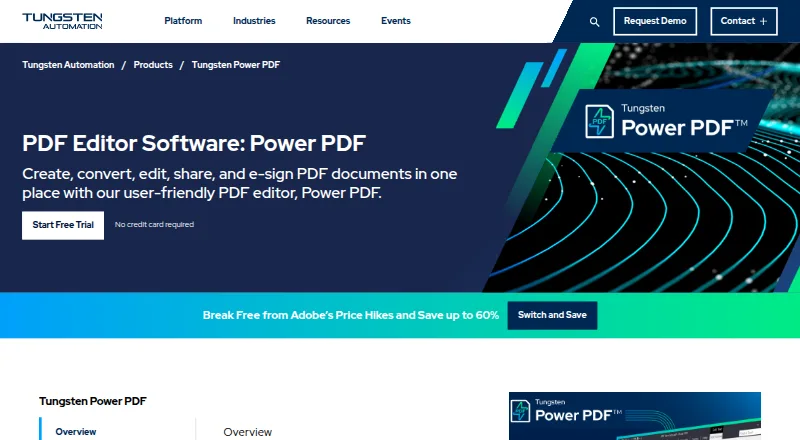
What Tungsten Power PDF is
Tungsten Power PDF is a paid PDF application for creating, editing, converting and annotating documents. It provides text editing, annotation tools, OCR, form creation, searchable PDFs, Word export and handwriting OCR. Document controls listed for the product include redaction, Bates stamping and electronic signatures. Power PDF supports Windows, macOS, iOS, Android and web browsers, with Chrome and Edge add-ins and an API also available. Its primary platform is desktop, while supported inputs include both listed input types. Power PDF Advanced is a Windows desktop editor that combines PDF creation, editing and conversion with cloud connectivity and collaboration. The listed Advanced price is $179 a month, billed as one license per machine, and a 15-day trial is offered. Power PDF Business is intended for five or more users, with no price shown. Additional workflow capabilities include approval routing, purchase-order matching, accounting integrations and AI-based invoice capture with line-item extraction. Delivery can use email, social, digital, web portals, multifunction products, production presses and enterprise content-management workflows. Deployment is listed as on-premises and cloud. Tungsten Automation is headquartered in Irvine, California, and was founded in 1985.
Good
- Text editing, annotations, OCR and PDF conversion
- Creates forms and searchable PDFs
- Redaction, Bates stamping and e-signatures
- Windows, macOS, iOS, Android and web access
- Chrome/Edge add-ins and API access
- Approval, PO matching and accounting workflows
Watch out
- No free plan is offered
- Advanced costs $179 a month
- Advanced uses one license per machine
- Invoice limit is 100 per month
Who it suits
It suits individuals and organizations needing desktop PDF creation, editing, conversion, OCR, forms or document signing across major desktop, mobile and browser platforms. Teams handling invoices, approvals, purchase orders, accounting connections or multi-channel document delivery may use its listed workflow capabilities.
Verdict
Pick Tungsten Power PDF if you need broad PDF editing, OCR, forms and signing with desktop, mobile and browser access. Its workflow, invoice and integration tools also suit business document operations. Look elsewhere if you require a free plan or a lower listed monthly cost.
Plans and prices
From Tungsten Power PDF's own pricing page, checked 20 Sep 2026.
| Plan | Price | What it gives you |
|---|---|---|
| Power PDF Advanced | $179 a month | Windows desktop PDF editor · PDF creation, editing and conversion · Redaction, Bates stamping and e-signatures · Cloud connectivity and collaboration · One license per machine |
| Power PDF Advanced | $179, paid once | Windows desktop PDF editor · PDF creation, editing and conversion · Redaction, Bates stamping and e-signatures · Cloud connectivity and collaboration · One license per machine |
| Power PDF Business | Priced on request | 5+ users |
| Power PDF Business | — | 5+ users |
The facts
Each one read from Tungsten Power PDF's own pages, with the date it was checked.
What it does
- Annotation tools
- Yeschecked 20 Sep 2026
- Form creation
- Yeschecked 20 Sep 2026
- OCR
- Yeschecked 20 Sep 2026
- PDF conversion
- Yeschecked 20 Sep 2026
- Text editing
- Yeschecked 20 Sep 2026
The company
- Founded
- 1985checked 28 Sep 2026
- Headquarters
- Irvine, California, United Stateschecked 28 Sep 2026
Money
- Free plan
- Nochecked 20 Sep 2026
Where it runs
- Supported platforms
- Windows,macOS,iOS,Android,web browser,Chrome/Edge browser add-in and APIchecked 20 Sep 2026
The full review of Tungsten Power PDF
Tungsten Power PDF is a paid PDF workspace that combines editing, conversion, OCR, forms and business-document controls. It is best suited to desktop-led professionals and organizations that also need invoice capture, approvals and delivery workflows. The trade-off is a Windows per-machine Advanced license and no free plan, which makes it less suitable for shared, low-cost use.
Overview
Power PDF handles text editing, annotations, OCR, PDF conversion and form creation in one application. Searchable PDF output, handwriting OCR and Word export are useful when scanned or handwritten material must become searchable or continue in an editable office format. Redaction, Bates stamping and e-signatures add the controls expected in formal records and submissions.
Its primary platform is desktop, but support extends to Windows, macOS, iOS, Android and web browsers, with a Chrome/Edge add-in and API access. That combination can cover office, mobile and browser access, although licensing terms differ from that broad platform list.
Key features
PDF editing and document control
The core set is broader than a markup-only utility: users can revise text, annotate, create forms, convert files and apply OCR, then redact sensitive content, add Bates numbering or collect signatures. This is a strong fit for teams handling regulated or procedurally controlled documents. It is unnecessary overhead for someone who only reads PDFs or makes occasional comments.
Invoice and approval operations
AI invoice capture includes line-item extraction, OCR or AI extraction, searchable PDFs and Word export. Approval routing, approval workflows, purchase-order matching and accounting integrations connect capture with downstream processing. A stated limit of 100 invoices per month makes the capability practical for lighter departmental volumes, but a high-volume accounts-payable operation may outgrow that ceiling.
Delivery and composition
Personalization and document composition support tailored output. Delivery can reach email, social, digital and web portals, multifunction products, production presses and enterprise content-management workflows. API access and Peppol access, plus tax validation and support for structured formats including Factur-X, Finvoice 3, OIOUBL, PEPPOL3, xRechnung and ZugFERD, make it relevant to structured electronic invoicing and integration projects. On-premises and cloud deployment options allow different operational models.
Pricing
Power PDF Advanced
Power PDF Advanced costs $179 a month, billed as one license per machine. It is a Windows desktop PDF editor with PDF creation, editing and conversion, redaction, Bates stamping, e-signatures, cloud connectivity and collaboration. The 15-day trial gives an individual or small office a short evaluation window, but there is no free plan and the per-machine term is a constraint for rotating users or device-heavy teams.
Power PDF Business
Power PDF Business is for 5+ users and uses custom pricing. It is the more natural route for a multi-user deployment, yet buyers must obtain a quote rather than compare a published recurring rate. Organizations should also confirm how seats, collaboration and invoice volumes map to their required deployment before committing.
Platforms
Supported environments are Windows, macOS, iOS, Android and web browsers, with a Chrome/Edge browser add-in and API. The product supports both input types and can be deployed in the cloud or on premises. Advanced itself is defined as a Windows desktop editor, so mobile and browser availability should not be mistaken for an equivalent license on every platform.
Who it's for
Choose Power PDF for document-heavy professionals, departments and organizations that need editing, OCR, forms, signatures and controlled handling in one product. Its invoice capture, PO matching, approvals, accounting integrations and structured e-invoicing support also suit finance and operations teams with moderate monthly volume. Look elsewhere if you need a free reader, a clearly priced per-user subscription, or invoice throughput above 100 per month without confirming a different arrangement.
Pros and cons
Pros
- Broad PDF coverage: Editing, annotations, OCR, conversion and forms reduce the need to combine separate utilities.
- Business controls: Redaction, Bates stamping and e-signatures support formal document handling.
- Invoice workflow depth: AI capture, line-item extraction, PO matching, approvals and accounting integrations connect document intake to processing.
- Integration reach: APIs, Peppol, tax validation, structured formats and many delivery channels support enterprise workflows.
- Deployment choice: Cloud and on-premises options accommodate different infrastructure policies.
Cons
- No free plan: Budget users cannot remain on a no-cost tier after the trial.
- Per-machine Advanced license: One license per machine is awkward for shared workstations or frequently changing devices.
- Published invoice cap: 100 invoices per month may be limiting for larger accounts-payable teams.
- Business pricing requires a quote: Five-user and larger deployments lack an upfront price for easy comparison.
Alternatives
For customer communications management, compare Customer Communications Management Software; for invoice-focused buying, see Invoice OCR Software, AI Invoice Processing Software, Invoice Processing Software, Accounts Payable Automation Software or Electronic Invoicing Software.
Pick Doxee Platform when you need a paid platform spanning self-hosted, web, desktop, mobile and API environments. Consider Cincom Eloquence for enterprise customer communications management with quote-based pricing. cBrain F2 is another paid, no-free-trial option across web, mobile, API and self-hosted deployments. Choose OL Connect if API, self-hosted or Windows deployment and a free trial are priorities. Oracle JD Edwards EnterpriseOne suits organizations seeking broader enterprise foundation, financials or inventory modules. SmartCOMM targets enterprise communications with pricing tied to volume, communication type and user licenses. Lasernet is worth considering when a freemium model matters. Messagepoint Communications Cloud fits SaaS or hybrid-cloud print and digital communications.
Verdict
Choose Tungsten Power PDF when one desktop-centered product must cover serious PDF editing, OCR, forms, signatures and moderate invoice operations, with API and deployment flexibility for business workflows. Its main reason to avoid is cost and licensing rigidity: there is no free tier, Advanced is one Windows machine per license, and Business pricing is custom.
Getting started
- Open the Tungsten Power PDF website
- Choose Windows, macOS, iOS, Android or web access
- Install the desktop or mobile application, or use a web browser
- Start the 15-day trial
- Select Power PDF Advanced or ask about the Business plan
- Connect through the Chrome or Edge add-in or API if needed
Limits worth knowing
The listed Advanced plan costs $179 a month for one license per machine. Invoice processing is limited to 100 per month in the listed capabilities, and there is no free plan.
Questions
Is Tungsten Power PDF free?
No. It is listed as paid, with no free plan. A 15-day trial is available.
What does Power PDF Advanced cost?
Power PDF Advanced is listed at $179 a month, billed as one license per machine.
Which platforms does it support?
Windows, macOS, iOS, Android and web browsers are listed, along with Chrome and Edge add-ins and an API.
Is there a business plan?
Power PDF Business is listed for five or more users, but no price is shown.
Does it support invoice and approval workflows?
Yes. Listed capabilities include AI invoice capture, line-item extraction, approval routing, purchase-order matching and accounting integrations.
Alternatives to Tungsten Power PDF
- 1

Smallpdf
Free planAndroidiOSWebWindows8.9From $10 a month - 2

LightPDF
Free planAndroidiOSWebAPI8.8From $15.99 a year - 3
PDF2Go
Free planAndroidiOSWebAPI8.7$6.42 usage-based - 4
Foxit PDF Editor
AndroidiOSWebmacOS8.5 - 5
WPS PDF Editor
Free planAndroidiOSWebExtension8.5From $3 a year - 6

PDF Candy
Free planAndroidiOSWebLinux8.5From $4 a year