
Tilt
Tilt is a free, open-source development environment for teams building microservice applications that deploy to Kubernetes.
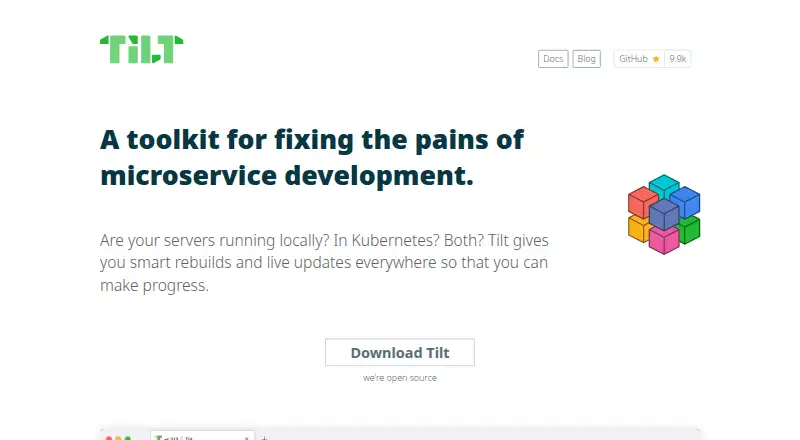
What Tilt is
Tilt is a free, open-source development environment for teams building microservice applications that deploy to Kubernetes. It watches files, builds container images, and updates the development environment when code changes. Its live_update feature deploys changes to running containers in seconds, including compiled-language code and dependency changes. Tilt can start an entire application and automate rebuilds, while bringing logs, broken builds, and runtime errors into the development feedback loop. Its UI aggregates service logs and shows development environment state. Teams configure services and workflows with Tiltfiles using Kubernetes YAML and Docker images; documentation also describes integrating Bazel builds. Tilt works with Docker and Kubernetes and can support workflows involving Helm, Podman, or local processes. It runs on macOS, Linux, and Windows. The standard installation requires Docker, kubectl, and a local Kubernetes cluster. Tilt is maintained by Docker, Inc. under the Apache-2.0 license and costs nothing.
Good
- Live updates deploy changes to running containers in seconds.
- The UI aggregates service logs and environment state.
- Supports macOS, Linux, and Windows.
- Free and open-source under Apache-2.0.
Watch out
- Standard setup requires Docker, kubectl, and a local Kubernetes cluster.
- Tilt sends anonymized usage data.
- Telemetry opt-out choices can still include hashed project snippets.
Who it suits
Tilt suits teams developing microservice applications, especially those using Kubernetes and containerized services. Its standard setup also requires Docker, kubectl, and a local Kubernetes cluster.
Verdict
Tilt brings builds, updates, logs, and runtime feedback into a microservice development workflow. Its broad workflow options come with standard installation requirements for Docker, kubectl, and a local Kubernetes cluster.
Plans and prices
From Tilt's own pricing page, checked 4 Oct 2026.
| Plan | Price | What it gives you |
|---|---|---|
| Tilt | Free | Open source · Apache-2.0 license |
The facts
Each one read from Tilt's own pages, with the date it was checked.
What it does
- Build and run options
- Tilt can support development workflows without Docker or Kubernetes, including Helm, Podman, and local processes.checked 4 Oct 2026
- Configuration
- Teams configure development environments with a Tiltfile, including local tasks, image builds, and containerized servers.checked 4 Oct 2026
- Editor support
- Tilt provides Tiltfile support for VS Code and select JetBrains IDEs, and embeds a language server for other editors.checked 4 Oct 2026
- Extensions
- Tilt has an extension system for sharing Tiltfile functionality, including team-specific scripts and custom buttons.checked 4 Oct 2026
- Integrations
- Tilt works with Docker and Kubernetes, and its docs describe integrating Bazel builds through a Tiltfile.checked 4 Oct 2026
- Interface
- The Tilt UI aggregates service logs and gives an overview of development environment state.checked 4 Oct 2026
- Live updates
- Tilt’s live_update deploys code to running containers in seconds, including for compiled languages or dependency changes.checked 4 Oct 2026
- Maintainer
- Tilt is maintained by Docker, Inc.checked 4 Oct 2026
- Maintenance
- Tilt was acquired by Docker in May 2022, and its FAQ says the project is maintained as open source.checked 4 Oct 2026
- Orchestration
- Tilt starts the whole app and runs automated rebuilds, with logs, broken builds, and runtime errors in its feedback loop.checked 4 Oct 2026
- Prerequisites
- The installation guide lists Docker, kubectl, and a local Kubernetes cluster as additional requirements for its standard setup.checked 4 Oct 2026
- Pricing
- Tilt is free and open-source.checked 4 Oct 2026
- Purpose
- Tilt is a microservice development environment for teams that deploy to Kubernetes.checked 4 Oct 2026
- Security bounty
- The project says it does not currently offer a paid security bounty program.checked 4 Oct 2026
- Security reporting
- The maintainers ask that security issues be reported privately to [email protected] rather than filed as public issues.checked 4 Oct 2026
- Support
- The project directs questions to the #tilt channel in Kubernetes Slack or to GitHub issues.checked 4 Oct 2026
- Supported operating systems
- Tilt is available for macOS, Linux, and Windows; installation also requires Docker, kubectl, and a local Kubernetes cluster.checked 4 Oct 2026
- Telemetry
- Tilt prompts users to opt in or out of anonymized usage analytics, and users can change their choice with the CLI.checked 4 Oct 2026
- Telemetry data
- The telemetry page says Tilt does not want to collect data about users or their projects, but notes that hashed strings may still contain project snippets.checked 4 Oct 2026
- Usage data
- Tilt says it sends anonymized usage data to help improve the product.checked 4 Oct 2026
- Workflow
- Tilt watches files, builds container images, and updates the development environment when code changes.checked 4 Oct 2026
The company
- Founded
- 2018checked 28 Sep 2026
- Supported teams
- Tilt focuses on teams developing microservice applications, where services such as databases, frontends, and web apps communicate.checked 4 Oct 2026
Where it runs
- Platforms
- Tilt is available for macOS, Linux, and Windows.checked 4 Oct 2026
The full review of Tilt
Tilt is a local development environment for teams building applications from cooperating microservices. It is most useful when developers need to run several services together and shorten the edit-to-feedback loop; teams seeking a lightweight setup without a local cluster should look elsewhere.
Overview
Tilt watches files, builds container images, and updates a development environment as code changes. It can start an application’s services together and bring logs, failed builds, and runtime errors into one feedback loop. That shared view is valuable when work touches a database, frontend, and web app: developers can spot integration problems while the parts run together instead of coordinating separate manual rebuilds.
Tiltfiles configure services and workflows using Kubernetes YAML and Docker images. Docker and Kubernetes are central integrations, with Bazel builds also configurable through a Tiltfile. Tilt can accommodate other approaches, including Helm, Podman, and local processes, but its standard installation requires Docker, kubectl, and a local Kubernetes cluster. That prerequisite is a meaningful cost for teams that do not already develop against Kubernetes locally.
Key features
Live updates and coordinated rebuilds
Live Update deploys code into running containers in seconds, including changes involving compiled languages or dependencies. For teams iterating across services, avoiding a full rebuild-and-restart cycle on every change can make development more responsive. Tilt also starts the whole application and automatically rebuilds as files change, keeping the feedback loop focused on the application rather than on manually restarting each component.
One view of service state
The UI aggregates service logs and summarizes development-environment state, including broken builds and runtime errors. This is most useful when a team needs to understand which part of a multi-service application is blocking progress; it does not remove the need to diagnose the underlying failure.
Extensible configuration and editor support
Tilt’s extension system lets teams share Tiltfile functionality, including team-specific scripts and custom buttons. Tiltfile support is available for VS Code and select JetBrains IDEs, with an embedded language server for other editors. These options help teams standardize repeated development tasks without limiting configuration to a single editor.
Pricing
Tilt is free and open-source under the Apache-2.0 license. Its Tilt plan costs nothing, with no paid tiers or trial period; there are no seat or usage caps given for the plan. That makes it a straightforward option for teams that want to adopt a shared local workflow without a subscription decision.
Tilt prompts users to opt in or out of anonymized usage analytics, and the choice can be changed through the CLI. Tilt says it does not want to collect information about users or projects, while noting that hashed strings may still contain project snippets. Teams with strict data-handling requirements should consider that caveat when deciding whether to enable telemetry.
Platforms
Tilt runs on macOS, Linux, and Windows. Its standard setup also calls for Docker, kubectl, and a local Kubernetes cluster, so operating-system support alone does not make it a low-overhead choice for every developer. Desktop platform support, local Kubernetes, Compose workflows, and IDE integration are part of its stated capabilities.
Who it's for
Tilt is a strong fit for teams developing microservice applications, particularly those already using Kubernetes and needing a repeatable way to bring interconnected services up together. It is less suitable for developers who only need to build container images, or for teams unwilling to maintain a local cluster and the accompanying tools. The project is maintained as open source by Docker, Inc.; real-time support is available in the Kubernetes Slack #tilt channel during weekday business hours.
Pros and cons
- Pro: Live Update can put code and dependency changes into running containers in seconds, reducing disruption during iterative development.
- Pro: A single UI brings service logs, build failures, runtime errors, and environment state together for multi-service debugging.
- Pro: Free, open-source availability and extensible Tiltfiles let teams adopt and tailor a shared workflow without a subscription.
- Con: The standard setup requires Docker, kubectl, and a local Kubernetes cluster, adding operational overhead for teams without that environment.
- Con: Anonymized analytics are an opt-in choice, but hashed strings may still contain project snippets, a consideration for sensitive development work.
Alternatives
For a broader directory of related tools, see Container Development Environments and Container Build Tools.
- BuildKit is a free option for readers focused on building container images rather than coordinating a multi-service development environment.
- Dagger suits teams looking for a freemium alternative with an Individual plan capped at one user and 1,000,000 monthly events, plus one month of run history and community support.
- Garden may suit teams seeking a freemium alternative with a limited free tier and an Enterprise plan that includes secrets management, RBAC, and self-hosting.
- ko is a free, open-source Go container image builder for readers whose need is specifically building Go images.
- Cloud Native Buildpacks Pack offers a free CLI and Go library for readers focused on Cloud Native Buildpacks rather than a coordinated development environment.
- Open Build Service is a free software option with a reference server for open-source developers and the possibility of installing it on a team’s own infrastructure.
- Source-to-Image is a free, open-source toolkit for readers seeking a source-to-container-image workflow.
- AWS CodeBuild is a pay-as-you-go alternative for readers who prefer usage-based charging for build compute rather than a free local development tool.
Verdict
Choose Tilt if your team develops interconnected microservices and wants fast updates, automatic rebuilds, and a shared view of service health without paying for the tool. Its strongest reason to leave is the standard setup’s Docker, kubectl, and local-cluster requirement; teams that do not want that local Kubernetes overhead should choose a narrower build tool or another workflow.
Alternatives to Tilt
- 1

Garden
Free planOpen sourceWebAPILinuxmacOS8.3From $50 a month - 2

DevPod
Free planOpen sourceLinuxmacOSSelf-hostedWindows7.4Free plan - 3

Docker Desktop
Free planWebLinuxmacOSWindows7.2From $9 a month - 4

OrbStack
Free planAPImacOS7.2From $8 a month - 5

Testcontainers Desktop
Free planWebAPILinuxmacOS7.2Free plan - 6
Kool
Free planWebLinuxmacOSWindows7.1From $49 a month