ko
ko is an open-source builder for container images of Go applications.
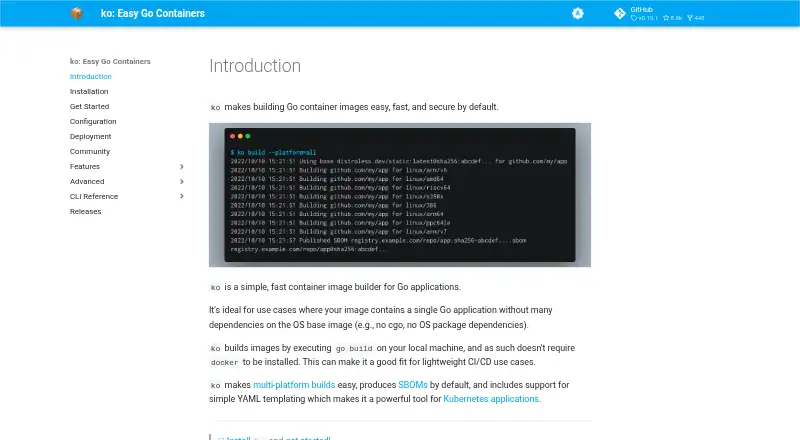
What ko is
ko is an open-source builder for container images of Go applications. It runs go build on the local machine, so Docker does not need to be installed. The project says it is a good fit for a single Go application with few operating-system base-image dependencies, such as one without cgo or OS package requirements. Builds can target all platforms supported by the configured base image or selected targets such as linux/amd64 and linux/arm64. For Kubernetes, ko resolve builds images for ko:// references in YAML and replaces those references with image references; ko apply can apply the resolved configuration. ko reuses the normal Go build cache and avoids pushing image blobs already present in the remote registry. It generates and uploads SPDX-format SBOMs by default, with an option to disable generation. Registry credentials can come from Docker configuration, with built-in environment credential support for Google, Amazon, Azure, and GitHub registries. A Terraform provider supports Infrastructure-as-Code workflows. ko supports Go applications only and defaults to CGO_ENABLED=0; Windows container image support is experimental and requires a Windows base image.
Good
- Builds Go container images without requiring Docker
- Supports selected multi-platform targets
- Generates and uploads SPDX-format SBOMs by default
- Reuses the normal Go build cache
Watch out
- Supports Go applications only
- Defaults to CGO_ENABLED=0
- Windows container image support is experimental
Who it suits
ko suits developers building container images for Go applications, especially those with few dependencies on the operating system base image. Its Kubernetes, registry, and Terraform integrations may fit related build workflows.
Verdict
ko is a focused option for building Go application images and connecting builds with Kubernetes workflows. Its Go-only scope and base-image requirements are important considerations, and Windows container support is described as experimental.
Plans and prices
From ko's own pricing page, checked 5 Oct 2026.
| Plan | Price | What it gives you |
|---|---|---|
| ko | Free | Open source Go container image builder |
The facts
Each one read from ko's own pages, with the date it was checked.
What it does
- Best fit
- ko is ideal for a single Go application with few or no dependencies on the operating system base image, such as applications without cgo or OS package dependencies.checked 5 Oct 2026
- Build cache
- ko reuses the normal go build cache and avoids pushing image blobs already present in the remote registry.checked 5 Oct 2026
- Build method
- ko runs go build on the local machine and does not require Docker to be installed.checked 5 Oct 2026
- Community support
- The project offers a bi-weekly community meeting and discussion in the #ko-build channel on Kubernetes Slack.checked 5 Oct 2026
- Debugging
- The --debug build flag adds Delve and debug symbols to the image and runs the app in debug mode on port 40000; the feature is intended for development, not production.checked 5 Oct 2026
- How it builds
- ko runs go build on the local machine and does not require Docker to be installed.checked 5 Oct 2026
- Ideal use
- ko is ideal for Go applications without many dependencies on the operating system base image, such as applications that do not use cgo or require OS packages.checked 5 Oct 2026
- Integrations
- ko provides a Terraform provider for using image builds in Infrastructure-as-Code workflows.checked 5 Oct 2026
- Kubernetes
- ko resolve replaces ko:// Go import paths in Kubernetes YAML with built image references, and ko apply can apply the resolved configuration.checked 5 Oct 2026
- Kubernetes workflow
- ko resolve builds images for ko:// references in Kubernetes YAML and replaces them with the resulting image references.checked 5 Oct 2026
- Limit
- ko only supports Go applications and works best when applications do not depend on the underlying image; builds use CGO_ENABLED=0 by default.checked 5 Oct 2026
- Limitations
- ko supports Go applications only, defaults to CGO_ENABLED=0, and requires OS packages to be available in the configured base image.checked 5 Oct 2026
- Project and community
- ko is a Cloud Native Computing Foundation Sandbox project, and its community page lists bi-weekly meetings and a Kubernetes Slack channel.checked 5 Oct 2026
- Project status
- ko is a Cloud Native Computing Foundation Sandbox project.checked 5 Oct 2026
- Purpose
- ko is a simple, fast container image builder for Go applications.checked 5 Oct 2026
- Registry authentication
- ko supports registry credentials from Docker configuration and has built-in environment credential support for Google, Amazon, Azure, and GitHub container registries.checked 5 Oct 2026
- Release verification
- The installation guide describes verifying releases with GitHub Artifact attestations and says releases through v0.19.1 used SLSA provenance.checked 5 Oct 2026
- SBOMs
- Since v0.9, ko generates and uploads an SPDX-format SBOM for every image by default; SBOM generation can be disabled with --sbom=none.checked 5 Oct 2026
- Static assets
- ko bundles contents of an application's kodata directory into its image and exposes the image path through KO_DATA_PATH.checked 5 Oct 2026
- Tool integrations
- The FAQ lists integrations or support in Skaffold, goreleaser, Tekton, Carvel kbld, and Tilt.checked 5 Oct 2026
Where it runs
- Install platforms
- The installation guide documents Windows, macOS, and Linux installation options, including GitHub releases, package managers, and source installation.checked 5 Oct 2026
- Multi-platform builds
- ko can build for all platforms supported by the configured base image or for selected platforms such as linux/amd64 and linux/arm64.checked 5 Oct 2026
- Windows image support
- Windows container image support is described as new, experimental, and tenuous, and requires configuring a Windows base image.checked 5 Oct 2026
The full review of ko
ko is built for Go developers who want container images from source without adding Docker to the build machine. It is most convincing for small, self-contained Go services headed to a registry or Kubernetes, while applications tied to operating-system packages need more planning.
Its narrow scope is also its advantage: the workflow stays close to go build, with useful registry, Kubernetes, and software-supply-chain integration. Choose it when your application fits that model; choose a broader builder when it does not.
Overview
ko executes go build locally, uses the normal Go build cache, and avoids pushing image blobs that already exist in the remote registry. That can shorten repeat builds and removes the requirement for a Docker installation. The approach works best for applications with few or no operating-system dependencies, including services that do not use cgo. ko supports Go applications only and sets CGO_ENABLED=0 by default, so software requiring native libraries or OS packages must find those packages in the selected base image.
Key features
- Multi-platform images: Build for every platform supported by the configured base image or select targets such as linux/amd64 and linux/arm64. Windows container images require a Windows base image and are described as new, experimental, and tenuous, so this is not a dependable Windows-first workflow.
- SBOMs by default: Since v0.9, ko generates and uploads an SPDX-format software bill of materials for every image. That provides a supply-chain record as part of the build; use --sbom=none when it is not wanted.
- Kubernetes integration: ko resolve builds images referenced with ko:// paths in Kubernetes YAML and substitutes the resulting image references. ko apply can apply the resolved configuration, making the tool practical for development and deployment workflows around Kubernetes manifests.
- Registry authentication: Docker configuration credentials are supported, alongside built-in environment credentials for Google, Amazon, Azure, and GitHub container registries.
- Static data and debugging: Files in an application's kodata directory are bundled into the image and exposed through KO_DATA_PATH. The --debug flag adds Delve and debug symbols and runs the application on port 40000; it is intended for development rather than production images.
- Build and infrastructure integrations: A Terraform provider supports infrastructure-as-code builds, and integrations or support are listed for Skaffold, goreleaser, Tekton, Carvel kbld, and Tilt. Multiple build-cache backends are supported.
- Installation and trust: Windows, macOS, and Linux installation paths include GitHub releases, package managers, and source installation. Release verification is documented with GitHub Artifact attestations; releases through v0.19.1 used SLSA provenance.
Pricing
ko costs free under its open-source plan. There are no paid tiers, trial period, seat charges, or usage quotas stated for the tool. That makes it suitable for individual developers and teams that can operate their own build and registry workflow, but it does not provide a commercial service tier with additional capacity or support terms.
Platforms
ko runs on Linux, macOS, and Windows. Installation guidance covers all three. Linux and macOS are the natural fit for its Go-and-container workflow; Windows can run the tool, but Windows container image support itself remains experimental and requires an appropriate Windows base image.
Who it's for
ko is a strong choice for teams shipping Go services with minimal dependence on the underlying image, especially when Kubernetes manifests, registry publishing, multi-architecture output, or automatic SBOMs are part of the delivery process. It also suits developers who want Docker absent from the local build environment. It is a poor match for non-Go projects, Go applications that need cgo or substantial OS packages, and organizations that need a broadly applicable image builder rather than a Go-specific path.
Pros and cons
Pros
- Docker-free local builds: Running Go compilation directly keeps the build path lightweight for Go teams.
- Efficient repeat publishing: Go's cache and avoidance of already-present registry blobs reduce unnecessary work.
- Useful delivery defaults: Multi-platform output and SPDX SBOM generation address common registry and supply-chain needs.
- Kubernetes-aware workflow: Resolving ko:// references connects image creation with manifest deployment.
- No license cost: The open-source plan is free to use.
Cons
- Go-only: It cannot serve teams building images for other languages.
- Base-image dependency: Required OS packages must be present in the configured base image, limiting applications with native or system-level requirements.
- CGO trade-off: The default CGO_ENABLED=0 favors static-style Go builds but may require configuration changes for cgo applications.
- Unreliable Windows image path: Experimental, tenuous Windows support is unsuitable where Windows containers are a core requirement.
- Self-managed operation: The free open-source model does not add a hosted service tier or commercial plan.
Alternatives
For a broader catalog of image-building choices, see Container Build Tools.
- Amazon EC2 is the better choice when you need general cloud compute rather than a focused Go image builder; its free tier includes up to $200 in credits for qualifying new AWS customers for six months.
- BuildKit suits multi-language, low-level container builds and is free under the Apache License 2.0.
- Dagger is preferable for programmable CI/CD pipelines with individual and team plans, including a free individual tier with 1,000,000 monthly events.
- Garden fits teams seeking environment orchestration and enterprise controls such as secrets management and RBAC.
- Tilt is a free, Apache-2.0 development tool for teams prioritizing local Kubernetes feedback loops.
- Cloud Native Buildpacks Pack provides a free CLI and Go library for buildpack-based image creation.
- Open Build Service is suited to self-hosted, multi-platform package and build infrastructure under the GPL.
- Source-to-Image is a free open-source toolkit for source-driven image creation.
Verdict
Choose ko for a focused, no-cost route from Go source to registry and Kubernetes, particularly when your services avoid cgo and OS-level dependencies. Look elsewhere if you need non-Go builds, dependable Windows container images, or a general-purpose and commercially managed build platform.
Alternatives to ko
- 1

Garden
Free planOpen sourceWebAPILinuxmacOS8.3From $50 a month - 2

AWS CodeBuild
Free planWebAPILinuxmacOS7.9From $0.01 a month - 3

Amazon EC2
Free planAndroidiOSWebAPI7.6Free plan - 4
Source-to-Image
Free planOpen sourceLinuxmacOSSelf-hostedWindows7.2Free plan - 5
Dagger
Free planWebLinuxmacOSSelf-hosted7.1From $50 a month - 6
BuildKit
Free planAPILinuxmacOSSelf-hosted6.8Free plan