Tensaku
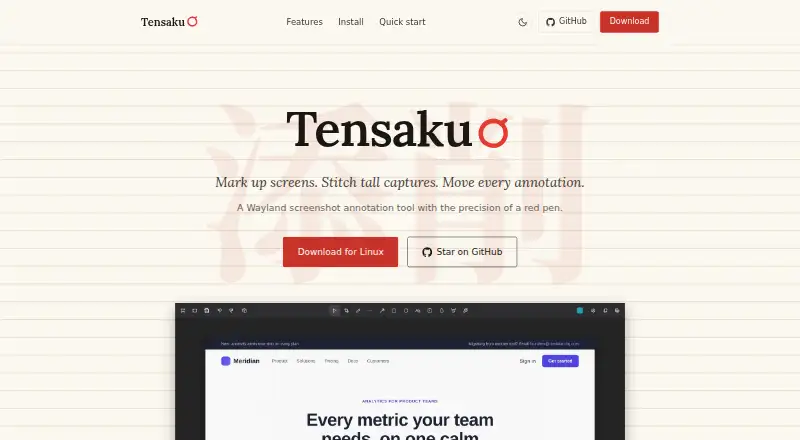
The facts below are what the maker publishes about Tensaku, checked and dated. Our editors have not written about it yet.
The facts
Each one read from Tensaku's own pages, with the date it was checked.
What it does
- Annotation tools
- Available tools include arrows, rectangles, ellipses, lines, brush, text, blur, highlighting, and cropping.checked 12 Oct 2026
- Build requirements
- Building from source requires Rust 1.75+ and GTK4 development headers.checked 12 Oct 2026
- Compositors
- Tensaku runs on Wayland compositors implementing wlr-layer-shell and wlr-screencopy, including Sway, Hyprland, river, and Wayfire.checked 12 Oct 2026
- Compositor support
- It runs on Wayland compositors implementing wlr-layer-shell and wlr-screencopy, with Sway, Hyprland, river, and Wayfire listed as examples.checked 12 Oct 2026
- Configuration
- Keyboard shortcuts are configurable through the Preferences dialog or ~/.config/tensaku/config.toml.checked 12 Oct 2026
- Distribution
- The site documents Arch Linux AUR installation, an x86_64 Linux release tarball, cargo installation, and building from source.checked 12 Oct 2026
- Export formats
- PNG, JPEG, WebPchecked 20 Sep 2026
- Image output
- The app can save PNG, JPEG, or WebP files or copy directly to the Wayland clipboard.checked 12 Oct 2026
- Integration
- The maker describes compatibility with Sway and Hyprland and documents wiring Tensaku into Omarchy screenshot keys.checked 12 Oct 2026
- Integrations
- The site describes an Omarchy setup command and screenshot workflows using grim and slurp on other Wayland compositors.checked 12 Oct 2026
- Layer panel
- The layer panel can reorder, lock, hide, rename, and drag-and-drop annotations.checked 12 Oct 2026
- License
- Tensaku is released under the Mozilla Public License 2.0.checked 12 Oct 2026
- Measurement tools
- Yeschecked 20 Sep 2026
- Movable annotations
- Annotations can be selected, moved, resized, and nudged after they are drawn.checked 12 Oct 2026
- Output
- Tensaku can save PNG, JPEG, or WebP files, copy to the Wayland clipboard, or pipe output to stdout.checked 12 Oct 2026
- Product
- Tensaku is a Wayland screenshot annotation tool.checked 12 Oct 2026
- Purpose
- Tensaku is a Wayland screenshot annotation tool for marking up screens, stitching tall captures, and moving annotations after drawing them.checked 12 Oct 2026
- Redaction
- Blur styles include Pixelate, Secure Blur, Gaussian, and Black Out, with irreversible variants for sensitive content.checked 12 Oct 2026
- Redaction tools
- Yeschecked 20 Sep 2026
- Scroll capture
- Scroll Capture captures beyond the visible viewport vertically or horizontally and stitches the frames into one screenshot.checked 12 Oct 2026
Where it runs
- Linux distribution
- The maker offers an Arch Linux AUR package, an x86_64 Linux release tarball, and installation from source with Cargo.checked 12 Oct 2026
The company
- Maker
- The site credits the Tensaku fork to Jon Kinney.checked 12 Oct 2026
Alternatives to Tensaku
- 1

Awesome Screenshot
Free planiOSWebExtensionmacOS8.3From $5 a month - 2

Monosnap
Free planWebExtensionLinuxmacOS8.1From $2.50 a month - 3
Usersnap
AndroidiOSWebAPI7.9From €49 a month - 4

Greenshot
Free planWindows7.8$1.99 one-time - 5
ShareX
Free planOpen sourceWindows7.6Free plan - 6
Markup Hero
Free planExtensionmacOSWindows7.6From $3 a month