SnapTray
SnapTray is a free screenshot and annotation tool that runs from the system tray on Linux, macOS, and Windows.
What SnapTray is
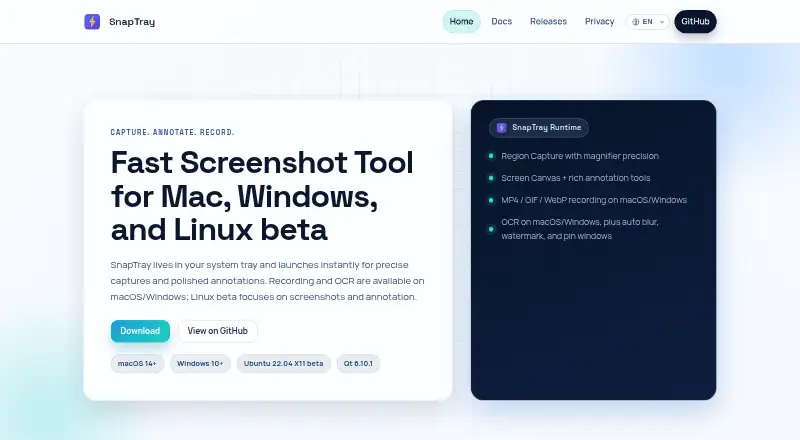
SnapTray is a free screenshot and annotation tool that runs from the system tray on Linux, macOS, and Windows. Region capture starts with F2 and uses a crosshair and magnifier to help select an area. Users can add arrows, pencil and marker strokes, shapes, text, mosaic, step badges, and emoji stickers. Screen Canvas supports drawing over the desktop, and pinned reference images remain above other windows and can be resized or rotated. On macOS and Windows, recordings can be exported as MP4 with optional audio or as silent GIF and WebP clips. Those platforms also include OCR and automatic masking for sensitive faces or credentials. Other tools include window detection, a color picker, custom image watermarks, and undo and redo history. Images, recordings, and settings are stored locally. SnapTray says it collects no data or telemetry; network use occurs when users trigger Share URL uploads or the optional update checker. It is open source under the MIT License.
Good
- Free and open source under the MIT License
- Supports screenshot annotation on Linux, macOS, and Windows
- Offers MP4, GIF, and WebP recording exports on macOS and Windows
- Stores screenshots, recordings, and settings locally
- Share links can be password-protected and expire automatically
Watch out
- Linux beta supports Ubuntu 22.04 X11 only
- Linux does not include recording or OCR
- Wayland is unsupported
Who it suits
SnapTray suits people who want desktop capture and annotation tools across Linux, macOS, or Windows. macOS and Windows users can also use its recording, OCR, and automatic masking features.
Verdict
SnapTray combines capture, annotation, pinning, and recording tools, with some capabilities limited to macOS and Windows. Linux users should note the stated beta restrictions and lack of Wayland support.
Plans and prices
From SnapTray's own pricing page, checked 11 Oct 2026.
| Plan | Price | What it gives you |
|---|---|---|
| SnapTray | Free | Completely free; open source under the MIT license; no ads, subscriptions, or hidden costs |
The facts
Each one read from SnapTray's own pages, with the date it was checked.
What it does
- Annotation
- Annotation tools include arrows, pencil, marker, shapes, text, mosaic, step badges, and emoji stickers.checked 11 Oct 2026
- Capture
- Region capture uses a precision crosshair and magnifier, and starts with F2.checked 11 Oct 2026
- Export formats
- PNG, MP4, GIF, WebPchecked 20 Sep 2026
- License
- SnapTray is open source software released under the MIT License.checked 11 Oct 2026
- Local storage
- Screenshots, recordings, and settings are stored locally on the device.checked 11 Oct 2026
- Network use
- Network access is used when a user triggers Share URL upload or when the optional update checker runs; the checker sends only the app version string.checked 11 Oct 2026
- OCR and blur
- OCR and automatic masking of sensitive faces or credentials are available on macOS and Windows.checked 11 Oct 2026
- Other tools
- SnapTray also includes window detection, a color picker, custom image watermarks, and undo and redo history.checked 11 Oct 2026
- Pinning
- Pinned reference images stay above other windows and can be resized and rotated.checked 11 Oct 2026
- Privacy
- The privacy policy says SnapTray collects no data and sends no telemetry, analytics, tracking identifiers, or crash reports.checked 11 Oct 2026
- Product
- SnapTray is a free screenshot and annotation tool that lives in the system tray.checked 11 Oct 2026
- Recording
- On macOS and Windows, recordings can export as MP4 with optional audio or as silent GIF and WebP clips.checked 11 Oct 2026
- Redaction tools
- Yeschecked 20 Sep 2026
- Screen canvas
- Screen Canvas lets users draw and annotate directly over the desktop.checked 11 Oct 2026
- Sharing
- Share URL uploads a captured image to x.snaptray.cc when explicitly triggered; users may set a password and shared links expire automatically.checked 11 Oct 2026
- Support
- The privacy policy directs users with privacy questions to open an issue on the SnapTray GitHub repository.checked 11 Oct 2026
Money
- Free plan
- Yeschecked 20 Sep 2026
Where it runs
- Linux limits
- The Linux beta supports screenshots and annotation on Ubuntu 22.04 X11; recording and OCR are not included, and Wayland is unsupported.checked 11 Oct 2026
Alternatives to SnapTray
- 1

Awesome Screenshot
Free planiOSWebExtensionmacOS8.3From $5 a month - 2

Monosnap
Free planWebExtensionLinuxmacOS8.1From $2.50 a month - 3
Usersnap
AndroidiOSWebAPI7.9From €49 a month - 4

Greenshot
Free planWindows7.8$1.99 one-time - 5
ShareX
Free planOpen sourceWindows7.6Free plan - 6
Markup Hero
Free planExtensionmacOSWindows7.6From $3 a month