Shotnix
Shotnix is a free macOS app for screenshots and screen recordings, with a recording editor.
What Shotnix is
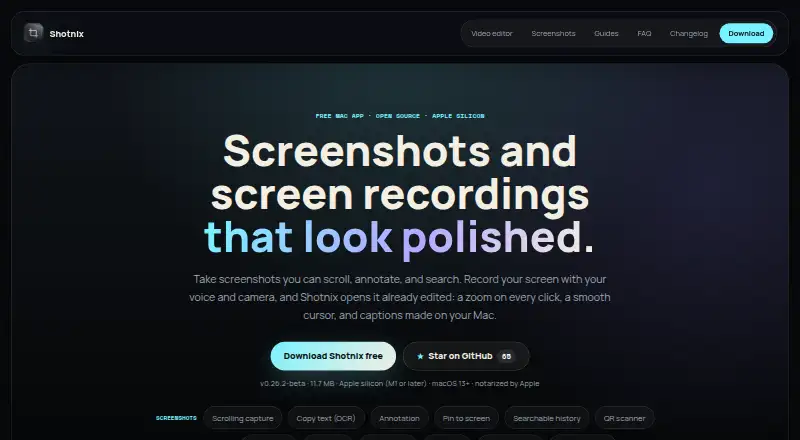
Shotnix is a free macOS app for screenshots and screen recordings, with a recording editor. It captures an area, window, or display and can include Mac audio, a microphone, and a camera. Recordings open with automatic zooms and a smoothed cursor; captions and cuts can be edited from a transcript. Video output includes MP4 up to 4K at 60 fps, GIF, and clipboard export. Screenshot tools provide scrolling capture, OCR text capture, annotations, pinning, searchable local history, QR scanning, and redaction. Images export as PNG, JPEG, or WebP. The maker says recording, transcription, voice cleanup, and export run locally, with nothing uploaded. The privacy policy says no analytics, advertising identifiers, telemetry, contact details, payment details, or usage data are collected. Shotnix is open source under the MIT license, and its download is Apple-signed and notarized. It requires Apple silicon and macOS 13 Ventura or newer.
Good
- Free with no time limit
- Local processing with nothing uploaded
- 4K 60 fps video export
- OCR, scrolling capture, and QR scanning
- Open source under MIT license
Watch out
- Intel Macs are not supported
- Requires macOS 13 Ventura or newer
- Available only on macOS
Who it suits
It suits Mac users who need local screenshot, recording, editing, OCR, and redaction tools. It is intended for Apple silicon Macs running macOS 13 or later.
Verdict
Shotnix combines capture, recording, transcript editing, and local privacy controls in a free Mac app. Its Apple silicon requirement excludes Intel Macs, but supported users get broad screenshot and video export tools.
Plans and prices
From Shotnix's own pricing page, checked 20 Sep 2026.
| Plan | Price | What it gives you |
|---|---|---|
| Free | Free | Screenshot capture · Screen recording · Annotation · OCR · Local workflow |
| Shotnix | Free | No time limit · No watermark · Apple silicon (M1 or later) · macOS 13+ · No subscription |
The facts
Each one read from Shotnix's own pages, with the date it was checked.
What it does
- Compatibility limit
- The official download requires an Apple silicon Mac with macOS 13 Ventura or newer and does not run on Intel Macs.checked 11 Oct 2026
- Data collection
- The privacy policy says the app does not collect analytics, advertising identifiers, telemetry, contact details, payment details, or usage data.checked 11 Oct 2026
- Export formats
- PNG, JPEG, WebPchecked 20 Sep 2026
- License
- Shotnix is open source under the MIT license, which the maker says permits free personal and commercial use subject to its terms.checked 11 Oct 2026
- Privacy
- The maker says recordings, transcription, voice cleanup, and export run locally, and nothing is uploaded.checked 11 Oct 2026
- Recording features
- It records an area, window, or display and can include Mac audio, a microphone, and a camera.checked 11 Oct 2026
- Redaction tools
- Yeschecked 20 Sep 2026
- Screenshot features
- Screenshot tools include scrolling capture, OCR text capture, annotation, pinning, searchable local history, and QR scanning.checked 11 Oct 2026
- Security
- The official download is signed with an Apple Developer ID and notarized by Apple.checked 11 Oct 2026
- Support
- Support and privacy questions can be sent to [email protected]; bugs and feature requests can be filed on GitHub.checked 11 Oct 2026
- Video editing
- Recordings open with automatic zooms and a smoothed cursor; users can edit captions and cuts from a transcript.checked 11 Oct 2026
- Video export
- It exports MP4 up to 4K at 60 fps, GIF, or directly to the clipboard.checked 11 Oct 2026
- What it does
- Shotnix is a Mac app for screenshots and screen recordings, with an editor for recordings.checked 11 Oct 2026
Money
- Free plan
- Yeschecked 20 Sep 2026
Alternatives to Shotnix
- 1

Awesome Screenshot
Free planiOSWebExtensionmacOS8.3From $5 a month - 2

Monosnap
Free planWebExtensionLinuxmacOS8.1From $2.50 a month - 3
Usersnap
AndroidiOSWebAPI7.9From €49 a month - 4

Greenshot
Free planWindows7.8$1.99 one-time - 5
ShareX
Free planOpen sourceWindows7.6Free plan - 6
Markup Hero
Free planExtensionmacOSWindows7.6From $3 a month