SendSafely
SendSafely is an end-to-end encrypted service for transferring sensitive files and messages.
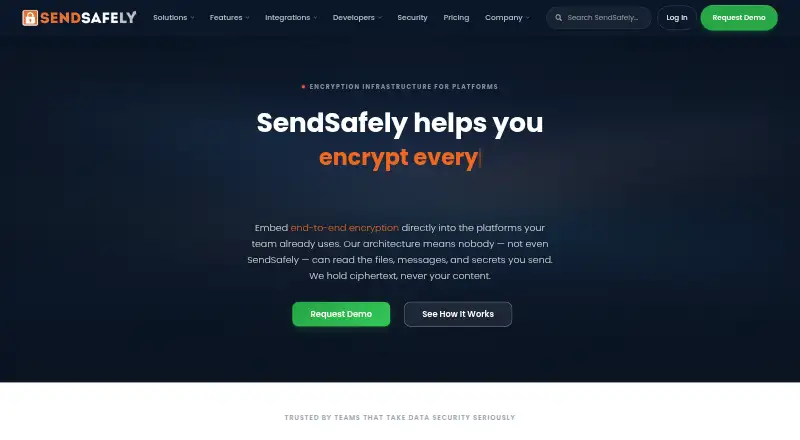
What SendSafely is
SendSafely is an end-to-end encrypted service for transferring sensitive files and messages. Files are encrypted on the sender’s device using OpenPGP with AES-256, and a split-key design means SendSafely cannot decrypt their contents. Recipients can access files in a modern browser without a SendSafely account after confirming identity with a one-time passcode by email or SMS. Senders can set expiration dates, revoke access, limit views or downloads, and use view-only mode or watermarking. Listed native integrations include Outlook, Gmail, Slack, Salesforce, Zendesk, Freshdesk, and Intercom. A REST API and client libraries for Python, Java, .NET, and Node.js are available, although API access requires Business or higher. The Personal plan includes 50 MB per month, and trial users are limited to 2 GB of uploads. SendSafely lists SOC 2 Type 2, PCI DSS, GDPR, and CCPA support; HIPAA BAAs are available on Enterprise plans. It runs on AWS, with regional hosting options in the United States, European Union, or Australia on Business and Enterprise plans.
Good
- Encrypts files on the sender’s device
- Recipients can access files without an account
- Senders can revoke access and set expirations
- Offers view-only mode and watermarking
- Lists integrations with email and service tools
Watch out
- Personal plan includes 50 MB per month
- Trial uploads limited to 2 GB
- API access requires Business or higher
- HIPAA BAAs available only on Enterprise
Who it suits
SendSafely suits teams handling sensitive files and messages that need encryption and recipient access controls. The API and client libraries may suit developers, though API access requires Business or higher.
Verdict
SendSafely combines device-side encryption with controls for recipients and file access. The Personal plan has a 50 MB monthly allowance, and API access is reserved for Business or higher.
Plans and prices
From SendSafely's own pricing page, checked 15 Oct 2026.
| Plan | Price | What it gives you |
|---|---|---|
| Basic | $10 a month | 250 MB/month · OpenPGP/AES encryption · two-factor login · download tracking · Chrome extension · expiration control · personal upload URL · Outlook plug-in · monthly |
| Pro | $20 a month | 100 GB/month · OpenPGP/AES encryption · two-factor login · download tracking · Chrome extension · expiration control · personal upload URL · Outlook plug-in · files up to 10 GB · monthly |
| Team | $120 a month | 5–25 users · 10 GB bandwidth/month · 200 packages/month · Gmail and Outlook integrations · Dropzone · Workspaces · SSO · SOC 2 Type 2 · PCI DSS · GDPR/CCPA DPA · billed annually |
| Business | $232 a month | 8–50 users · 30 GB bandwidth/month · 500 packages/month · ticketing integration · watermarking · API access · geographic storage · HIPAA BAA · MCP support · billed annually |
| Consumption - Bandwidth | — | Metered encrypted data transfer · Volume tiers · Usage dashboard · No seat licensing |
| Consumption - Packages | — | Metered encrypted packages · Volume tiers · Usage dashboard · Pay per package |
| Personal | Free | 50 MB/month · OpenPGP/AES encryption · two-factor login · download tracking · Chrome extension |
| Consumption packages | Priced on request | Metered per encrypted package sent or received · volume tiers · usage dashboard |
| Consumption bandwidth | Priced on request | Metered per GB transferred · volume tiers · usage dashboard · no seat licensing |
| Consumption — Bandwidth | Priced on request | Volume-based tier pricing · no seat licensing · Custom per GB transferred |
| Enterprise | Priced on request | 100 GB bandwidth/month · 1,000 packages/month · custom Dropzones and Workspaces · advanced audit logging · multi-region storage · Actions · Slack integration · MPA · designated customer success |
| Consumption — Packages | Priced on request | Volume-based tier pricing · pay per package · Custom per package |
The facts
Each one read from SendSafely's own pages, with the date it was checked.
What it does
- Access controls
- The platform supports access tracking, geographic viewing information, notifications, revocation, recipient limits, expiration and archival.checked 15 Oct 2026
- Actions automation
- Actions can trigger antivirus scanning, DLP analysis, file-type verification, S3 or Global Relay archiving and custom API or webhook workflows.checked 15 Oct 2026
- Administrative controls
- Enterprise administration includes user management, usage statistics, activity search, exportable logs and restrictions on who may use the service.checked 15 Oct 2026
- Advanced privacy
- Business and Enterprise features can restrict saving or printing, limit recipient access counts and watermark PDF or image files.checked 15 Oct 2026
- AI integrations
- HALO encrypts files collected by AI customer-service systems including Ada, Intercom Fin, Zendesk AI, Salesforce Agentforce, Forethought and Amazon Connect.checked 15 Oct 2026
- AI workflows
- HALO collects files in AI chatbot workflows with client-side encryption, and the FAQ says HALO is available on the Enterprise plan.checked 30 Sep 2026
- API access
- Yeschecked 22 Sep 2026
- Authentication
- Recipients can be verified with one-time passcodes, SMS verification or two-step login.checked 15 Oct 2026
- Chrome extension rating
- The Chrome Web Store lists 4.9 out of 5 from 16 ratings.checked 15 Oct 2026
- Compliance
- The company lists SOC 2 Type 2, PCI DSS, GDPR, and CCPA support, with HIPAA BAAs available on Enterprise plans.checked 30 Sep 2026
- Developer tooling
- SendSafely publishes a REST reference, Postman collection, sample command-line projects, Dropzone widget and an MCP server for AI agents.checked 15 Oct 2026
- Developer tools
- SendSafely provides a REST API and client libraries for Python, Java, .NET, and Node.js; API access requires Business or higher.checked 30 Sep 2026
- Documentation depth
- Java documentation covers package creation, recipients, SMS authentication, file encryption and upload, Workspaces, Contact Groups, Dropzone recipients and download operations.checked 15 Oct 2026
- Dropzone
- Dropzone is an embeddable encrypted upload widget that can be added to a web page, portal or helpdesk with one script tag.checked 15 Oct 2026
- Email encryption
- Outlook and Gmail integrations encrypt attachments, messages or both directly from the compose interface.checked 15 Oct 2026
- Encryption
- Files are encrypted on the sender's device using OpenPGP with AES-256, and a split-key design means SendSafely cannot decrypt their contents.checked 30 Sep 2026
- Encryption model
- Files are encrypted on the sender device with OpenPGP and a split key, so SendSafely servers receive ciphertext and cannot decrypt content alone.checked 15 Oct 2026
- Founding story
- SendSafely says it began as an internal tool at Gotham Digital Science and was later spun out after clients requested licences.checked 15 Oct 2026
Where it runs
- Browser requirements
- Supported desktop browsers are recent Chrome, Firefox, Safari and Edge; mobile support covers recent Chrome on Android and Safari or Chrome on iOS.checked 15 Oct 2026
The company
- Company founding
- LinkedIn lists SendSafely as founded in 2016.checked 15 Oct 2026
- Company headquarters and size
- LinkedIn lists headquarters in Newark, Delaware and company size of 11–50 employees.checked 15 Oct 2026
- Company history
- SendSafely says it began as an internal tool at Gotham Digital Science before spinning off as a separate company after clients asked to license it.checked 30 Sep 2026
- Company ownership
- LinkedIn identifies SendSafely as privately held.checked 15 Oct 2026
Money
- Free plan
- Yeschecked 22 Sep 2026
The full review of SendSafely
Overview
SendSafely is an encrypted file and message transfer service aimed especially at teams handling sensitive or regulated data. Its strongest case is sharing that needs recipient verification and ongoing access controls; the Personal plan’s 50 MB monthly allowance makes it a poor fit for regular file-heavy use.
Key features
Controlled sharing
Files are encrypted on the sender’s device with OpenPGP and AES-256, using split keys so SendSafely cannot decrypt their contents. Recipients can open transfers in a modern browser without an account, after confirming identity with a one-time code sent by email or SMS. That reduces friction for outside recipients while retaining a verification step.
Senders can set custom expiration dates, revoke access, limit views or downloads, and use view-only mode and watermarking. Password protection, audit logs, and admin controls round out the controls. These options suit sensitive exchanges where access needs to be bounded; they add less value for routine transfers that do not require that level of oversight.
Integrations and developer access
Native integrations cover Outlook, Gmail, Slack, Salesforce, Zendesk, Freshdesk, and Intercom, which can bring secure transfer into tools teams already use. The REST API and client libraries for Python, Java, .NET, and Node.js support custom workflows, but API access requires Business or higher, putting it out of reach of the lower-priced plans.
Compliance and operations
SendSafely lists SOC 2 Type 2, PCI DSS, GDPR, and CCPA support. HIPAA business associate agreements are available on Enterprise plans. The service runs on AWS, with optional US, EU, or Australian regional hosting on Business and Enterprise plans. Team plans include online support; Enterprise customers can add premium 24x7 support with named contacts and guaranteed SLAs.
HALO collects files in AI chatbot workflows with client-side encryption, and is available on Enterprise. That makes it relevant to organizations building such workflows, but not a reason to choose a lower tier.
Pricing
SendSafely has a freemium model, a 14-day trial, and paid plans starting at $10/mo. Trial users are limited to 2 GB of uploads, so the trial is best treated as an evaluation window rather than an unrestricted transfer allowance.
- Personal: Price not listed; 50 MB per month. Suitable for occasional, very small transfers, but the monthly cap is restrictive for ongoing use.
- Basic: $10 a month; 250 MB per month, expiration controls, a personal upload URL, and an Outlook plug-in. It adds useful sharing controls, but the small quota limits it to light use.
- Pro: $20 a month; 100 GB per month, files up to 10 GB, expiration controls, a personal upload URL, and an Outlook plug-in. This is the more practical individual option for larger or frequent transfers.
- Team: $120 a month, billed annually; 5 users, 10 GB bandwidth per month, 200 packages per month, and a 5–25 user range. It fits small teams needing shared access, though the monthly bandwidth is modest.
- Business: $232 a month, billed annually; 8 users, 30 GB bandwidth per month, 500 packages per month, and an 8–50 user range. It is the entry point for API access and regional hosting, making it more relevant to integrated business workflows.
- Enterprise: Price not listed; 100 GB bandwidth per month and 1,000 packages per month. It is the tier for organizations needing Enterprise-only options such as HALO or HIPAA BAAs.
- Consumption — Bandwidth: Custom pricing per GB transferred, with volume-based tiers, a usage dashboard, and no seat licensing.
- Consumption — Packages: Custom pricing per package, with volume-based tiers, a usage dashboard, and pay-per-package billing.
The consumption plans suit transfer volumes that do not map neatly to seats, while their custom, metered pricing is less predictable than a fixed subscription.
Platforms
SendSafely supports Android, iOS, Linux, macOS, Windows, and the web, alongside an extension and API. That range covers common desktop and mobile environments as well as integrations and custom-built workflows.
Who it's for
SendSafely is best suited to organizations that exchange sensitive files with external recipients and need verification, revocation, auditability, or integration into existing business tools. Individuals with occasional, small transfers can use Personal, but the 50 MB monthly allowance quickly becomes a constraint. Those seeking a high-volume, low-cost general-purpose transfer service may find its controls and business focus unnecessary.
Pros and cons
- Pro: Device-side encryption and split-key design keep SendSafely from decrypting file contents.
- Pro: Recipients need no account, while email or SMS passcodes and sender-managed access controls provide safeguards.
- Pro: Native integrations and an API support embedding transfers into team workflows, with API access on Business and above.
- Con: Personal allows only 50 MB per month, and Basic only 250 MB, limiting their usefulness for recurring or larger transfers.
- Con: API access, regional hosting, HALO, and HIPAA BAAs are tied to higher tiers, so smaller plans do not cover those needs.
- Con: Team and Business are billed annually, and custom-priced consumption options make cost planning less straightforward.
Alternatives
For a broader comparison, see File transfer services and Secure File Transfer Software.
- SFTPGo is a freemium option with a free trial and Linux, macOS, Windows, web, API, and self-hosted platforms.
- AWS Transfer Family is a paid service with a free plan and a web platform.
- rclone is a free, open-source option with no trial, supporting Android, Linux, macOS, Windows, web, API, and self-hosting.
- Tresorit is a freemium alternative for Android, iOS, Linux, macOS, and Windows; its Basic plan includes 3 GB storage, a 500 MB maximum file size, two devices, and 10 active encrypted links.
- MASV offers a freemium, pay-as-you-go option with 15 GB free per month and a listed rate of $0.25 a month after that.
- pCloud is a freemium storage alternative whose free plan includes 10 GB.
- Wing FTP Server has a free edition with one domain, 10 user accounts per domain, 10 connections per domain, and FTP/HTTP file transfer.
- Progress MOVEit Transfer is a paid alternative with a free trial.
Verdict
Choose SendSafely if your priority is controlled, encrypted exchange with outside recipients and you can justify a business-oriented plan for the needed volume or integrations. Its verified account-free access and detailed revocation and viewing controls are compelling for sensitive transfers. Look elsewhere if you need generous free usage, predictable low-cost high-volume transfers, or API access without moving to Business or higher.
Getting started
- Open the SendSafely website.
- Choose the free Personal plan, a paid plan from $10/mo, or the 14-day trial.
- Install or access SendSafely on a listed platform: Android, API, extension, iOS, Linux, macOS, web, or Windows.
- Send a file or message and set recipient verification and access controls.
- For API use, choose Business or higher and use the REST API or a client library.
Limits worth knowing
Personal includes 50 MB per month. Trial users can upload up to 2 GB. API access requires Business or higher; HALO and HIPAA BAAs are available on Enterprise plans.
Questions
Is SendSafely free?
Yes. It has a free Personal plan, which includes 50 MB per month.
How much do paid plans cost?
Team is $120 a month billed annually, and Business is $232 a month billed annually.
Is there a free trial?
Yes, SendSafely offers a 14-day trial. Trial users are limited to 2 GB of uploads.
Which platforms does it support?
Listed platforms are Android, API, extension, iOS, Linux, macOS, web, and Windows.
Can recipients access files without an account?
Yes. They can use a modern browser after verifying with a one-time passcode sent by email or SMS.
What integrations does it offer?
Native integrations include Outlook, Gmail, Slack, Salesforce, Zendesk, Freshdesk, and Intercom.