
CrushFTP
CrushFTP is a file transfer server that runs on many operating systems, with browser-based administration for users, preferences, reports, and plugins.
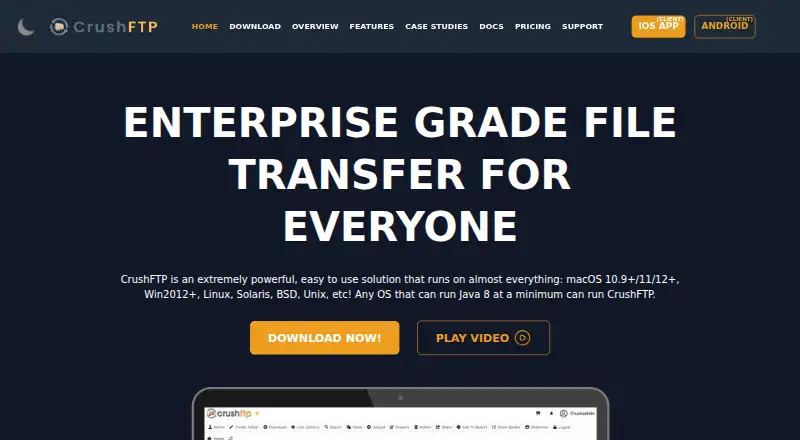
What CrushFTP is
CrushFTP is a file transfer server that runs on many operating systems, with browser-based administration for users, preferences, reports, and plugins. It supports FTPES, FTPS, SFTP, SCP, and HTTPS, and authentication options include LDAP, RADIUS, SAML, and OAuth, with MFA or OTP validation. CrushFTP encrypts files in transit and at rest using PGP. It connects to services and storage including S3, Google Drive, Azure, Dropbox, Backblaze B2, OneDrive, SharePoint, Box, SMB, and Hadoop. Enterprise tools include scheduled jobs, monitoring, automated reporting, DMZ capability, and high availability through session replication. CrushSync synchronizes files in real time and transfers changed portions of large files with compression. The web interface supports resumable transfers, WebDAV for iOS and Android clients, thumbnails, slideshows, and movie playback. The site says only CrushFTP 11 is currently supported.
Good
- Supports FTPES, FTPS, SFTP, SCP, and HTTPS
- Authentication supports LDAP, RADIUS, SAML, and OAuth
- Encrypts files in transit and at rest
- Connects to a range of storage services
- 30-day trial of the normal-license download
Watch out
- No free plan
- Only CrushFTP 11 is currently supported
Who it suits
CrushFTP suits organizations that need a server for secure file transfers, web administration, and connections to cloud or other storage services. Enterprise capabilities are relevant to teams needing scheduled jobs, monitoring, or session replication.
Verdict
CrushFTP combines secure transfer protocols, authentication options, storage connections, and browser-based administration. It is paid software with a 30-day trial, and its site identifies CrushFTP 11 as the only currently supported version.
Plans and prices
From CrushFTP's own pricing page, checked 15 Oct 2026.
| Plan | Price | What it gives you |
|---|---|---|
| Small Business | $70, paid once | 50 concurrent connections · email support only |
| Professional | $100, paid once | unlimited concurrent connections · email support only |
| Enterprise 1 | $1,000, paid once | installation support · rollout screen sharing · Sev-1 phone support · $250 yearly maintenance renewal after first year |
| Professional, site license | $2,000, paid once | unlimited CrushFTP Professional installs in the organization · email support only |
| Enterprise 2 | $2,500, paid once | 24x7 emergency phone support for Sev 1 or Sev 2 · emergency screen sharing · typical case resolution under an hour · $500 yearly maintenance renewal after first year |
| Enterprise 2 (10 install pack) | $8,000, paid once | 10 installs · 24x7 emergency phone support for Sev 1 or Sev 2 · $1500 yearly maintenance renewal after first year |
| Enterprise 2 (unlimited installs) | $20,000, paid once | unlimited installs · 24x7 emergency phone support · emergency screen sharing · typical case resolution under an hour · $5000 yearly maintenance renewal after first year |
The facts
Each one read from CrushFTP's own pages, with the date it was checked.
What it does
- Ad-hoc sharing
- Users can create temporary file or folder links that expire automatically and can be emailed to outside recipients.checked 15 Oct 2026
- Administrative API
- The vendor documents a command-line CrushTunnel.jar administrative tool for creating, updating and deleting users, assigning virtual folders, managing groups and triggering jobs.checked 15 Oct 2026
- Authentication
- Official security material lists LDAP, RADIUS, SAML and OAuth authentication methods, plus MFA or OTP validation.checked 15 Oct 2026
- Automated banning
- The server monitors abusive login patterns and can automatically ban offending IP addresses, including suspected scanning and DDoS activity.checked 15 Oct 2026
- Automation
- Event and job actions can move, copy, rename, delete, archive, encrypt, decrypt, email or process files and can be chained and scheduled.checked 15 Oct 2026
- Cloud integrations
- Built-in storage and transfer connectors include Amazon S3, Google Drive, Google Cloud Storage, Azure, Glacier, Dropbox, Backblaze B2, OneDrive, SharePoint and Box.checked 15 Oct 2026
- CrushSync
- The enterprise CrushSync client replicates changed file portions in real time, supports compression and can encrypt data client-side.checked 15 Oct 2026
- Current release
- The download page lists CrushFTP 11.5.5, released September 14, 2026, with packages that optionally include OpenJDK Java 25.checked 15 Oct 2026
- Documentation depth
- The support page describes a searchable online wiki covering all aspects of the product and links versioned API and configuration documentation.checked 15 Oct 2026
- Encryption
- The product provides PGP encryption for data in transit and at rest and supports secure transfer protocols including SFTP and HTTPS.checked 15 Oct 2026
- High availability
- Enterprise features include DMZ deployment, reverse connections, virtual IP management and session replication for high availability.checked 15 Oct 2026
- Integrations
- Supported back ends and services include S3, Google Drive, Azure, Dropbox, Backblaze B2, OneDrive, SharePoint, Box, SMB and Hadoop.checked 1 Oct 2026
- Licence
- The licence grants use on one computer at a time, retains the vendor's intellectual-property rights and forbids redistribution, sublicensing or resale of the code.checked 15 Oct 2026
- Limit: extreme-load defects
- The sole Capterra/GetApp/Software Advice reviewer reports occasional flaws when processing thousands of concurrent transfers.checked 15 Oct 2026
- Limit: security history
- A G2 reviewer alleges serious compromise risk and criticizes the product's vulnerability history and disclosure practices, citing CVE-2025-31161.checked 15 Oct 2026
- Limit: upgrade and support friction
- G2 reviews mention Java dependence, dated aesthetics, inconsistent support, service failures after upgrades and difficulty completing an upgrade purchase.checked 15 Oct 2026
- Malware scanning
- Uploaded files can be checked through command-line antivirus scanners or an ICAP server.checked 15 Oct 2026
Where it runs
- Android client
- The CrushClient Android app supports browsing, previews, uploads, downloads, file operations and upload forms; Google Play lists 500+ downloads and no collected or shared data in the developer disclosure.checked 15 Oct 2026
- Browser file operations
- The web interface lets users upload, download, rename, delete, search, preview, share and resume transfers without a stated file-size limit.checked 15 Oct 2026
- iOS client
- The free CrushClient iOS app supports file browsing and management, uploads, downloads, sharing and upload forms, requires iOS 13 or later and lists one 5-star rating.checked 15 Oct 2026
The company
- Company founding and size
- LinkedIn states that CrushFTP was founded in 1998 and has 2–10 employees.checked 15 Oct 2026
- Company identity
- LinkedIn lists the maker as CrushFTP, LLC, a privately held IT-services company headquartered in Lake Tahoe, Nevada.checked 15 Oct 2026
- Founded
- 1998checked 28 Sep 2026
Money
- Free plan
- Nochecked 20 Sep 2026
The full review of CrushFTP
CrushFTP is a secure file-transfer server for organizations that need to run and administer transfer workflows across their own infrastructure and connected storage. It suits teams with varied protocol, identity and automation requirements better than people who simply need to send an occasional file. Its breadth is a strong reason to consider it, but the concurrent-connection caps and purchase and maintenance terms call for careful plan selection.
Overview
CrushFTP brings server-based file transfers and browser-based administration together: administrators can manage users, preferences, reports and plugins from a web browser. Support for FTPES, FTPS, SFTP, SCP and HTTPS gives organizations several secure transfer routes, while virtual folders, audit logging and an automation API help support managed workflows. This is a flexible platform for teams running ongoing transfers, not a lightweight one-off file-sharing tool.
Authentication options include LDAP, RADIUS, SAML and OAuth, with MFA/OTP validation available. PGP encryption covers data in transit and at rest. The server can detect abusive connection patterns, automatically ban offending IP addresses and provide DDoS protection. Those safeguards and identity choices are useful where access and transfer security are central requirements, though teams should choose CrushFTP for that depth rather than simplicity.
Key features
CrushFTP connects to S3, Google Drive, Azure, Dropbox, Backblaze B2, OneDrive, SharePoint, Box, SMB and Hadoop. That range can accommodate teams working across different storage services and file systems instead of limiting transfer workflows to a single destination.
The WebInterface supports resumable, high-speed transfers, plus thumbnails, slideshows and built-in movie playback. WebDAV support extends access to iOS and Android clients. CrushSync adds real-time synchronization and sends only changed portions of large files, with compression; that can reduce repeated transfer work when large files change incrementally.
Enterprise tools include scheduled jobs, monitoring, automated reporting, DMZ capability and high availability through session replication. These are meaningful capabilities for organizations that need recurring, monitored transfers and continuity measures, rather than just basic protocol access. Support requests receive a direct human response, often within minutes and usually within an hour.
Pricing
CrushFTP is paid software with no free plan and a 30-day trial of the full normal-license download. Prices are given as monthly amounts alongside perpetual-license terms, so the stated monthly figure should not be mistaken for a subscription description. Small Business and Enterprise 1 explicitly carry a $250 yearly maintenance renewal after the first year; the other plans below do not state maintenance terms.
| Plan | Price and terms | Fit and limits |
|---|---|---|
| Small Business | $70 a month; perpetual license; $250 yearly maintenance renewal after the first year | 50 concurrent connections; suited to smaller deployments that can work within that cap. |
| Professional | $100 a month; perpetual license | Unlimited concurrent connections, for teams that need more headroom than Small Business. |
| Professional, site license | $2,000 a month; perpetual license | Unlimited installs, for organizations prioritizing deployment across multiple installations. |
| Enterprise 1 | $1,000 a month; $250 yearly maintenance renewal after the first year | No limit on concurrent connections. |
| Enterprise 2 | $2,500 a month; $500 yearly maintenance renewal after the first year | No limit on concurrent connections. |
| Enterprise 2 (10 install pack) | $8,000 a month; $1,500 yearly maintenance renewal after the first year | 10 installs. |
| Enterprise 2 (Unlimited Installs) | $20,000 a month; $5,000 yearly maintenance renewal after the first year | Unlimited installs. |
The lower-priced Small Business license is the clearest fit for a deployment capped at 50 simultaneous connections. Professional removes that connection ceiling, while the site license and higher Enterprise install packs address installation scale at substantially higher stated prices. Enterprise plans also make maintenance renewal terms explicit; buyers should factor those renewals into the cost where stated.
Platforms
CrushFTP supports Android, iOS, Linux, macOS, Windows, web and self-hosted environments. Its server runs on almost any operating system, while browser administration gives administrators a web-based control point.
Who it's for
CrushFTP is best suited to organizations that need secure, managed file transfers across multiple protocols, identity systems or storage back ends, and can make use of server administration and automation. Teams needing synchronization, monitoring, scheduling or high availability have more reason to consider its broader capabilities. It is less suitable for people seeking a free or narrowly focused file-transfer client, or for deployments whose connection or installation needs do not match the chosen plan.
Pros and cons
Pros
- Broad protocol and authentication support, including LDAP, SAML, OAuth and MFA/OTP, suits varied security and access setups.
- Connections to major cloud storage services, business file platforms, SMB and Hadoop can serve mixed storage environments.
- Resumable transfers, incremental CrushSync, scheduling and monitoring support ongoing workflows beyond simple file delivery.
- Abuse detection, automatic IP bans and DDoS protection add server-side defenses.
Cons
- There is no free plan; the 30-day trial is the only no-cost way to evaluate it.
- Small Business is limited to 50 concurrent connections, so growing workloads may require a more expensive plan.
- Install-focused Enterprise options have sharply higher stated prices, and several plans do not state maintenance terms.
- The feature set centers on administering a transfer server, making it a poor fit for users who only need a simple client or occasional transfer service.
Alternatives
Choose SendSafely if a freemium option with a 50 MB monthly Personal tier or a 250 MB/month Basic plan at $10 a month better fits limited transfer needs. FileZilla Client is a free alternative for Linux, macOS and Windows users who need an FTP, FTPS or SFTP client rather than a server platform. WinSCP is another free, open-source Windows client, with SFTP, FTP, FTPS, SCP, WebDAV and S3 protocol support.
ExaVault offers a free self-hosted appliance for up to 50 users and a paid plan at $99 a month billed per 50-user pack; it may suit teams whose user-based plan structure matches their needs. MASV is worth considering for pay-as-you-go transfers: its On-Demand plan charges 0.25 USD per GB after the first 15 GB free each month, with no contract. Tresorit is a freemium alternative with a Basic tier offering 3 GB storage, 500 MB maximum file size, two devices and 10 active encrypted links.
TransferNow has a free-forever plan allowing 5 GB per transfer and seven days of availability, which may fit straightforward transfers with those limits. Files.com is a paid option with a free trial; its Starter plan costs $199 a month, billed monthly, and includes 10 Full Users, 50 System Users, two outbound connections and 1 TB monthly storage.
Browse more options in Secure File Transfer Software or File transfer services.
Verdict
Choose CrushFTP if your organization needs a secure, configurable transfer server with broad authentication and storage connections, browser administration and enterprise workflow tools. Its main strength is the range of capabilities in one platform; its main drawback is that plan limits, high-priced install options and maintenance renewals require close scrutiny. If your needs are limited to a free desktop client or occasional transfers, a simpler alternative is a better fit.
Getting started
- Open the CrushFTP website
- Download the normal-license version for a supported platform
- Start the 30-day trial
- Install CrushFTP on a supported operating system or use its web and self-hosted options
- Configure users, preferences, reports, and plugins in the web administration interface
- Select a paid plan after the trial
Limits worth knowing
CrushFTP has no free plan. The Small Business plan allows 50 concurrent connections; some other listed plans provide unlimited connections or installs according to their plan descriptions.
Questions
Is there a free plan?
No. CrushFTP is paid, but the normal-license download has a 30-day trial.
What platforms can run CrushFTP?
Listed platforms are Android, iOS, Linux, macOS, self-hosted, web, and Windows.
Which secure protocols are supported?
FTPES, FTPS, SFTP, SCP, and HTTPS are supported.
What does the Small Business plan cost?
It is listed at $70 a month, billed as a perpetual license, with 50 concurrent connections.
Which integrations are available?
Listed services and back ends include S3, Google Drive, Azure, Dropbox, Backblaze B2, OneDrive, SharePoint, Box, SMB, and Hadoop.
Alternatives to CrushFTP
- 1
SendSafely
Free planAndroidiOSWebAPI8.7From $10 a month - 2

pCloud
Free planAndroidiOSLinuxmacOS8.5Free plan - 3
TitanFile
AndroidiOSWebAPI8.4From $16 a month - 4

FileFast
Free planAndroidiOSWebAPI8.4From $5.99 a month - 5
Filestack
Free planAndroidiOSWebAPI8.4From $69 a month - 6

Files.com
AndroidiOSAPImacOS8.2From $199 a month