
ExaVault
ExaVault is a self-hosted file-transfer appliance for organizations that want file exchange and sharing to run in their own infrastructure.
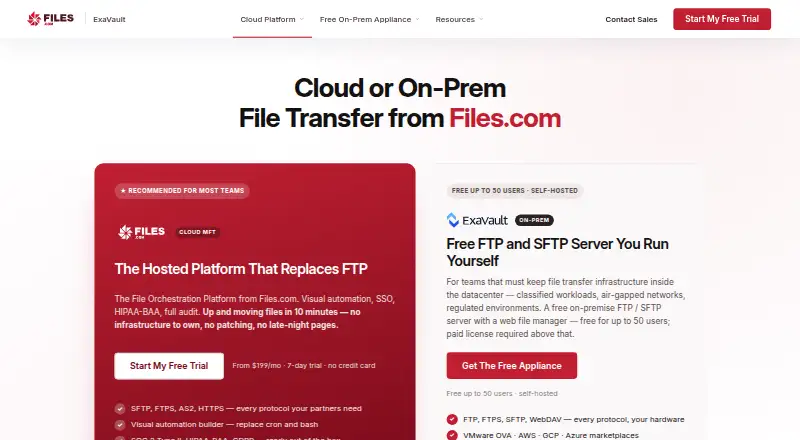
What ExaVault is
ExaVault is a self-hosted file-transfer appliance for organizations that want file exchange and sharing to run in their own infrastructure. ExaVault Cloud has been discontinued, but the appliance is still shipped and maintained. It supports FTP, SFTP, FTPS, and WebDAV, alongside a browser file manager, user and group controls, folder permissions, share links, notifications, and activity records. Listed identity options include SAML, SCIM, Active Directory, and LDAP. Deployment is available through VMware vSphere and the AWS, Google Cloud, and Microsoft Azure marketplaces; Hyper-V use requires converting the VMware image. The appliance encrypts data in transit and provides audit logging, while encryption at rest depends on the customer's VM environment. The free edition has no expiration and allows up to 50 user accounts. Above that cap, a paid license is required. Free users receive self-serve documentation; paid plans add business-hours email and phone support, while Enterprise includes 24/7/365 support. The appliance requires a 64-bit Intel CPU, four cores, 12 GB RAM, a primary 100 GB disk, and a data drive; ARM processors are unsupported.
Good
- Supports FTP, SFTP, FTPS, and WebDAV.
- Free edition supports up to 50 users without expiration.
- Includes folder permissions, share links, and audit logs.
- Available for VMware and major cloud marketplaces.
Watch out
- Cloud version has been sunset.
- ARM processors are unsupported.
- Encryption at rest depends on the customer's VM environment.
- Compliance posture remains the customer's responsibility.
Who it suits
It suits teams that need file transfers within their own datacenter, VPC, or air-gapped network. Organizations should be prepared to manage the appliance environment and its compliance posture themselves.
Verdict
ExaVault is aimed at organizations that need a maintained, self-hosted file-transfer appliance rather than ExaVault Cloud. Its free edition has a 50-user cap, and infrastructure security and compliance remain customer responsibilities.
Plans and prices
From ExaVault's own pricing page, checked 29 Sep 2026.
| Plan | Price | What it gives you |
|---|---|---|
| Free | Free | Up to 50 users · self-hosted appliance · self-serve support |
| Paid | $99 a month | Required above 50 users · email and phone support · automatic updates · SAML SSO · optional SCIM · SMS two-factor authentication · automatic SSL · SIEM syslog export · per 50-user pack |
| Enterprise | $7,499 a year | 24/7/365 support · managed SIEM integration assistance · deployment and migration support · larger deployments quoted on request · per 50 users |
The facts
Each one read from ExaVault's own pages, with the date it was checked.
What it does
- API access
- Nochecked 22 Sep 2026
- Compliance responsibility
- Because the appliance runs in the customer's environment, compliance posture for frameworks such as SOC 2, HIPAA, GDPR, FedRAMP, and FIPS is the customer's scope.checked 29 Sep 2026
- Deployment options
- The appliance is offered for VMware vSphere, AWS Marketplace, Google Cloud Marketplace, and Microsoft Azure Marketplace, with Hyper-V available by converting the VMware image.checked 29 Sep 2026
- File management
- It includes a browser-based file manager, user and group controls, folder permissions, share links, notifications, and activity records.checked 29 Sep 2026
- Identity integrations
- Its documentation lists SAML, SCIM, Active Directory, and LDAP for authentication and account provisioning.checked 29 Sep 2026
- Intended users
- The appliance is presented for teams that need file transfer inside their own datacenter, VPC, or air-gapped network.checked 29 Sep 2026
- Product status
- ExaVault Cloud has been sunset and its mission continued as Files.com; the ExaVault self-hosted appliance is still shipped and maintained.checked 29 Sep 2026
- Protocols
- The appliance supports FTP, SFTP, FTPS, and WebDAV.checked 29 Sep 2026
- Security controls
- The appliance includes encryption in flight and audit logging; encryption at rest comes from the customer's VM environment.checked 29 Sep 2026
- Support
- Free users get self-serve documentation, the Paid tier includes business-hours email and phone support, and Enterprise includes 24/7/365 support.checked 29 Sep 2026
- System requirements
- The appliance requires a 64-bit Intel CPU, 4 cores, 12 GB RAM, and a 100 GB primary disk plus a data drive; ARM processors are unsupported.checked 29 Sep 2026
- What it does
- ExaVault is a self-hosted file-transfer appliance for organizations that need file transfer and sharing in infrastructure they operate.checked 29 Sep 2026
The company
- Company history
- ExaVault launched in 2009, and Files.com acquired it in 2022; ExaVault is no longer a standalone company.checked 29 Sep 2026
- Founded
- 2009checked 28 Sep 2026
Money
- Free plan
- Yeschecked 22 Sep 2026
- Free tier limits
- The free edition does not expire and supports up to 50 user accounts; a paid license is required above that cap.checked 29 Sep 2026
The full review of ExaVault
ExaVault is a self-hosted appliance for teams that need controlled file exchange inside their own datacenter, VPC, or isolated network. It is strongest when an organization already operates virtual infrastructure and identity systems, and less suitable when a provider-managed service is the priority. The central decision is whether the administrative control justifies owning deployment, security, and compliance work.
Overview
ExaVault launched in 2009 and was acquired by Files.com in 2022. ExaVault Cloud has been retired, while the self-hosted appliance continues to be shipped and maintained. This is therefore a current infrastructure product, not a hosted successor to the former cloud service. Teams wanting a turnkey web transfer service should look elsewhere; teams with datacenter, VPC, or air-gapped requirements get a product aligned with those constraints.
Key features
FTP, SFTP, FTPS, and WebDAV support covers both conventional FTP workflows and encrypted or WebDAV-based integrations. A browser file manager adds user and group administration, folder permissions, share links, notifications, and activity records, so routine exchange can be managed without giving every participant direct server access. Password protection and custom link-expiration settings provide practical controls for shared files, while audit logs help reconstruct activity.
SAML, SCIM, Active Directory, and LDAP integrations address organizations that need centralized authentication and provisioning. Paid licensing adds SAML SSO, optional SCIM, SMS two-factor authentication, automatic SSL, automatic updates, and SIEM syslog export. Those additions make the paid edition materially better for managed identity and monitoring; the free edition is more appropriate for smaller deployments that can accept self-serve administration and fewer operational integrations.
Deployment targets include VMware vSphere, AWS Marketplace, Google Cloud Marketplace, and Microsoft Azure Marketplace. Hyper-V is supported by converting the VMware image. The appliance requires a 64-bit Intel processor with four cores, 12 GB of RAM, a 100 GB primary disk, and a separate data drive; ARM processors are not supported. Encryption in transit is included, but encryption at rest comes from the customer's VM environment. Likewise, responsibility for SOC 2, HIPAA, GDPR, FedRAMP, and FIPS compliance remains with the organization operating the appliance.
Pricing
| Plan | Price | What it includes |
|---|---|---|
| Free | free | Self-hosted appliance, up to 50 users, self-serve support; the edition does not expire. |
| Paid | $99 a month | Billed per 50-user pack; required above 50 users, with email and phone support, automatic updates, SAML SSO, optional SCIM, SMS two-factor authentication, automatic SSL, and SIEM syslog export. |
| Enterprise | $7,499 a year | Billed per 50 users, with 24/7/365 support, managed SIEM integration assistance, deployment and migration support; larger deployments use custom pricing. |
The free tier is unusually practical for a small organization because there is no expiry, but the 50-account ceiling is firm and a paid license is required beyond it. Paid licensing is sold in 50-user blocks, so organizations near a threshold should budget for the full pack rather than individual seats. Enterprise is aimed at teams that need around-the-clock assistance and help with rollout or SIEM work, not merely more accounts. There is no free trial, making the permanent free edition the available evaluation path.
Platforms
ExaVault runs as a self-hosted virtual appliance on VMware vSphere or through AWS, Google Cloud, and Azure marketplaces. Hyper-V users must convert the VMware image. A web interface is included, but the product is not an ARM option and is not a conventional desktop or mobile client.
Who it's for
Choose ExaVault when policy or architecture requires file transfer to remain in infrastructure your organization controls, including private VPCs and air-gapped networks. It fits IT teams able to provide the stated Intel-based VM resources, operate identity integrations, and handle encryption-at-rest design and regulatory evidence. It is a weaker choice for small teams without infrastructure staff, or for anyone seeking hosted storage, automatic compliance coverage, or broad client-platform apps.
Pros and cons
Pros
- Broad protocol coverage: FTP, SFTP, FTPS, and WebDAV accommodate mixed legacy and modern workflows.
- Strong administration: Permissions, groups, password-protected links, expiration controls, notifications, and audit records support governed sharing.
- Deployment flexibility: Marketplace images and VMware support cover datacenter and major-cloud environments.
- Permanent free edition: Up to 50 users can run the appliance without an expiry date.
Cons
- Operational ownership: Customers supply the VM environment, encryption at rest, and compliance controls.
- Hard capacity boundary: More than 50 users requires a paid 50-user pack.
- Limited evaluation model: There is no free trial, and ARM processors are unsupported.
- Cloud service discontinued: Organizations wanting hosted ExaVault must consider other products.
Alternatives
SendSafely is a better fit for browser, mobile, desktop, and API access, with a free plan and a Basic tier at $10 a month for 250 MB per month and expiration controls. Pick FileZilla Client for a free Linux, macOS, or Windows client focused on FTP, FTPS, and SFTP rather than a multi-user appliance. WinSCP is the free, open-source Windows choice when SFTP, FTP, FTPS, SCP, WebDAV, and S3 protocols are needed in a client.
CrushFTP suits buyers wanting a paid, self-hosted-capable product with a trial and broad platform coverage; its Small Business plan is $70 a month with perpetual licensing and 250.00 USD yearly maintenance after the first year. MASV is preferable for hosted, pay-as-you-go large-file delivery: 15 GB is free each month, then usage is 0.25 USD per GB. OnionShare is a free option for privacy-oriented direct sharing across desktop platforms. Tresorit provides encrypted cross-platform storage and links, while TransferNow offers hosted transfers with a free 5 GB-per-transfer plan and seven-day availability.
Verdict
ExaVault is a sound choice for organizations that need a maintained file-transfer appliance inside infrastructure they control, especially where protocol compatibility, centralized identity, and auditability matter. Its free 50-user edition lowers the entry cost, and paid tiers add the support and operational integrations larger environments need. Look elsewhere if you want a hosted service, ARM support, client apps, or a provider to carry the main burden of security and compliance.
Alternatives to ExaVault
- 1

CrushFTP
AndroidiOSWebAPI7.8$70 one-time - 2

Files.com
AndroidiOSAPImacOS7.5From $199 a month - 3
SFTPPlus
WebAPILinuxmacOS6.9$1,900 one-time - 4
Cerberus FTP Server
WebAPISelf-hostedWindows6.7From $1,599 a year - 5

Couchdrop
WebAPI6.5From $50 a month - 6

Coviant Diplomat MFT
APILinuxSelf-hostedWindows6.5From $335 a month