SelfControl
SelfControl is a free, open-source macOS application for keeping selected internet destinations unavailable during a chosen period.
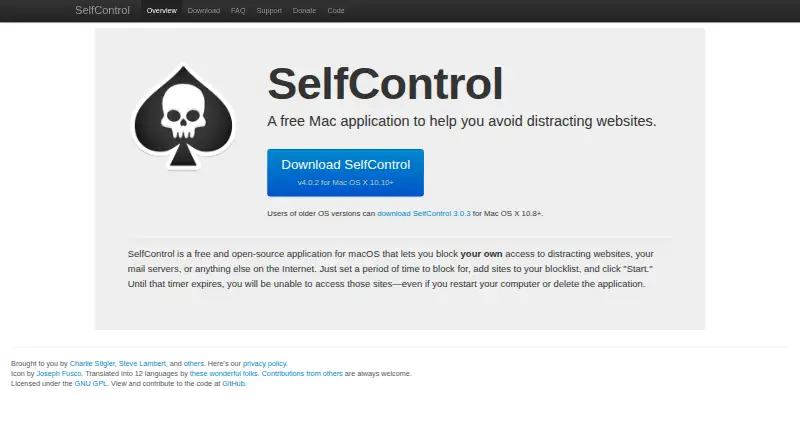
What SelfControl is
SelfControl is a free, open-source macOS application for keeping selected internet destinations unavailable during a chosen period. You create a blocklist, set a block duration, and start the timer. Blocking can cover websites, mail servers, or other internet access. Once started, the block remains until the timer expires, including if you restart the computer or delete the application. The maker offers a current download for Mac OS X 10.10 and later, plus an older version for Mac OS X 10.8 and later. SelfControl is licensed under the GNU GPL and has been translated into 12 languages. Since version 4.0, update checks may send anonymized system data, and errors or crashes may send anonymized reports through Sentry. Both collection types can be disabled in preferences. The policy says personal data tied to an individual is never collected, and reports do not include blocklists or identifying details.
Good
- Free macOS application
- Blocks websites, mail servers, or internet access
- Blocks persist through restart or deletion
- Open-source GNU GPL license
- Data collection can be disabled
Watch out
- No mobile apps listed
- Only macOS platforms are listed
- Block remains until timer expires
Who it suits
SelfControl suits macOS users who want timed blocking for distracting websites or other internet destinations. It is also relevant to people seeking open-source software with locked sessions and no listed paid tier.
Verdict
SelfControl provides timed, persistent blocking on macOS, with support for websites, mail servers, and other internet access. Its free, open-source model and configurable privacy controls may suit users who need locked sessions on a Mac.
Plans and prices
From SelfControl's own pricing page, checked 9 Oct 2026.
| Plan | Price | What it gives you |
|---|---|---|
| SelfControl | Free | macOS app · blocks websites, mail servers, or other internet access |
The facts
Each one read from SelfControl's own pages, with the date it was checked.
What it does
- Block persistence
- A block remains in effect until its timer expires, even if the user restarts the computer or deletes the application.checked 9 Oct 2026
- Error reporting
- Error reports use Sentry and may include SelfControl settings, but the policy says they do not include the blocklist or identifying details.checked 9 Oct 2026
- How it works
- Users set a block period, add sites to a blocklist, and start the timer.checked 9 Oct 2026
- Integrations
- The privacy policy identifies Sentry as the service used for anonymized error reports.checked 9 Oct 2026
- Languages
- The maker says SelfControl has been translated into 12 languages.checked 9 Oct 2026
- Maintainers
- The maker credits Charlie Stigler, Steve Lambert, and other contributors.checked 9 Oct 2026
- Open source
- SelfControl is open-source software licensed under the GNU GPL.checked 9 Oct 2026
- Privacy controls
- Users can disable both types of data collection in preferences, and the policy says personal data tied to an individual is never collected.checked 9 Oct 2026
- Privacy data
- Since version 4.0, the app can send anonymized system data when checking for updates and anonymized error reports if an error or crash occurs.checked 9 Oct 2026
- Purpose
- SelfControl is a free Mac application that helps users avoid distracting websites.checked 9 Oct 2026
- What it blocks
- Users can block distracting websites, mail servers, or anything else on the Internet.checked 9 Oct 2026
Where it runs
- Platform support
- The maker describes SelfControl as an application for macOS and offers a current download for Mac OS X 10.10+ and an older version for Mac OS X 10.8+.checked 9 Oct 2026
Alternatives to SelfControl
- 1

Freedom
Free planAndroidiOSWebExtension8.2From $40 a year - 2

Opal
Free planAndroidiOSExtensionmacOS8.0From $8.29 a month - 3

ScreenZen
Free planAndroidiOSmacOSWindows7.3$49 one-time - 4
Focus Bear
Free planAndroidiOSmacOSWindows7.2From $9.99 a month - 5

one sec
AndroidiOSExtensionLinux7.2From $19.99 a year - 6

FocusMe
AndroidiOSExtensionLinux7.1$249 one-time