
FocusMe
FocusMe blocks distracting websites and apps, sets time limits, and can lock focus plans to help users stay focused.
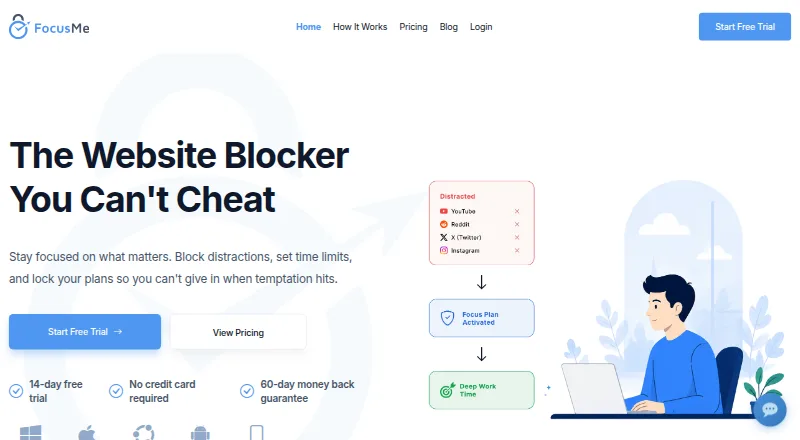
What FocusMe is
FocusMe blocks distracting websites and apps, sets time limits, and can lock focus plans to help users stay focused. It can block websites, apps, keywords, or categories across more than 15 browsers, or use Whitelist Mode to allow only selected items. Plans can set daily or hourly budgets, limit launches, enforce breaks, and schedule focus sessions. Protection options include password protection, random challenges, Enforced Mode, and accountability partners. Its AI Coach analyzes progress and offers insights and actions. The Android and iOS apps are free to download and include blocking, schedules, and time limits; Premium adds plan and activity sync with a computer. Premium also syncs focus plans between Windows, Mac, and iPhone, while Android sync is in development. Chrome and Firefox extensions are recommended for enhanced URL detection and faster blocking, and an Edge extension is listed. One license can cover up to five Windows or macOS desktop computers and two mobile devices, though licenses generally should not be shared between users except parents and children under 18.
Good
- Blocks sites, apps, keywords, and categories.
- Supports recurring schedules and locked focus plans.
- Mobile apps include blocking, schedules, and time limits.
- Paid plans include a 60-day money-back guarantee.
Watch out
- Android plan sync is still in development.
- A license generally should not be shared between users.
- Optional usage data may include browsing history and app usage.
Who it suits
FocusMe may suit students, parents, writers, developers, and others seeking tools to manage distracting websites and apps. Its schedules and time budgets may help people who want defined focus periods or usage limits.
Verdict
FocusMe offers several ways to restrict distractions, schedule sessions, and set usage budgets across desktop and mobile apps. Consider the device and sharing limits, and note that Android plan sync is still in development.
Plans and prices
From FocusMe's own pricing page, checked 29 Sep 2026.
| Plan | Price | What it gives you |
|---|---|---|
| Lifetime | $249, paid once | Pay once · use forever · includes core features · one-time |
| Monthly | — | 14-day free trial · no credit card required · includes core features |
| Yearly | — | 14-day free trial · no credit card required · includes core features |
The facts
Each one read from FocusMe's own pages, with the date it was checked.
What it does
- AI coach
- The AI Coach analyzes progress and provides insights and actions to help users improve.checked 29 Sep 2026
- Blocking
- Users can block websites, apps, keywords, or categories across 15+ browsers, and use Whitelist Mode to allow only selected items.checked 29 Sep 2026
- Focus controls
- Plans can block distractions, set daily or hourly budgets, limit launches, enforce breaks, and schedule focus sessions.checked 29 Sep 2026
- Privacy
- The privacy policy says optional usage data may include block lists, rules, browsing history, and app usage, and identifies analytics tracking through the desktop application and browser extensions.checked 29 Sep 2026
- Protection
- Protection options include password protection, random challenges, Enforced Mode, and accountability partners.checked 29 Sep 2026
- Purpose
- FocusMe blocks distracting websites and apps, sets time limits, and locks focus plans to help users stay focused.checked 29 Sep 2026
- Refunds
- Paid plans include a 60-day unconditional money-back guarantee, and the FAQ says to contact support within 60 days to request a refund.checked 29 Sep 2026
- Security
- The privacy policy says its security measures include data-in-transit encryption, secure storage, and restricted data access.checked 29 Sep 2026
- Support
- FocusMe says it usually replies to contact form messages within 24 hours and processes subscription cancellations and refund requests within 24 hours.checked 29 Sep 2026
- Sync
- Focus plans sync between Windows, Mac, and iPhone with Premium; Android sync is in development.checked 29 Sep 2026
The company
- Audience and maker
- The maker describes FocusMe as useful for students, parents, writers, developers, and anyone seeking to regain attention, and says it is built by a small team in England.checked 29 Sep 2026
- Headquarters
- London, United Kingdomchecked 23 Oct 2026
Where it runs
- Browser add-ons
- Chrome and Firefox extensions are recommended add-ons that provide enhanced URL detection and faster blocking; the download page also lists an Edge extension.checked 29 Sep 2026
- Device limits
- A license can be used on up to five desktop computers running Windows or macOS and up to two mobile devices; licenses generally should not be shared between users, except parents with children under 18.checked 29 Sep 2026
- Mobile apps
- The Android and iOS apps are free to download, with blocking, schedules, and time limits available without paying; Premium adds plan and activity sync with a computer.checked 29 Sep 2026
Alternatives to FocusMe
- 1

Freedom
Free planAndroidiOSWebExtension8.2From $40 a year - 2

Opal
Free planAndroidiOSExtensionmacOS8.0From $8.29 a month - 3

ScreenZen
Free planAndroidiOSmacOSWindows7.3$49 one-time - 4

one sec
AndroidiOSExtensionLinux7.2From $19.99 a year - 5
YourHour
Free planAndroidiOS7.1From $12.99 a year - 6
Focusly
Free planOpen sourceExtensionmacOSWindows7.0Free plan