Focus Bear
Focus Bear is a productivity app for establishing morning habits, focusing on work, and shutting off technology in the evening.
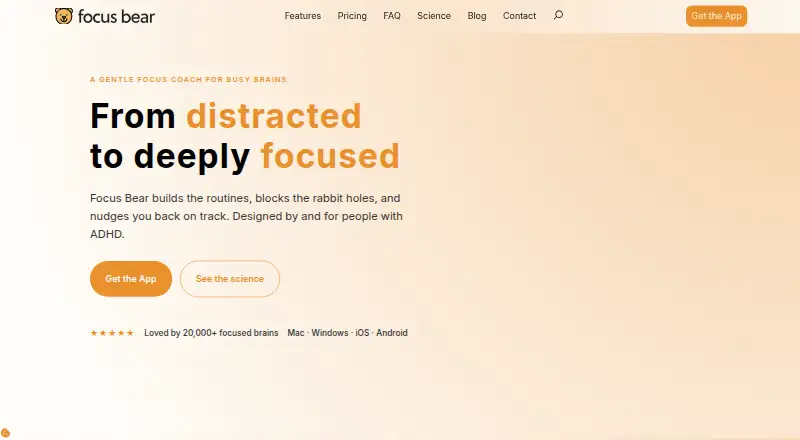
What Focus Bear is
Focus Bear is a productivity app for establishing morning habits, focusing on work, and shutting off technology in the evening. It blocks distracting websites and apps across devices using block lists, allow lists, and a stricter Grizzly Bear mode. Customizable morning and evening routines guide users through habits one at a time. The app suggests productivity breaks, detects hyperfocus, and suppresses reminders during meetings. Starting a deep-work block on a computer can automatically put a connected phone into Zen mode and block distracting apps. Focus Bear says cloud sync keeps data and focus modes aligned between devices. It also says it does not log keystrokes or take screenshots, and records only Focus Block and quantified-self information supplied by users. Calendar events with “fbtrigger” followed by a habit or focus-mode name can trigger an activity through Late No More. The app is designed by and for people with ADHD. Its Essentials plan is free; Pro costs $9.99 a month and adds unlimited blocking, AI-powered blocking, focus modes, focus music, meeting detection, and accountability-partner features.
Good
- Custom routines guide morning and evening habits.
- Blocks selected websites and apps across devices.
- Computer focus blocks can trigger phone Zen mode.
- Pro includes meeting detection and accountability features.
Watch out
- Free Essentials limits blocking to five websites or apps.
- Free plan caps routines at three habits each.
- Free Pomodoro sessions max out at 25 minutes.
- Pro costs $9.99 a month.
Who it suits
Focus Bear suits people seeking routines, cross-device distraction blocking, and structured work breaks. The company says it is designed by and for people with ADHD.
Verdict
Focus Bear combines routine guidance with cross-device blocking and break support. The free plan has clear limits on session length, blocking targets, habits, and break activities; Pro expands those capabilities for a monthly fee.
Plans and prices
From Focus Bear's own pricing page, checked 1 Oct 2026.
| Plan | Price | What it gives you |
|---|---|---|
| Essentials | Free | Pomodoro max 25 minutes · no AI blocking · up to 5 websites/apps · max 3 habits per routine · max 3 break activities |
| Pro | $9.99 a month | Unlimited website/app blocking · AI-powered blocking · focus modes · focus music · meeting detection · accountability partner features · per month |
The facts
Each one read from Focus Bear's own pages, with the date it was checked.
What it does
- Audience
- Focus Bear is designed by and for people with ADHD and says it was built by ADHD brains.checked 1 Oct 2026
- Break reminders
- Focus Bear suggests productivity breaks, detects hyperfocus and suppresses reminders during meetings.checked 1 Oct 2026
- Calendar integration
- A calendar event title containing fbtrigger followed by a habit or focus-mode name can trigger a Focus Bear activity through Late No More.checked 1 Oct 2026
- Cloud sync
- Focus Bear says its secure cloud-sync design keeps data and focus modes synchronized between devices.checked 1 Oct 2026
- Distraction blocking
- It blocks distracting websites and apps across devices using block lists, allow lists and a stricter Grizzly Bear mode.checked 1 Oct 2026
- NDIA access
- The NDIA program offers 2,000 Australians with disabilities a fully funded one-year premium license, onboarding and support.checked 1 Oct 2026
- Phone Zen mode
- Starting a deep-work block on a computer can automatically put the phone into Zen mode and block distracting apps.checked 1 Oct 2026
- Privacy behavior
- The app says it does not log keystrokes or take screenshots and logs only user-provided Focus Block and quantified-self information.checked 1 Oct 2026
- Purpose
- Focus Bear is a holistic productivity and work-life-balance app for morning habits, work focus and evening technology shutoff.checked 1 Oct 2026
- Research basis
- Focus Bear says it is research-backed and evidence-based and has run a randomized controlled trial to measure impact.checked 1 Oct 2026
- Routines
- The app guides users through customizable morning and evening routines one habit at a time.checked 1 Oct 2026
- Security
- Its privacy policy says technical and organizational measures are implemented under GDPR Article 32 and lists AWS and Auth0 among processors.checked 1 Oct 2026
- Support
- Users can contact support through the contact page or start a chat with the support team.checked 1 Oct 2026
The company
- Headquarters
- Sandringham, Victoria, Australiachecked 28 Sep 2026
The full review of Focus Bear
Overview
Focus Bear combines distraction blocking with guided routines and break support across phones and computers. It is best suited to people with ADHD who want help shaping both focused work and daily habits. Its breadth is a strength, but the free plan’s tight caps make Pro the more practical choice for sustained, cross-device use.
Key features
Blocking covers websites and apps, with block and allow lists, scheduled and recurring blocks, locked sessions and a stricter Grizzly Bear mode. That range supports planned, harder-to-exit focus periods rather than only ad hoc blocking. Essentials limits users to five blocking targets and has no AI-powered blocking; Pro removes the target cap and adds AI-powered blocking and focus modes.
Customizable morning and evening routines move through one habit at a time. Essentials allows up to three habits per routine, so it can suit a short checklist but may constrain a more involved sequence. Focus Bear also suggests productivity breaks, detects hyperfocus and suppresses reminders during meetings. The free plan allows three break activities; Pro adds meeting detection, which is particularly relevant to users who want breaks coordinated with meetings.
A computer deep-work block can automatically put a phone into Zen mode and block distracting apps. Focus Bear says cloud sync keeps data and focus modes aligned between devices, making its cross-device approach useful for people who move between a computer and phone during the day. Calendar events can trigger an activity through Late No More when the event title contains fbtrigger followed by a habit or focus-mode name.
Focus Bear says it does not log keystrokes or take screenshots, and logs only user-provided Focus Block and quantified-self information. Its privacy policy says it uses technical and organizational measures under GDPR Article 32 and names AWS and Auth0 among its processors. It describes its approach as research-backed and evidence-based and says it has run a randomized controlled trial to measure impact.
Pricing
Essentials costs nothing. It includes Pomodoro sessions capped at 25 minutes, up to five websites or apps, up to three habits per routine and up to three break activities, but no AI blocking. Those limits make it a sensible way to try a compact routine and a small blocking list; they are restrictive for longer focus sessions or broader blocking.
Pro costs $9.99 a month, billed per month, and includes unlimited website and app blocking, AI-powered blocking, focus modes, focus music, meeting detection and accountability partner features. It is the better fit for users who need more than Essentials’ caps or want the full set of focus tools. A 7-day trial gives prospective subscribers a short opportunity to assess the paid tier.
Platforms
Focus Bear is available on Android, iOS, macOS and Windows. Mobile apps are available for iOS and Android. It has no browser extensions, so people who specifically want blocking through an extension should consider another option.
Who it's for
Focus Bear is designed by and for people with ADHD, and its combination of habit guidance, focus blocks and hyperfocus-aware break support reflects that audience. It can also suit anyone seeking structured routines and coordinated blocking across a phone and computer. Australians with disabilities may qualify for the NDIA program, which offers 2,000 people a fully funded one-year premium license, onboarding and support.
Pros and cons
- Pros: Combines morning and evening habit routines, scheduled blocking, phone Zen mode and break support instead of treating distraction as a standalone problem.
- Pros: Broad platform coverage and cloud sync support switching between mobile and desktop devices.
- Cons: Essentials caps sessions at 25 minutes, blocking at five targets, routines at three habits and breaks at three activities, limiting users with longer sessions or more complex plans.
- Cons: AI-powered blocking and several Pro features require a monthly subscription, and there are no browser extensions.
Alternatives
Distraction Blocking Software is the category directory for comparing blockers. Choose Freedom if you want a freemium blocker with apps, websites or internet blocking, multi-device sync, custom blocklists and website exceptions; its Free plan has limited features. Phone-Free 2FA is a free option for browser-based TOTP accounts, but it has no central recovery or sync, making it a narrower choice than Focus Bear’s routines and focus tools.
Pluckeye offers all its features free. Opal has a free plan with one rule, basic timers and soundscapes, app blocking and an Opal Score for today. ScreenZen keeps its core app free, with optional donations. Focuser is a free, open-source blocker. AppBlock is a freemium alternative. Focus Fence is a freemium option for iOS and macOS.
Verdict
Choose Focus Bear if you want one cross-device app to connect daily habits, structured blocking and breaks, especially if ADHD-specific design matters to you. Its main advantage is that it addresses routines and work-life boundaries as well as distractions. Look elsewhere if you need browser extensions or want generous blocking and session limits without paying monthly.
Getting started
- Visit the Focus Bear website.
- Choose Essentials or Pro; a seven-day trial is available.
- Install it on Android, iOS, macOS or Windows.
- Set up routines, focus modes and website or app blocking.
- Optionally use calendar events with fbtrigger and Late No More to trigger activities.
Limits worth knowing
Essentials is free and limits Pomodoro sessions to 25 minutes, blocking to five websites or apps, and each routine to three habits and three break activities. It does not include AI blocking. Pro costs $9.99 a month and includes unlimited website and app blocking.
Questions
Is Focus Bear free?
Yes. Essentials is a free plan, and a seven-day trial is available.
How much does Pro cost?
Pro costs $9.99 a month, billed monthly.
Which devices does it support?
Focus Bear is available for Android, iOS, macOS and Windows.
What does it block?
It blocks websites and apps using block lists, allow lists and Grizzly Bear mode. Scheduled blocking, recurring schedules and locked sessions are supported.
Does Focus Bear offer browser extensions?
No. Browser extensions are not offered.
Who is Focus Bear designed for?
Focus Bear says it is designed by and for people with ADHD.
Alternatives to Focus Bear
- 1

Freedom
Free planAndroidiOSWebExtension8.2From $40 a year - 2

Opal
Free planAndroidiOSExtensionmacOS8.0From $8.29 a month - 3

ScreenZen
Free planAndroidiOSmacOSWindows7.3$49 one-time - 4
one sec
AndroidiOSExtensionLinux7.2From $19.99 a year - 5

FocusMe
AndroidiOSExtensionLinux7.1$249 one-time - 6

Pluckeye
Free planAndroidLinuxmacOSWindows7.1Free plan