Sejda PDF Forms
Sejda PDF Forms creates fillable PDF documents from existing PDFs or a blank document.
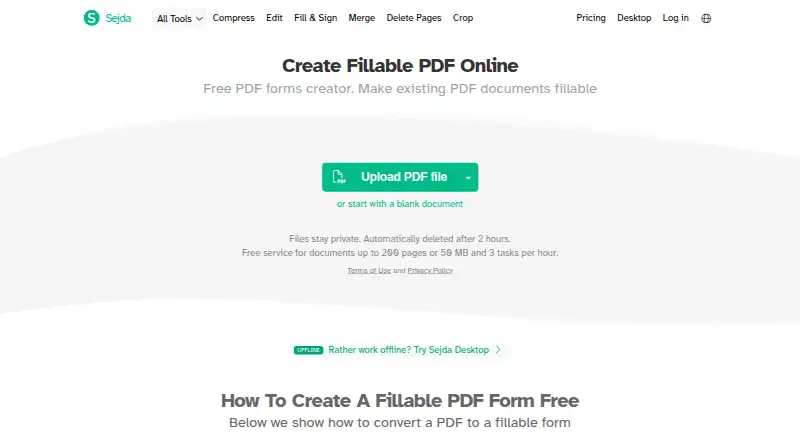
What Sejda PDF Forms is
Sejda PDF Forms creates fillable PDF documents from existing PDFs or a blank document. Available fields include text boxes, textareas, radio buttons, checkboxes, dropdowns, and signature boxes. Fields can be made required, assigned character limits, given alignment and font settings, and placed in tab order. Publishing creates a shareable link that lets others fill and sign the form and return it by email; the link does not expire. The free online service accepts documents up to 200 pages or 50 MB and allows three tasks per hour. Online uploads can come from Dropbox, Google Drive, OneDrive, a web address, or a local computer. Sejda says it does not store documents; published forms are saved in the user's Google Drive and shared publicly with link access. Online documents are encrypted in transit and at rest, while Desktop processes files locally. Sejda is available on Linux, macOS, Windows, and the web. Editing existing text in scanned documents is not supported, though new text, images, and annotations can be added. Paid options include a 5.00 USD one-time Web Week Pass and a $7.50 a month Web Monthly plan.
Good
- Creates forms from existing PDFs or blank documents
- Offers multiple field types, including signature boxes
- Published links do not expire
- Desktop processes documents locally
Watch out
- Free online use is limited to three tasks per hour
- Free documents are limited to 200 pages or 50 MB
- Editing existing text in scanned documents is unsupported
- Published forms are shared publicly through link access
Who it suits
Sejda PDF Forms suits people who need to prepare fillable forms from PDFs or a blank document and collect responses through a link. Its desktop app may suit users who want documents processed locally.
Verdict
Sejda PDF Forms provides detailed field controls and shareable forms across web and desktop. Before choosing it, note the free-use limits, public link access for published forms, and lack of editing for existing scanned text.
Plans and prices
From Sejda PDF Forms's own pricing page, checked 1 Oct 2026.
| Plan | Price | What it gives you |
|---|---|---|
| Desktop+Web Free | Free | page and hourly limits · limited file uploads · tool-specific limits · no signup required |
| Web Week Pass | $5, paid once | 7 days access to Sejda Web · no access to Sejda Desktop · One-time payment |
| Web Monthly | $7.50 a month | access to Sejda Web · no access to Sejda Desktop · Recurring billing |
| Desktop Week Pass | $7.95, paid once | latest features · 7 days access to Sejda Desktop · 7 days access to Sejda Web · One-time payment |
| Desktop+Web Annual | $63 a year | latest features · a year access to Sejda Desktop · a year access to Sejda Web · Recurring billing |
The facts
Each one read from Sejda PDF Forms's own pages, with the date it was checked.
Where it runs
- Desktop platforms
- Sejda Desktop is available for Mac Intel, Mac Silicon, Windows 64-bit, Windows portable, and Linux deb or rpm packages.checked 1 Oct 2026
What it does
- Desktop privacy
- Sejda Desktop processes documents locally on the user's computer without uploading them to Sejda servers.checked 1 Oct 2026
- Employee access
- Sejda employees do not access customer documents without consent.checked 1 Oct 2026
- Field controls
- Form fields can be marked required, given maximum character lengths, configured with alignment and font settings, and arranged in tab order.checked 1 Oct 2026
- Form fields
- Available field types include text fields, textareas, radio buttons, checkboxes, dropdowns and signature boxes.checked 1 Oct 2026
- Integrations
- Online uploads can come from Dropbox, Google Drive, OneDrive, a web address or the local computer.checked 1 Oct 2026
- Notable limitation
- Editing existing text in scanned documents is not supported, although users can add new text, images and annotations.checked 1 Oct 2026
- Payment security
- Sejda says it does not store credit-card information and that payment processors store it in a PCI-compliant manner.checked 1 Oct 2026
- Publishing
- Published forms generate a shareable link that others can use to fill and sign the form and send it back by email; the link does not expire.checked 1 Oct 2026
- Purpose
- Sejda PDF Forms creates fillable PDF documents from existing PDFs or a blank document.checked 1 Oct 2026
- Security
- Website data is transmitted over HTTPS, and documents are encrypted in transit and at rest.checked 1 Oct 2026
- Storage model
- Sejda says it does not offer document storage; published form documents are saved in the user's Google Drive and shared publicly with link access.checked 1 Oct 2026
- Support
- Sejda provides support by email at [email protected] and through a support form.checked 1 Oct 2026
Money
- Free limits
- The free online service supports documents up to 200 pages or 50 MB and three tasks per hour.checked 1 Oct 2026
The full review of Sejda PDF Forms
Sejda PDF Forms turns existing PDFs or blank documents into fillable forms, with field controls and a way to collect completed copies by email. It suits people who need structured responses within a PDF rather than a general-purpose form builder. Its web and desktop options are useful, though the free online cap makes it better for occasional work than repeated high-volume use.
Overview
You can build a form from an existing PDF or start with a blank document, then publish it for recipients to fill in, sign and return by email. Published forms use a shareable link that does not expire. That is convenient for an ongoing process, but anyone managing the form should account for the link's continuing access.
Web uploads can come from Dropbox, Google Drive, OneDrive, a web address or a local computer. Sejda does not provide document storage: published forms are saved in the user's Google Drive and shared publicly with link access. This suits link-based collection, but deserves caution when forms contain sensitive information. Website data travels over HTTPS, and documents are encrypted in transit and at rest. Sejda says employees do not access customer documents without consent.
Key features
Fields with practical controls
Available fields include text boxes, textareas, radio buttons, checkboxes, dropdowns and signature boxes. You can make fields required, set maximum character lengths, adjust alignment and font settings, and arrange the tab order. These controls help make a PDF form more consistent to complete, especially when responses need specific fields or a predictable sequence. Field validation and signature fields are supported.
PDF input and editing boundaries
Importing existing PDFs means you can add a form layer to documents you already use rather than rebuilding them from scratch. Sejda does not support editing existing text in scanned documents. You can still add new text, images and annotations, but readers who need to revise text embedded in a scan should look elsewhere.
Web and desktop privacy
Online service limits are 200 pages or 50 MB per document and three tasks per hour on the free tier. Desktop processing happens locally on your computer without uploading documents to Sejda's servers, a meaningful option for users who prefer local processing. Desktop editions cover Mac Intel, Mac Silicon, Windows 64-bit, Windows portable, and Linux deb or rpm packages. Support is available by email and through a support form.
Pricing
The free Desktop+Web Free plan costs nothing and requires no signup. It has page and hourly limits, limited file uploads and tool-specific limits, so it works for light use but is not a dependable choice for frequent form processing.
- Web Week Pass: $5, paid once, billed as a one-time payment for seven days of Sejda Web access. It excludes Desktop, making it suited to a short web-only project.
- Web Monthly: $7.50 a month with recurring billing for Sejda Web access, but no Desktop. Choose it for ongoing online work if local desktop processing is not needed.
- Desktop Week Pass: $7.95, paid once, a one-time payment for seven days of Desktop and Web access with the latest features. It fits a brief project that needs both.
- Desktop+Web Annual: $63 a year with recurring billing, the latest features and a year of access to Desktop and Web. It is the broadest option for sustained use across both environments.
The paid options trade the free tier's limits for time-based access; the week passes avoid recurring billing, while the monthly and annual plans renew on a recurring basis. Payment processors store card details in a PCI-compliant manner, and Sejda says it does not store credit-card information.
Platforms
Sejda PDF Forms is available on the web and on Linux, macOS and Windows. Desktop packages include Linux deb and rpm, Windows 64-bit and portable versions, and editions for both Mac Intel and Mac Silicon. The local desktop processing is the stronger fit for documents users do not want to upload to Sejda.
Who it's for
Choose Sejda if you need to add controlled fields to an existing PDF, collect signatures, and send a completed copy back by email. It is particularly suitable for occasional workflows or desktop use where local processing matters. It is less suitable for frequent free online use, sensitive documents that should not be shared through a public link, or editing text already embedded in scanned pages.
Pros and cons
- Pro: Required fields, length limits, styling and tab order give creators meaningful control over how recipients complete a PDF.
- Pro: Web and desktop access, including local desktop processing, gives users a choice about where documents are handled.
- Con: The free web allowance of three tasks per hour and limits of 200 pages or 50 MB constrain heavier use.
- Con: Published forms are shared publicly by a non-expiring link, which calls for care with sensitive content.
- Con: Existing text in scanned documents cannot be edited, despite support for adding new text and annotations.
Alternatives
For other options, browse PDF Form Software. PDF24 Compare PDF is a free alternative with no limits, registration or time restrictions, across mobile, desktop and web platforms. FormForge is another free option spanning Android, iOS, Linux, macOS, web and Windows. Jotform is a web and mobile form option whose free Starter plan allows five forms and 100 monthly submissions. PDF Studio is worth considering for desktop PDF work across Linux, macOS and Windows; it has a free viewer and a paid Pro edition. PDFgear offers a free editor across mobile, desktop and web, with a 100 MB per-PDF limit for its online editor. UPDF is a cross-platform option for Android, iOS, macOS and Windows, with free conversion, batch, OCR and storage quotas. DocHub is a web and Android/iOS alternative with a free allowance of three uses per month shared across core features. FormRouter is a paid alternative with a free trial and web, mobile, desktop, API and self-hosted platforms.
Verdict
Sejda PDF Forms is a good fit for people who want to turn PDFs into structured, signable forms and collect responses without giving up desktop processing. Its field controls and local desktop option are the main reasons to choose it. Look elsewhere if the free web quota is too restrictive, public persistent links are unsuitable, or scanned text must be edited.
Alternatives to Sejda PDF Forms
- 1

Jotform
Free planAndroidiOSWeb8.2From $39 a month - 2
Foxit PDF Editor
AndroidiOSWebmacOS7.7 - 3

PDFgear
Free planAndroidiOSWebExtension7.7Free plan - 4

PlatoForms
Free planAndroidWebAPI7.7From $10 a month - 5

Nitro PDF Pro
iOSWebAPImacOS7.6From $15 a month - 6
FormRouter
AndroidiOSWebAPI6.8