
Nitro PDF Pro
Nitro PDF Pro is paid software for creating, editing, converting, organizing, securing, and signing PDFs on Windows, macOS, and iOS.
What Nitro PDF Pro is
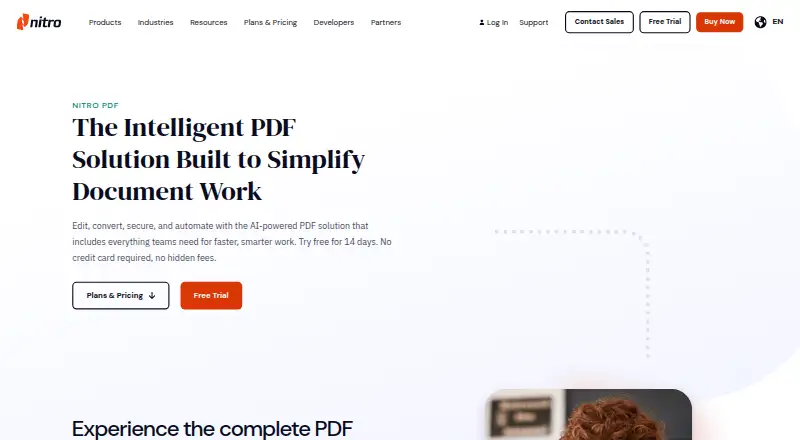
Nitro PDF Pro is paid software for creating, editing, converting, organizing, securing, and signing PDFs on Windows, macOS, and iOS. It includes text editing, annotations, OCR, conversion, and form creation. Collaboration tools support comments, highlights, and markups across teams and devices. Every plan includes AI tools for document analysis, data extraction, and identifying sensitive information for redaction. Security controls include passwords, encryption, permissions, and audit trails. Nitro lists ISO 27001, SOC 2, and HIPAA standards and certifications. Integrations include Microsoft 365, Salesforce, Teams, SharePoint, Google Drive, OneDrive, Dropbox, iManage, Alfresco, and M-Files. Standard targets individuals, teams, and businesses; Plus adds identity and administration controls for large organizations. Classic is a Windows desktop option with a three-year license. A 14-day trial is available, but no free plan.
Good
- Windows, macOS, and iOS support
- OCR and form creation
- Built-in AI document tools
- PDF security controls
- 14-day trial available
Watch out
- No free plan
- Downloaded software requires an active license or subscription
- Classic is Windows-only
Who it suits
Nitro PDF Pro suits individuals, teams, and businesses needing PDF creation, editing, conversion, signing, and security tools. Larger organizations may consider Plus for its listed identity and licensing controls.
Verdict
Nitro PDF Pro covers broad PDF work with collaboration, AI, security, and integrations across three platforms. The trial allows evaluation, while ongoing use requires a license or subscription and named plan prices require clarification.
Plans and prices
From Nitro PDF Pro's own pricing page, checked 15 Oct 2026.
| Plan | Price | What it gives you |
|---|---|---|
| Nitro PDF Standard | $15 a month | PDF creation, conversion, combining, editing, annotation, sharing, AI tools, Nitro Admin, integrations, 24/7/365 support · annually |
| Nitro PDF Classic | $270, paid once | Windows desktop; create, edit, convert, combine, split, export and password-protect PDFs · three-year license |
| Nitro PDF Plus | Priced on request | Standard features plus SSO, domain control, Azure Information Protection, Nitro Analytics and eligible customer success management |
The facts
Each one read from Nitro PDF Pro's own pages, with the date it was checked.
What it does
- AI
- Every Nitro PDF plan includes built-in AI tools for analyzing documents, extracting data, and surfacing sensitive information for redaction.checked 9 Oct 2026
- AI tools
- AI features summarize documents, answer questions, extract data from forms and tables, and detect sensitive information for redaction.checked 15 Oct 2026
- Annotation tools
- Yeschecked 20 Sep 2026
- API
- Nitro provides REST APIs for PDF conversion, compression, merging, splitting, extraction and redaction.checked 15 Oct 2026
- Cloud hosting
- Nitro says its cloud services run on Microsoft Azure and AWS data centers in Europe, North America and Australia.checked 15 Oct 2026
- Compliance
- Nitro states support for SOC 2, HIPAA, ISO 27001, GDPR, eIDAS, UETA and the ESIGN Act.checked 15 Oct 2026
- Conversion
- Nitro converts PDFs and Microsoft Office files, including Word, Excel and PowerPoint formats.checked 15 Oct 2026
- Documentation
- Support includes feature guides, hundreds of knowledge-base articles, videos, FAQs and a community forum.checked 15 Oct 2026
- Download requirement
- Nitro says an active subscription or license is required to use its downloaded PDF software.checked 9 Oct 2026
- Enterprise deployment
- IT teams can deploy Nitro through MSI, Active Directory, SCCM, command line, GPO and VDI platforms such as Citrix and VMware Horizon.checked 15 Oct 2026
- eSignatures
- Nitro Sign sends documents for signature, provides form fields, audit logs and signer reminders.checked 15 Oct 2026
- Form creation
- Yeschecked 20 Sep 2026
- Integrations
- Official integrations include Microsoft 365, Salesforce, Google Drive, OneDrive, Dropbox, SharePoint, iManage, Alfresco and M-Files.checked 15 Oct 2026
- Licence
- Nitro licenses its object-code software commercially and retains ownership; the terms prohibit copying, modification, reverse engineering and redistribution.checked 15 Oct 2026
- Limit: advanced features
- GetApp reviewers repeatedly mention that Nitro lacks some advanced capabilities found in Adobe Acrobat Pro.checked 15 Oct 2026
- Limit: large files
- Capterra reviewers report slow performance or occasional freezing with large or image-heavy PDFs.checked 15 Oct 2026
Money
- Classic plan limit
- Nitro PDF Classic is for individuals and small teams needing essential PDF editing tools on Windows for a three-year term.checked 9 Oct 2026
- Free plan
- Nochecked 20 Sep 2026
The company
- Company founded
- LinkedIn lists Nitro Software as founded in 2005.checked 15 Oct 2026
- Company headquarters and size
- LinkedIn lists San Francisco, California headquarters and 201–500 employees.checked 15 Oct 2026
- Company legal name
- Crunchbase identifies the legal entity as Nitro Software, Inc.checked 15 Oct 2026
Where it runs
- iOS requirements
- The iPhone and iPad apps require iOS 15 or iPadOS 15 or later.checked 15 Oct 2026
- Limit: iOS support
- App Store reviewers report crashes, saving failures, missing desktop features and difficulty finding dedicated iOS support.checked 15 Oct 2026
- Limit: Mac feature gap
- Mac App Store reviewers say layer viewing is available on Windows but missing from the Mac version and consider the price high for that limitation.checked 15 Oct 2026
Alternatives to Nitro PDF Pro
- 1

Smallpdf
Free planAndroidiOSWebWindows8.9From $10 a month - 2

LightPDF
Free planAndroidiOSWebAPI8.8From $15.99 a year - 3
PDF2Go
Free planAndroidiOSWebAPI8.7$6.42 usage-based - 4
Foxit PDF Editor
AndroidiOSWebmacOS8.5 - 5
WPS PDF Editor
Free planAndroidiOSWebExtension8.5From $3 a year - 6

PDF Candy
Free planAndroidiOSWebLinux8.5From $4 a year