
ScreenSteps
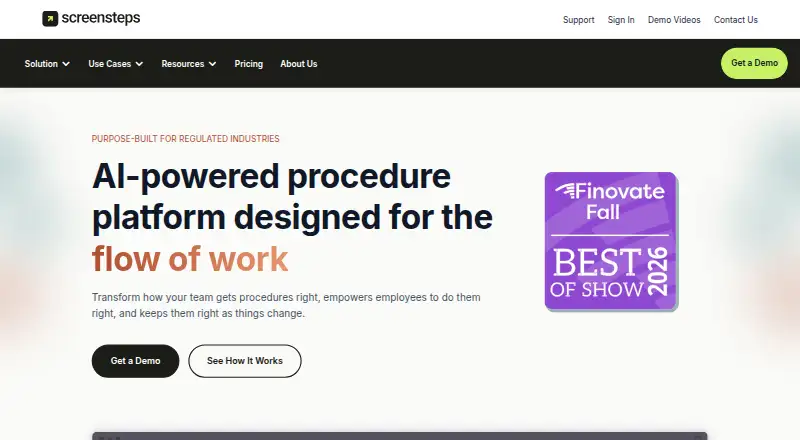
The facts below are what the maker publishes about ScreenSteps, checked and dated. Our editors have not written about it yet.
Plans and prices
From ScreenSteps's own pricing page, checked 11 Oct 2026.
| Plan | Price | What it gives you |
|---|---|---|
| Operations Standard | $6,000 a year | procedures & articles · decision trees · checklists · video recording · change notifications · content certifications · SSO · 1 custom domain · Starting at $6,000/year; annual billing, with monthly payment also available |
| Operations AI | $9,000 a year | Everything in Operations Standard · AI knowledge capture · AI content optimization · AI Smart Search · courses · Sidekick · audio recording · Starting at $9,000/year; annual billing, with monthly payment also available |
| Enterprise | Priced on request | Everything in Operations AI · AI authoring assistant · AI duplicate & conflict checker · custom AI prompts · enterprise identity management · advanced governance tools · 5 custom domains · Custom pricing |
The facts
Each one read from ScreenSteps's own pages, with the date it was checked.
What it does
- API and embedding
- The ScreenSteps API can manage content and users and publish content to third-party platforms; iFrames can embed ScreenSteps content in other web applications.checked 11 Oct 2026
- Content analytics
- Yeschecked 20 Sep 2026
- Custom domain
- Yeschecked 20 Sep 2026
- Desktop editor
- The downloads page offers a desktop editor for macOS 10.12.6 or later and Windows 11, 10, and 8.checked 11 Oct 2026
- Implementation
- Implementation plans include a kickoff call, self-paced courses, help-center access, a Find & Follow workshop, and coaching sessions.checked 11 Oct 2026
- Integrations
- The integrations page lists Active Directory, Azure Entra ID, Basecamp, Glean, Okta, OneLogin, Salesforce, Service Cloud, Slack, and Teams.checked 11 Oct 2026
- Intended customers
- ScreenSteps describes its platform as designed for teams in accuracy-critical settings, including credit unions, banks, law firms, and contact centers.checked 11 Oct 2026
- In-work guidance
- The Sidekick browser extension delivers ScreenSteps guides within web apps employees already use.checked 11 Oct 2026
- Knowledge capture
- Its AI-powered capture tools can create SOPs from spoken explanations, screen captures, and prompts.checked 11 Oct 2026
- Procedure formats
- The platform supports procedures and articles, decision trees, checklists, and courses, depending on plan.checked 11 Oct 2026
- Product
- ScreenSteps is an AI-powered procedure and knowledge platform for creating, finding, following, and maintaining employee procedures.checked 11 Oct 2026
- Publishing audience
- bothchecked 20 Sep 2026
- Security
- ScreenSteps states that it is a SOC 2 Service Organization.checked 11 Oct 2026
- SSO support
- Yeschecked 20 Sep 2026
- Support
- The help center lists support chat hours as 9am–6pm EST Monday through Friday, excluding major US holidays.checked 11 Oct 2026
- Version history
- Yeschecked 20 Sep 2026
The company
- Company history
- The company says brothers Greg and Trevor DeVore created ScreenSteps while working as instructional consultants.checked 11 Oct 2026
- Headquarters
- McLean, Virginia, United Stateschecked 28 Sep 2026
- Team licensing
- ScreenSteps says it is primarily designed for teams and does not offer a single-user license.checked 11 Oct 2026
Money
- Free plan
- Nochecked 20 Sep 2026
Alternatives to ScreenSteps
- 1

Confluence
Free planAndroidiOSWebSelf-hosted9.0From $5.42 a month - 2

ProProfs Knowledge Base
Free planAndroidiOSWebAPI9.0From $0.99 a month - 3

Zendesk Guide
AndroidiOSWebAPI8.6From $19 a month - 4

Scalar
Free planOpen sourceWebAPILinuxmacOS8.6From $150 a month - 5

Mintlify
Free planWebAPILinuxmacOS8.5From $450 a month - 6

Lark
Free planAndroidiOSWebAPI8.5From $6 a month