ReviewAid
ReviewAid is an open-source AI tool for full-text screening and data extraction in systematic reviews.
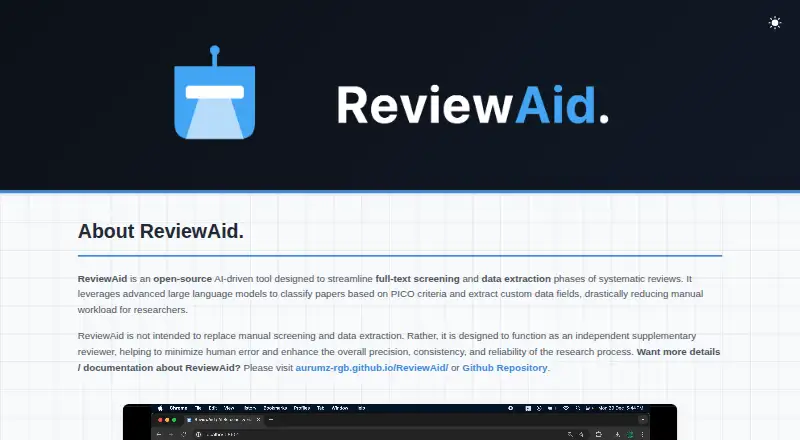
What ReviewAid is
ReviewAid is an open-source AI tool for full-text screening and data extraction in systematic reviews. Researchers can provide PICO inclusion and exclusion criteria for classifying papers, then specify the fields they want extracted. The tool reports confidence scores and flags results with low confidence for manual review. Results can be downloaded as CSV, XLSX, or DOCX files.
ReviewAid supports OpenAI, Anthropic, DeepSeek, Cohere, Z.ai, and local Ollama. When a cloud provider is selected, paper text is sent to that provider for the run; with Ollama, inference happens on the local machine and paper text stays there. The maker says API keys are not stored. Users can open the browser-based Streamlit app without installation or run ReviewAid locally with Python 3.12 or later and Streamlit on Windows, macOS, or Linux. The hosted app may take about 30 seconds to initialize. ReviewAid is free under the Apache 2.0 license. Its maker describes it as supplementary support, not a replacement for manual screening or extraction. Submission guidance limits full-text screening to 10 articles and extraction to 20 per submission.
Good
- Screens papers against user-provided PICO criteria.
- Users define the data fields to extract.
- Flags low-confidence results for manual review.
- Exports results as CSV, XLSX, or DOCX.
- Ollama keeps paper text on the local machine.
Watch out
- Full-text screening submissions are limited to 10 articles.
- Extraction submissions are limited to 20 articles.
- Hosted app may take about 30 seconds to initialize.
- Cloud runs send paper text to the selected provider.
Who it suits
ReviewAid suits researchers, especially those involved in evidence synthesis, who want help screening full texts and extracting specified data. It is designed as a supplement to manual review, not a substitute.
Verdict
ReviewAid offers configurable screening and extraction with confidence indicators and several export formats. Its batch limits and supplementary-review role matter, and cloud-provider use sends paper text to that provider for the run.
Plans and prices
From ReviewAid's own pricing page, checked 7 Oct 2026.
| Plan | Price | What it gives you |
|---|---|---|
| Free | Free | Open source · Apache 2.0 |
The facts
Each one read from ReviewAid's own pages, with the date it was checked.
What it does
- AI providers
- The maker lists OpenAI, Anthropic, DeepSeek, Cohere, Z.ai, and local Ollama as supported providers.checked 7 Oct 2026
- API key privacy
- The maker says API keys are not stored.checked 7 Oct 2026
- Batch limits
- The README says to limit each submission to 20 articles for data extraction and 10 for full-text screening.checked 7 Oct 2026
- Batch processing
- The site lists batch processing of up to 20 papers, while the repository instructions limit extraction submissions to 20 articles and screener submissions to 10.checked 7 Oct 2026
- Cloud processing
- When a cloud provider is selected, the repository documentation says paper text is sent to that provider for the run.checked 7 Oct 2026
- Confidence scoring
- ReviewAid assigns confidence scores and flags low-confidence or unreliable results for manual review.checked 7 Oct 2026
- Custom extraction
- Users can define the data fields they want extracted from research papers.checked 7 Oct 2026
- Exports
- Results can be downloaded as CSV, XLSX, or DOCX.checked 7 Oct 2026
- Hosted service limitation
- The maker notes that the Streamlit-hosted web app may have cold starts, including waits of about 30 seconds while it initializes.checked 7 Oct 2026
- Human oversight
- The maker says ReviewAid is a supplementary reviewer and is not intended to replace manual screening or data extraction.checked 7 Oct 2026
- Intended users
- The maker says ReviewAid was built to assist researchers, especially those involved in evidence synthesis.checked 7 Oct 2026
- License
- ReviewAid is licensed under Apache 2.0.checked 7 Oct 2026
- Local inference
- With Ollama, inference runs locally and the maker says paper text is not sent to external servers.checked 7 Oct 2026
- Local installation
- The repository instructions describe running ReviewAid locally with Python 3.12 or later and Streamlit on Windows, macOS, or Linux.checked 7 Oct 2026
- Local use
- ReviewAid can be run locally with Streamlit, and its Ollama option runs inference on the local machine without an external API key.checked 7 Oct 2026
- Maintainer
- The maker page credits Vihaan Sahu; the journal author page identifies him as lead developer at Georgian National University SEU.checked 7 Oct 2026
- Online access
- The app is available as a browser-based Streamlit web app without installation.checked 7 Oct 2026
- PICO screening
- It classifies full-text papers against user-provided PICO inclusion and exclusion criteria.checked 7 Oct 2026
- Privacy
- The maker says API keys are not stored, and paper text is sent only to the selected provider; with Ollama, the text stays on the local machine.checked 7 Oct 2026
- Purpose
- ReviewAid is an open-source AI tool for full-text screening and data extraction in systematic reviews.checked 7 Oct 2026
- Support
- The maker pages opened did not state a support channel.checked 7 Oct 2026
- Web hosting
- The README says the hosted Streamlit app may have cold starts of about 30 seconds.checked 7 Oct 2026
The full review of ReviewAid
ReviewAid is a free, open-source tool for AI-assisted full-text screening and data extraction in systematic reviews. It suits researchers who want to tailor screening criteria and extraction fields, and are prepared to review the tool’s work. Its appeal is configurable assistance without a subscription; it is not a replacement for human judgment.
Overview
ReviewAid applies user-defined PICO inclusion and exclusion criteria to full-text papers, then extracts fields chosen by the user. Confidence scores and low-confidence flags can help reviewers prioritize checks, but the maker positions the software as supplementary: screening and extraction decisions still require human oversight. Reference deduplication is supported, while blinded screening is not.
The Apache 2.0 license allows researchers to run the software locally or use its browser-based Streamlit app without installation. Local setup requires Python 3.12 or later and Streamlit. The hosted app may take about 30 seconds to initialize. For privacy-sensitive work, Ollama runs inference on the local machine without an external API key, keeping paper text there. Selecting a cloud provider sends paper text to that provider for the run. The maker says API keys are not stored.
Key features
Configurable screening and extraction
Researchers can define the PICO criteria for full-text screening and the data fields to extract. This flexibility can suit reviews with focused or project-specific questions, but puts the responsibility for well-formed criteria and fields on the review team. Results still need checking rather than automatic acceptance.
Confidence, exports, and batch sizes
Results can be downloaded as CSV, XLSX, or DOCX, giving teams several formats for further review and documentation. Confidence scores and low-confidence flags provide a useful way to direct manual attention, though they do not guarantee that high-confidence results are correct. The repository instructions cap extraction submissions at 20 articles and full-text screening submissions at 10, so larger reviews need to be handled in batches. The site describes batch processing of up to 20 papers, but screening has the lower stated limit.
AI providers and local inference
ReviewAid supports OpenAI, Anthropic, DeepSeek, Cohere, Z.ai, and local Ollama. That choice lets teams select a provider or run inference locally. Ollama is the clearest fit when keeping paper text off external services is a priority; cloud-provider runs transmit that text to the selected provider.
Pricing
ReviewAid is free: its Free plan costs nothing and is open source under Apache 2.0. There is no paid tier to weigh against the free version. The practical constraints are the per-submission batch limits, the need for human review, and—if using a cloud provider—the transfer of paper text for processing. The app can be run locally, but local setup requires Python 3.12 or later and Streamlit.
Platforms
ReviewAid supports Linux, macOS, Windows, web, and self-hosted use. The web app avoids installation, while local deployment gives researchers a way to run the workflow on their own machine. Ollama inference can keep paper text local; using a cloud provider instead sends it to that provider for the run.
Who it's for
ReviewAid is aimed at researchers, especially those working on evidence synthesis and systematic reviews. It is a good fit for teams that need configurable full-text PICO screening and extraction, can verify AI-generated results, and are comfortable working within the batch limits. Researchers who need blinded screening, want to hand decisions over to automation, or cannot use cloud processing and do not want to manage a local setup should look elsewhere.
Pros and cons
Pros
- Free and open source under Apache 2.0, with no subscription cost.
- Custom PICO screening and extraction fields accommodate review-specific questions.
- Local Ollama inference keeps paper text on the machine and requires no external API key.
- Confidence indicators and CSV, XLSX, and DOCX exports support checking and downstream work.
Cons
- Human reviewers must still verify screening and extraction; the tool is supplementary.
- Full-text screening is limited to 10 articles per submission, and extraction to 20, adding batching work for larger reviews.
- Cloud-provider processing sends paper text to the selected provider.
- Blinded screening is not supported, and the hosted app may have cold starts of about 30 seconds.
Alternatives
Universal SLR Assistant is another free, open-source option for Linux, macOS, web, and Windows; its listed free plan notes that cloud AI provider API fees may apply. Choose it if that option better fits your workflow or platform needs.
ASReview is free and open source, with Linux, macOS, web, Windows, API, and self-hosted support. It is an alternative for readers who want a tool with those deployment options and no licensing fees or subscriptions, while running their own hardware or server may incur costs.
RevMan is freemium, offers a free plan and free trial, and supports Linux, macOS, web, and Windows. Consider it if those terms or platform options suit your needs better.
Rayyan is freemium and supports Android, iOS, web, and API access. Its free plan is limited to three active reviews, two free reviewers, one sample, and limited mobile app access; choose it if those limits and mobile support fit your work.
Bango is a free option for Linux, macOS, and Windows, described as available to researchers without a subscription, paywall, or limits. It may suit readers seeking that stated unrestricted model.
Parsifal is a free web option whose AI assistant is optional and uses the reviewer's own Anthropic or OpenAI API key.
Silvi is a web-based freemium alternative with a free Basic plan and a paid Rapid plan at €19 a month. Consider it if its plan structure suits your needs.
Covexe is a freemium web alternative with a free plan.
For a broader comparison, see Systematic Review Software.
Verdict
Choose ReviewAid if you want free, configurable AI assistance for full-text screening and extraction, and can keep human reviewers responsible for checking the output. Its local Ollama option is a strong reason to consider it when paper privacy matters. Look elsewhere if you need blinded screening, larger screening batches without extra handling, or a workflow that does not depend on manual verification.
Getting started
- Open the browser-based Streamlit app at https://reviewaid.github.io/.
- Alternatively, install Python 3.12 or later and Streamlit on Windows, macOS, or Linux.
- Choose a supported provider: OpenAI, Anthropic, DeepSeek, Cohere, Z.ai, or Ollama.
- Provide PICO criteria for screening and select the data fields to extract.
- Submit up to 10 articles for screening or 20 for extraction, then download the results.
Limits worth knowing
Full-text screening submissions are limited to 10 articles, and data extraction submissions to 20. The hosted app may take about 30 seconds to initialize.
Questions
How much does ReviewAid cost?
ReviewAid is free, with a free plan listed as free.
Is ReviewAid open source?
Yes. It is licensed under Apache 2.0.
Which platforms can I use it on?
ReviewAid is available on the web and can be run locally on Windows, macOS, or Linux with Python 3.12 or later and Streamlit.
Which AI providers does ReviewAid support?
The listed providers are OpenAI, Anthropic, DeepSeek, Cohere, Z.ai, and local Ollama.
Does ReviewAid process papers locally?
With Ollama, inference runs on the local machine and paper text stays there. If you choose a cloud provider, the text is sent to that provider for the run.
Who makes ReviewAid?
The maker page credits Vihaan Sahu, whom a journal author page identifies as lead developer at Georgian National University SEU.
Alternatives to ReviewAid
- 1
RevMan
Free planWebLinuxmacOSWindows7.8From £80 a year - 2

ASReview
Free planOpen sourceWebAPILinuxmacOS7.7Free plan - 3
LASER AI
AndroidiOSWeb7.6From $3,000 a year - 4

Rayyan
Free planAndroidiOSWebAPI7.5From $4.99 a month - 5
Sysrev
Free planWebAPISelf-hosted7.5From $50 a month - 6
Universal SLR Assistant
Free planOpen sourceWebAPILinuxmacOS7.5Free plan