
Relate Engage
Relate Engage is an email communication and sequencing tool for automated outbound email, paired with CRM, calendar, and deal features.
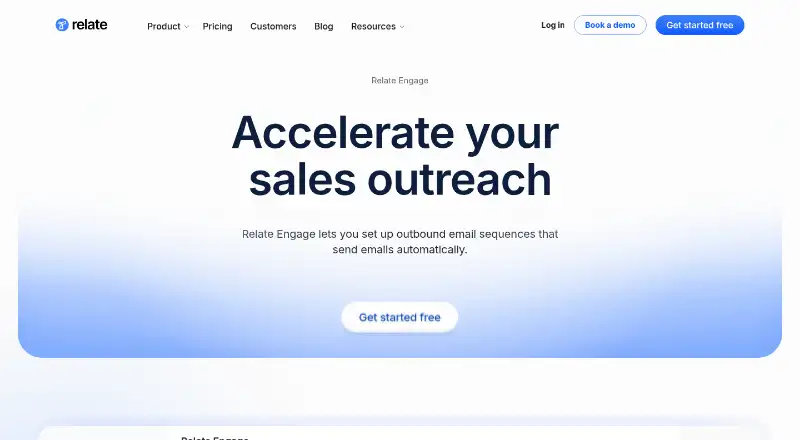
What Relate Engage is
Relate Engage is an email communication and sequencing tool for automated outbound email, paired with CRM, calendar, and deal features. It reports delivery, opens, clicks, bounces, spam, and replies. Templates can insert personalized details such as first names, organization names, and titles. A sequence stops automatically when a prospect replies or books a meeting. Sending controls include business-hour schedules, automatic sending limits, and multiple email accounts.
Engage can be used with Relate CRM or separately; replies and clicks can be turned into qualified pipeline deals. Relate describes it as a sales engagement tool for B2B companies. It connects with Google Mail and Outlook, and can connect to more than 4,000 applications through Zapier. Relate says it prioritizes deliverability and can help customers implement technical settings for outbound email. Team Free includes up to 3 email sequences, 30 days of email and note history, 10 guest users, and 3 email syncs. Team Business costs $60 a month when billed monthly; a yearly option is listed at $51 per user / month billed annually.
Good
- Tracks delivery, opens, clicks, bounces, spam, and replies.
- Personalized templates support recipient and organization details.
- Sequences stop when prospects reply or book meetings.
- Connects with Google Mail, Outlook, and Zapier.
Watch out
- Team Free allows up to 3 email sequences.
- Team Free includes only 30 days of email and note history.
- Team Business costs $60 a month when billed monthly.
Who it suits
Relate Engage suits B2B sales teams seeking to automate outbound email and track recipient responses. Teams can use it with Relate CRM or separately, and connect email through Google Mail or Outlook.
Verdict
Relate Engage combines outbound email sequences with engagement tracking and CRM-related deal features. The free plan has sequence and history limits, while the listed Team Business monthly price is $60 a month.
Plans and prices
From Relate Engage's own pricing page, checked 9 Oct 2026.
| Plan | Price | What it gives you |
|---|---|---|
| Team Free | Free | Up to 3 sequences · 30-days email and note history · 10 guest users · 3 email syncs |
| Team Business | $60 a month | Unlimited sequences · Unlimited email and note history · 50 guest users · Unlimited email syncs · monthly; yearly option shown at $51 per user / month billed annually |
| Enterprise | Priced on request | Custom integrations · Data warehouse integration · Reverse ETL · Security & Compliance |
The facts
Each one read from Relate Engage's own pages, with the date it was checked.
What it does
- Audience
- Relate describes Engage as a sales engagement tool for B2B companies.checked 9 Oct 2026
- CRM use
- Engage can be used with Relate CRM or separately, and replies and clicks can be converted into qualified pipeline deals.checked 9 Oct 2026
- Deliverability
- Relate says it prioritizes deliverability and helps customers implement technical best practices for outbound email.checked 9 Oct 2026
- Email tracking
- Engage reports email delivery, open, click, bounce, spam, and reply statistics.checked 9 Oct 2026
- Integrations
- Relate supports email connections with Google Mail and Outlook, and says it can connect to more than 4,000 applications through Zapier.checked 9 Oct 2026
- Personalization
- Email templates support variables such as first names, organization names, titles, and other personalized data.checked 9 Oct 2026
- Product
- Relate Engage is an email communication and sequencing tool for automated outbound email, paired with CRM, calendars, and deal features.checked 9 Oct 2026
- Sending controls
- Engage supports sending during business hours, automatic email sending limits, and multiple email accounts.checked 9 Oct 2026
- Sequence behavior
- A sequence stops automatically when a prospect replies or books a meeting.checked 9 Oct 2026
- Support
- Relate says its team can help customers implement outbound email technical settings.checked 9 Oct 2026
The company
- Headquarters
- San Francisco, California, USAchecked 28 Sep 2026
Money
- Plan limits
- The pricing comparison lists up to 3 email sequences on Team Free and unlimited sequences on Team Business and Enterprise.checked 9 Oct 2026
Where it runs
- Platforms
- Relate is available in a browser and as desktop applications for Windows and macOS; Linux installation may be provided on request, and the maker says it has no timeline for mobile support.checked 9 Oct 2026
The full review of Relate Engage
Relate Engage is built for B2B sales teams that need automated outbound email tied to measurable engagement and pipeline activity. It suits organizations running repeatable prospecting motions rather than occasional personal mail. The strongest case is its combination of sequencing controls, detailed response signals, and optional CRM deal handling; the main constraint is how quickly the free allowance runs out.
Overview
Engage can operate with Relate CRM or as a separate tool. In either setup, replies and link clicks can be converted into qualified pipeline deals, so outreach activity can feed sales follow-up instead of remaining isolated in an inbox. Sequences automatically stop when a prospect replies or books a meeting, preventing further automated messages after a clear buying signal.
Its engagement reporting covers delivery, opens, clicks, bounces, spam events, and replies. That range helps teams distinguish a delivered-but-ignored message from a deliverability problem or an active response. Relate positions the product for B2B companies and says its team helps customers apply technical outbound-email settings, with deliverability treated as a priority.
Key features
Reusable templates accept variables such as first names, organization names, titles, and other personalized fields. This makes scaled outreach less generic, although the value depends on maintaining accurate contact data. Business-hour sending, automatic sending limits, and support for multiple email accounts give managers practical control over when and how much mail is sent.
Google Mail and Outlook connections cover the major business inboxes named for the product. Zapier connectivity to more than 4,000 applications broadens its usefulness when a team needs to pass information into other services. These integrations are particularly relevant to sales operations that already coordinate several systems.
Pricing
Relate uses a freemium model with a 7-day trial and paid plans from $15/mo. The named team tiers show a more specific structure.
Team Free
Team Free costs nothing. It allows up to three sequences, 30-days of email and note history, 10 guest users, and three email syncs. That is enough for a small team to evaluate sequencing and tracking, but the three-sequence ceiling and short history window make it unsuitable for broad campaigns or long-running pipeline review.
Team Business
Team Business costs $60 a month when billed monthly, or $51 per user / month billed annually. It removes the operational ceilings with unlimited sequences, unlimited email and note history, 50 guest users, and unlimited email syncs. Teams running multiple plays or needing durable activity records are the clearest fit. The annual option lowers the monthly per-user rate but commits the buyer to annual billing.
Enterprise
Enterprise uses custom pricing and adds custom integrations, data warehouse integration, reverse ETL, and security and compliance capabilities. It is aimed at organizations with data-platform or governance requirements rather than teams simply seeking more sequence capacity.
Platforms
Engage is available on macOS, Windows, and the web. Email connections support Google Mail and Outlook. The product also reports open, link, and reply tracking, with broader delivery and bounce reporting included in its engagement view.
Who it's for
Choose Engage if your B2B sales process depends on structured outbound sequences, multiple sending identities, and clear rules for stopping follow-ups. It is also a good fit when sales representatives want clicks and replies to become pipeline deals, or when operations teams need Zapier to connect outreach with a wider application stack.
It is a weaker fit for a solo user sending occasional messages, since the free tier permits only three sequences and retains history for 30 days. Buyers needing mobile-first access should also look at products with explicit Android or iOS support rather than relying on Engage's desktop and web coverage.
Pros and cons
Pros
- Sequences stop on replies or booked meetings: reduces inappropriate automated follow-ups after a prospect engages.
- Broad engagement reporting: delivery, open, click, bounce, spam, and reply signals support more informed diagnosis than open data alone.
- Operational sending controls: business-hour scheduling, automatic limits, and multiple accounts help manage sustained outbound volume.
- Optional CRM workflow: teams can use Engage with Relate CRM or independently, while converting replies and clicks into qualified deals.
- Large integration surface: Google Mail, Outlook, and Zapier access to more than 4,000 applications support varied sales stacks.
Cons
- Restrictive free tier: three sequences, 30-day history, and three syncs limit serious ongoing use.
- Business pricing is a substantial step up: the monthly Team Business rate is aimed at teams that will actively use unlimited capacity.
- Desktop and web focus: macOS, Windows, and web are supported, but mobile platforms are not part of the stated coverage.
Alternatives
For a directory of comparable tracking products, browse Email Tracking Software.
- Mailbutler Smart Assistant is a better match if you need Android or iOS access and a browser extension alongside desktop and web platforms.
- Mailtrack suits straightforward tracking, with unlimited tracked emails on its free plan, but it does not include a free trial.
- Boomerang is preferable for Gmail/G Suite users wanting send-later and reminder functions, with a 10-message-credit monthly Basic tier.
- Mixmax fits lighter sequencing needs when 20 tracked emails and up to 50 sequence recipients per month are sufficient on its free tier.
- Yesware is an option for extension-based tracking and meeting scheduling, with 10 campaign recipients per month on its free plan.
- KudosCRM is a CRM choice for small teams needing contacts, a pipeline, tasks, and one email inbox.
- Mailmeteor suits mail merge and scheduled sends from Gmail, Sheets, or Excel, with 500 emails per month on Hobby.
- Right Inbox is for solo users wanting basic inbox enhancements; its free Limited tier excludes sequences and CRM integration.
Verdict
Relate Engage is a strong choice for B2B teams that want outbound sequences, reliable stop conditions, detailed engagement signals, and deal-oriented follow-up in one workflow. Its free plan is useful for a small proof of concept, but the sequence, history, and sync caps make Team Business the practical tier for active sales programs. Look elsewhere if you need mobile apps, very light tracking, or a free plan that supports substantial campaign volume.
Alternatives to Relate Engage
- 1
KudosCRM
Free planAndroidiOSWebAPI8.2From $9 a month - 2

Mailbutler Smart Assistant
Free planAndroidiOSWebExtension8.2Free plan - 3

Mailmeteor
Free planAndroidiOSWebAPI8.2From $5.99 a month - 4
Boomerang
Free planAndroidiOSWebAPI8.1From $4.98 a month - 5
Mixmax
Free planWebAPIExtensionLinux8.1From $29 a month - 6

Mailtrack
Free planAndroidiOSWebAPI8.0From $6.99 a month