
Re:Form
Re:Form is a 3D sculpting studio that runs in a browser using WebGPU, with no download or installation required.
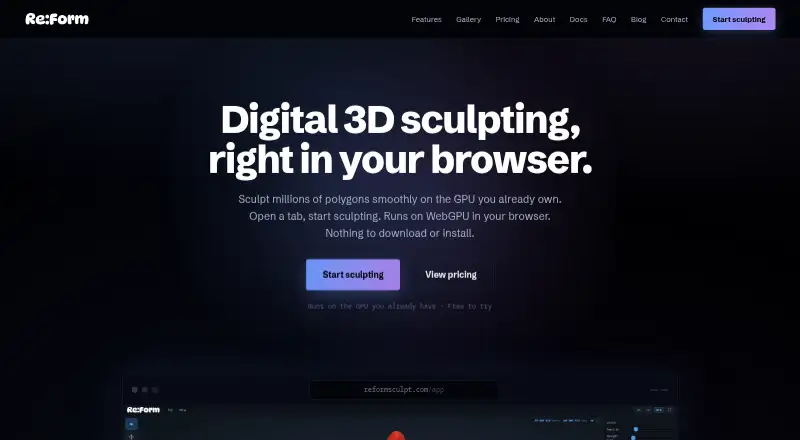
What Re:Form is
Re:Form is a 3D sculpting studio that runs in a browser using WebGPU, with no download or installation required. Its toolset includes 34 brushes and tools, blockout, GPU subdivision, layers, symmetry, masking, vertex paint, renders, turntables, and pen and touch support. It works in desktop Chrome, Edge, Firefox, and Safari 26 browsers with WebGPU. Autosave keeps ten dated snapshots in the browser, while saved projects retain layers, paint, reference images, and viewport settings with the account. OBJ import and export are available on every plan; Pro adds STL, GLB, and FBX import and export. Free supports renders up to 2048 pixels and five share links at a time. Pro adds 4096-pixel and 8K rendering, unlimited share links with a public 3D viewer, and a commercial license. Free use is limited to personal, non-commercial work; Pro costs $9.99 per month. Enterprise includes team licensing and priority support. Re:Form is currently v0.8.6 Alpha, and the maker says new brushes, engine speedups, and workflow polish ship frequently.
Good
- Includes 34 brushes and tools.
- No download or installation is required.
- OBJ import and export are available on every plan.
- Projects retain layers, paint, and reference images.
Watch out
- Requires a desktop browser with WebGPU.
- Free use is personal and non-commercial.
- Free rendering is limited to 2048 pixels.
- Product is currently v0.8.6 Alpha.
Who it suits
Re:Form suits people who want browser-based 3D sculpting with layers, paint, and multiple import and export formats. Free is for personal, non-commercial use; Pro adds commercial use and additional formats.
Verdict
Re:Form brings a broad sculpting toolset to a WebGPU browser studio, with free OBJ workflows and a paid plan that adds formats and commercial use. Note the browser requirement and alpha status before relying on it for a project.
Plans and prices
From Re:Form's own pricing page, checked 1 Oct 2026.
| Plan | Price | What it gives you |
|---|---|---|
| Free | Free | ~12.5 million triangles · 5 projects up to 150 MB each · OBJ import/export · personal, non-commercial use |
| Pro | $9.99 a month | 80 million triangles · 50 projects up to 512 MB each · STL/GLB/FBX import/export · commercial license · monthly |
| Pro | $99 a year | 80 million triangles · 50 projects up to 512 MB each · STL/GLB/FBX import/export · commercial license · yearly |
| Enterprise | Priced on request | 100 projects up to 512 MB each · team licensing · priority support · custom pipeline conversations |
The facts
Each one read from Re:Form's own pages, with the date it was checked.
Where it runs
- Browser support
- Re:Form runs in desktop Chrome, Edge, Firefox, and Safari 26 browsers with WebGPU.checked 1 Oct 2026
What it does
- Commercial use
- Free is limited to personal, non-commercial use, while Pro and Enterprise include a commercial license.checked 1 Oct 2026
- File formats
- OBJ import and export are available on every plan, while Pro adds STL, GLB, and FBX in both directions.checked 1 Oct 2026
- Installation
- There is nothing to download or install; updates arrive with the web page.checked 1 Oct 2026
- Payments
- Payments are handled through Stripe, and card details go directly to Stripe checkout without touching Re:Form servers.checked 1 Oct 2026
- Product
- Re:Form is a 3D sculpting studio that runs in a browser using WebGPU.checked 1 Oct 2026
- Product status
- Re:Form is currently v0.8.6 Alpha and the maker says new brushes, engine speedups, and workflow polish ship frequently.checked 1 Oct 2026
- Rendering
- Free supports renders up to 2048 pixels, while Pro supports 4096-pixel and 8K renders with an optional Re:Form mark.checked 1 Oct 2026
- Sharing
- Free accounts can keep five share links at a time and Pro accounts have unlimited share links with a public 3D viewer.checked 1 Oct 2026
- Storage
- Autosave keeps ten dated snapshots in the browser, and saved projects retain layers, paint, reference images, and viewport settings with the account.checked 1 Oct 2026
- Support
- Enterprise includes priority support, and the FAQ directs users to [email protected] for questions.checked 1 Oct 2026
- Toolset
- The studio includes 34 brushes and tools, blockout, GPU subdivision, layers, symmetry, masking, vertex paint, renders, turntables, and pen and touch support.checked 1 Oct 2026
The company
- Maker
- Re:Form is built by Frame Sixty, described as a small independent studio.checked 1 Oct 2026
The full review of Re:Form
Re:Form is a browser-based 3D sculpting studio for artists who want substantial sculpting and presentation tools without installing a desktop package. It is best suited to personal work and browser-first workflows; commercial users and teams need a paid tier. The main trade-off is clear: generous sculpting coverage and account-backed projects sit alongside WebGPU dependence and an alpha-stage product.
Overview
Re:Form puts blockout, sculpting, painting and presentation in a desktop browser through WebGPU. Its 34 brushes and tools, GPU subdivision, layers, symmetry, masking, vertex paint, renders and turntables cover a serious portion of a typical sculpting workflow. Multiresolution sculpting and texture painting are supported, while automatic and manual retopology are not, so topology work must happen elsewhere.
There is no installer to maintain; the web page delivers updates. That is convenient for machines where software installation is restricted, but it makes browser compatibility a prerequisite. The studio supports desktop Chrome, Edge, Firefox and Safari 26 when WebGPU is available. Re:Form is currently v0.8.6 Alpha, and Frame Sixty says new brushes, engine improvements and workflow polish arrive frequently. That suits artists willing to follow an evolving product, less so teams seeking a settled production dependency.
Key features
Sculpting and continuity
Layers, masking, symmetry and multiresolution editing give form-making more control than a basic browser sculptor, and vertex paint extends the work into surface treatment. Saved projects preserve layers, paint, reference images and viewport settings with the account. Browser autosave retains ten dated snapshots, a useful recovery net for ongoing work, though it is not a substitute for external versioning.
Formats and output
OBJ import and export work on every plan, keeping the free tier usable for straightforward interchange. Pro adds STL, GLB and FBX in both directions, which is the more practical choice when a pipeline depends on common print, real-time or animation formats. Free rendering stops at 2048 pixels. Pro reaches 4096 pixels and 8K, with an optional Re:Form mark, making the upgrade relevant to presentation work as well as file exchange.
Sharing
Free accounts can maintain five share links at once. Pro removes that ceiling and adds a public 3D viewer, a meaningful difference for portfolios, client review and repeated sharing rather than one-off previews.
Pricing
Re:Form uses a freemium structure with no free trial. Free costs nothing and permits roughly 12.5 million triangles, five projects of up to 150 MB each, and OBJ import/export. It is restricted to personal, non-commercial use, so it fits learning, experiments and private portfolio development but not paid client work.
Pro costs $9.99 a month, billed monthly. The plan raises the ceiling to 80 million triangles, allows 50 projects up to 512 MB each, adds STL, GLB and FBX import/export, enables the larger render sizes, unlimited share links with a public viewer, and includes a commercial license. It is the sensible individual tier when output formats, project scale or paid usage matter; the monthly term avoids a long commitment but renews monthly.
Enterprise has custom pricing and provides up to 100 projects at 512 MB each, team licensing, priority support and conversations about custom pipelines. It is aimed at organizations rather than solo users. Payments run through Stripe, with card details sent directly to Stripe checkout rather than Re:Form servers. Questions can be directed to [email protected].
Platforms
Re:Form is delivered on the web and is also listed for macOS use through its browser experience. Desktop Chrome, Edge, Firefox and Safari 26 are supported when they provide WebGPU. There is no native installation, so access depends on a compatible browser and capable WebGPU implementation.
Who it's for
Choose Re:Form if you want to sculpt, paint and render from a browser, need account-preserved project state, and can work within OBJ on the free plan. Free is particularly appropriate for personal practice and early concepts. Pro is the better fit for independent professionals who need commercial rights, higher polygon and storage limits, broader interchange formats or client-facing sharing. Enterprise is for teams requiring licensing, priority support and pipeline discussions.
Look elsewhere if automatic or manual retopology is central to your workflow, if you require a mature non-alpha foundation, or if WebGPU browser access is impractical.
Pros and cons
- Pro: 34 tools plus multiresolution sculpting, layers, masking, symmetry and vertex paint cover a broad sculpting pass.
- Pro: Account-saved projects and ten dated autosave snapshots protect work in progress, including references and viewport settings.
- Pro: No installation means updates arrive through the page and the same project model travels with the account.
- Con: Free use is personal and non-commercial, with only five projects, 150 MB per project and OBJ exchange.
- Con: The alpha status and WebGPU requirement make it a riskier choice for fixed, production-critical pipelines.
- Con: No automatic or manual retopology means topology preparation remains an external task.
Alternatives
For a wider category comparison, see 3D Sculpting Software.
Mixos Mold is the stronger alternative when you want unlimited free sculpting with every brush and subdivision level across a much broader set of platforms, including mobile and desktop; its free offering includes 10 trial AI credits and 100 MB of cloud storage.
tamga is worth considering for personal, educational or non-profit use across iOS, Linux, macOS, web and Windows.
Instant Meshes is a free Linux, macOS and Windows option when you need a standalone tool without stated price or usage limits.
R3DS Wrap suits users who need a paid Linux or Windows workflow, with a free student/education license and an indie annual subscription listed at 99.
AutoRemesher is the better direction when an MIT-licensed, self-hosted remeshing utility is the priority.
ZBrush is the established alternative for users seeking a dedicated Windows or macOS sculpting application, with a free iPad plan offering 28 brushes and a subscription tier.
SculptGL is a free web, extension and Windows choice with no paid plan or stated usage limits.
Vertexix fits users who prefer explicit realtime subdivision, UV and texture ceilings, starting with a free 500,000-subdivision plan and OBJ/PLY export.
Verdict
Re:Form is a compelling choice for browser-first artists who want a broad sculpting toolkit, recoverable account projects and a low-cost path from personal work to commercial output. Pick Pro when its format support, larger limits and commercial license are essential. Look elsewhere for retopology, a non-alpha production base or workflows that cannot rely on WebGPU-enabled desktop browsers.
Alternatives to Re:Form
- 1
tamga
Free planiOSWebLinuxmacOS7.9Free plan - 2

ZBrush
Free planiOSAPImacOSWindows7.9Free plan - 3
Autodesk Mudbox
Free planAPILinuxmacOSWindows7.6Free plan - 4

Mixos Mold
Free planAndroidiOSWebLinux7.5From $8.99 a month - 5

Nomad Sculpt
AndroidiOSmacOSWindows7.3 - 6

3DCoat
LinuxmacOSWindows6.7€379 one-time