
3DCoat
3DCoat is a desktop 3D application for Linux, macOS, and Windows that brings sculpting, retopology, UV editing, PBR texture painting, and rendering into one …
What 3DCoat is
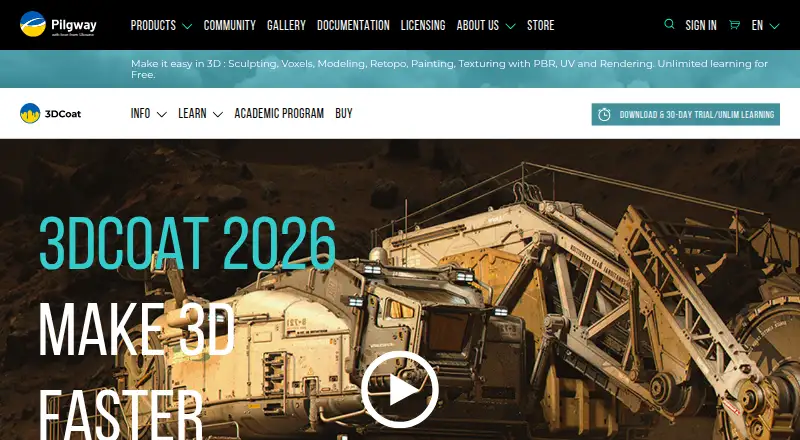
3DCoat is a desktop 3D application for Linux, macOS, and Windows that brings sculpting, retopology, UV editing, PBR texture painting, and rendering into one workspace. Its painting tools support microvertex, per-pixel, and Ptex approaches, along with Smart Materials and textures up to 16K. Sculpting includes voxel work without topological constraints, Boolean operations, and adaptive dynamic tessellation. For retopology, it offers automatic tools with user-defined edge loops as well as manual tools. AppLinks allow model exchange with other 3D applications; the product also describes exchanging Photoshop layers with keyboard shortcuts. A 30-day trial is available, after which Free Learning mode remains, with limits on exports and commercial use. The listed 3DCoat 2026 Individual Node-locked plan costs €379 a month and includes 12 months of free updates. A license can be installed on two machines, though only one copy can run at a time.
Good
- Combines sculpting, retopology, UV editing, painting, and rendering.
- Offers voxel sculpting and Boolean operations.
- Supports automatic and manual retopology.
- Works on Linux, macOS, and Windows.
- Can run offline after licensing.
Watch out
- Learning-mode work cannot be used commercially.
- Learning mode limits projects and exports.
- Textures above 512×512 have watermarks in Learning mode.
- Listed plan costs €379 a month.
Who it suits
3DCoat suits 3D artists who want sculpting, retopology, painting, UV editing, and rendering in one desktop application. Its trial and continuing Free Learning mode may suit people learning the software, provided they can work within the export and use limits.
Verdict
3DCoat combines several stages of 3D work in one application, with a range of painting, sculpting, and retopology tools. Check the learning-mode restrictions and listed monthly plan before choosing it for commercial work.
Plans and prices
From 3DCoat's own pricing page, checked 29 Sep 2026.
| Plan | Price | What it gives you |
|---|---|---|
| 3DCoat 2026 Individual Node-locked | €379, paid once | Personal license · Commercial use allowed · 12 months of free updates · VAT not included · One-time purchase; unlimited use |
The facts
Each one read from 3DCoat's own pages, with the date it was checked.
What it does
- 3D print export
- Yeschecked 21 Sep 2026
- Integrations
- 3DCoat supports AppLinks for exchanging models with other 3D applications and describes Photoshop layer exchange using keyboard shortcuts.checked 29 Sep 2026
- Learning-mode limits
- Learning mode limits .3b projects to 20 sculpt objects and 10 layers; OBJ exports are limited by workspace triangle counts, and textures above 512×512 have watermarks.checked 29 Sep 2026
- License use
- The FAQ says a license can be installed on two machines, but only one copy can run at a time.checked 29 Sep 2026
- Offline use
- After purchase or subscription, users can enter their license data in 3DCoat and use it offline.checked 29 Sep 2026
- Parametric modeling
- Yeschecked 21 Sep 2026
- Render engine
- built-inchecked 21 Sep 2026
- Retopology
- 3DCoat includes automatic retopology with user-defined edge loops and manual retopology tools.checked 29 Sep 2026
- Sculpting
- The sculpting features include voxel sculpting without topological constraints, Boolean operations, and adaptive dynamic tessellation.checked 29 Sep 2026
- Sculpting tools
- Yeschecked 21 Sep 2026
- Security and compliance
- The maker’s FAQ states that 3DCoat can run offline after licensing; the pages reviewed do not state a security certification or compliance standard.checked 29 Sep 2026
- Subscription refunds
- The FAQ says subscription payments are not refundable and subscriptions can be cancelled through the user account.checked 29 Sep 2026
- Support and learning resources
- The maker points users to its tutorials, web wiki, and PDF manual for learning and reference.checked 29 Sep 2026
- Texturing
- Its texturing features include microvertex, per-pixel, and Ptex painting, Smart Materials, and texture sizes up to 16K.checked 29 Sep 2026
- What it does
- 3DCoat combines sculpting, retopology, UV editing, PBR texture painting, and rendering in one application.checked 29 Sep 2026
Money
- Free plan
- Yeschecked 21 Sep 2026
- Trial and learning mode
- The trial lasts 30 days, after which Free Learning mode remains available with export limits and no commercial use of exported learning-mode work.checked 29 Sep 2026
Where it runs
- Platform access
- desktopchecked 21 Sep 2026