Podman Desktop
Podman Desktop is a free graphical tool for creating and managing containers, pods, and Kubernetes workloads locally.
What Podman Desktop is
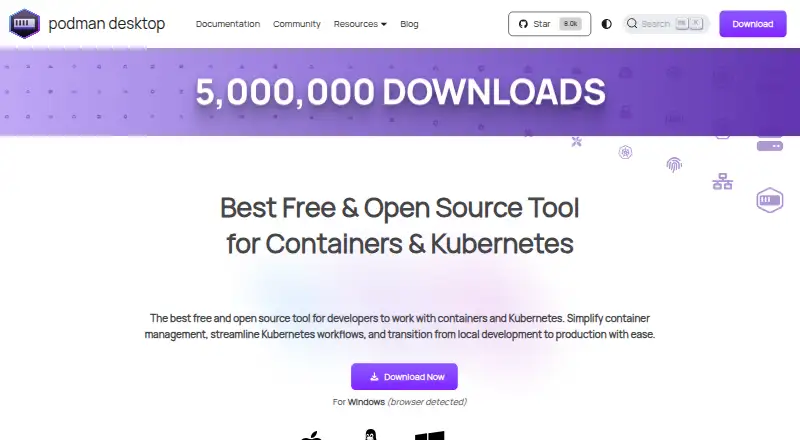
Podman Desktop is a free graphical tool for creating and managing containers, pods, and Kubernetes workloads locally. It runs on Linux, macOS, and Windows. From its interface, users can list, search, inspect, connect to, run, and stop containers, as well as build images and pull or push them through managed registries. For Kubernetes workflows, it supports local Kind and Minikube clusters and management of deployments. Docker-compatible settings allow Docker applications and tools to use a Podman engine. Extensions can add container engines, virtual-machine integrations such as Lima, and tools such as Kind or Compose. Each extension is isolated and communicates through the Podman Desktop API. On macOS and Windows, running the Podman engine requires a Linux virtual machine. Restricted-environment installers are available, but the macOS and Windows installers omit additional utilities such as Compose or Kind. The project site describes Podman's security foundations as daemonless, rootless containers, SELinux support, network policy enforcement, and immutable containers. Documentation points to troubleshooting guides and the project repository for unresolved issues; extension documentation points to Discord for assistance.
Good
- Free and available on Linux, macOS, and Windows
- Manages containers and container images
- Supports local Kind and Minikube clusters
- Docker-compatible settings support Docker applications
- Extensions add engines, integrations, and tools
Watch out
- macOS and Windows require a Linux virtual machine for Podman
- Those installers omit utilities such as Compose or Kind
Who it suits
Podman Desktop suits developers who want a graphical interface for local container and Kubernetes work. It can also suit users of Docker-compatible applications or tools who want to use a Podman engine.
Verdict
Podman Desktop covers local container management and Kubernetes workflows in a graphical interface. Check the platform-specific virtual machine requirement and installer omissions before choosing it.
Plans and prices
From Podman Desktop's own pricing page, checked 30 Sep 2026.
| Plan | Price | What it gives you |
|---|---|---|
| Free | Free | Containers · Kubernetes · macOS, Windows, and Linux · Free and open source |
The facts
Each one read from Podman Desktop's own pages, with the date it was checked.
What it does
- Container management
- It lets users list, search, inspect, connect to, run, and stop containers.checked 30 Sep 2026
- Docker compatibility
- Docker-compatible settings let Docker applications and tools use a Podman engine.checked 30 Sep 2026
- Extension isolation
- Each extension is isolated and communicates through the Podman Desktop API.checked 30 Sep 2026
- Images and registries
- Users can build images in the tool and pull or push images through managed registries.checked 30 Sep 2026
- Integrations
- Extensions can add container engines such as Podman or Docker, virtual machine integrations such as Lima, and tools such as Kind or Compose.checked 30 Sep 2026
- Kubernetes
- It supports local Kubernetes workflows, including Kind and Minikube clusters, and management of Kubernetes deployments through its interface.checked 30 Sep 2026
- Project affiliation
- The site identifies Podman Desktop as a Cloud Native Computing Foundation sandbox project and a Series of LF Projects, LLC.checked 30 Sep 2026
- Purpose
- Podman Desktop is a graphical developer tool for creating, managing, and running containers, pods, and Kubernetes workloads locally.checked 30 Sep 2026
- Restricted environments
- Restricted-environment installers are available, but the Windows and macOS installers do not include additional utilities such as Compose or Kind.checked 30 Sep 2026
- Security
- The product site describes Podman's security foundations as daemonless, rootless containers, SELinux support, network policy enforcement, and immutable containers.checked 30 Sep 2026
- Support
- The documentation directs users to troubleshooting guides and the project repository for unresolved issues; extension documentation points users to Discord for assistance.checked 30 Sep 2026
Where it runs
- Platform limitation
- On macOS and Windows, running the Podman container engine requires a Linux virtual machine.checked 30 Sep 2026
The full review of Podman Desktop
Overview
Podman Desktop is a free desktop interface for working with containers, pods, and Kubernetes workloads on a local machine. It best suits developers who want container and cluster workflows in one graphical tool, especially those already using Podman. The main trade-off is that macOS and Windows users need a Linux virtual machine for the Podman engine.
Key features
Container and image workflows
The interface can list, search, inspect, connect to, run, and stop containers, and it supports building images and pulling or pushing them through managed registries. That covers the routine local development cycle without requiring every task to be handled through separate tools; it is less compelling for readers seeking a broader managed cloud service.
Local Kubernetes and compatibility
Podman Desktop supports local Kubernetes workflows with Kind and Minikube, plus management of Kubernetes deployments in the interface. Docker-compatible settings let Docker applications and tools use a Podman engine, a practical bridge for developers who rely on Docker-compatible workflows but want Podman underneath.
Extensions and security
Extensions can add engines such as Podman or Docker, virtual-machine integrations such as Lima, and tools such as Kind or Compose. Each extension is isolated and communicates through the Podman Desktop API, giving the extension model a defined boundary. Podman's security foundations include daemonless, rootless containers, SELinux support, network policy enforcement, and immutable containers.
Pricing
Free — free. The free and open-source plan includes containers, Kubernetes, and macOS, Windows, and Linux support. Compose workflows, IDE integration, both cluster modes, and resource controls are also supported. There is no paid tier or trial to weigh against a free allowance: this is the choice for individual developers and teams seeking a no-cost desktop workflow, though it does not come with a stated commercial support plan.
Platforms
Podman Desktop runs on Windows, macOS, and Linux. On Windows and macOS, running the Podman engine requires a Linux virtual machine, an important setup consideration for users who expect a native container runtime. Restricted-environment installers are available, but Windows and macOS installers omit additional utilities such as Compose or Kind, so those users may need to account for those tools separately.
For troubleshooting, the documentation points users to guides and the project repository for unresolved issues; extension documentation directs users to Discord for assistance.
Who it's for
Podman Desktop is a strong fit for developers who want local containers and Kubernetes managed from a graphical interface, need Docker-compatible settings, or value an extensible setup that can connect engines and tools. It is a weaker fit for users who want to avoid a Linux virtual machine on macOS or Windows, or need Compose and Kind bundled in those platform installers.
Pros and cons
- Pros: Container controls, image building, registry transfers, and Kubernetes deployment management sit in one desktop interface, covering a useful span of local development work.
- Pros: Docker-compatible settings and isolated extensions make it possible to adapt the tool to other engines and integrations.
- Pros: The free, open-source plan includes container and Kubernetes workflows across all three desktop platforms.
- Cons: The Podman engine needs a Linux virtual machine on macOS and Windows, adding a platform-specific requirement.
- Cons: The Windows and macOS installers omit utilities such as Compose and Kind, limiting how complete the initial setup is for those workflows.
Alternatives
Docker Desktop is worth considering for readers who want a freemium alternative with a free personal plan capped at one user, one Docker Scout-enabled repository, 100 Docker Hub pulls per hour, and one private Docker Hub repository; its Pro plan is $9 a month.
Garden is another freemium option, with a free tier limited by build minutes, cache hits, and cache retention, and an Enterprise plan with custom pricing.
DevPod suits readers looking for a free, open-source, extensible, client-only option. Tilt is a free and open-source alternative under the Apache-2.0 license. OrbStack is a macOS-only alternative with a free personal, non-commercial plan for containers and Linux machines, plus a Pro plan at $8 a month.
Rancher Desktop is a free, open-source desktop application. DevSpace is a free, open-source Kubernetes developer tool offered as a client-only CLI. DDEV is a free and open-source alternative under the Apache 2.0 license.
Verdict
Choose Podman Desktop if you want a free graphical workspace for local containers and Kubernetes, with Docker-compatible settings and room to add integrations. Its breadth across container, image, and cluster tasks is the strongest reason to pick it. Look elsewhere if the Linux virtual machine requirement on macOS or Windows, or the installer omissions on those platforms, would complicate your setup.
Alternatives to Podman Desktop
- 1
Docker Desktop
Free planWebLinuxmacOSWindows7.2From $9 a month - 2
OrbStack
Free planAPImacOS7.2From $8 a month - 3

LXD
Free planWebAPILinuxSelf-hosted7.0From $25 a year - 4
Incus
Free planAPILinuxmacOSSelf-hosted6.8Free plan - 5
Apptainer
Free planAPILinuxmacOSSelf-hosted6.7Free plan - 6
Rancher Desktop
Free planAPILinuxmacOSWindows6.7Free plan