
PlatformIO IDE
PlatformIO IDE is an embedded-development environment for building applications for embedded products.
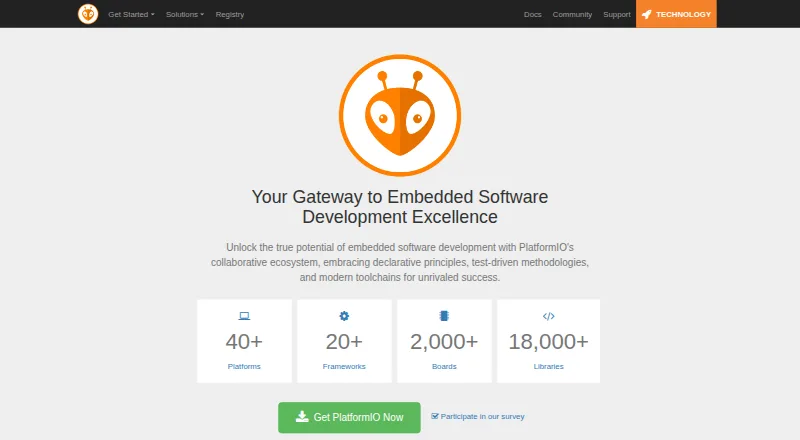
What PlatformIO IDE is
PlatformIO IDE is an embedded-development environment for building applications for embedded products. Its VSCode edition is a native extension for Visual Studio Code, and PlatformIO also lists desktop and cloud IDE integrations, with experimental CLion support. The IDE describes support for more than 50 development platforms, 1,000+ boards and development kits, and 20+ frameworks. For C and C++, it provides intelligent code completion and a smart linter. Its unified debugger supports more than 250 embedded boards, and the toolset includes PlatformIO Core CLI, a built-in terminal, build and upload tasks, and a serial port monitor. Remote development lets users work in their preferred environment while drawing on computing power and connected devices on a remote machine. PlatformIO identifies embedded engineers, software developers, hobbyists, and other professionals as intended users. The IDE is free and open source. Free Community support offers access to community forums and documentation around the clock; paid Business support adds ticket submission and a response time under 24 business hours, with advisory services also included.
Good
- Free, open-source embedded development tool.
- Support for 50+ platforms, 1,000+ boards, and 20+ frameworks.
- C/C++ code completion and smart linting.
- Unified debugger supports more than 250 embedded boards.
- Includes CLI, terminal, build and upload tasks, and serial monitoring.
Watch out
- The IDE is built as a VSCode extension.
- CLion support is experimental.
- Business support costs $249 a year when billed yearly.
Who it suits
PlatformIO IDE suits embedded systems engineers, software developers, and hobbyists building for a broad range of boards and frameworks. It is also a fit for users who want an integrated terminal, build and upload tasks, serial monitoring, and debugging in their development workflow.
Verdict
Choose PlatformIO IDE if you build embedded applications and want broad board and framework coverage alongside integrated development tools. Its IDE is a VSCode extension; users seeking Business support should also account for its 249.00 USD yearly price when billed yearly.
Plans and prices
From PlatformIO IDE's own pricing page, checked 29 Sep 2026.
| Plan | Price | What it gives you |
|---|---|---|
| Community | Free | 24x7 access to Community Forums · 24x7 access to Documentation · Free Forever · No Credit Card Required |
| PlatformIO IDE | Free | Free, open-source embedded development tool |
| Business | $249 | Premium online ticket submission · < 24 Business Hours response time · Advisory services, 30 minutes/mo · per month, billed yearly (or $499 billed monthly) |
| Enterprise | Priced on request | Live chat · Web conference support · < 8 Business Hours response time · Advisory services, 12 hours/mo · Architectural review · Integration services |
The facts
Each one read from PlatformIO IDE's own pages, with the date it was checked.
What it does
- Built-in tools
- PlatformIO IDE includes PlatformIO Core CLI and provides a built-in terminal, build and upload tasks, and a serial port monitor.checked 29 Sep 2026
- Code assistance
- PlatformIO IDE advertises C/C++ intelligent code completion and a smart code linter.checked 29 Sep 2026
- Debugging
- The IDE page says its unified debugger supports more than 250 embedded boards with zero configuration.checked 29 Sep 2026
- Editor integrations
- Official documentation lists native integrations for VSCode and experimental CLion support, plus desktop and cloud IDE integrations.checked 29 Sep 2026
- Hardware and frameworks
- The IDE page describes support for 50+ development platforms, 1,000+ boards and development kits, and 20+ frameworks.checked 29 Sep 2026
- IDE base
- PlatformIO IDE for VSCode is a native extension built on top of Visual Studio Code.checked 29 Sep 2026
- Intended users
- The documentation identifies professional embedded systems engineers, software developers, hobbyists, and professionals as users.checked 29 Sep 2026
- Privacy
- The privacy policy says PlatformIO uses industry-standard technical and organizational measures to secure stored information.checked 29 Sep 2026
- Privacy policy date
- The PlatformIO Labs privacy policy states it was updated September 28, 2020.checked 29 Sep 2026
- Purpose
- PlatformIO is a cross-platform, cross-architecture tool for embedded systems engineers and software developers building applications for embedded products.checked 29 Sep 2026
- Remote development
- Remote development lets users work in their preferred environment while using computing power and connected devices on a remote machine.checked 29 Sep 2026
- Support
- The free Community support option includes round-the-clock access to community forums and documentation; paid Business support lists online ticket submission and a response time under 24 business hours.checked 29 Sep 2026
The full review of PlatformIO IDE
Overview
PlatformIO IDE is an embedded-development tool built around PlatformIO Core, with a native Visual Studio Code extension. It serves engineers, software developers, and hobbyists working across embedded hardware, pairing code assistance with build, upload, monitoring, and debugging tools.
Its broad platform and board coverage makes it a strong general-purpose choice for projects that span hardware families. The trade-off is that its native editor integration is VS Code; CLion support is experimental, so teams committed to that environment should weigh the fit carefully.
Key features
PlatformIO describes support for more than 50 development platforms, over 1,000 boards and development kits, and more than 20 frameworks. That range is valuable when projects move between targets; developers focused on a single vendor’s ecosystem may prefer a dedicated tool instead.
- Code assistance: C/C++ intelligent completion and a smart linter support everyday editing and help catch code issues.
- Build and device workflow: PlatformIO Core CLI, a built-in terminal, build and upload tasks, and a serial port monitor keep common tasks close to the editor.
- Debugging and flashing: The unified debugger is described as supporting more than 250 embedded boards without configuration. Integrated debugging and flashing, hardware probe support, and RTOS support give the IDE a wider role than editing and building alone.
- Editor integrations: VS Code has native integration, while CLion support is experimental. Desktop and cloud IDE integrations are also supported, giving users alternatives to the primary VS Code setup.
- Remote development: Users can work in a preferred environment while relying on computing power and connected devices on a remote machine. This is useful when development resources or target hardware are elsewhere.
Pricing
The core tools are free. The Community plan is free, billed Free Forever with no credit card required; it includes round-the-clock access to community forums and documentation. PlatformIO IDE is also free as a free, open-source embedded development tool. That makes the main development workflow accessible without a subscription, while support remains community-based.
Business costs $249 a year when billed yearly, or $499 billed monthly. It adds premium online ticket submission with a response time under 24 business hours and 30 minutes of advisory services per month. The annual option is suited to users who want paid support and can commit to yearly billing; monthly billing costs more but avoids that annual commitment.
Enterprise has custom pricing. It adds live chat and web conference support, a response time under 8 business hours, 12 hours of advisory services per month, architectural review, and integration services. Its higher-touch support is aimed at organizations needing more than ticket-based assistance.
Platforms
PlatformIO IDE supports Windows, macOS, and Linux. Its distribution options include an extension and self-hosted use, alongside desktop integrations.
Who it's for
PlatformIO is a good fit for embedded engineers and software developers who need one workflow across multiple boards and frameworks, and for hobbyists who value broad target support without a paid core plan. It is less compelling for teams that require a mature CLion integration or prefer a tool dedicated to one hardware ecosystem.
Pros and cons
- Pro — Broad target coverage: Support for 50+ platforms, 1,000+ boards and kits, and 20+ frameworks helps projects span hardware families.
- Pro — Integrated development workflow: CLI, terminal, build and upload tasks, serial monitoring, debugging, and flashing bring key embedded tasks together.
- Pro — Free core: The IDE costs nothing, so its core development tools do not require a paid plan.
- Con — Editor support is uneven: VS Code is the native integration, while CLion remains experimental, which may not suit teams standardized on CLion.
- Con — Paid support raises the cost: Business is $249 a year when billed yearly, or $499 billed monthly; the free Community option relies on forums and documentation.
Alternatives
- Arm Keil MDK is worth comparing if you want its Keil Studio and Keil μVision options with Cortex-M device support; its Community plan is for non-commercial use.
- Arduino IDE is an open-source, free alternative for users who want its autocompletion, code navigation, and live debugging.
- e² studio is a free option for users who can work without bundled compiler packages, which are separate and may carry their own license terms or evaluation limits.
- ESP-IDF Extension for VS Code is a free VS Code extension for ESP-IDF, a narrower alternative for users focused on that environment.
- MPLAB X IDE is a free alternative for users targeting most Microchip microcontrollers and digital signal controllers.
- Renesas Flexible Software Package is free to use on any Renesas device, making it an option for users focused on Renesas hardware.
- Wokwi offers a free Community plan with unlimited simulations, unlimited public projects, and Virtual WiFi; it suits users whose priority is simulation.
- STM32CubeIDE is a free, proprietary ST application for users who want a tool from that vendor.
For more options, browse IoT Development Tools, Embedded Development IDEs, Embedded Systems Toolchains, and C++ IDEs.
Verdict
Choose PlatformIO IDE when embedded projects need broad board and framework coverage plus an integrated build, upload, monitoring, and debugging workflow at no core software cost. Look elsewhere if your work is confined to a vendor-specific ecosystem or your team needs established CLion support; budget for Business if paid support is essential.
Getting started
- Visit https://platformio.org/.
- Install Visual Studio Code and add the PlatformIO IDE extension.
- Choose from the supported development platforms, boards, and frameworks for your project.
- Use the included terminal, build and upload tasks, serial port monitor, and debugger as needed.
- Use the free Community support option for community forums and documentation.
Questions
How much does PlatformIO IDE cost?
The PlatformIO IDE plan is free, and the tool is described as free and open source.
Which platforms does it support?
The listed desktop platforms are Windows, macOS, and Linux. It is also available as an extension and has self-hosted support listed.
What board and framework coverage does it offer?
The IDE describes support for 50+ development platforms, 1,000+ boards and development kits, and 20+ frameworks.
Does it include debugging?
Yes. The unified debugger is listed as supporting more than 250 embedded boards, and integrated debugging is marked yes.
What support plans are available?
Community support provides around-the-clock access to forums and documentation. Business costs $249 a year when billed yearly, or $499 billed monthly, and includes online ticket submission, a response time under 24 business hours, and advisory services.
Alternatives to PlatformIO IDE
- 1

Arm Keil MDK
Free planWebAPIExtensionLinux7.9From 82.39 CHF a month - 2
C2000Ware
Free planWebLinuxmacOSWindows7.1Free plan - 3

IAR Embedded Workbench
Free planExtensionLinuxWindows6.9Free plan - 4

Infineon ModusToolbox
Free planLinuxmacOSWindows6.8Free plan - 5
RISC-V GNU Toolchain
Free planLinuxmacOSWindows6.5Free plan - 6
Buildroot
Free planLinuxSelf-hosted6.4Free plan