e² studio
e² studio is a free Eclipse-based IDE for developing Renesas microcontroller projects, from setting up a project to debugging it.
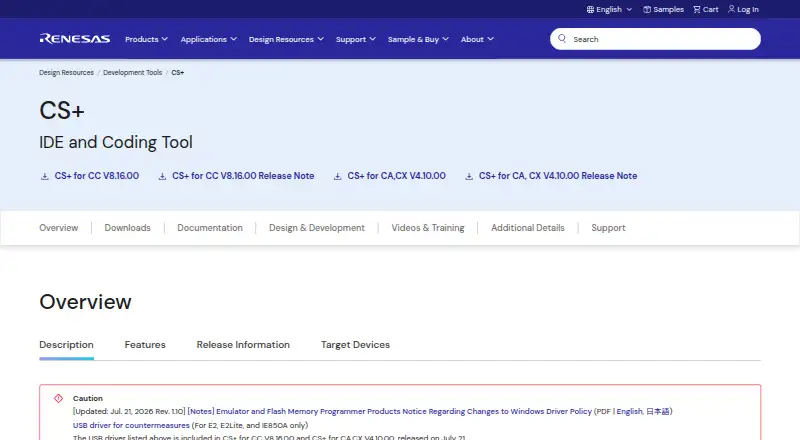
What e² studio is
e² studio is a free Eclipse-based IDE for developing Renesas microcontroller projects, from setting up a project to debugging it. Its project wizard creates MCU projects with basic sample code, while Smart Configurator can configure clocks, pins, and interrupts and generate corresponding code. The Eclipse CDT editor includes completion, syntax coloring, navigation, folding, automated code constructs, preprocessor checks, and refactoring. You can select Renesas or partner-vendor compilers, but they must be installed separately; compiler packages are not included. Debugging uses Eclipse CDT’s GDB, with register and memory views, breakpoints, real-time memory display, tracing, and peripheral-register display. Listed hardware includes Renesas E2, E2 Lite, and E20 emulators and SEGGER J-Link. Supported MCU families include RA, RZ, RL78, RX, RH850, and RISC-V. The IDE runs on Windows, Linux, and macOS. Its Linux host version does not support RE family or Renesas Synergy. There is no paid version, though compiler packages may have separate terms or evaluation limits.
Good
- Project wizard creates MCU projects with sample code.
- Smart Configurator generates code for clock, pin, and interrupt settings.
- Debugging includes tracing and register and memory views.
- Available for Windows, Linux, and macOS.
Watch out
- Compiler packages are not included.
- Linux host version excludes RE family and Renesas Synergy.
- Compiler evaluation editions may impose device-specific restrictions.
Who it suits
It suits developers building for supported Renesas MCU families who want project setup, code editing, and debugging in one IDE. Users should be prepared to install a compiler separately.
Verdict
e² studio brings project creation, code editing, and debugging together for Renesas microcontroller development. Check Linux family support and compiler requirements before choosing it.
Plans and prices
From e² studio's own pricing page, checked 4 Oct 2026.
| Plan | Price | What it gives you |
|---|---|---|
| e² studio | Free | No paid version; separate compiler packages are not included and may have their own license terms or evaluation limits |
The facts
Each one read from e² studio's own pages, with the date it was checked.
What it does
- Build toolchains
- Users can select Renesas or partner-vendor compilers, but compilers are not included and must be installed separately.checked 4 Oct 2026
- Code editor
- The Eclipse CDT editor includes code completion, syntax coloring, navigation, folding, automated code constructs, preprocessor checking, and refactoring.checked 4 Oct 2026
- Compiler limits
- The IDE has no evaluation period, but compiler evaluation editions used with it can impose device-specific restrictions; compiler packages are not included in the IDE download.checked 4 Oct 2026
- Debugging
- Debugging uses Eclipse CDT's GDB and supports features including register and memory views, breakpoints, real-time memory display, tracing, and peripheral-register display.checked 4 Oct 2026
- Eclipse extensions
- The IDE is built from Eclipse, CDT, Renesas and partner plug-ins, and can use additional open-source plug-ins and Renesas QE tools.checked 4 Oct 2026
- Hardware integrations
- The product page lists Renesas E2, E2 Lite, and E20 emulators and SEGGER J-Link among supported debugging hardware.checked 4 Oct 2026
- Product
- e² studio is an Eclipse-based integrated development environment for Renesas microcontrollers, covering development from sample-code download through debugging.checked 4 Oct 2026
- Project migration
- It can import projects from Renesas CS+ and High-performance Embedded Workshop and export projects for CS+.checked 4 Oct 2026
- Project setup
- Its project wizard generates MCU projects with basic sample code, and Smart Configurator can set clocks, pins, and interrupts and generate code for those settings.checked 4 Oct 2026
- Supported MCU families
- The product page lists RA, RZ, RL78, RX, RH850, and RISC-V MCU families, and notes that the Linux host version does not support RE family or Renesas Synergy.checked 4 Oct 2026
- Support resources
- Renesas links e² studio users to its Knowledge Base and support communities and provides family-specific pages, quick-start materials, and release notes.checked 4 Oct 2026
The company
- Company
- Renesas Electronics Corporation is headquartered in Toyosu, Tokyo, Japan, and was established on November 1, 2002; it began operations on April 1, 2010.checked 4 Oct 2026
- Headquarters
- Tokyo, Japanchecked 4 Oct 2026
Where it runs
- Platforms
- Renesas lists Windows, Linux, and macOS operating environments; macOS support is limited to Apple Silicon machines.checked 4 Oct 2026
- Smart Browser
- Smart Browser provides access inside the IDE to MCU sample code, middleware, hardware manuals, technical updates, application notes, and tool news.checked 4 Oct 2026
The full review of e² studio
e² studio is a desktop development environment for building software for Renesas microcontrollers. It is best suited to developers working with the supported Renesas families who want project setup, editing, and debugging in one workspace. Its strongest case is the Renesas-specific workflow; the separate compiler installation is the main practical caveat.
Overview
Built on Eclipse, e² studio covers the path from creating a microcontroller project to debugging it. Its project wizard starts projects with basic sample code, while Smart Configurator can set clocks, pins, and interrupts and generate code for those settings. That can reduce repetitive setup for Renesas projects, though developers still need to choose and install a compiler themselves.
Smart Browser brings MCU sample code, middleware, hardware manuals, technical updates, application notes, and tool news into the IDE. Eclipse extensions add room for open-source plug-ins and Renesas QE tools. Together, these features make e² studio a focused environment for Renesas development, rather than a neutral starting point for teams standardizing on another vendor's ecosystem.
Key features
Editing and toolchains
The Eclipse CDT editor provides completion, syntax coloring, navigation, folding, automated code constructs, preprocessor checking, and refactoring. Developers can select Renesas or partner-vendor compilers, but the compiler packages are separate. The IDE itself is free, but it is not a complete out-of-the-box build toolchain; compiler license terms and evaluation restrictions may also affect a project.
Debugging and hardware
Debugging uses Eclipse CDT's GDB and includes register and memory views, breakpoints, real-time memory display, tracing, and peripheral-register display. Supported hardware includes Renesas E2, E2 Lite, and E20 emulators and SEGGER J-Link. Integrated debugging and flashing, hardware-probe support, and RTOS support make it relevant to users who need a broader embedded workflow than code editing alone.
Migration and support
Projects can be imported from Renesas CS+ and High-performance Embedded Workshop, and exported for CS+. That helps teams move between Renesas development environments without starting every project from scratch. Renesas also provides a Knowledge Base, support communities, family-specific pages, quick-start materials, and release notes.
Pricing
e² studio — free. There is no paid version and no trial period. The free IDE is a straightforward fit for individual developers and teams building for supported Renesas MCUs, but it does not include compiler packages. Those must be installed separately and may carry their own license terms or evaluation limits; compiler evaluation editions can also impose device-specific restrictions. The IDE's free status therefore does not guarantee that every compiler choice is unrestricted or included.
Platforms
e² studio runs on Windows, Linux, and macOS. Its supported MCU families are RA, RZ, RL78, RX, RH850, and RISC-V. Linux users should note that the host version does not support RE family or Renesas Synergy, so it is not the right choice for those targets.
Who it's for
Choose e² studio if your work targets its supported Renesas families and you value project generation, device configuration, and debugging in one desktop IDE. It is also a sensible fit when migrating from CS+ or High-performance Embedded Workshop. Look elsewhere if you need a packaged compiler, target RE or Synergy from Linux, or want an environment centered on a different chip ecosystem.
Pros and cons
Pros
- Renesas-focused setup: The project wizard and Smart Configurator can generate starter code and device configuration, reducing manual setup for supported targets.
- Substantial debugging workflow: GDB-based views, tracing, breakpoints, supported probes, and integrated flashing serve development beyond basic editing.
- Useful migration paths: Import from CS+ and High-performance Embedded Workshop, plus export for CS+, can ease movement between Renesas tools.
- No IDE fee: The IDE costs nothing and has no paid tier.
Cons
- Compiler is separate: Users must install compiler packages independently, and compiler terms or evaluation limits may constrain builds.
- Renesas-specific target fit: Its most useful setup and reference features are oriented around Renesas MCUs, making it a weaker fit for teams organized around another ecosystem.
- Linux target exclusion: The Linux host version does not support RE family or Renesas Synergy.
Alternatives
CS+ is worth considering for Renesas users who prefer that IDE or need a companion migration path; it is free for development and production, though evaluation compilers can impose limits. For a different vendor's microcontroller focus, C2000Ware is a free option for C2000 microcontrollers, while its installer requires export approval. ESP-IDF Extension for VS Code suits developers seeking a free VS Code extension for ESP-IDF. MPLAB X IDE is a free IDE option for most Microchip microcontrollers and digital signal controllers. nRF Connect for VS Code is a free VS Code extension option. PlatformIO IDE is another free IDE option, with a Community plan that includes forum and documentation access. Arduino IDE is a free, open-source option with autocompletion, code navigation, and live debugging. Arm Keil MDK is an alternative with a free Community plan for non-commercial use and Cortex-M device support. Browse Embedded Development IDEs, IoT Development Tools, C++ IDEs, Embedded Systems Toolchains, or IDE Software for more options.
Verdict
e² studio is the right choice for developers building on supported Renesas MCUs who want configuration, code editing, and debugging together without paying for the IDE. Its Renesas-specific workflow and migration support are compelling, but the separate compiler packages add setup and may bring their own restrictions. Choose it when Renesas is your target; look elsewhere if you need a bundled toolchain or Linux support for RE or Synergy.
Getting started
- Open the Renesas e² studio website
- Download the version for Windows, Linux, or macOS
- Install a Renesas or partner-vendor compiler separately
- Install supported debugging hardware such as E2, E2 Lite, E20, or SEGGER J-Link
- Create an MCU project with the project wizard
- Configure clocks, pins, and interrupts in Smart Configurator
- Build and debug using the selected toolchain
Limits worth knowing
The IDE download does not include compiler packages, and compiler evaluation editions can have device-specific restrictions. The Linux host version does not support the RE family or Renesas Synergy.
Questions
Is e² studio free?
Yes. The e² studio plan is free at 0.00 USD, and there is no paid version.
Which operating systems are supported?
e² studio runs on Windows, Linux, and macOS.
Which MCU families are supported?
Listed targets are RA, RZ, RL78, RX, RH850, and RISC-V MCU families.
Are compilers included?
No. Renesas and partner-vendor compiler packages must be installed separately and can have their own license terms or evaluation limits.
What debugging hardware works with it?
The listed hardware includes Renesas E2, E2 Lite, and E20 emulators plus SEGGER J-Link.
Does it support project migration?
It can import projects from Renesas CS+ and High-performance Embedded Workshop and export projects for CS+.
Alternatives to e² studio
- 1

Arduino IDE
Free planOpen sourceAndroidiOSWebAPI8.0Free plan - 2

Arm Keil MDK
Free planWebAPIExtensionLinux7.9From 82.39 CHF a month - 3

PlatformIO IDE
Free planExtensionLinuxmacOSSelf-hosted7.0Free plan - 4

IAR Embedded Workbench
Free planExtensionLinuxWindows6.9Free plan - 5
CS+
Free planLinuxmacOSWindows6.4Free plan - 6

Eclipse IDE
Free planLinuxmacOSWindows6.4Free plan